Omron V-TS Teaching Manual.pdf.pdf - 第240页
2.17 M ass-Produced PCB Image 2- 213 2.18.1 Saving an Inspec tion Program This section describes the procedure to save an inspec tion program. 1. Click the save b utton at the right abov e the Inspection Program List in …
Chapter 2 Inspection Programming
2-212
2.18 Inspection Program Maintenance
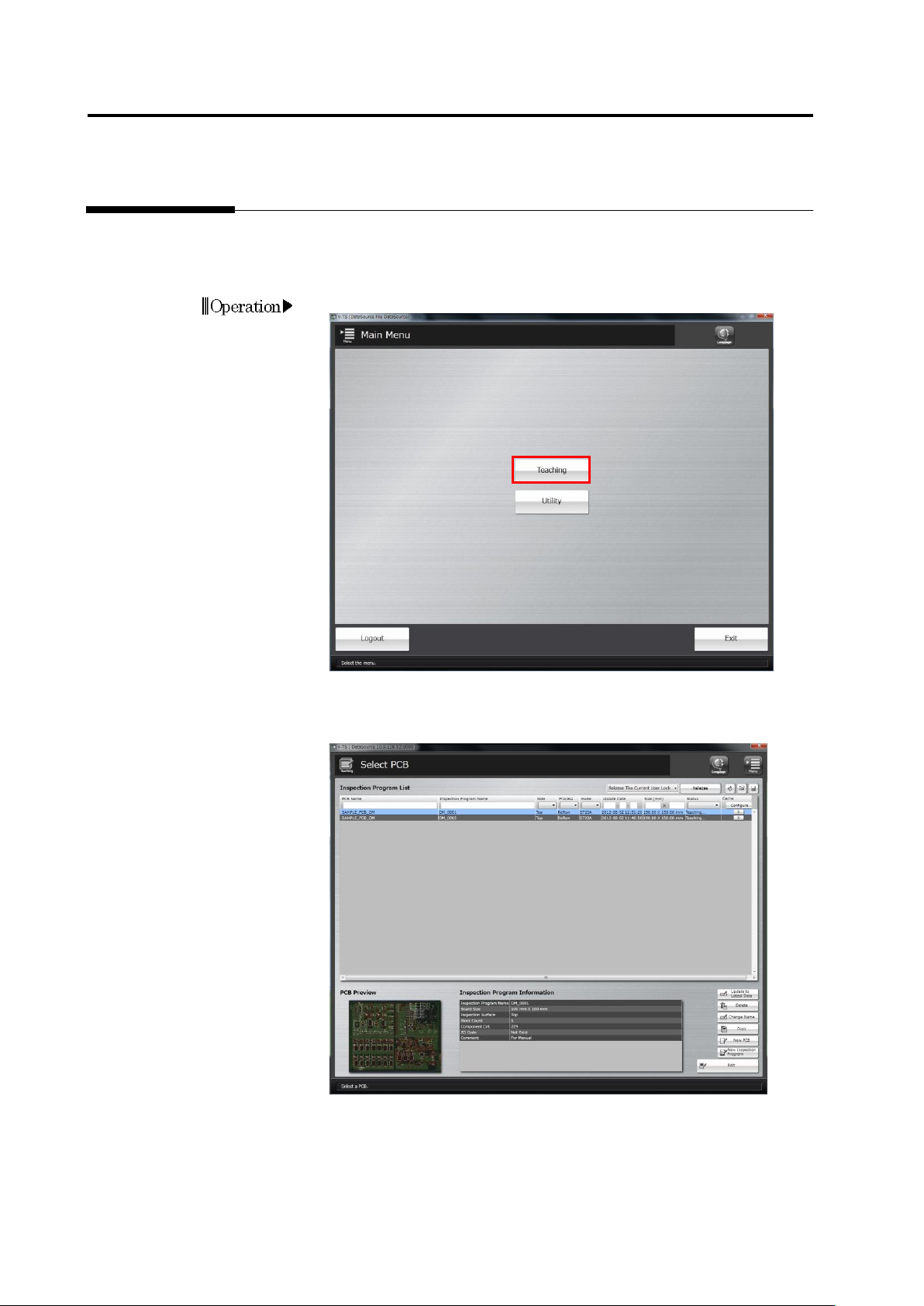
Use the Select PCB screen to save/read, update, delete, rename and copy an inspection
program. Follow the procedure below to display the screen, and perform necessary maintenance
operation, which is described in the subsequent sections.
1.
Click [Teaching] in the main menu.
2.
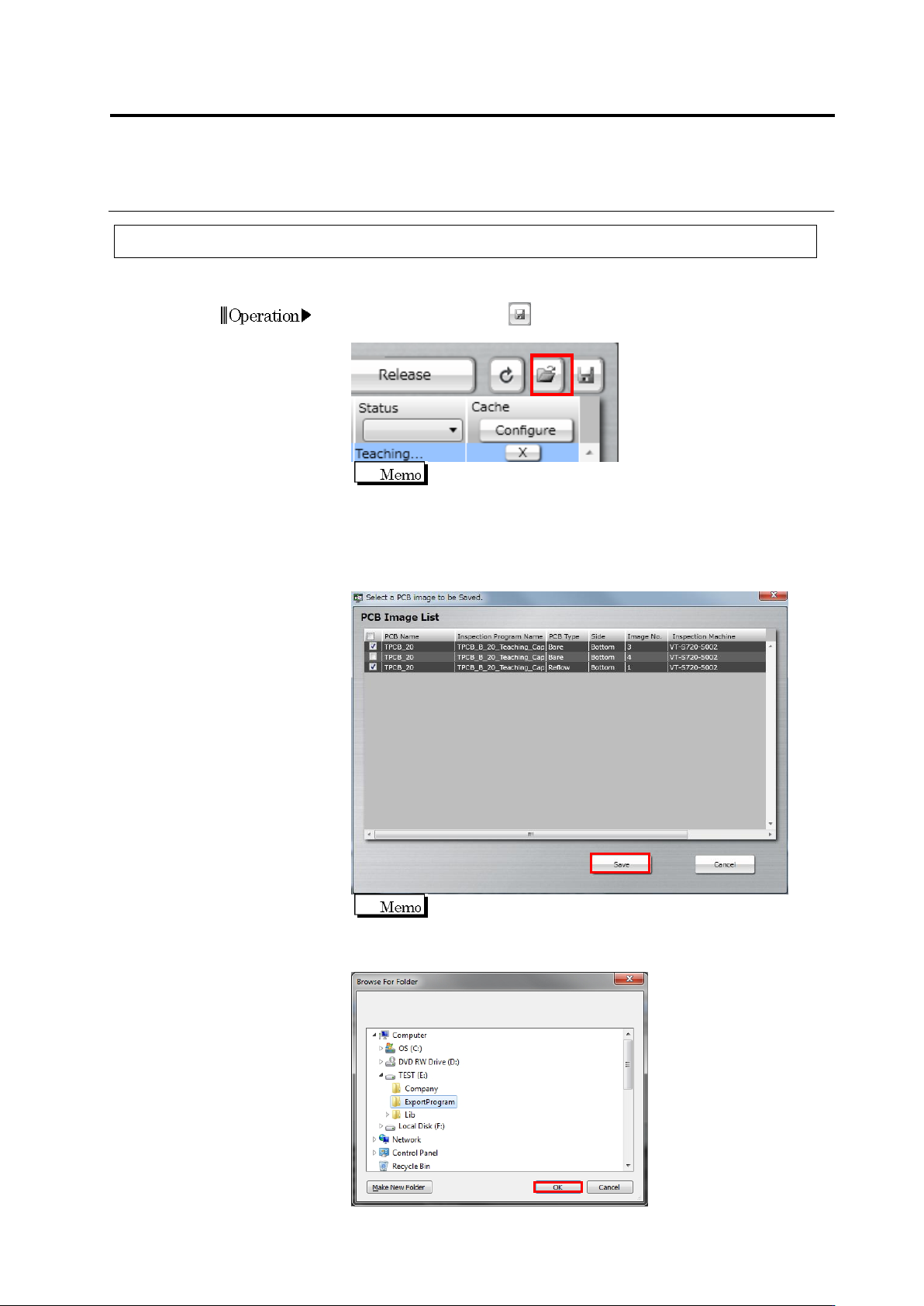
The Select PCB screen appears.
Access individual inspection program maintenance menu items from
this screen.
Operation
2.17 Mass-Produced PCB Image
2-213
2.18.1 Saving an Inspection Program
This section describes the procedure to save an inspection program.
1.
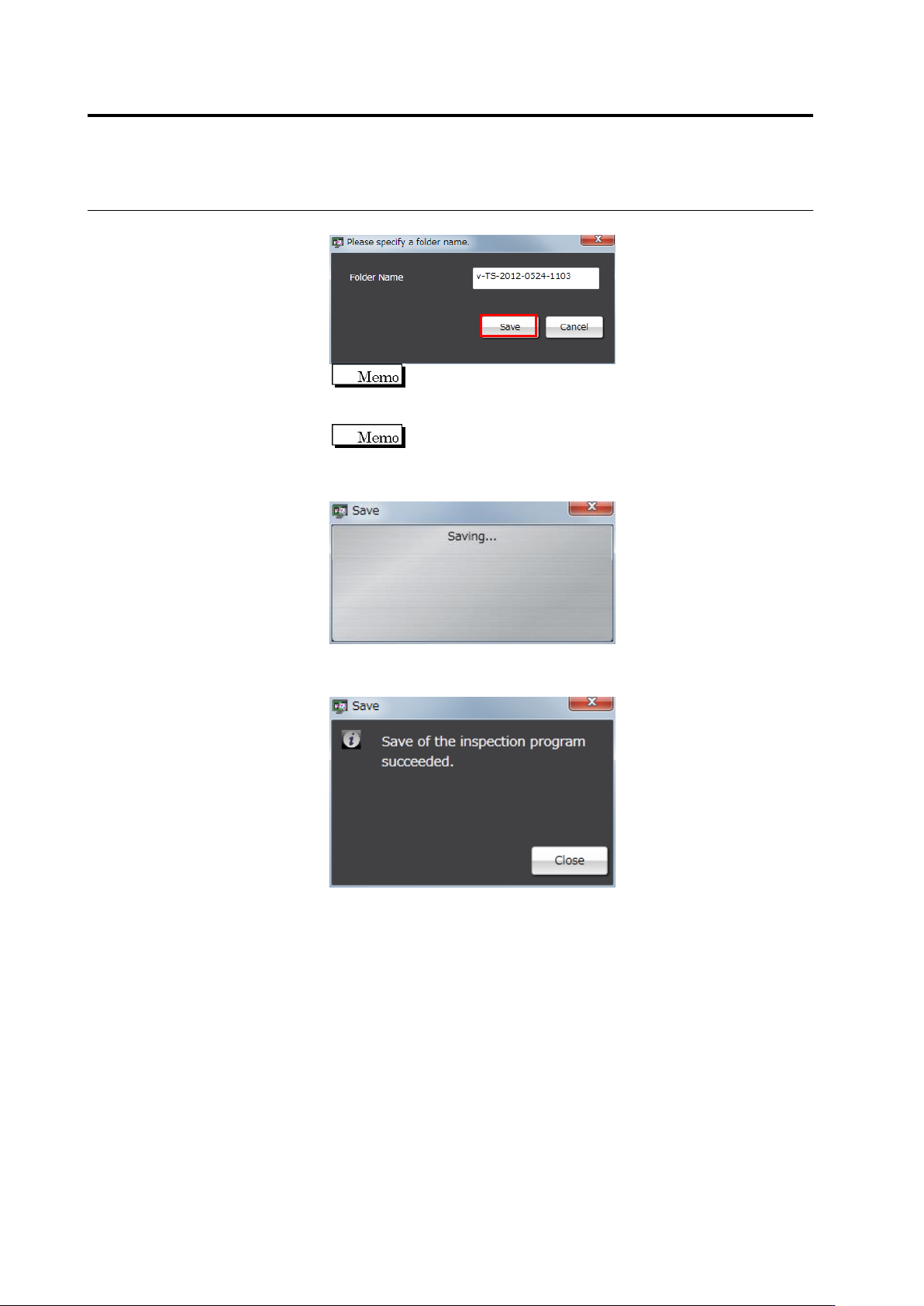
Click the save button at the right above the Inspection Program
List in the Select PCB screen.
You cannot select multiple inspection programs at the same
time.
2.
The file selection dialog is displayed. Select the file to import and
click [Open]. When you also save PCB images, select the check
box of the target PCB image and click [Save]. When you do not
save PCB images, clear all the check boxes.
It takes a while to save PCB images.
3.
The folder reference dialog appears. Specify the destination and
click [OK].
Operation
Chapter 2 Inspection Programming
2-214
4.
Enter a folder name and click [Save].
The folder name can be entered within 32 single-byte
alphanumeric characters and the symbols shown below:
! # $ % & ' ( ) - = ^
~
@` [ { ;+ } ] ,._
␣
A folder name comprising "v-TS time/date (yyyy-mmdd-hhmm)
is displayed by default.
5.
Saving of the inspection program starts.
The following dialog is displayed if the inspection program is
successfully saved. Click [Close].
If the saving fails, an error dialog appears.
Close the dialog by clicking [Close], and check for a possible cause
e.g. the disk space or restricted access to the saving destination
folder.