Omron V-TS Teaching Manual.pdf.pdf - 第253页
Chapter 2 Insp ection Progr amming 2- 226 You can manuall y perform data verif ication at an y timing . This section describes manual data verif ication s teps . 1. On the menu bar of the edit sc reen, select [Tool] - [D…
2.18 Inspection Program Maintenance
2-225
Data Verification
Data verification is automatically done in the following timings:
- When data is updated to the latest
- When an inspection program is released
* Data verification upon release aims at component numbers and component number groups that
have acquired locking
(All inspection programs and circuits will be verified)
This section describes data verification which is automatically executed.
1.
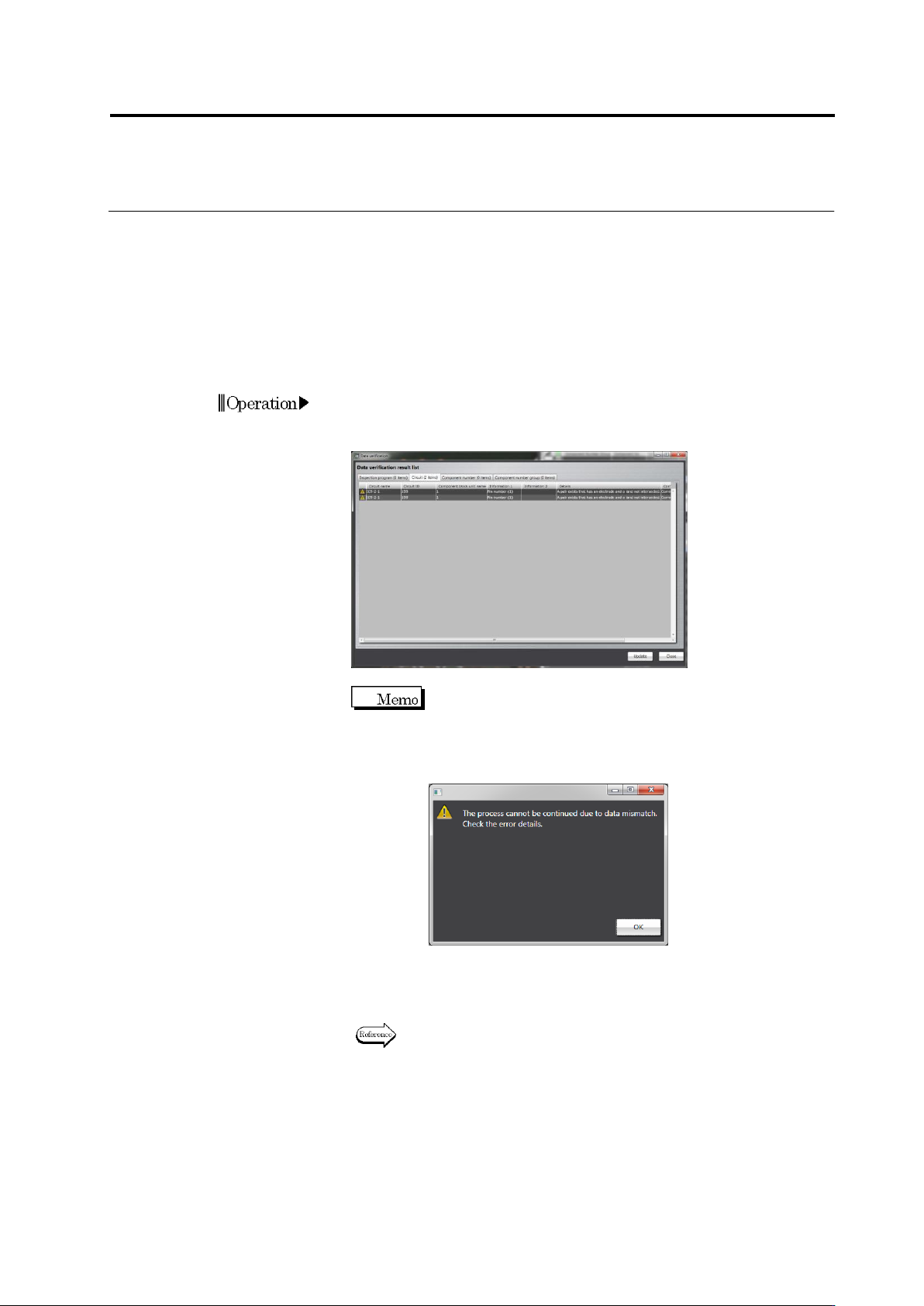
Data verification is automatically done in given timings
.
If an error is
detected in a data verification result, the data verification result list
appears.
You can continue the processing without recovering data
by pressing the [Continue Processing] button. If
mismatching occurred in data required to proceed,
however, a warning screen appears, preventing to
proceed.
2.
Recover the data based on the recovery steps
.
If the result error
disappears, the data verification list does not appear and the
process is continued.
For the recovering method, refer to “Data Recovery Flow” of Section
2.18.8 Verifying Inspection Program Data.”
Chapter 2 Inspection Programming
2-226
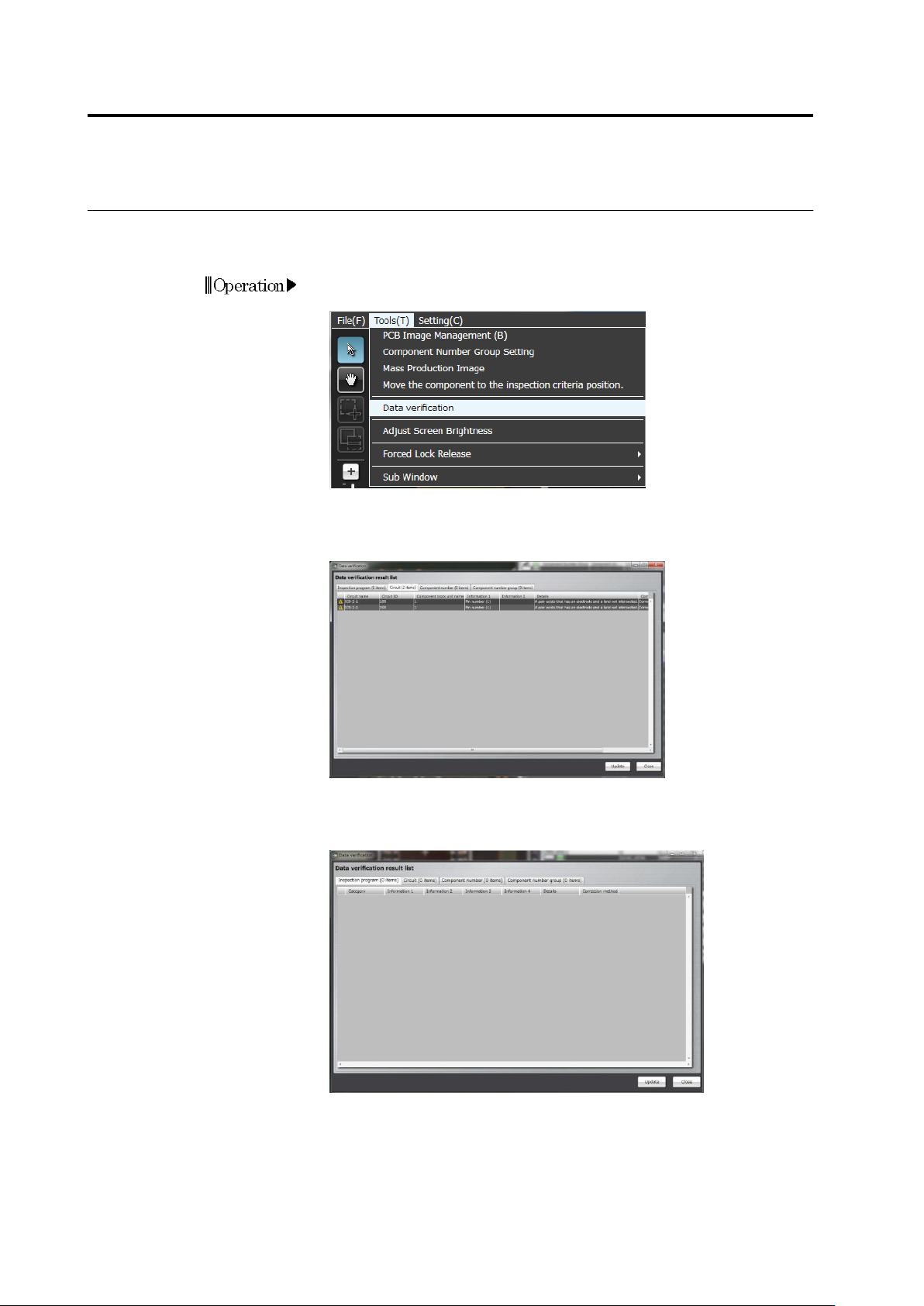
You can manually perform data verification at any timing
.
This section describes manual data verification steps
.
1.
On the menu bar of the edit screen, select [Tool] - [Data
Verification].
2.
Data verification is performed and the data verification result list
appears. If an error is detected in the data verification result list,
recover the data based on the recovery steps.
3.
After data recovery, press the [Update] button and check for a
result error in the data verification result list.
2.18 Inspection Program Maintenance
2-227
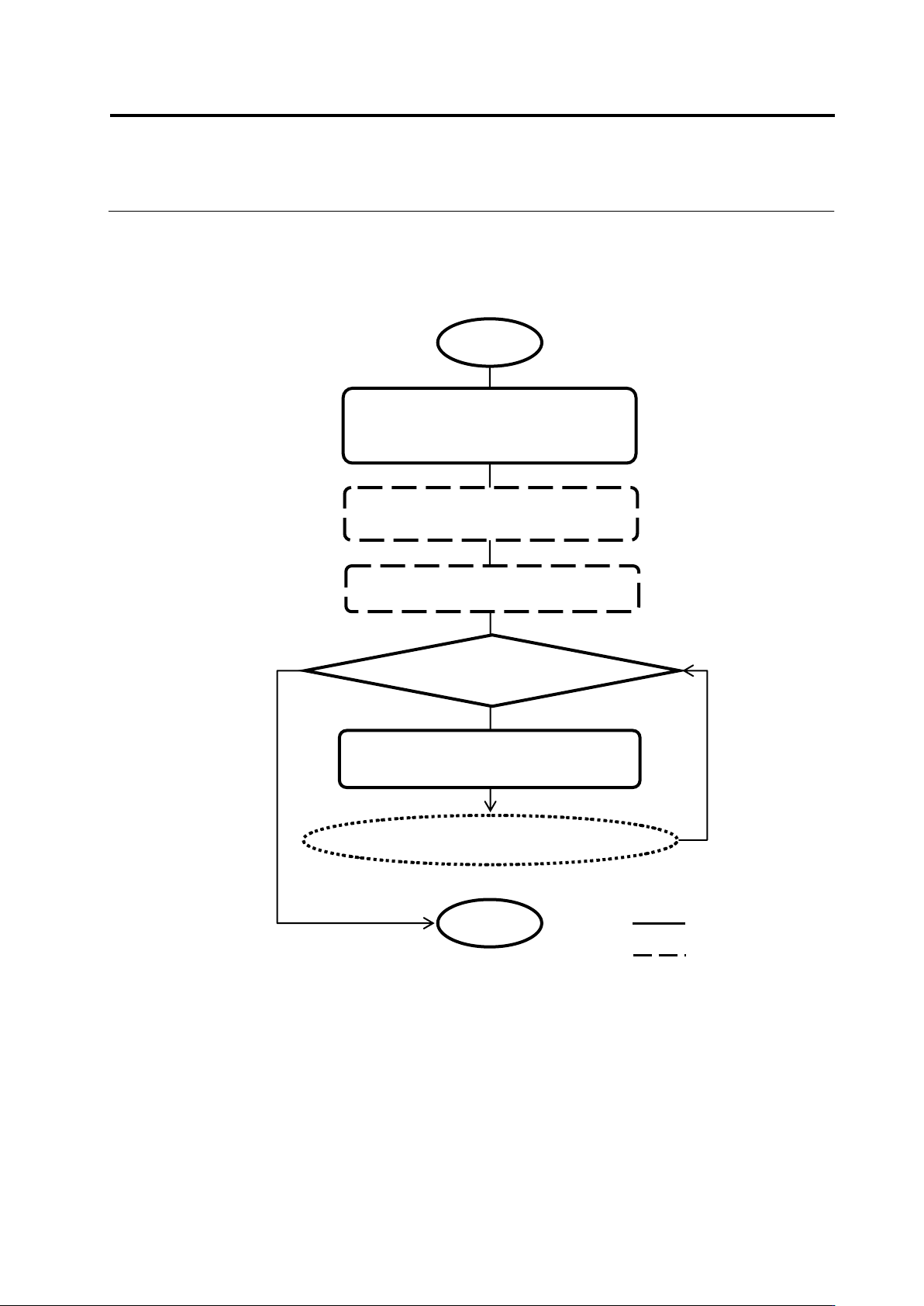
Shown below is the data verification flow:
① [Tool] - [Data Verification], or
automatic execution
④ Click the tab and check the
verification result
③ Viewing data verification result list
■ Data Verification Flow
Start
Data mismatched
Go to data recovery flow
② Data verification is performed (for
all component numbers)
User
v-TS
End