Omron V-TS Teaching Manual.pdf.pdf - 第64页
2.4 Registeri ng f or Insp ection 2- 37 2.4 Registering for Inspection This section details th e operation required in the Inspection Reg istration screen. Position inspection windows on the com ponent followi ng the pro…
Chapter 2 Inspection Programming
2-36
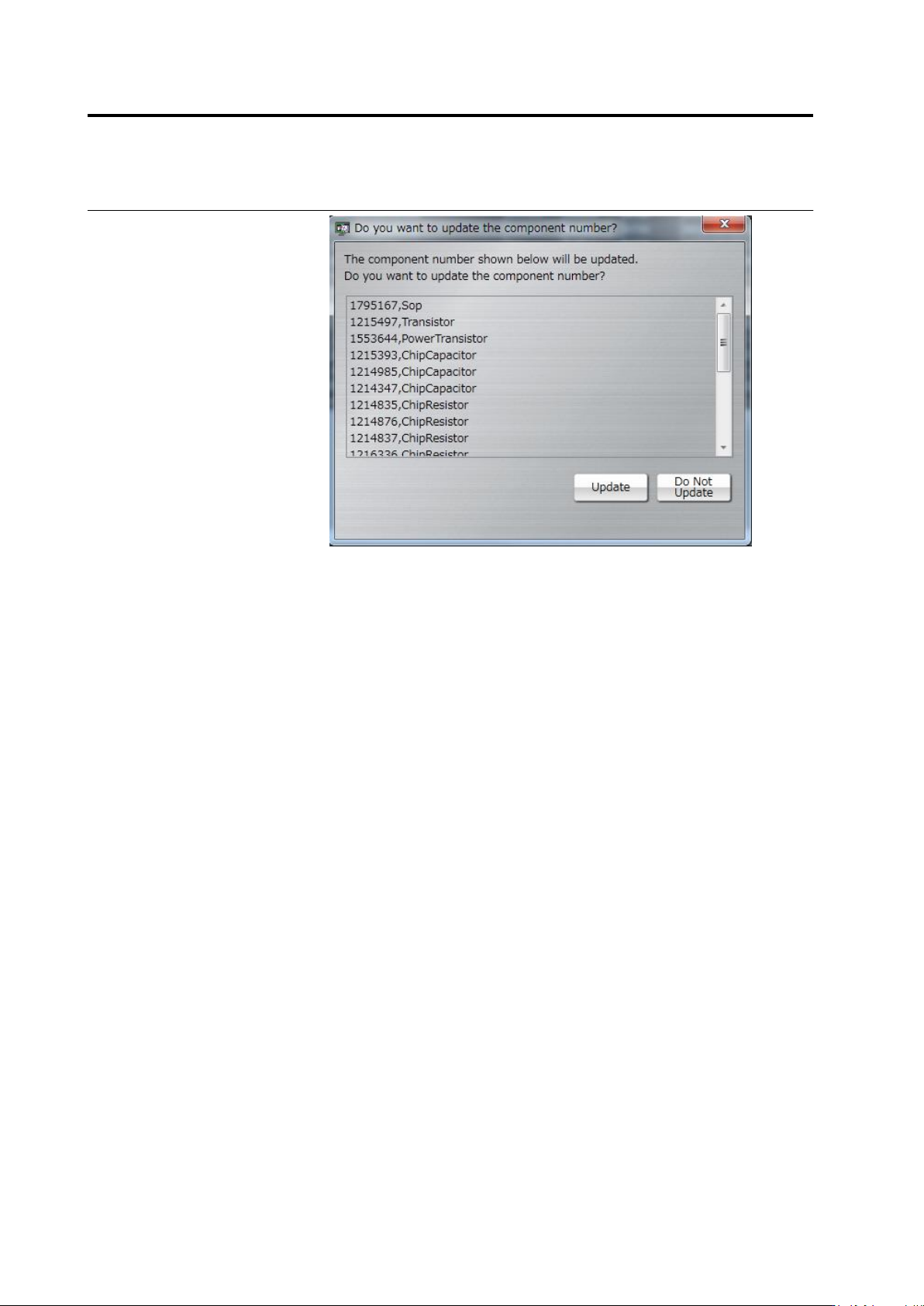
Click [Update] or [Do Not Update]. If you do not update, an update
confirmation dialog will appear when you edit the component number.
2.4 Registering for Inspection
2-37
2.4 Registering for Inspection
This section details the operation required in the Inspection Registration screen.
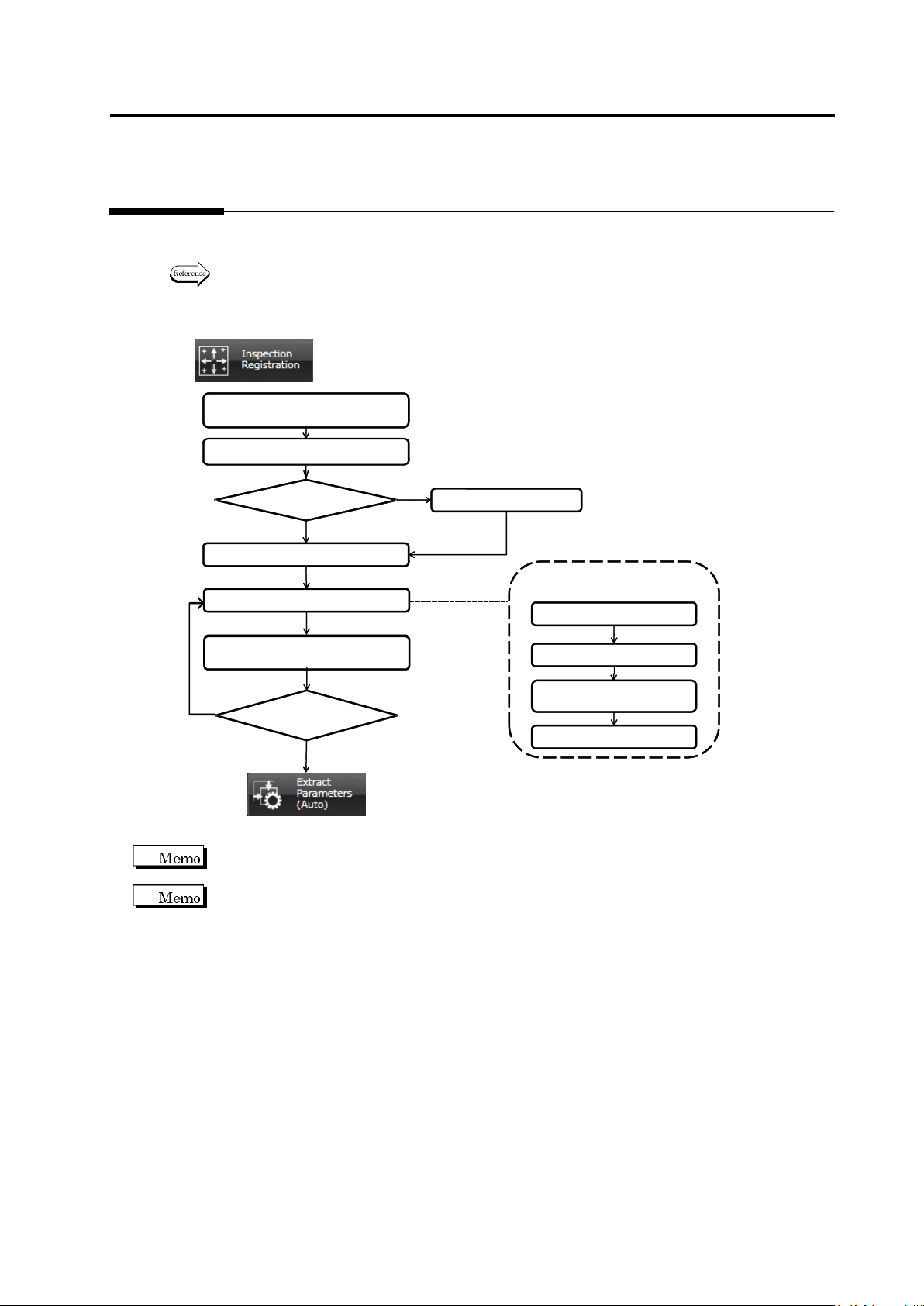
Position inspection windows on the component following the procedures below.
Refer to the individual section described in the flow chart for details of each procedure.
2.4.1 Registering Position
Adjustment Marks
2.4.4 Inspection Registration
2.4.5 Component Registration
2.4.2 Selecting Mount Data
2.4.3 Mount Alignment
All Component Numbers
Registered?
Yes
No
Operation Flow in (2.4 Registering for Inspection)
2.4.5.1. Component Setting
2.4.5.4. Electrode Setting
2.4.5.2. Land Setting
2.4.5.3. Electrode Group
Setting
2.4.5 Component
Registration Detailed Flow
Mount Data
Selected?
Yes
No
(2.4.6 Setting Component
Number Group)
(2.5 Registering the Component
Number Model)
Clicking [Next] at the bottom of the screen switches the screen displays in the order shown in the
flow chart, and [Back] switches them in the reverse order.
The Inspection Registration screen (See 2.4.4 “Inspection Registration”) appears as the initial
screen if an inspection program with the mount data loaded is opened.
Chapter 2 Inspection Programming
2-38
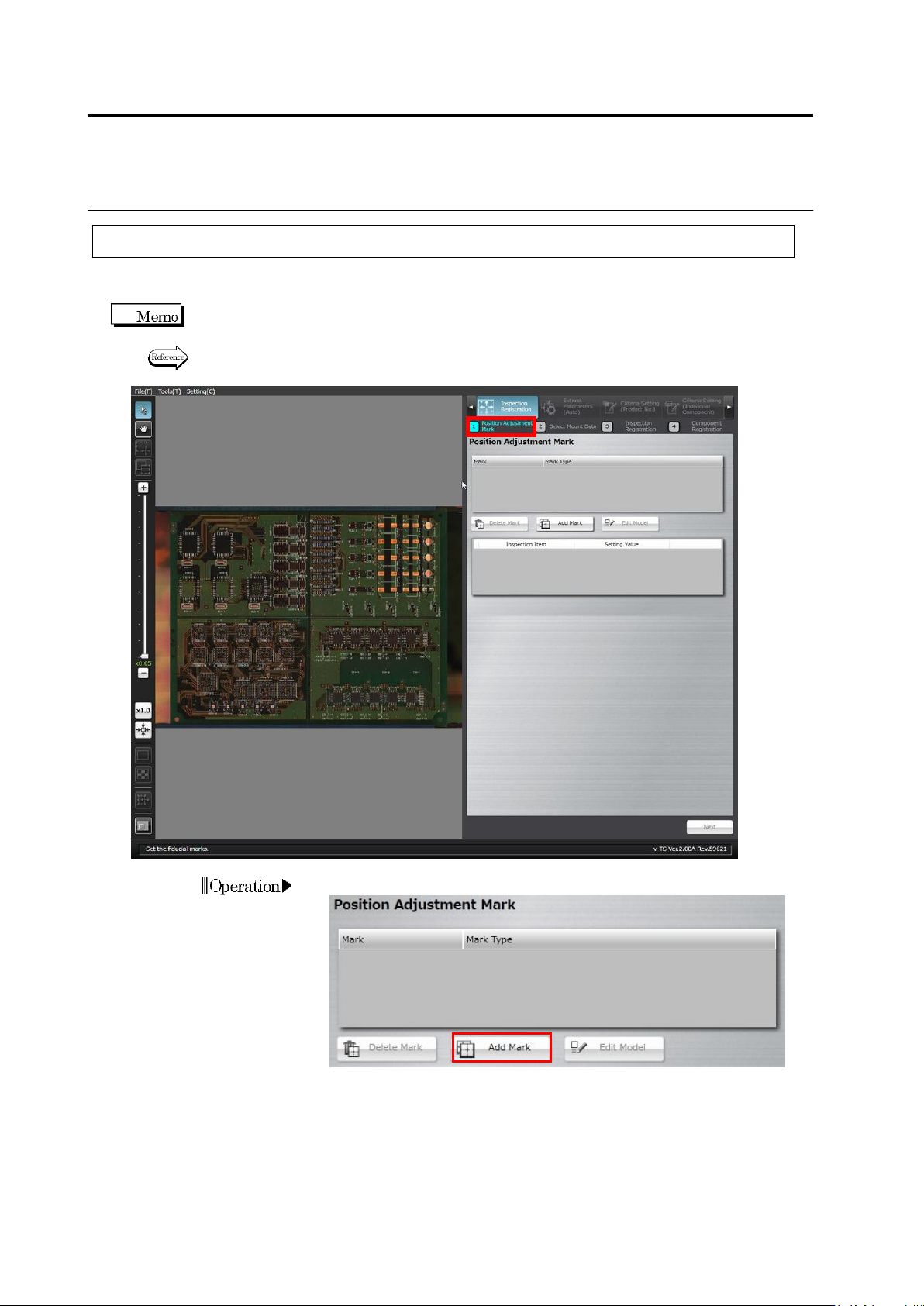
2.4.1 Registering Position Adjustment Marks
Register PCB position adjustment marks. Registering them provides more precise adjustment of
inspection windows during PCB inspection.
Two PCB adjustment marks must be set. Those at the ends of a diagonal line of the PCB are
normally selected.
Refer to the Inspection Logic Manual, "2.2 Fiducial Adjustment" for the details on PCB position
adjustment.
1.
Click [Add Mark].
Operation