Omron V-TS Teaching Manual.pdf.pdf - 第112页
2.6 Specif ying Inspection Criteria 2- 85 Height inspection m eans the following inspecti on logics : ■ Component inspec tion (wrong polar ity, component h eight, and lifted component) ■ Electrode inspection (e lectrode …
Chapter 2 Inspection Programming
2-84
1.
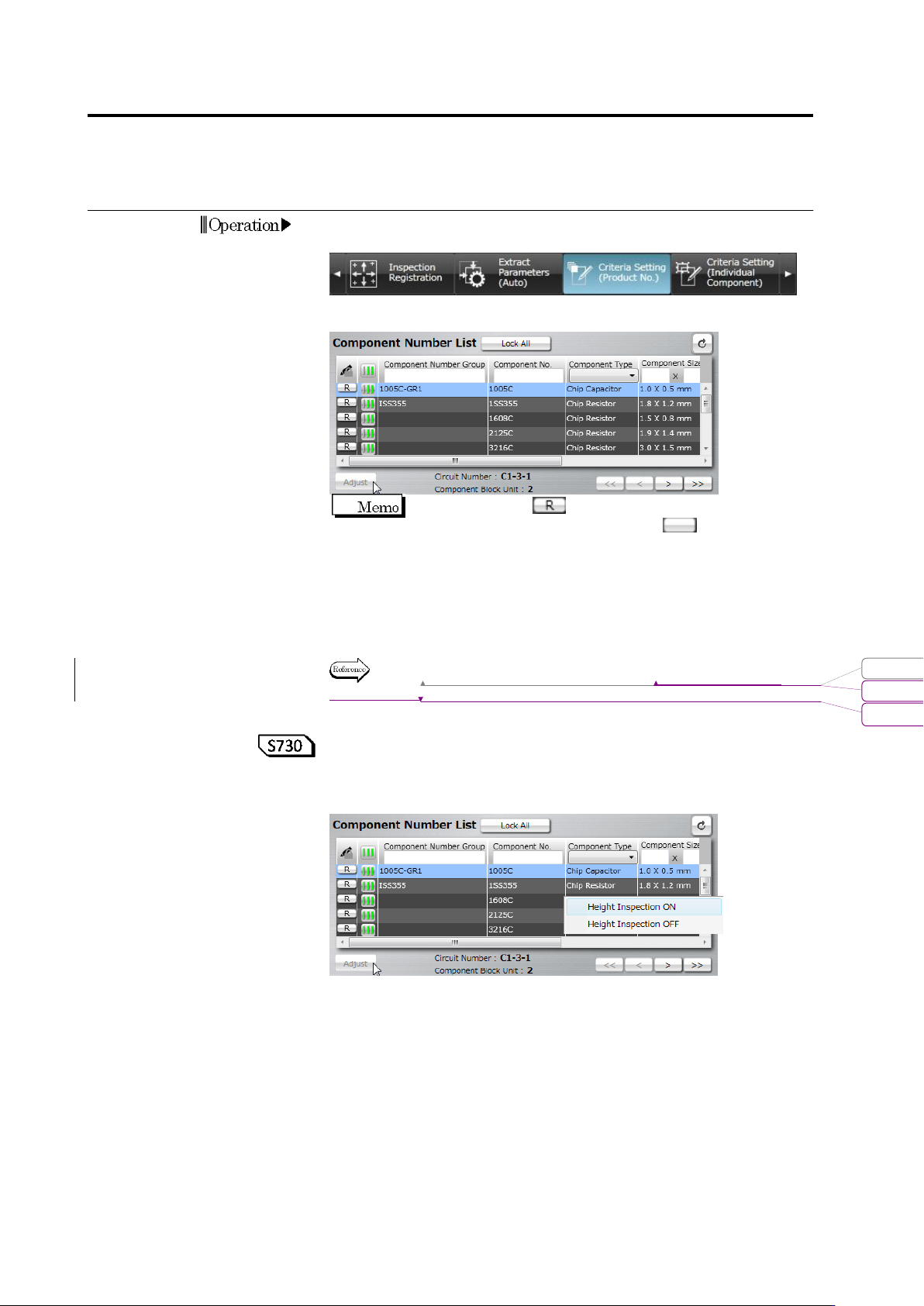
Select the [Criteria Setting (Product No.)] tab to display the Criteria
Setting screen.
2.
Select the target component in the Component Number List.
When the status is (locked), click it to change the
component number status to not locked .
If you select a component number belonging to a component
number group, all the component numbers in the component
number group are included in the adjustment.
To automatically adjust individual inspection windows, select the
target component number in the component number list, and click
[Auto Adjustment].
Refer to (5) Information Display Area of "2.1.2 Configuration of the
Editing Screen".
<Setting ON/OFF height inspection based on the component
number>
By selecting and right-clicking a component number from the
component number list, height inspection can be set ON/OFF.
This function switches the inspection ON/OFF checkboxes of height
inspection of the selected component number in block.
For example, use this function when setting ON height inspection in
block for the inspection programs which were created in and before
version 1.55 which did not have any height inspection functions or
setting OFF height inspection in block due to the influence of
shadow.
Operation
変更されたフィールド コード
書式変更: フォント : Arial, 9 pt
削除: Configuration of the Editing Screen
2.6 Specifying Inspection Criteria
2-85
Height inspection means the following inspection logics:
■ Component inspection (wrong polarity, component height, and
lifted component)
■ Electrode inspection (electrode posture - lifted electrode /
coplanarity)
3.
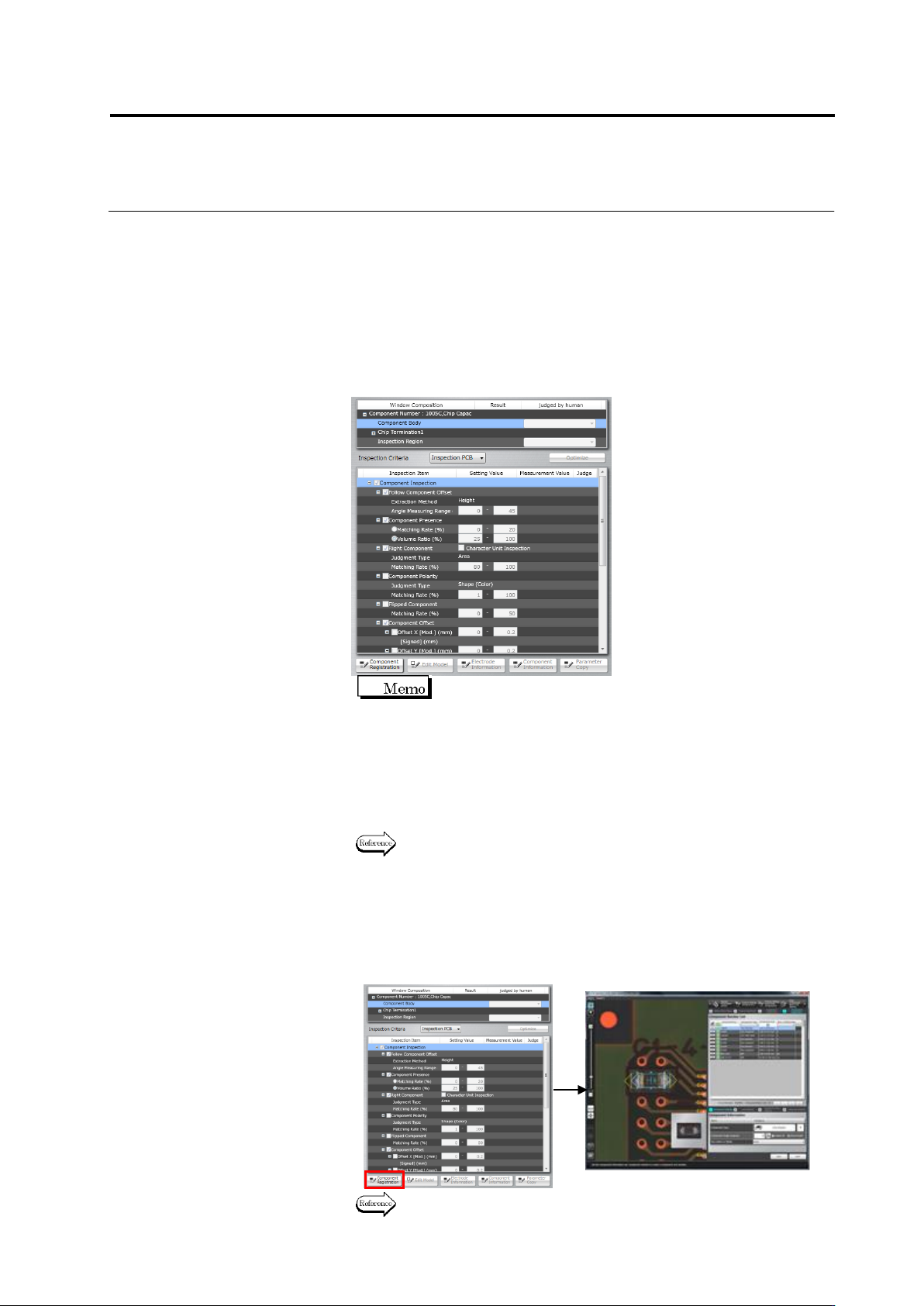
Select the target window in the Window Composition, or click the
window in the image display area to select it.
The inspection items pertaining to the selected window are
displayed.
Use the combo box to switch the display of the
inspection PCB image and unpopulated PCB image.
4.
Select the inspection items by using the checkboxes.
Inspection is performed for the items whose checkboxes are ON,
and not performed for those with checkboxes OFF.
The inspection items with selected checkboxes require the
inspection criteria for a good component judgment.
Refer to the Inspection Logic Manual for the details on the
inspection items.
5.
To check or edit the component information, click to select the
Component Body item in the Window Composition, and click
[Component Registration].
The display moves to the Component Setting screen, where the
component information can be changed.
Refer to "2.4.5.1 Component Setting" for the editing procedure.
Chapter 2 Inspection Programming
2-86
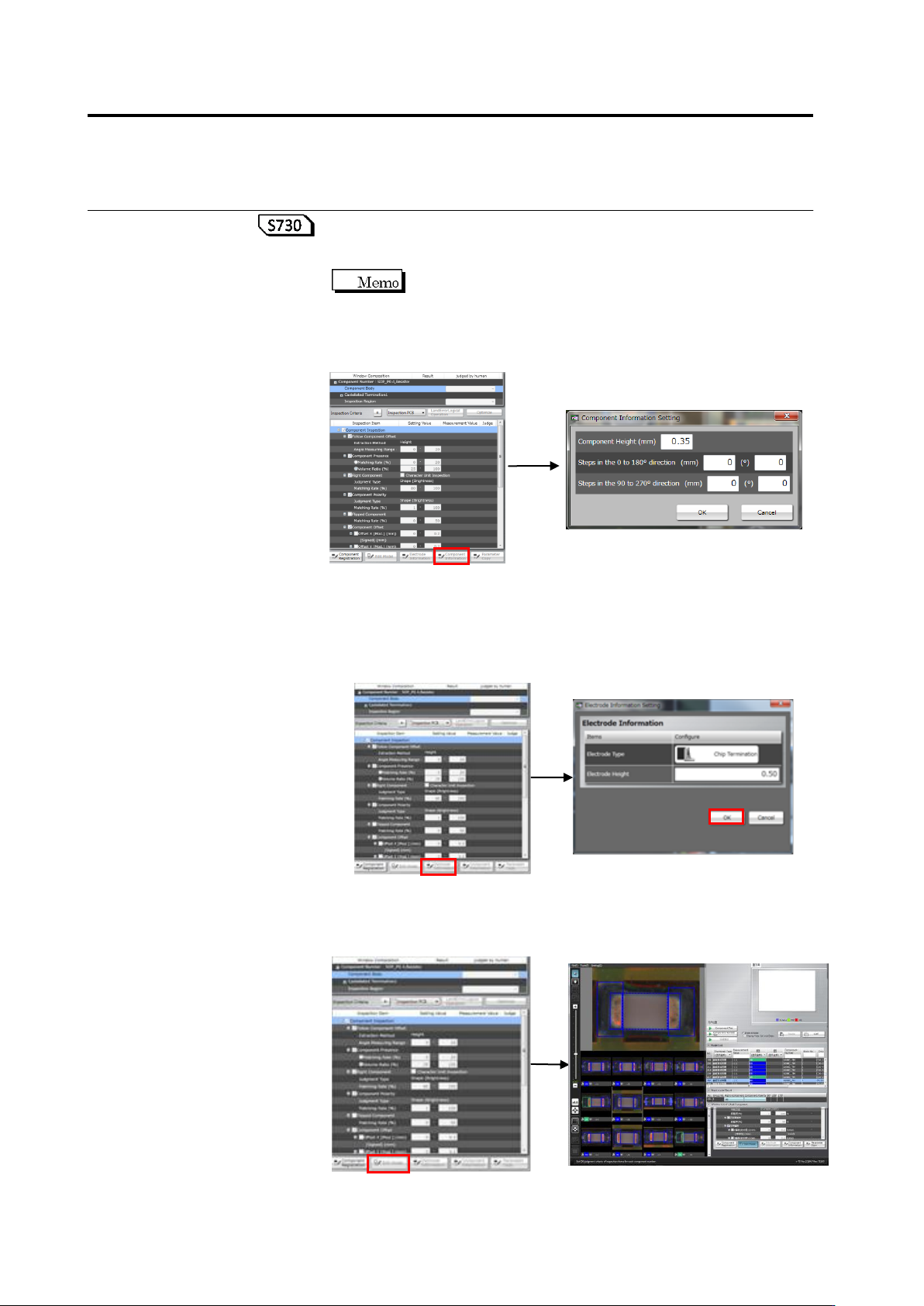
To check or change the component data (height), click [Component
Data]. In the component data setting dialog box, change component
height/component step if necessary, and click [OK].
Enter a value if the component upper surface has unevenness.
Items (mm) and (°) are independent input, respectively, and
whichever being selected by the radio button for the
component lift inspection (height/angle) is applied. If the
measurement point is lower than the reference point, enter the
value of unevenness as a numerical value using “-“.
To check or edit the electrode information, click the target electrode
group in the Window Composition to select it, and click [Electrode
Information]. The Electrode Information Setting dialog appears.
Change the electrode height as required and click [OK].
For manually editing the characteristic parameters automatically
extracted in model calculation, click the target inspection item and
click [Edit Model].