Omron V-TS Teaching Manual.pdf.pdf - 第74页
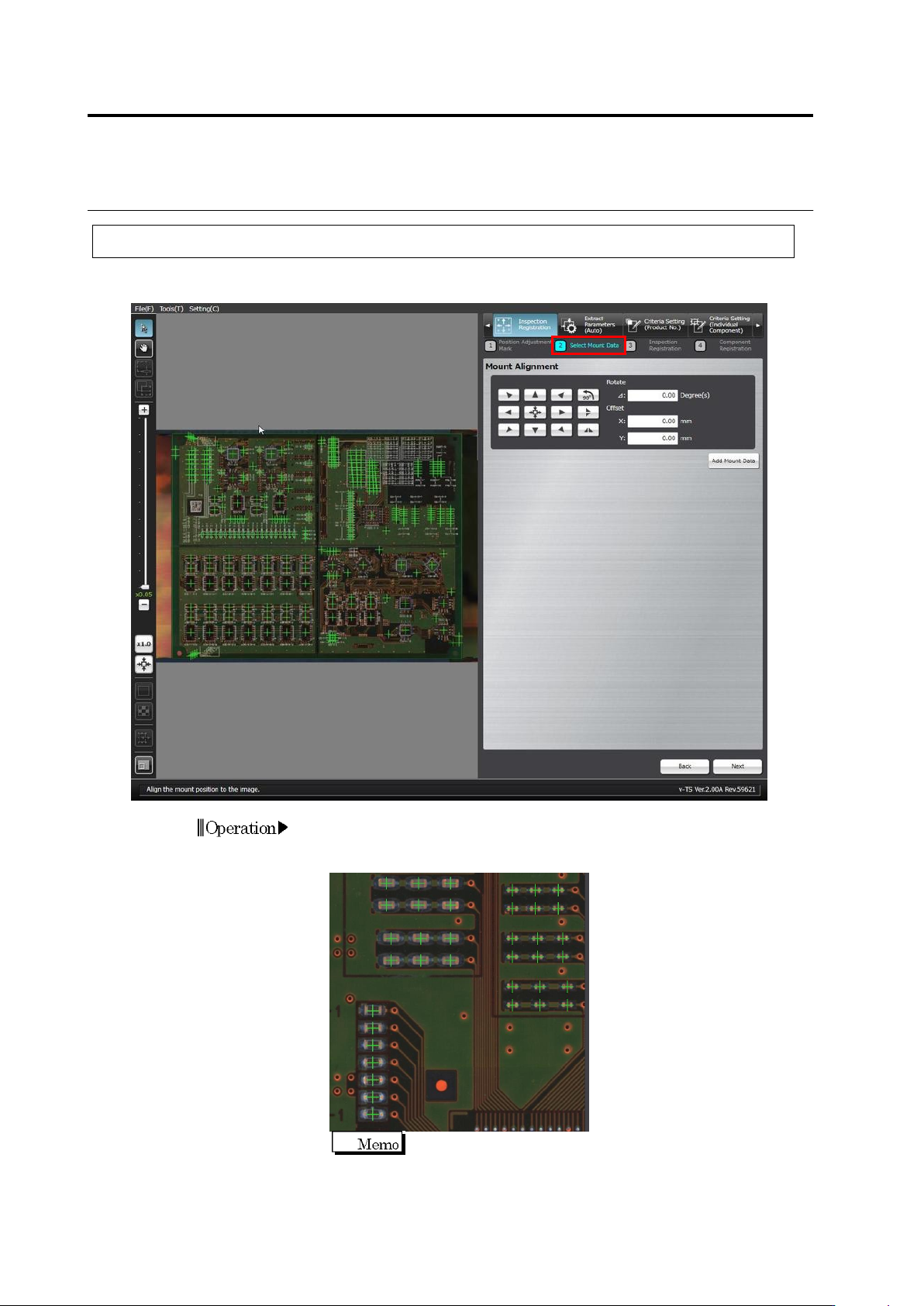
2.4 Registeri ng f or Insp ection 2- 47 ◆ Adjustment Using the Mouse Click the Select W indow button in the Mouse toolbar a nd drag the mount data to align th e "+" m arks to the centers of corresponding compon…
Chapter 2 Inspection Programming
2-46
2.4.3 Mount Alignment
Align the coordinates of individual components in the mount data (loaded in the previous section)
to the PCB image.
1.
The mount positions shown by "+" marks are overlaid on the PCB
image. Use the buttons or the mouse to align the "+" marks at the
centers of the corresponding components on the PCB image.
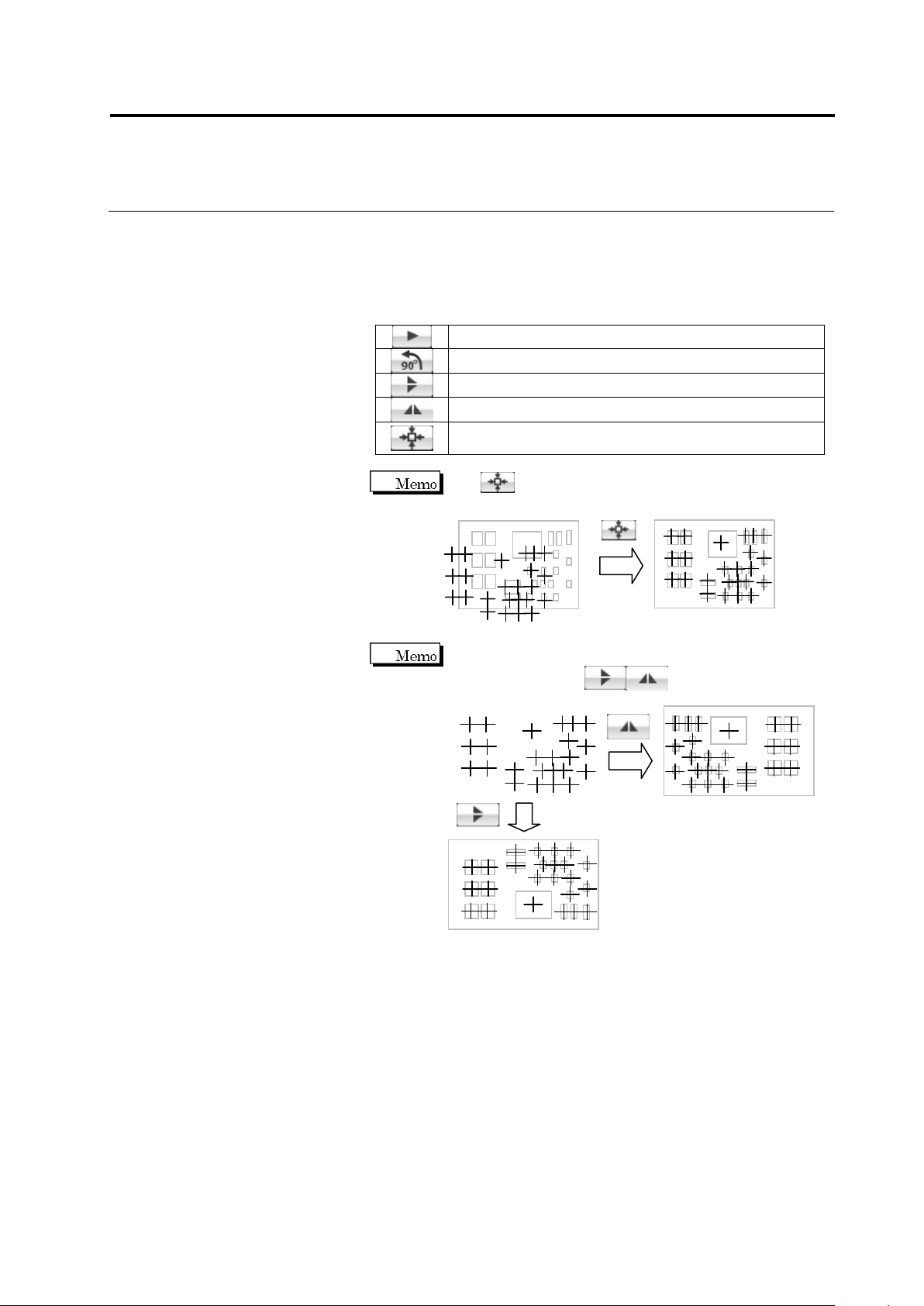
For precise alignment, enlarge the PCB image and shift the
field of vision to check that "+" marks are also aligned at the
centers of the corresponding components in a different field of
vision.
Operation
2.4 Registering for Inspection
2-47
◆
Adjustment Using the Mouse
Click the Select Window button in the Mouse toolbar and drag the
mount data to align the "+" marks to the centers of corresponding
components.
◆
Adjustment Using Buttons
Move the mount data in the arrow direction.
Rotate the mount data by 90 degrees counterclockwise.
Vertically reverse the mount data.
Horizontally reverse the mount data.
Align the center of the mount data at the center of the
PCB image.
Use to align the centers of the mount data and PCB
image if the position deviation is large.
If the mount data uses a different coordinate system from
the PCB image, click to reverse the mount
positions before position alignment.
Chapter 2 Inspection Programming
2-48
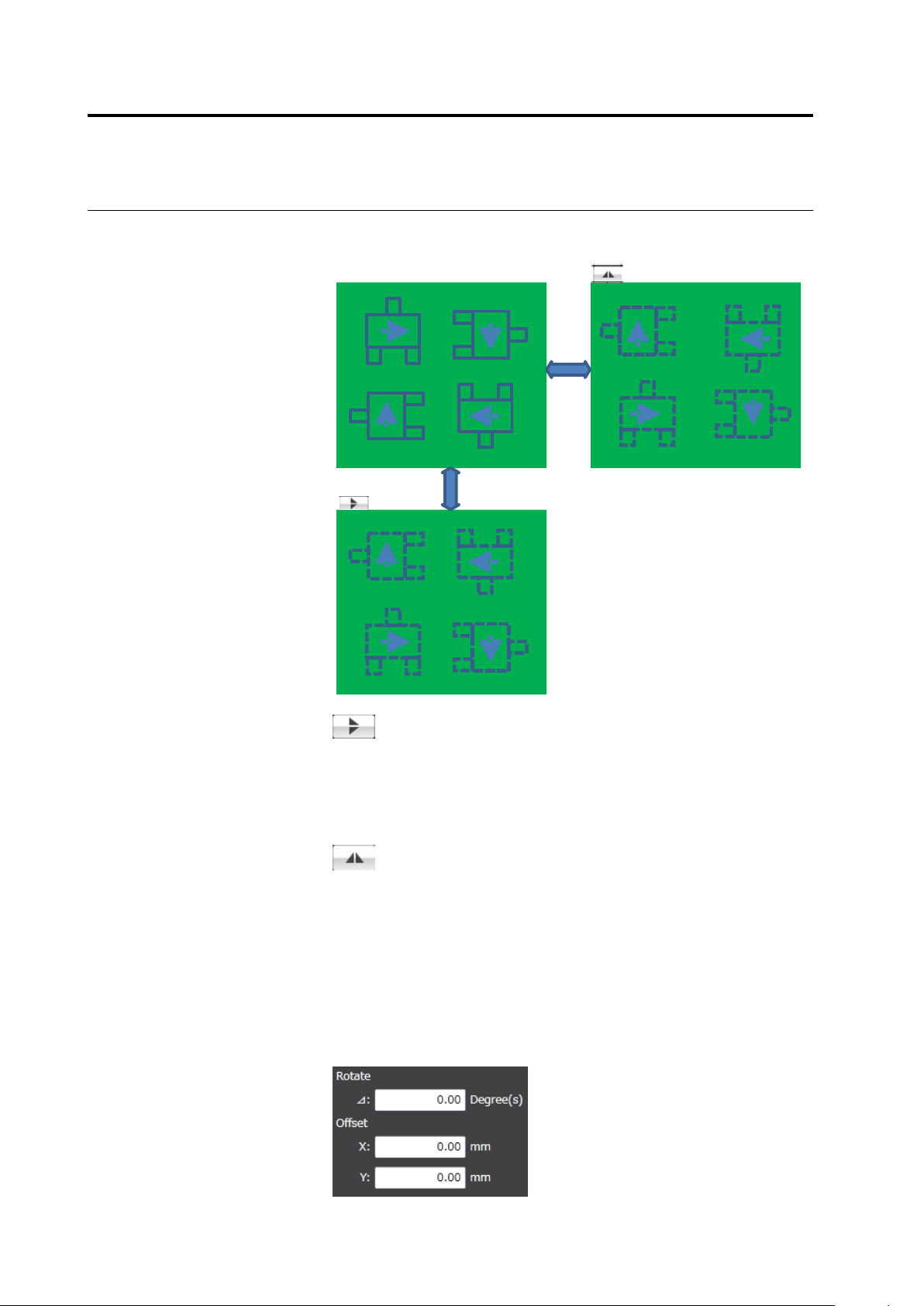
The upper/lower reverse button and the right/left reverse button
operate as follows:
Right/left reverse
Upper/lower
reverse
Upper/lower reverse
The component coordinates are relocated vertically by line
symmetry. The angle of each component is not converted.
It is assumed that the mount data are kept with the
components on the back of the PCB permeating the PCB
and the angles of them are correct.
Right/left reverse
The component coordinates are relocated horizontally by
line symmetry. The angle of each component is rotated at
180 degrees.
It is assumed that the mount data are kep with the
components on the back of the PCB permeating the PCB
and the angles of them are correct.
◆
Adjustment by Inputting Values
The rotation angle and offset values obtained by the mouse or
button operation are shown in the screen. Edit the angle and X and
Y coordinate values directly for fine tuning.