Omron V-TS Teaching Manual.pdf.pdf - 第257页
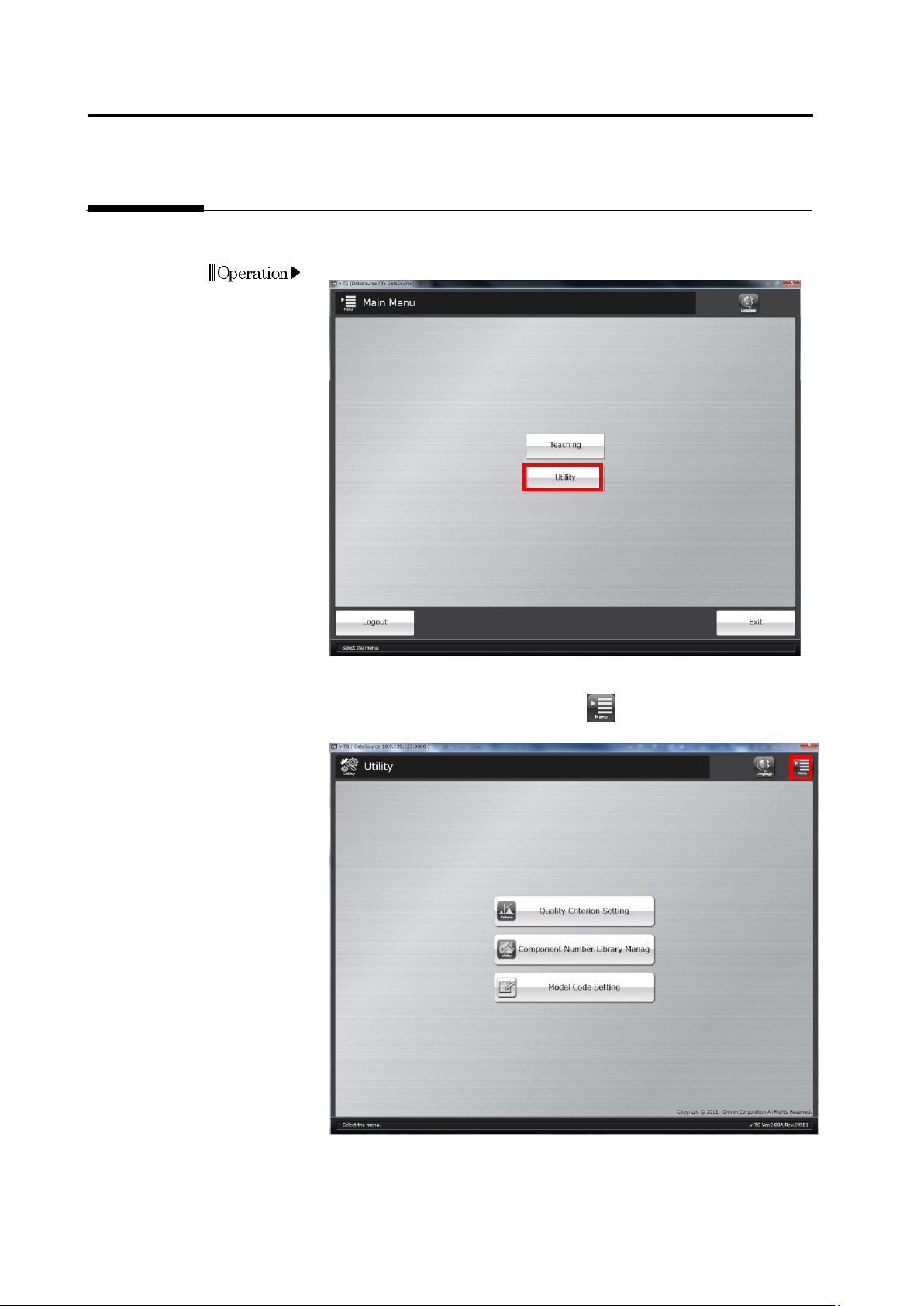
Chapter 3 Man agement Menu 3-2 3.1 Opening Utility Menu Settings for operations of t he teaching system are available on th e utility menu. 1. Click [Utilit y] on the main menu. 2. The utility m enu will appear . T o ret…

3-1
Chapter
3 Management Menu
3.1 Opening Utility Menu ......................................................... 3-2
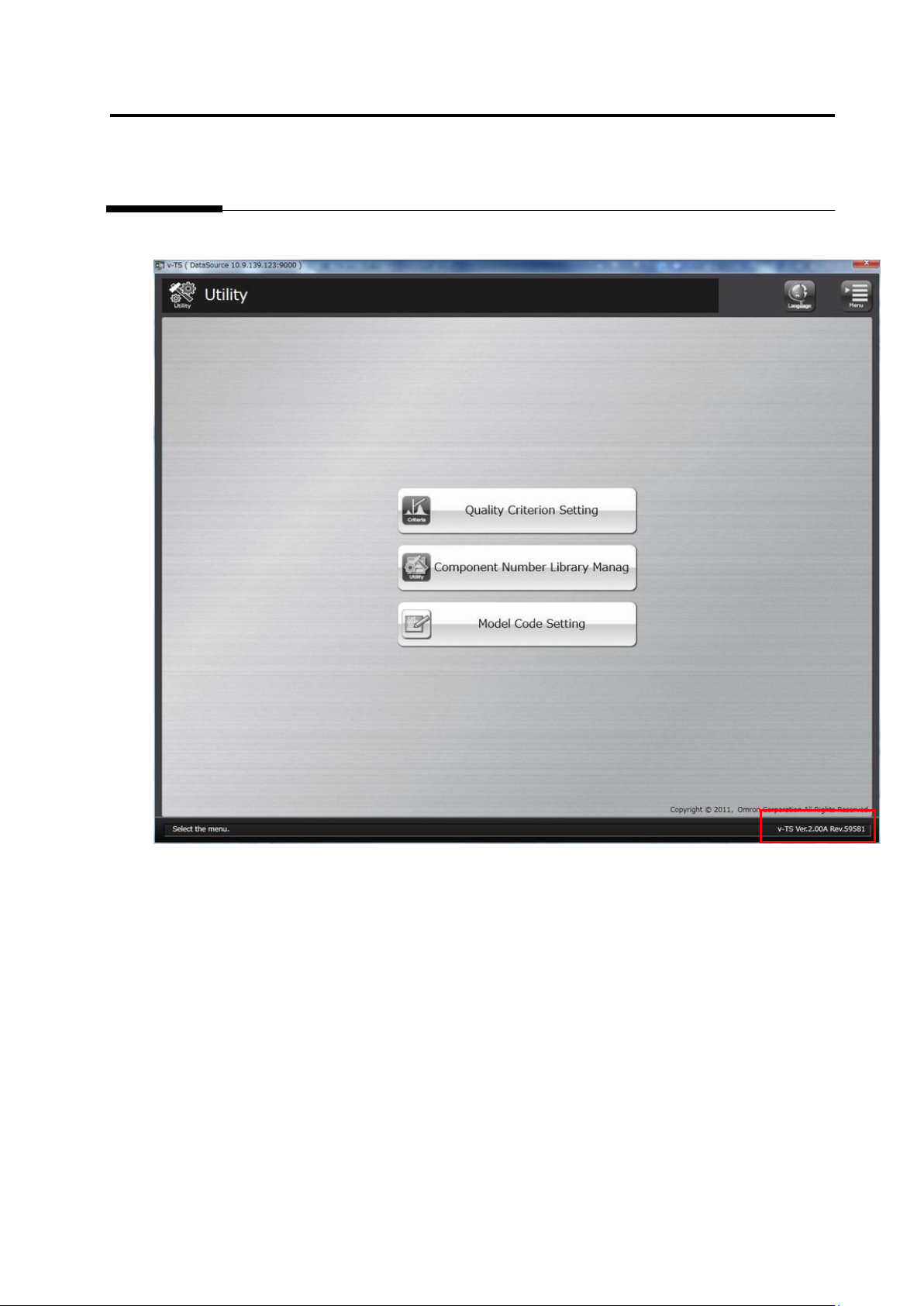
3.2 Checking Version Information ............................................ 3-3
3.3 Configuring Quality Criteria Setting ................................... 3-4
3.3.1 Opening Setup Screen .......................................... 3-4
3.3.2 Managing Criteria Rulebook ................................. 3-5
3.3.3 Configuring Electrode Type Inspection Criteria .... 3-7
3.3.4 Configuring Peripheral Inspection Criteria ............ 3-9
3.3.5 Configuring Component Unit Inspection Criteria .. 3-9
3.4 Managing Component Number Libraries ......................... 3-10
3.5 Setting Model Codes ....................................................... 3-21