Omron V-TS Teaching Manual.pdf.pdf - 第207页
Chapter 2 Insp ection Progr amming 2-1 80 4. To replace to other c omponent num ber, go to step 5. T o c opy the selected com ponent num ber to replace as other com ponent num ber, go to step 10. 5. Select [Replace the s…
2.15 Modifying an Inspection Program
2-179
2.15.6 Replacing the Component Number
The component number can be replaced.
1.
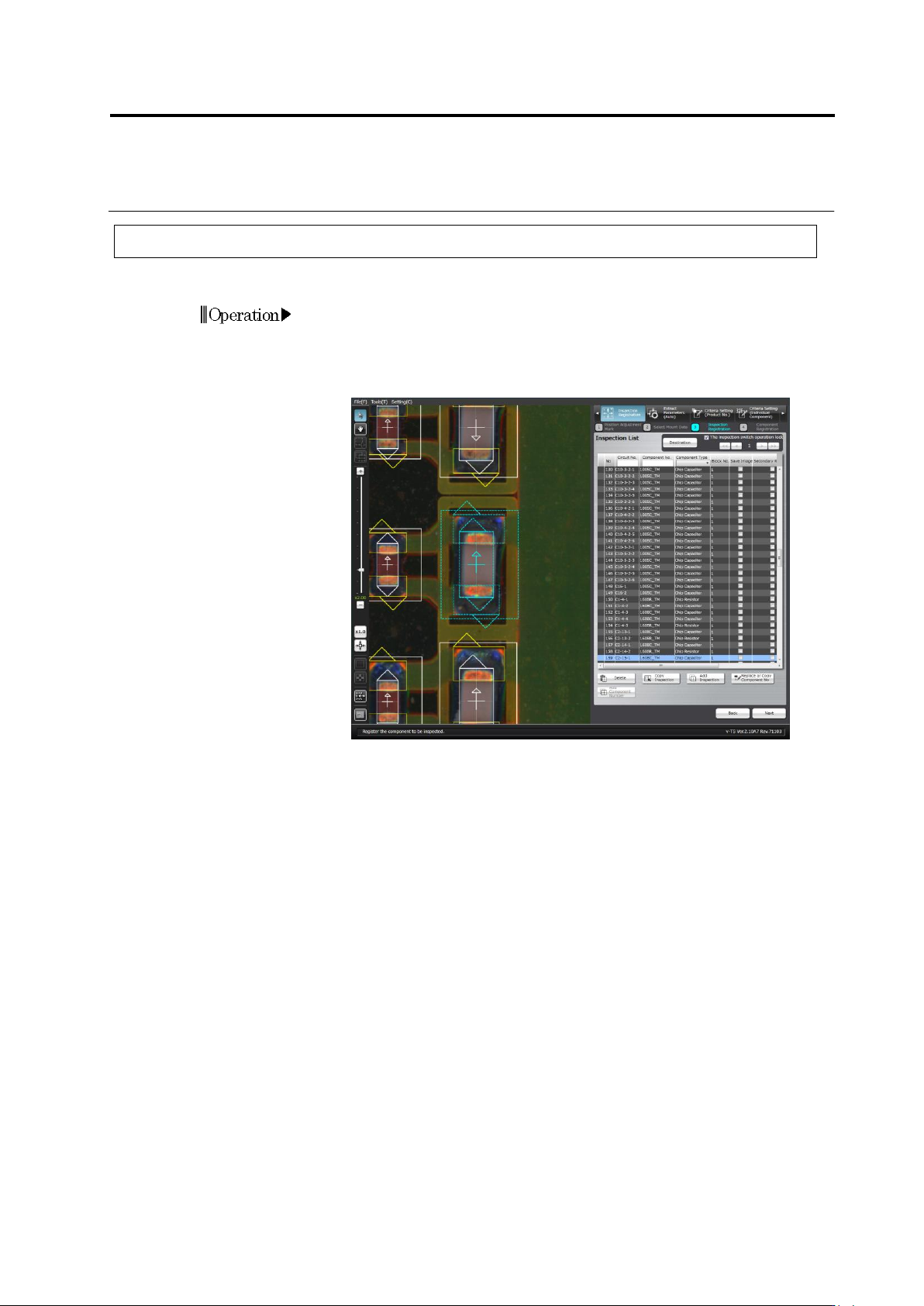
Select the [Inspection Registration] tab.
2.
Select the desired circuit of the component number to be replaced.
3.
Click the [Replace or Copy Component No.] button.
Chapter 2 Inspection Programming
2-180
4.
To replace to other component number, go to step 5. To copy the
selected component number to replace as other component number,
go to step 10.
5.
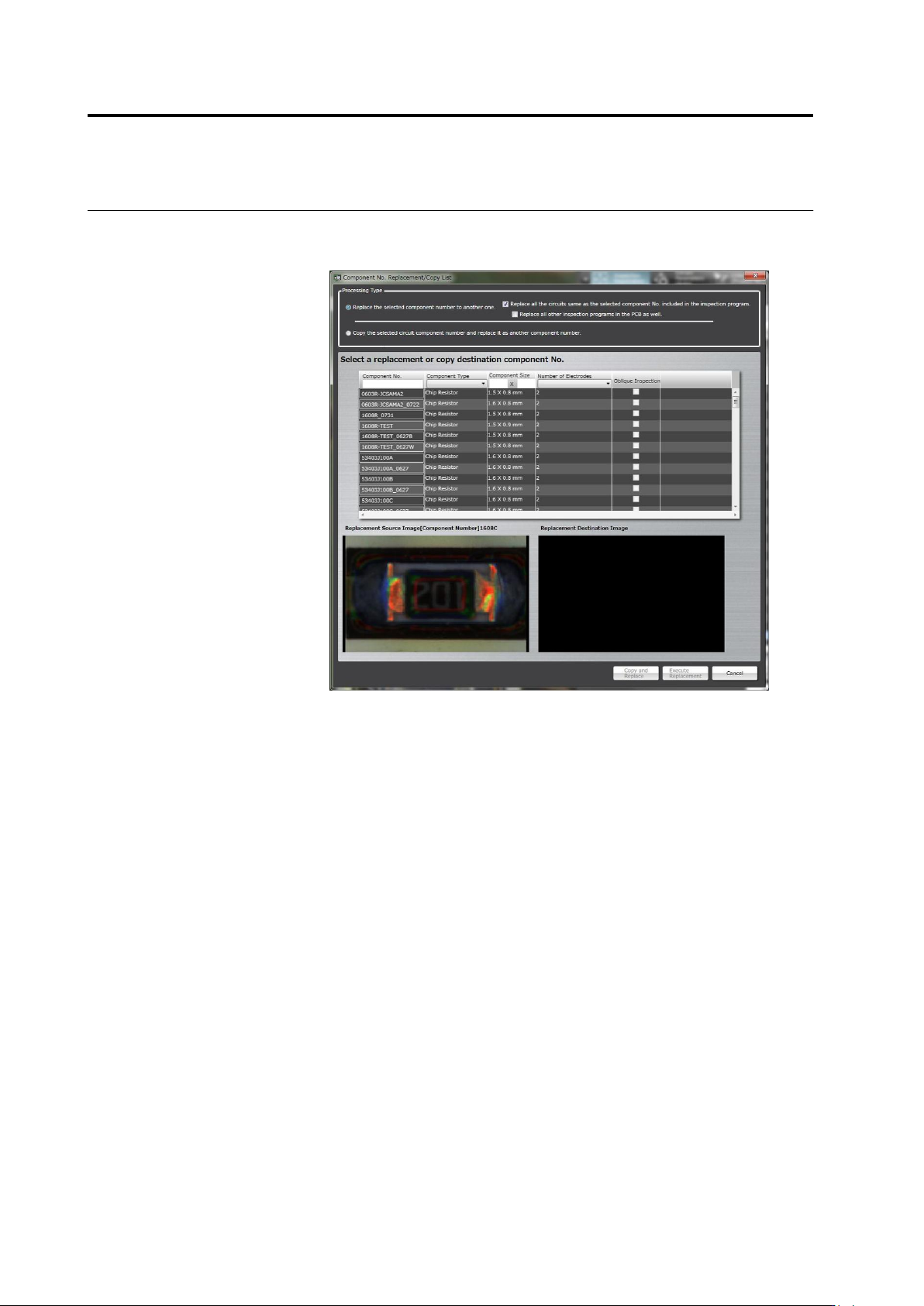
Select [Replace the selected component number to another one.]
radio button.
6.
Select a component number from the component number list as the
replacement target.
7.
When only replacing the selected circuit, clear the check box
[Replace all the circuits same as the selected component No.
included in the inspection program.]. When replacing all other
inspection programs within the PCB, select the check box [Replace
all other inspection programs in the PCB as well.].
8.
Click [Execute Replacement].
2.15 Modifying an Inspection Program
2-181
9.
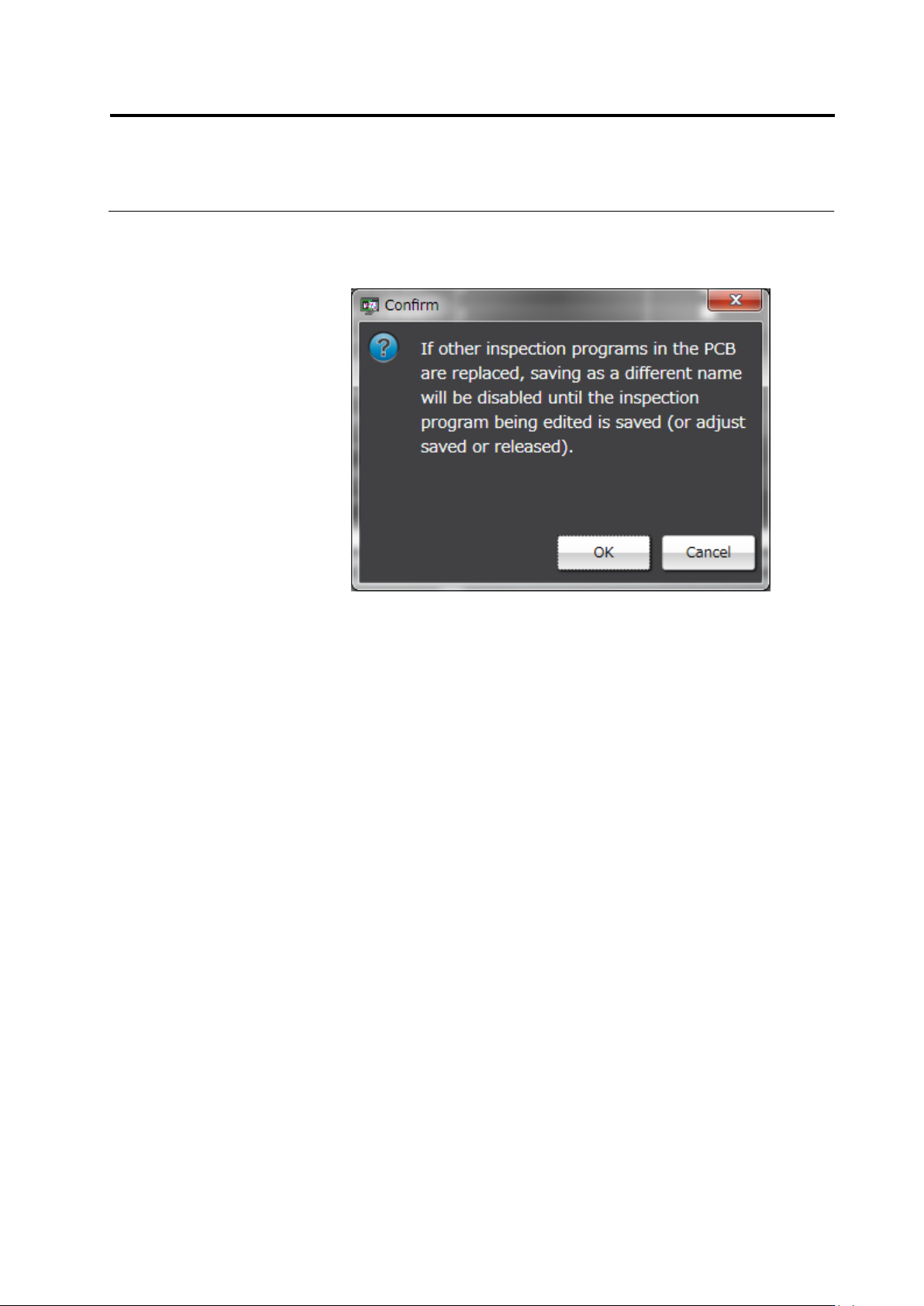
The confirmation dialog appears only when the check box [Replace
all other inspection programs in the PCB as well.] is selected. Click
[OK] if there is no problem.
10.
Select [Copy the selected circuit component number and replace it
as another component number.] radio button.
11.
The component number list shows the component number as
original component number name + COPY.
12.
Change the component number name as you wish if necessary. If
the content has no problem, select a component number and click
[Copy and Replace].