Omron V-TS Teaching Manual.pdf.pdf - 第150页
2.13 Out putting Inspec tion Covera ge 2- 123 2.13 Outputting Inspection Coverage This section describes the procedure to output setting details of individual inspect ion item s for the inspection program in the process …
Chapter 2 Inspection Programming
2-122
2.12.2 Reloading Inspection Program Being Edited
This section describes how to reload the inspection program being edited.
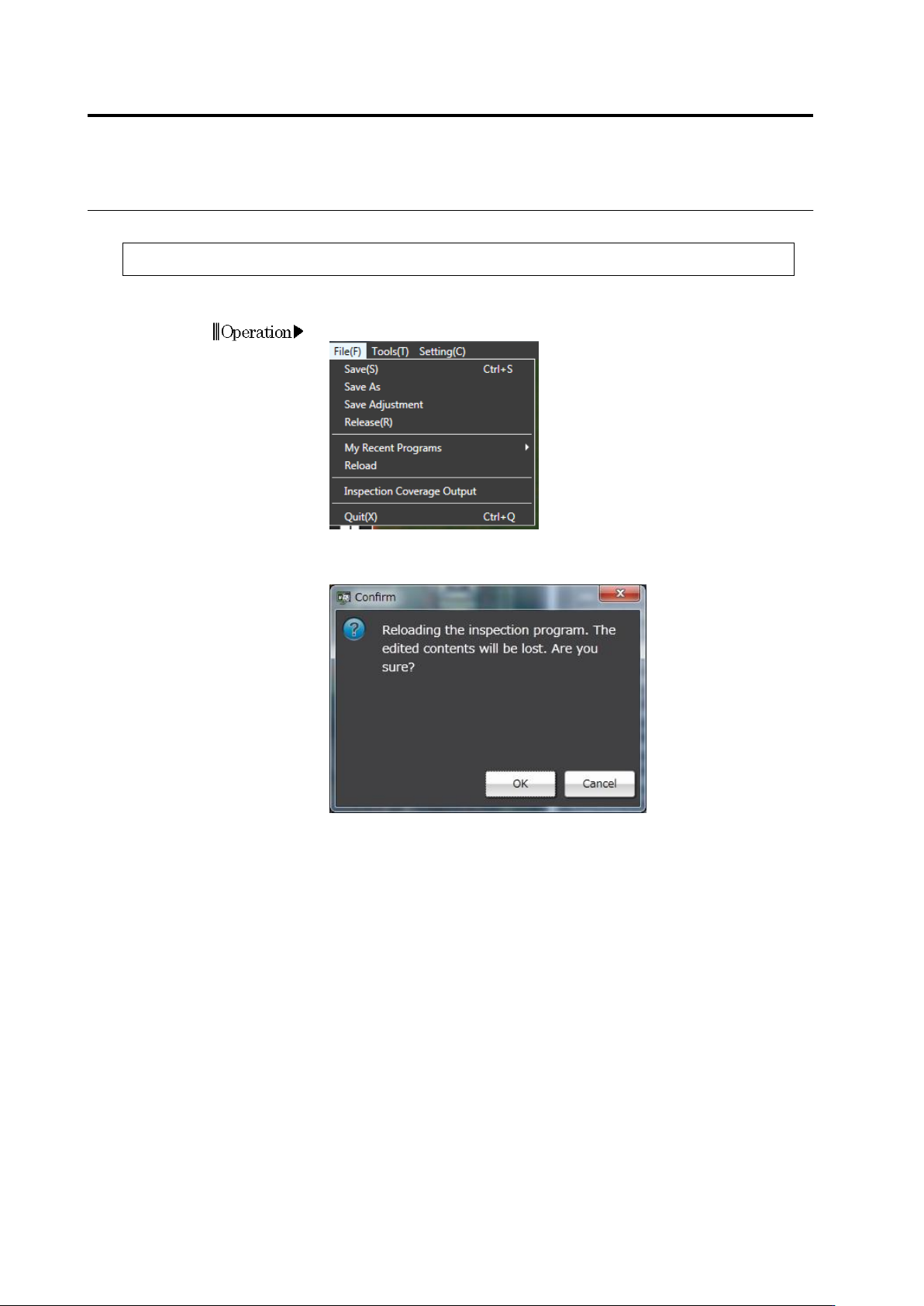
1. On the menu bar, select [File] - [Reload].
2. The Confirmation message appears.
Check the message and click [OK].
2.13 Outputting Inspection Coverage
2-123
2.13 Outputting Inspection Coverage
This section describes the procedure to output setting details of individual inspection items for the
inspection program in the process of editing.
The setting details for individual component numbers and components are output in csv files.
Component number information cannot be output if teaching is not complete for the component
number.
The component types, inspection window names and inspection items are output in English,
regardless of the language setting.
1.
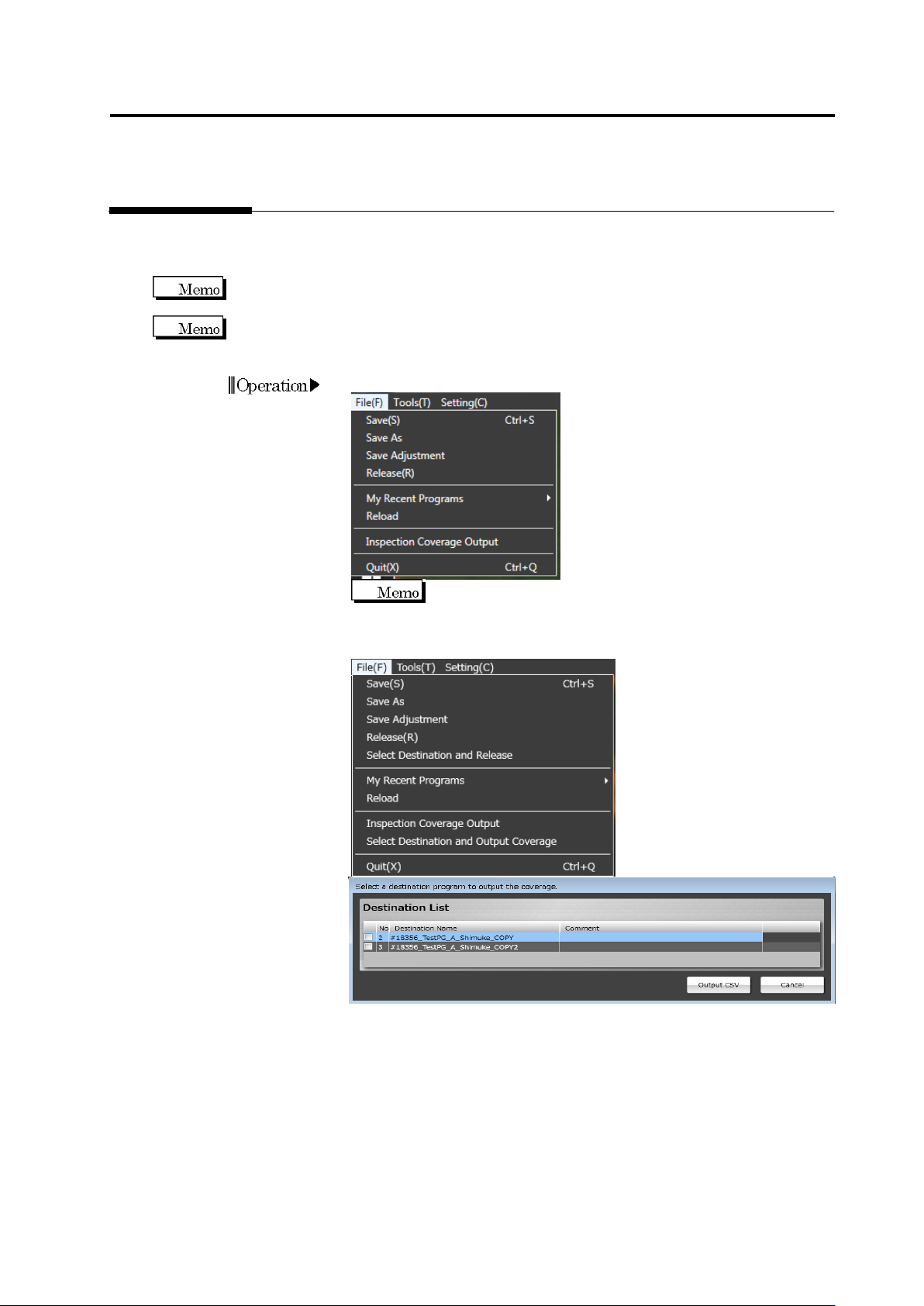
Select [File] - [Inspection Coverage Output] in the menu bar.
Inspection coverage can be output for each destination,
so destinations can be managed using a CSV file. On the menu bar,
select [File] - [Select Destination and Output Coverage], and select
destinations on which coverage is output.
2.
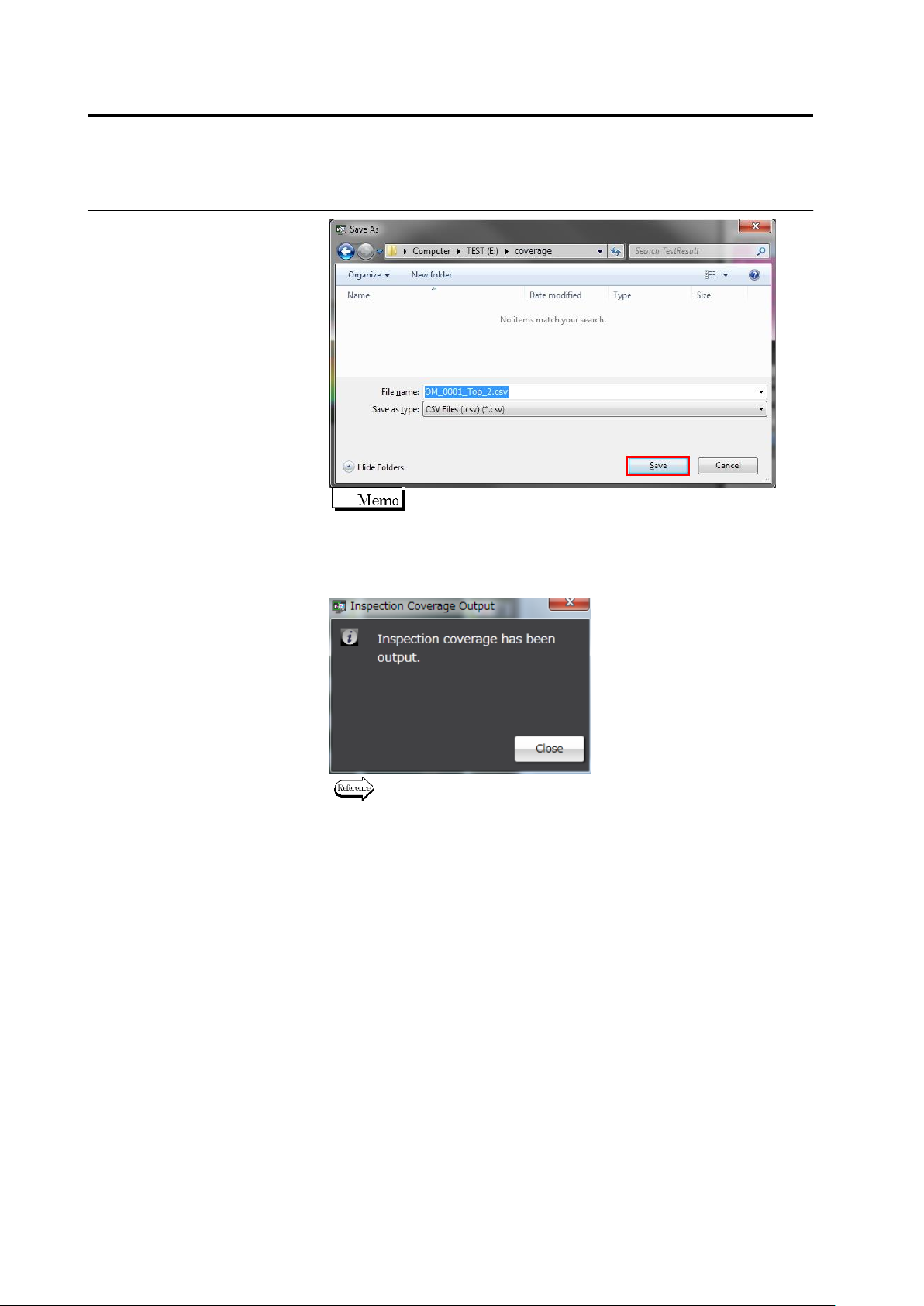
The "Save as" dialog is displayed.
Specify the output location and file name, then, click [Save].
Chapter 2 Inspection Programming
2-124
The format of the default file name is "Inspection Program
Name_Top/Bottom_Inspection Program Revision
Description.csv".
3.
When file output is complete, the following dialog appears. Click
[Close].
Refer to the next page for the details of output formats.