Omron V-TS Teaching Manual.pdf.pdf - 第249页
Chapter 2 Inspection Programm ing 2- 222 4. After the finish screen of CSV output is displa yed, click the [Close] button. The CSV file is save d in the selected folder. To abort the file o utput, click [Cancel]. ↓ For d…
2.17 Mass-Produced PCB Image
2-221
2.18.7 Outputting Content of Inspection Program List
This function outputs to a CSV file the content of an inspection program list, such as information
on inspection programs, progress of the creation work of them, the number of images belonging
to each inspection program, the number of inspection programs, the number of destinations, or
version of the logic being used.
When outputting a list of the component numbers used by inspection programs, refer to Section
3.4.3 “Outputting List of Component Numbers Used by Inspection Programs.”
This section describes the procedure to output the content of an inspection program list.
2.
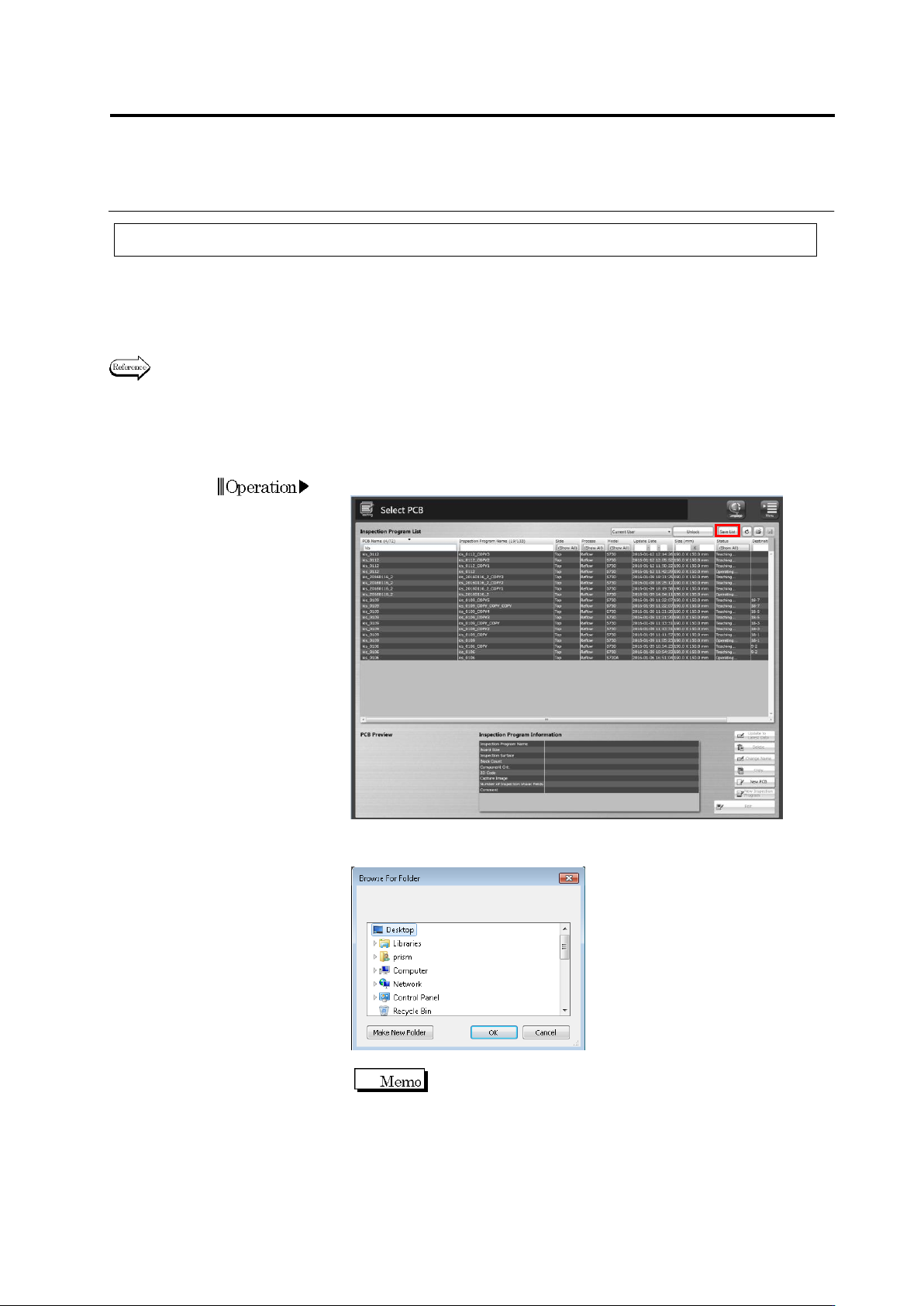
Click the [Save List] button on the Select PCB screen.
3.
A dialog to browse folders is displayed.
Specify a folder to save the file, and click [OK].
The default file name is “(Date and
Time)InspectionProgram.csv.”
Chapter 2 Inspection Programming
2-222
4.
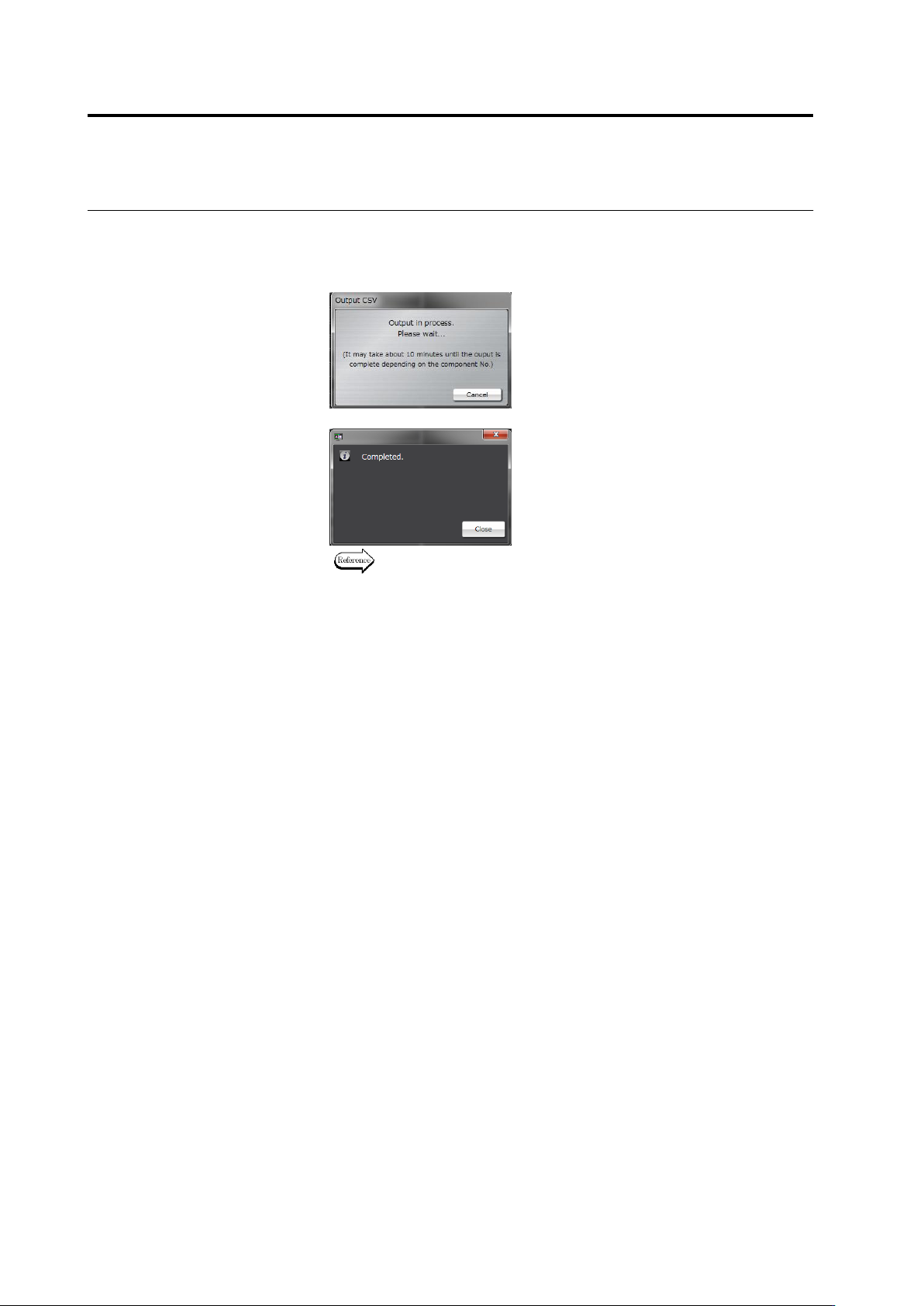
After the finish screen of CSV output is displayed, click the [Close]
button.
The CSV file is saved in the selected folder.
To abort the file output, click [Cancel].
↓
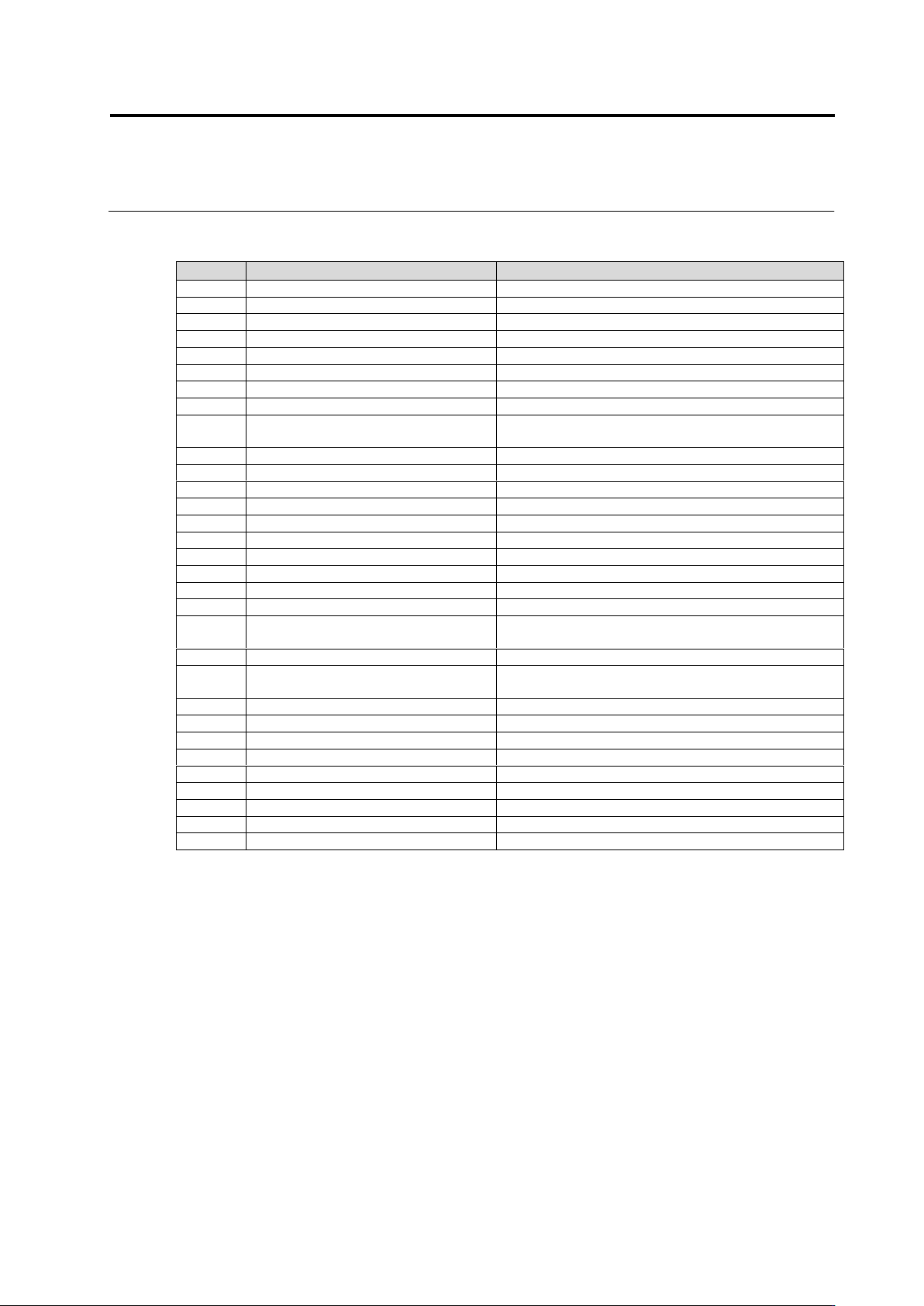
For details of the output format, refer to the following page.
2.18 Inspection Program Maintenance
2-223
Inspection program list output format
Column
Item
Output data
1
PCB name
Name of PCB
2
Inspection program name
Name of inspection program
3
Front/back
Front/back of PCB inspected by inspection program
4
Process
Name of inspection process
5
Model
Model name corresponding to inspection program
6
Update date and time
Date and time of update
7
Size (mm)
PCB size: horizontal size x vertical size (mm)
8
Status
Status of inspection program
9
Save FOV image(Inside information)
Setting ON/OFF of FOV image saving function for
inspection
10
Destination
Presence/absence of destination
11
No. of component block units
No. of component block units
12
No. of components
No. of components
13
2D code
Presence/absence of 2D codes
14
No. of shot images (raw PCB)
No. of shot images of raw PCB
15
No. of shot 3D images (raw PCB)
No. of shot 3D images of raw PCB
16
No. of shot images (reflow)
No. of shot reflow images
17
No. of shot images (reflow 3D)
No. of shot reflow 3D images
18
No. of shot images (reflow 3D full)
No. of shot reflow 3D full images
19
No. of shot images (adjustment)
No. of shot adjustment images
20
No. of shot images (adjustment,
oblique)
No. of shot oblique adjustment images
21
No. of shot images (adjustment, 3D)
No. of shot adjustment 3D images
22
No. of shot images (adjustment, 3D,
oblique)
No. of shot oblique adjustment 3D images
23
No. of inspection FOV
No. of inspection FOV
24
No. of inspection FOV (oblique)
No. of oblique inspection FOV
25
Change release to teaching
Presence/absence of change
26
Comment
Content of comment
27
PJ-ID
System ID of PCB
28
PG-ID
System ID of inspection program
29
PJ-Revision
System revision of PCB
30
PG-Revision
System revision of inspection program
31
CompanyId
ID of component No. library