Omron V-TS Teaching Manual.pdf.pdf - 第127页
Chapter 2 Insp ection Progr amming 2- 100 2. Click to select the ch eckbox f or the PCB to use for tes t inspection, and click [Test]. Up to 3 PCBs can be selected. The mas ter PCB is displayed at the top. If i nspection…
2.8 PCB Testing/Result Check
2-99
2.8 PCB Testing/Result Check
Test a created inspection program using PCBs to check the relevance of the inspection windows
and criteria. For PCB test, you can select either a PCB image captured upon creation of the
inspection program or an adjustment image under the adjustment mode. The modification of the
inspection program is required if inspection false calls are output.
2.8.1 Testing Using PCBs
Use a created inspection program to test a multiple number of PCBs.
1.
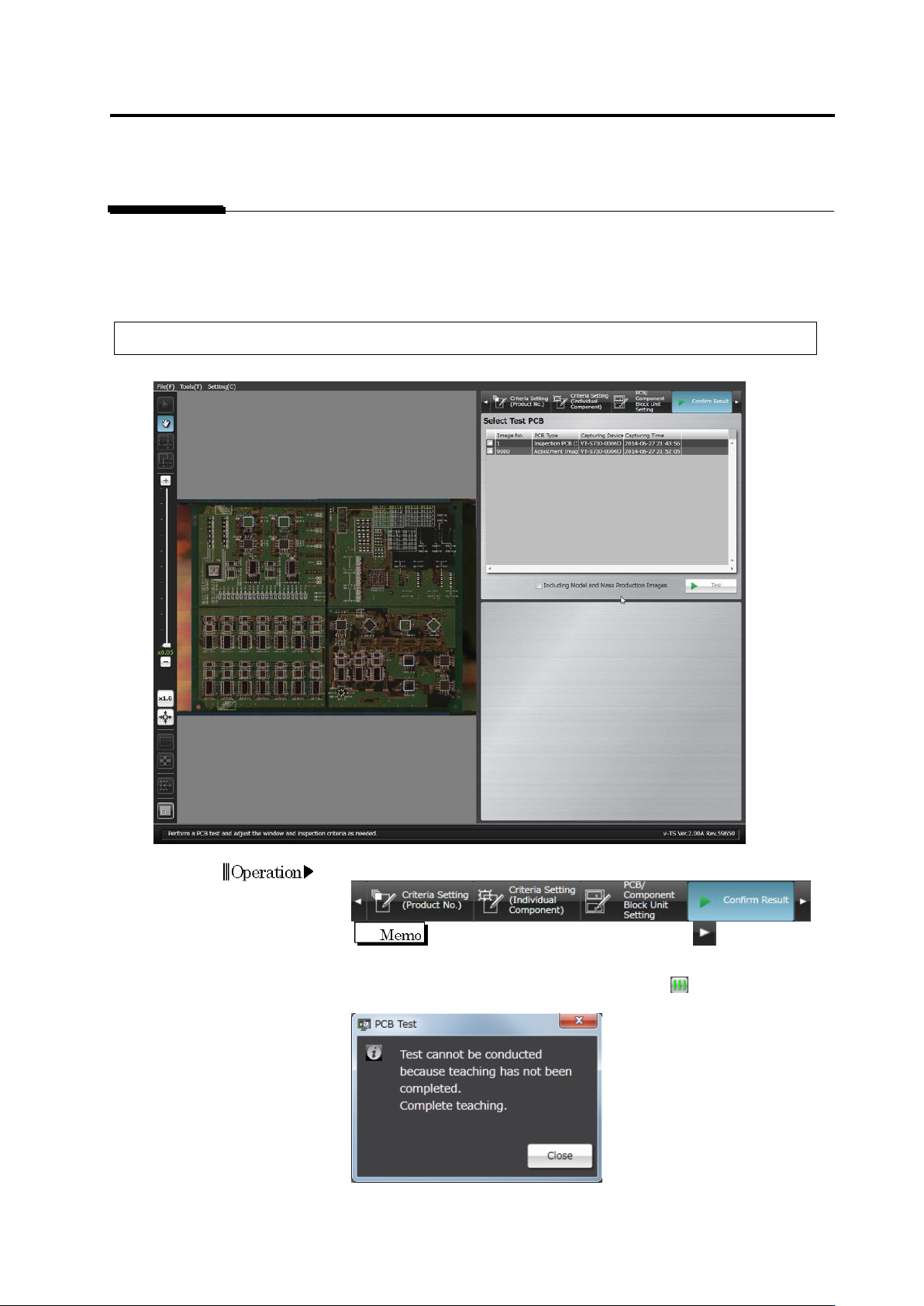
Select the [Confirm Result] tab.
If the [Confirm Result] tab is hidden, click at the right to
display it.
When the all component number status is not , the dialog below
appears.
Click [Close] and exit teaching for all component numbers.
Operation
Chapter 2 Inspection Programming
2-100
2.
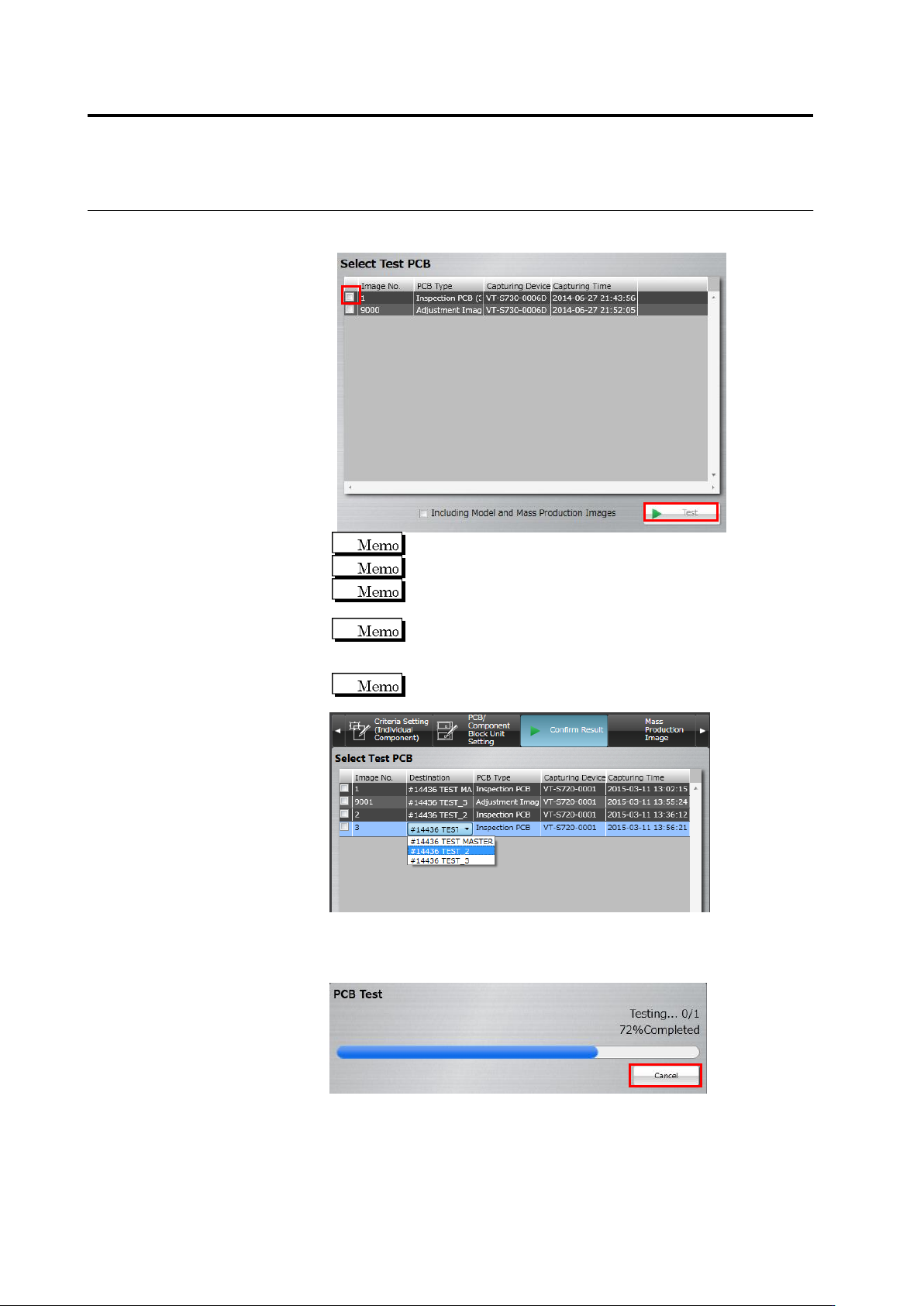
Click to select the checkbox for the PCB to use for test inspection,
and click [Test].
Up to 3 PCBs can be selected.
The master PCB is displayed at the top.
If inspection has been already done in the adjustment mode,
you can select the adjustment image.
To include a model and/or mass-production image in the test,
select the [Include Model and Mass-Production Image] check
box.
If there are settings for destination, inspection can be
performed for each destination.
The test starts and the progress is shown in the progress bar.
Click [Cancel] to abort testing.
2.8 PCB Testing/Result Check
2-101
3.
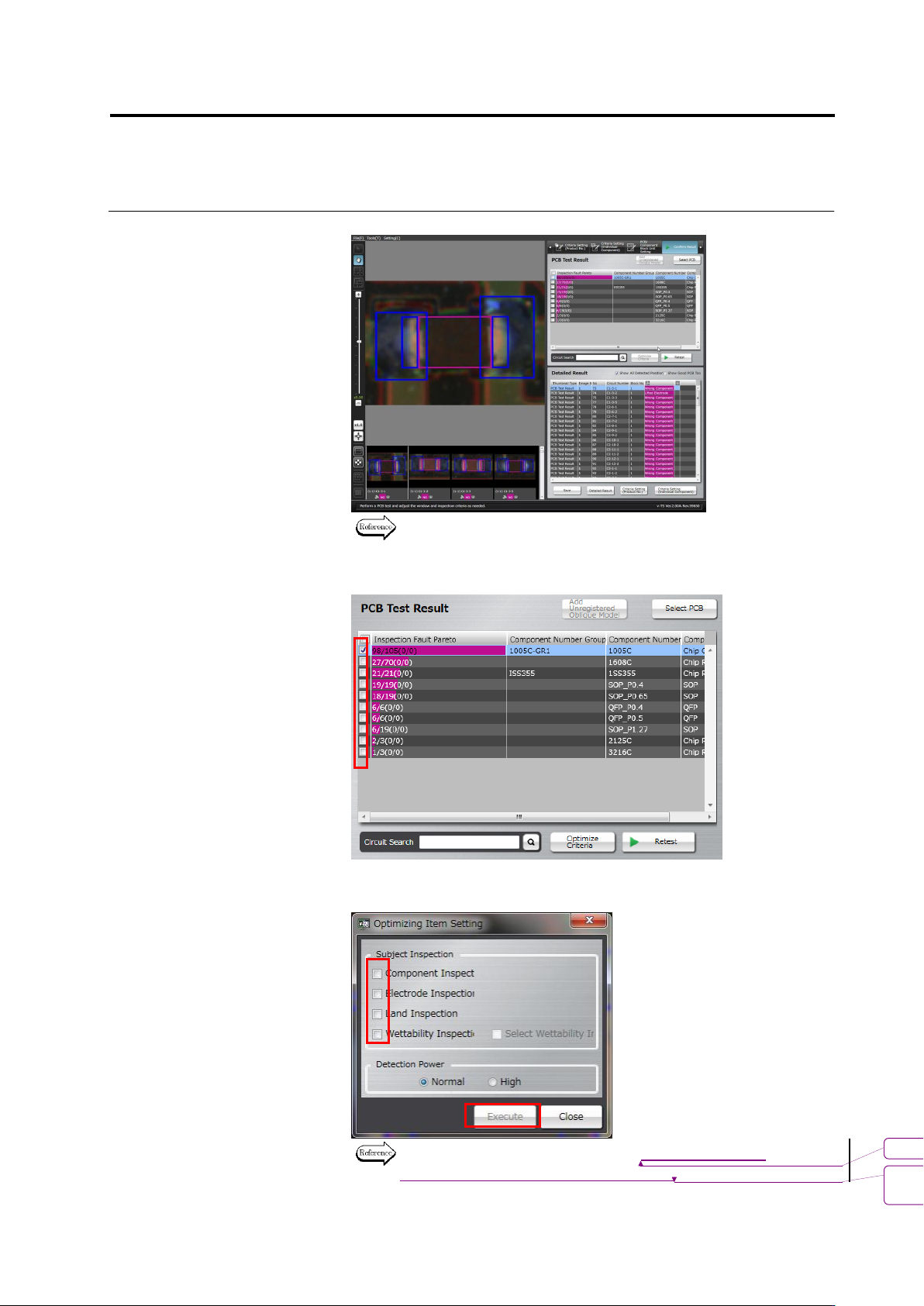
Check the test result.
Refer to the next page for how to interpret the test result.
4.
Select the component number check box and click [Optimize
Criteria].
The criteria optimization screen appears. Configure inspection items
and outputs to optimize, and click [Execute].
For details of optimization, see 2.15.4 “Optimizing Boolean
Expressions and Inspection Criterion Values.”
書式変更: フォント : 9 pt
削除
: Optimizing Boolean Expressions
and Inspection Criterion Values