Omron V-TS Teaching Manual.pdf.pdf - 第148页
2.12 Re loading an Inspection Program 2- 121 2.12 Reloading an Inspection Program 2.12.1 Reloadi ng an Inspec tion Program Recentl y Used This section describes how to reload an insp ection program recently used. 1. On t…
Chapter 2 Inspection Programming
2-120
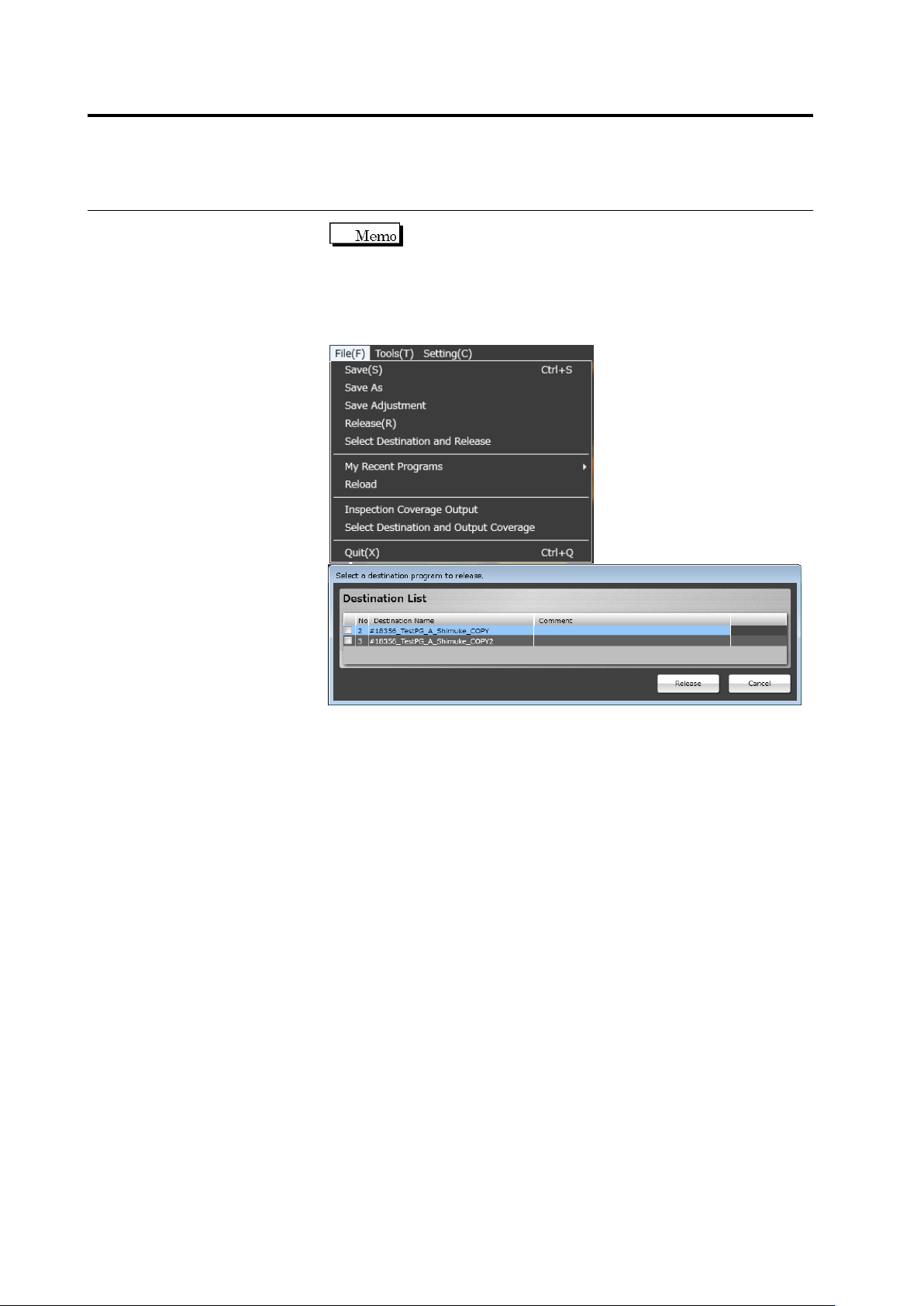
If there is setting of destination, the necessary destination can
be released individually. By selecting only the necessary destinations, time
to release the destinations not needed to release can be eliminated. On the
menu bar, select [File]-[Select Destination and Release], and check a
destination to be released to release the programs.
The checked destination programs are released, but the unchecked
destination programs are saved normally.
2.12 Reloading an Inspection Program
2-121
2.12 Reloading an Inspection Program
2.12.1 Reloading an Inspection Program Recently Used
This section describes how to reload an inspection program recently used.
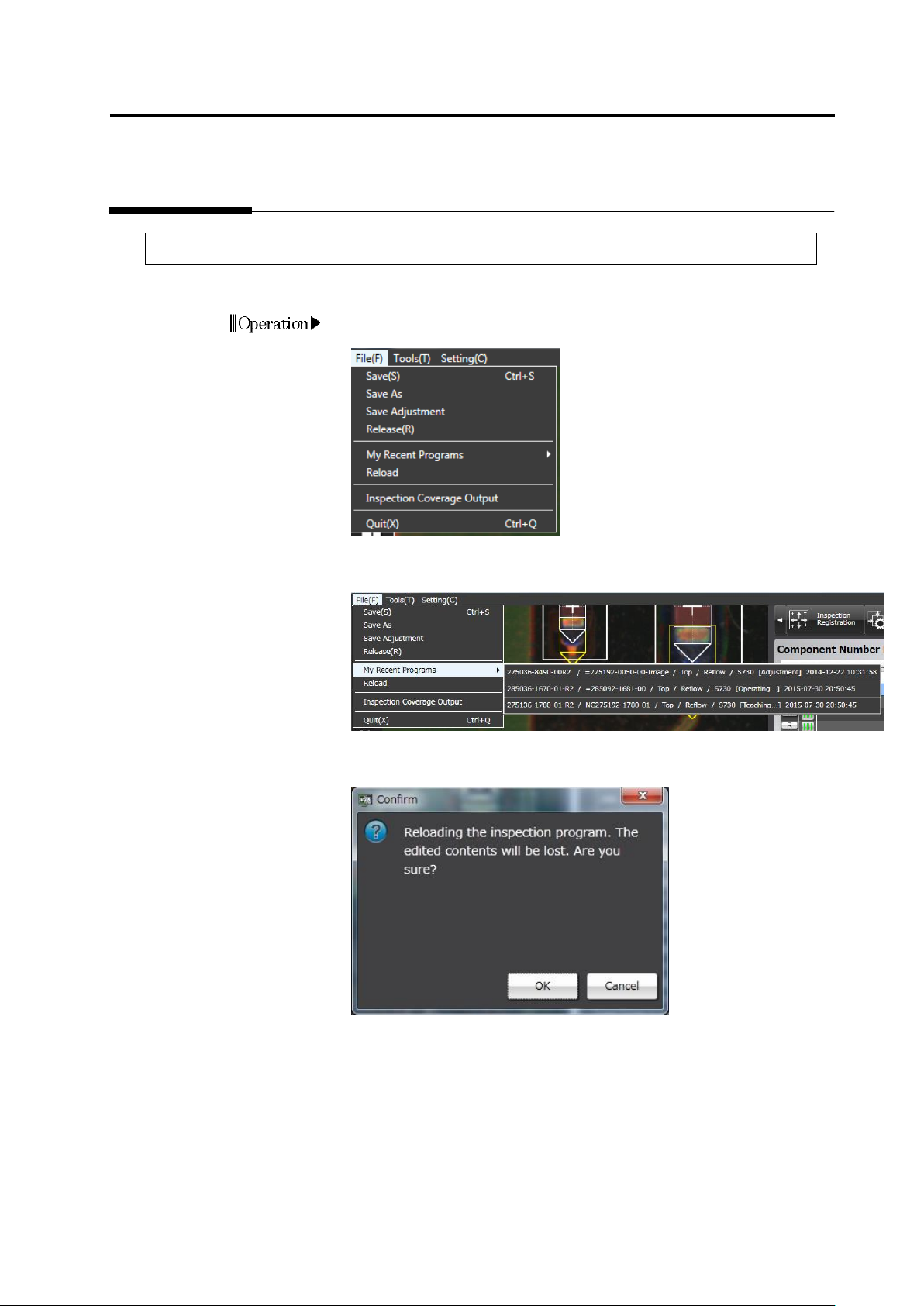
1. On the menu bar, select [File] - [Inspection Program Recently
Used].
2. A list of recently-used inspection programs appears.
Select an inspection program to edit.
3. The Confirmation message appears.
Check the message and click [OK].
Chapter 2 Inspection Programming
2-122
2.12.2 Reloading Inspection Program Being Edited
This section describes how to reload the inspection program being edited.
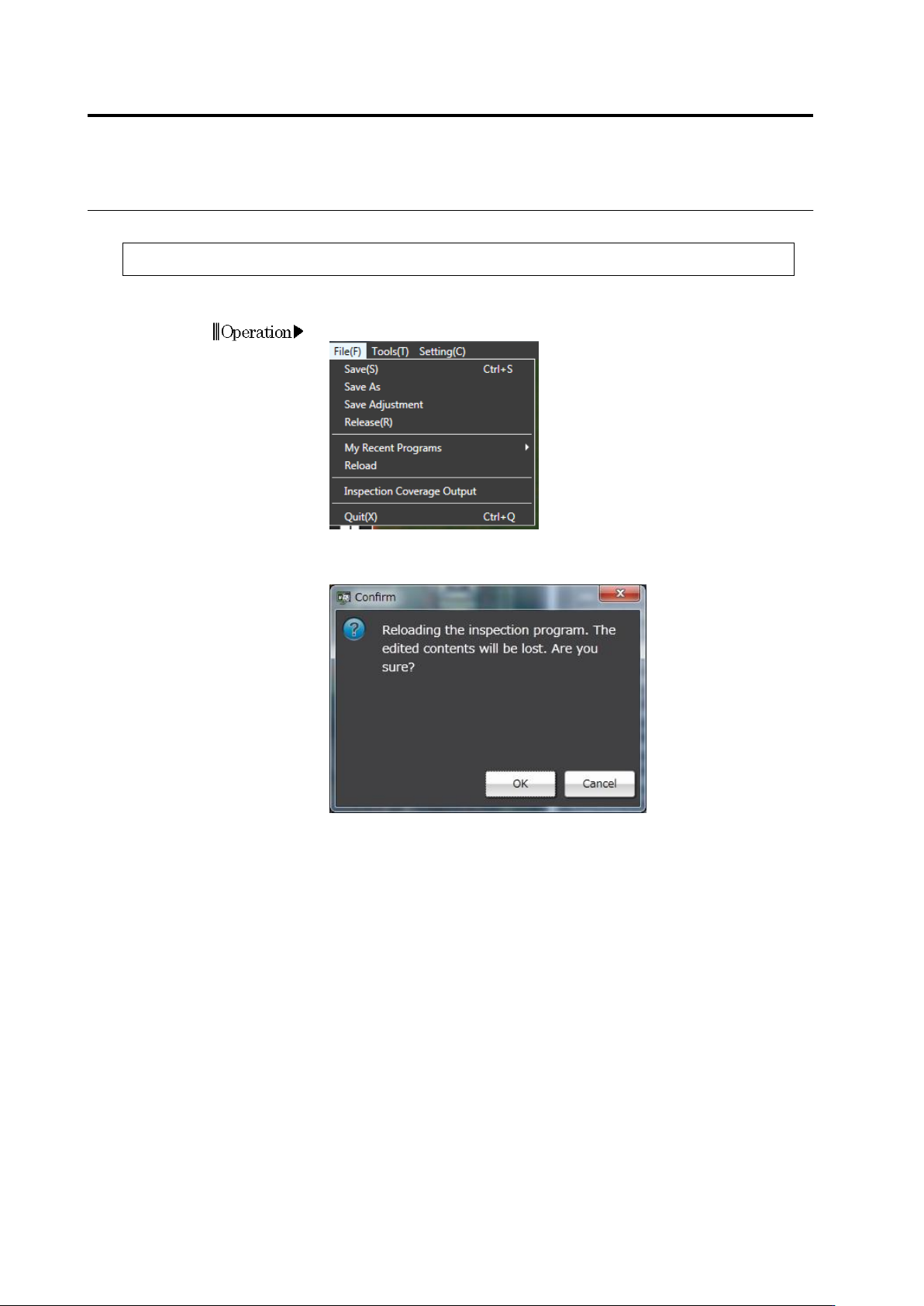
1. On the menu bar, select [File] - [Reload].
2. The Confirmation message appears.
Check the message and click [OK].