MR8740、MR8741_user_manual_eng_20191016H.pdf - 第109页
4.2 Saving Data 97 4 Chapter 4 Saving/Loading Dat a & Managing Files 6 Set [Save Are a] . (All waveforms or waveforms between A and B) 7 Set [Save Block ] . [All Blks] Saves all blocks with waveforms. [St art-End] Sa…
4.2 Saving Data
96
For details on mouse operations for basic file screens, see "1.5.7 File Operations" (p.34).
4.2.4 Saving Example (Saving for Memory Division)
Saving a Memory Division Waveform File
1
Configure the memory division settings, and then perform measurement.
See: "Chapter 11 Memory Division Function" (p.241)
2
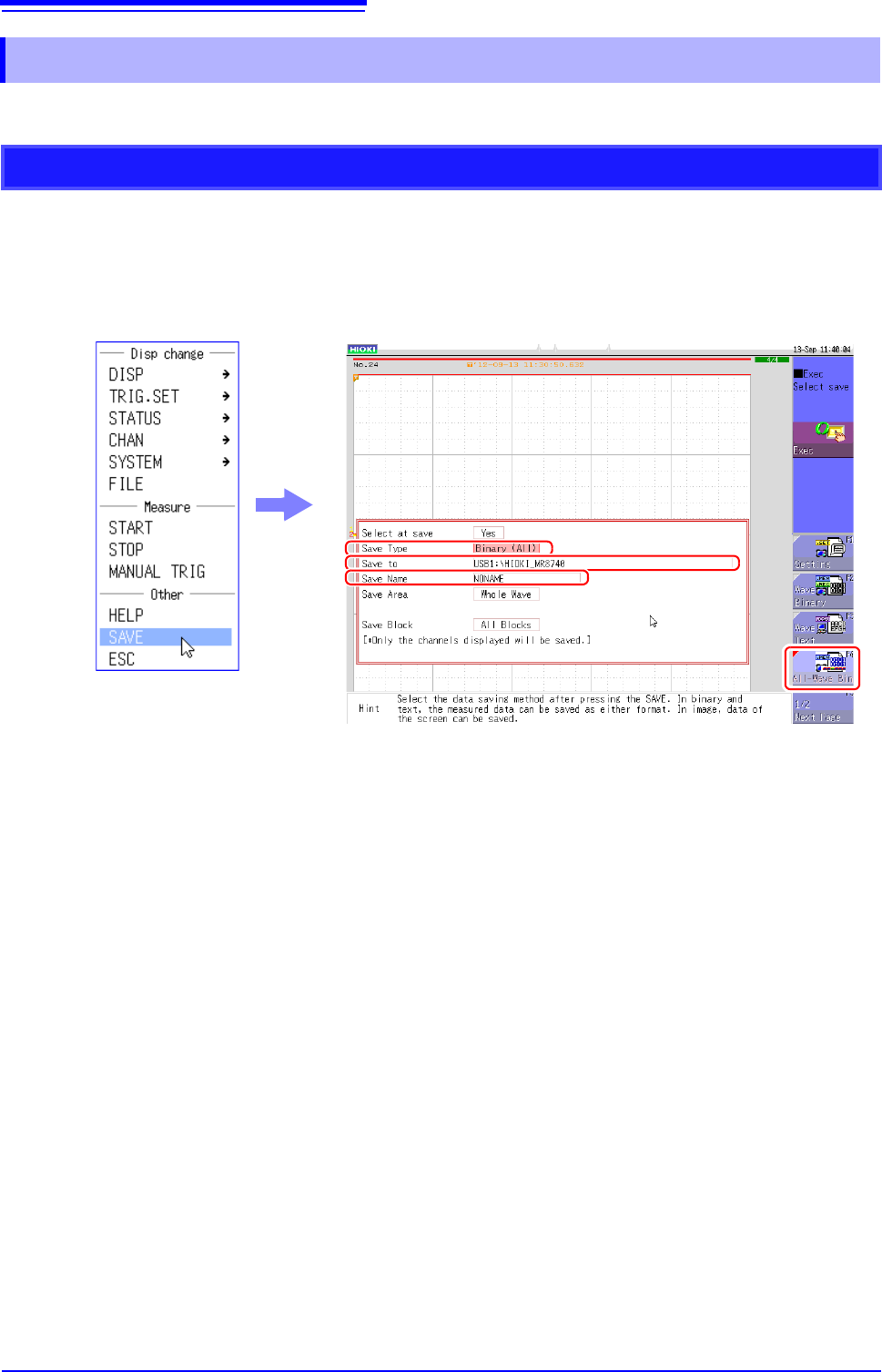
Right-click to display the list menu, and then click [SAVE].
3
Set [Save Type] to [ALL-Wave Bin].
(The setting item indication is "ALL Bin".)
If you select [Wave Binary] instead of [ALL-Wave Bin] here, the data of the currently displayed
block is saved.
4
Set [Save To].
See: "4.2.3 Saving Data Selectively (SAVE)" (p.93)
5
Set [Save Name].
See: "4.2.3 Saving Data Selectively (SAVE)" (p.93)
3
4
5
4.2 Saving Data
97
4
Chapter 4 Saving/Loading Data & Managing Files
6
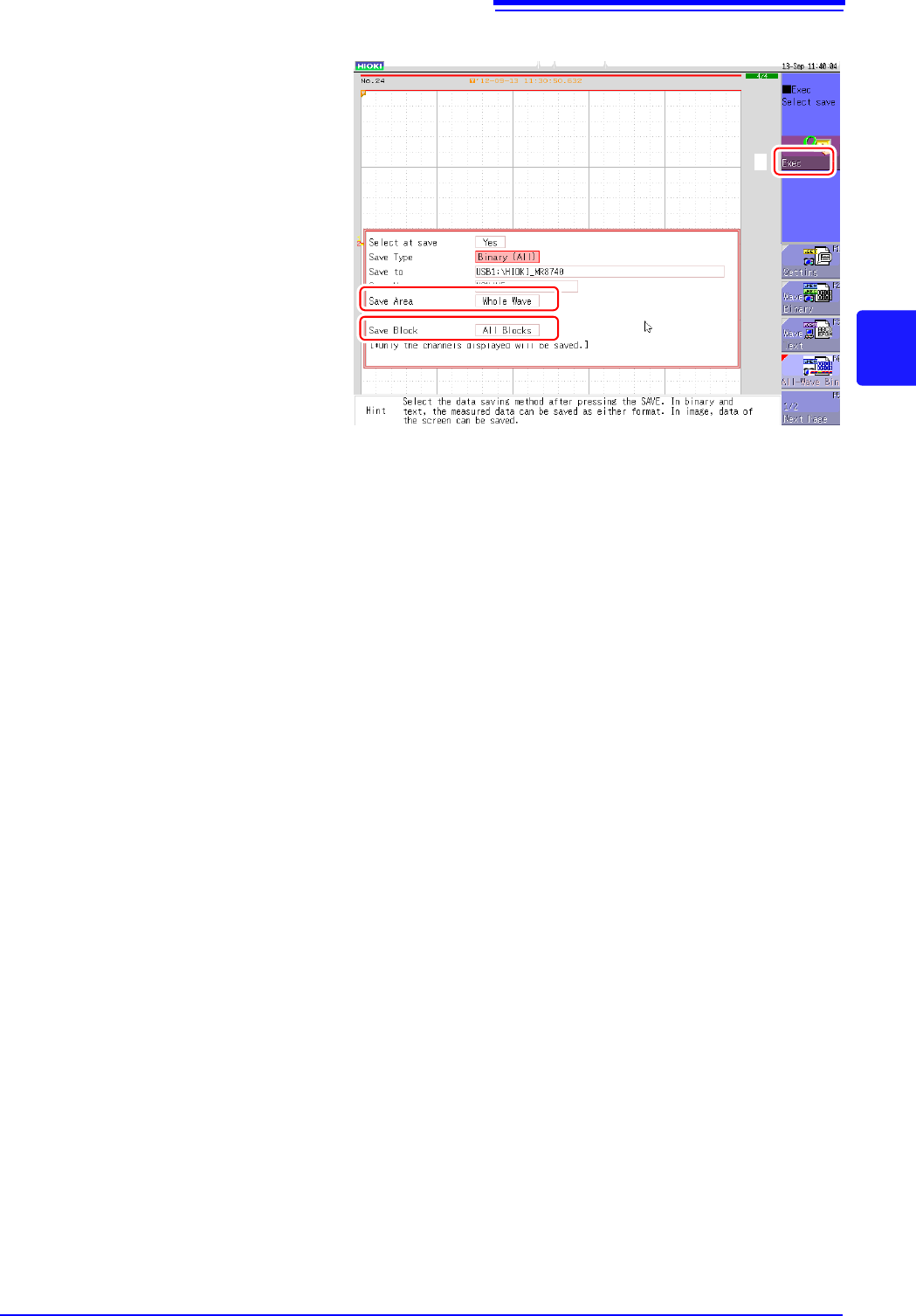
Set [Save Area].
(All waveforms or waveforms
between A and B)
7
Set [Save Block].
[All Blks]
Saves all blocks with waveforms.
[Start-End]
Saves all blocks from the start
block to the end block.
8
Configure each setting, and
then click [Exec].
When the data is saved, a folder
is created under the name set as
the save name, and the wave-
form data of each block and the
SEQ file (memory block integra-
tion file) are saved in that folder.
6
7
8
4.2 Saving Data
98
The pulse pattern data registered in Model MR8791, arbitrary waveform data registered in Model U8793,or
program data is saved in the media.
Before attempting to save the data, make sure that the storage media is inserted and the loading target is cor-
rectly specified.
Procedure:
To open the screen: press the FILE key to display the [File] sheet.
Refer to the instruction manual of Models U8793, MR8790, and MR8791 regarding each detailed save set-
tings.
4.2.5 Save Waveform Output Data to the Media
1
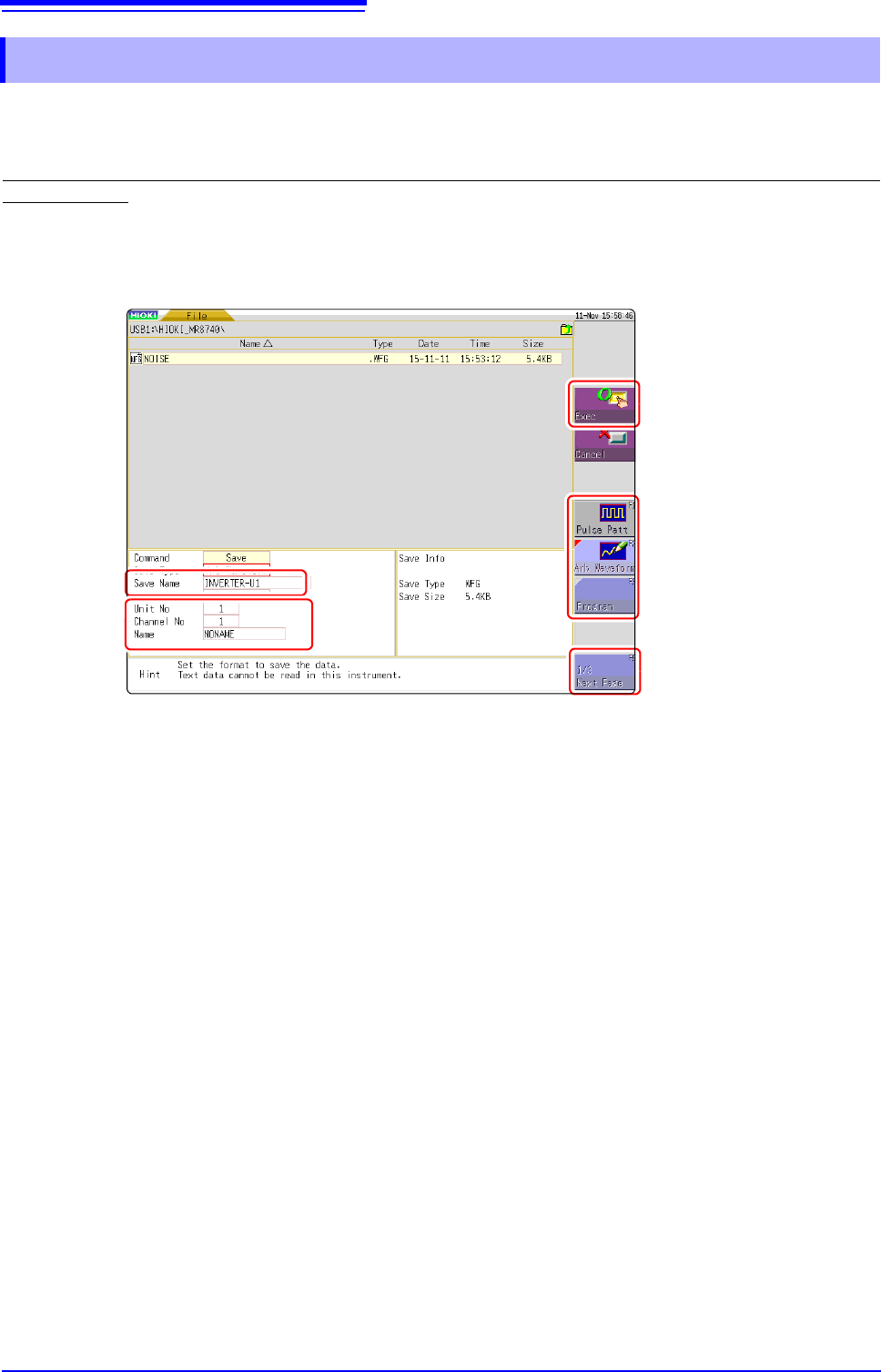
Press [Next Page].
2
Select [Pulse Patt], [Arb Waveform], or [Program].
3
Enter a [Save Name].
4
Register a [Unit No], a [Channel No], and a [Name] of the MR8791 or the U8793.
5
Press [Exec].
The data registered in the module is saved to the media.
1
5
3
2
4