MR8740、MR8741_user_manual_eng_20191016H.pdf - 第284页
12.6 Saving Analysis Results 272 The saving procedure is the same as for the Memory fun ction. See: " Chapter 4 Saving/Loading Data & Managing Files" (p.83) The size of saved files dep ends on the save form…
12.5 Setting Screen Displays
271
11
Chapter 12 FFT Function
12
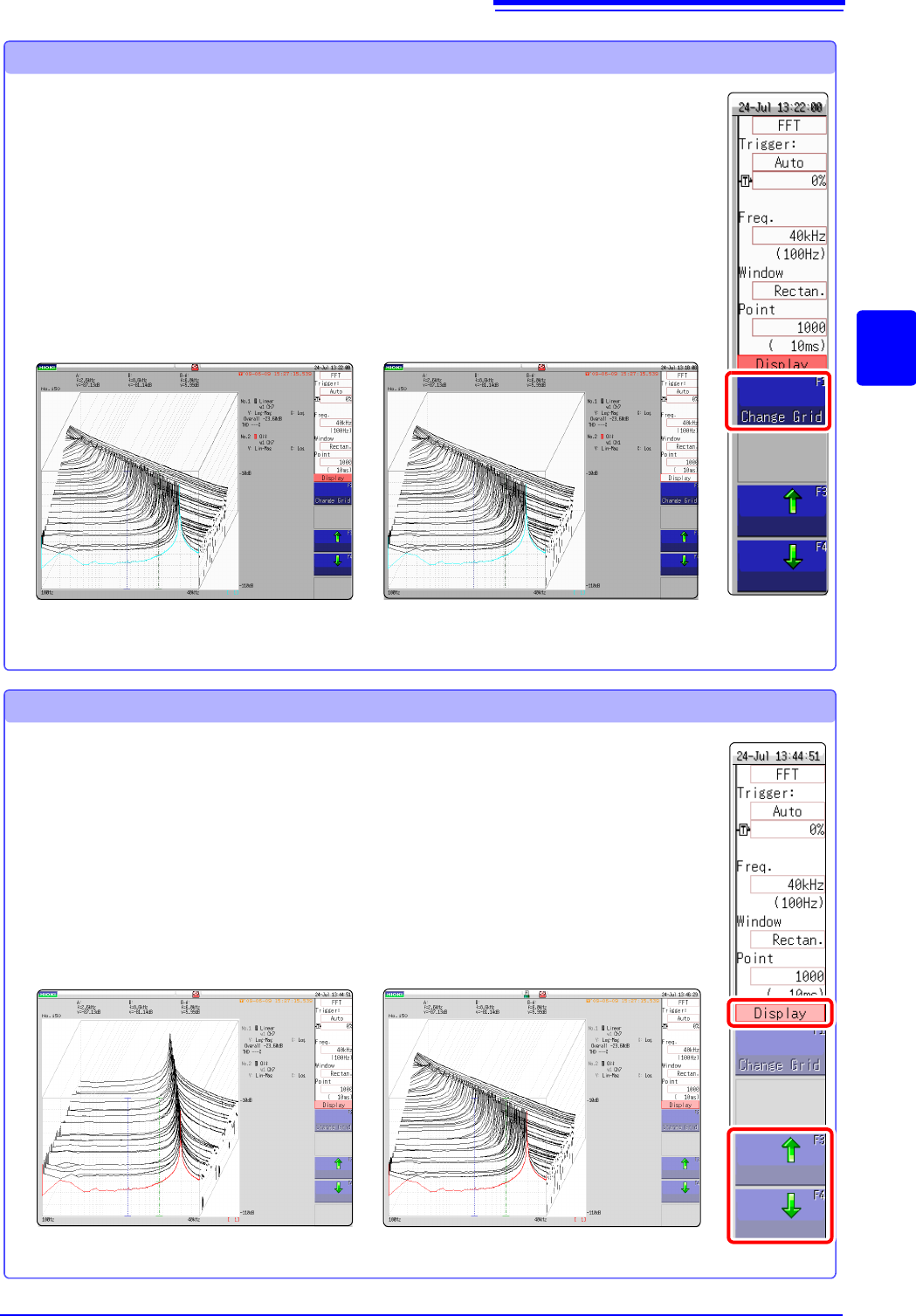
Changing the grid display
The display format of the grid can be switched.
Grid Type 1
1 Click [WAVE] in the right-click menu.
2 Move the flashing cursor to the [Display].
3 Change the grid display
Click [Change Grid] and change the grid display.
Each click changes the display format.
Grid Type 2
1 Click [WAVE] in the right-click menu.
2 Move the flashing cursor to the [Display].
3 Change the number of waveforms to be displayed.
Clicking either [] or [], adjust the number of waveforms to be
displayed.
Changing the number of waveforms to be displayed
The number of waveforms to be displayed can be changed.
The following number of waveforms can be selected: 10, 20, 50, 100, and 200.
100 waveforms displayed50 waveforms displayed
12.6 Saving Analysis Results
272
The saving procedure is the same as for the Memory function.
See: "Chapter 4 Saving/Loading Data & Managing Files" (p.83)
The size of saved files depends on the save format and analysis method.
See: "Appendix 2.1 Waveform File Sizes" (p.A2)
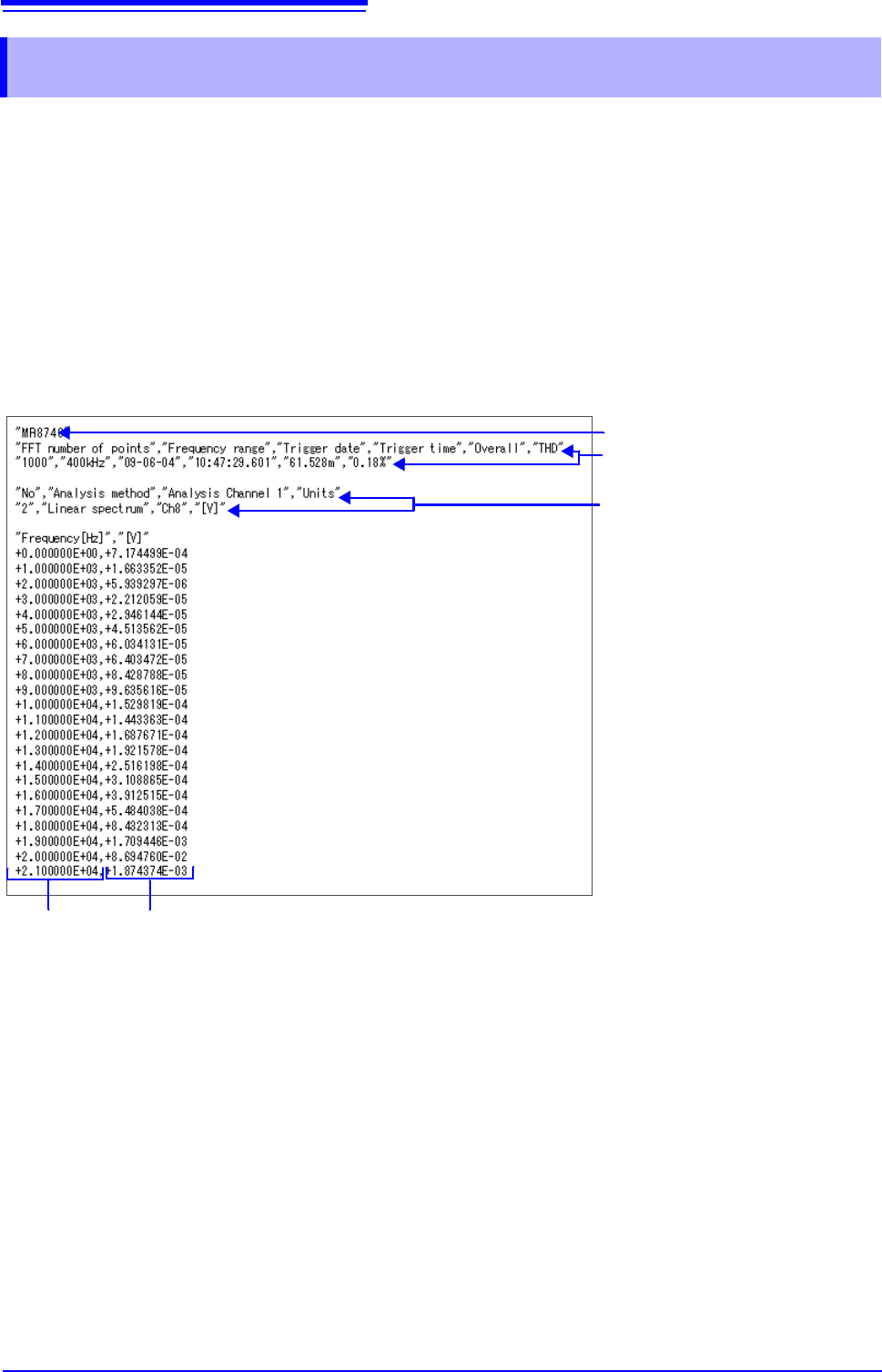
When FFT Analysis Results are Saved as Text
Divide files by calculation item and then save.
Text Saving Example
12.6 Saving Analysis Results
Line 1: Title comment
Lines 2 to 3: Trigger Time
Calculation information
X-axis data Y-axis data
12.7 Analysis with the Waveform Screen
273
11
Chapter 12 FFT Function
12
The FFT function can specify the calculation start position for waveforms measured by the memory
function before calculation.
Operation differs by calculation execution settings.
See:"Trigger Modes and Averaging" (p.258)
•Calculation execution: [Single]
Analysis is performed once on the specified number of analysis points beginning with the specified
starting point, and analysis results are displayed.
This is convenient for analyzing only a specific range. However, if averaging is enabled, analysis
repeats for the specified averaging count.
•Calculation execution: [Repeat]
Analysis is performed repeatedly on the specified number of analysis points beginning with the speci-
fied starting point and ending with end of waveform data, and final analysis results are displayed
(Calculation is performed for the number of specified points so a good end point becomes the final
analysis result.)
Verifying the analysis starting point while viewing analysis data
12.7 Analysis with the Waveform Screen
12.7.1 Analyzing after Specifying an Analysis Starting
Point
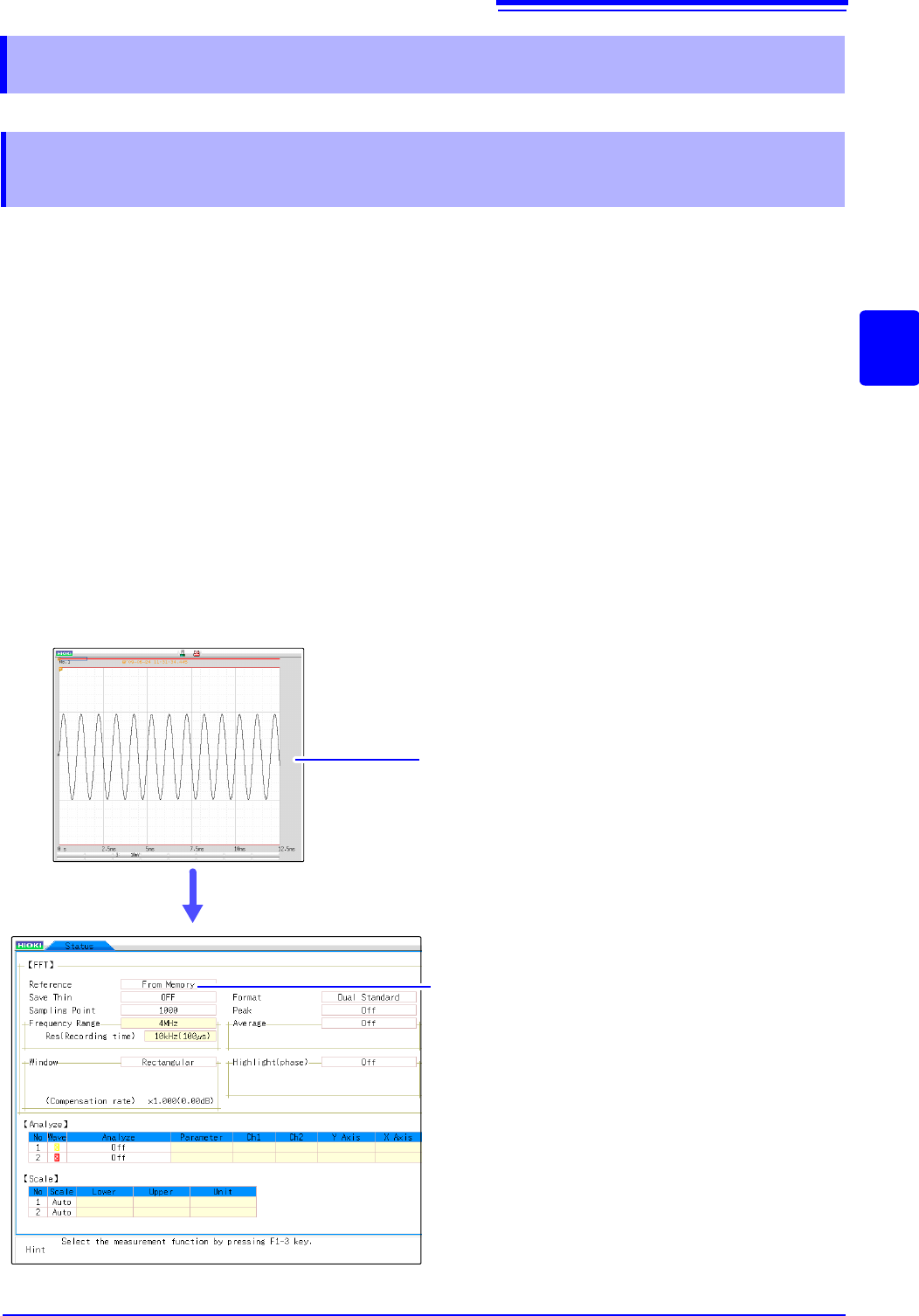
Display the waveform with the Memory func-
tion.
Set the [Reference] item to [From Memory].
Set analysis conditions such as the analysis mode and
number of analysis points (these can also be set on the
Waveform screen).
Click [DISP] in the right-click menu to display
the Waveform screen.
The one-time calculation range is displayed for the mem-
ory waveform.
1
Click [STATUS] in the right-click menu to display the [Status] sheet of
the Status screen.
4
3
Switch to FFT function.
2
5