MR8740、MR8741_user_manual_eng_20191016H.pdf - 第62页
2.2 Connecting Cords 50 Applicable Modules • Model U8974 High V oltage Unit Required item: Model L4940 Co nnection Cable Set • Model L4940 Connection Cable Set: (Maximum input voltage: 1000 V) High V o lt age Measurement…
2.2 Connecting Cords
49
2
Chapter 2 Measurement Preparations
Applicable Modules
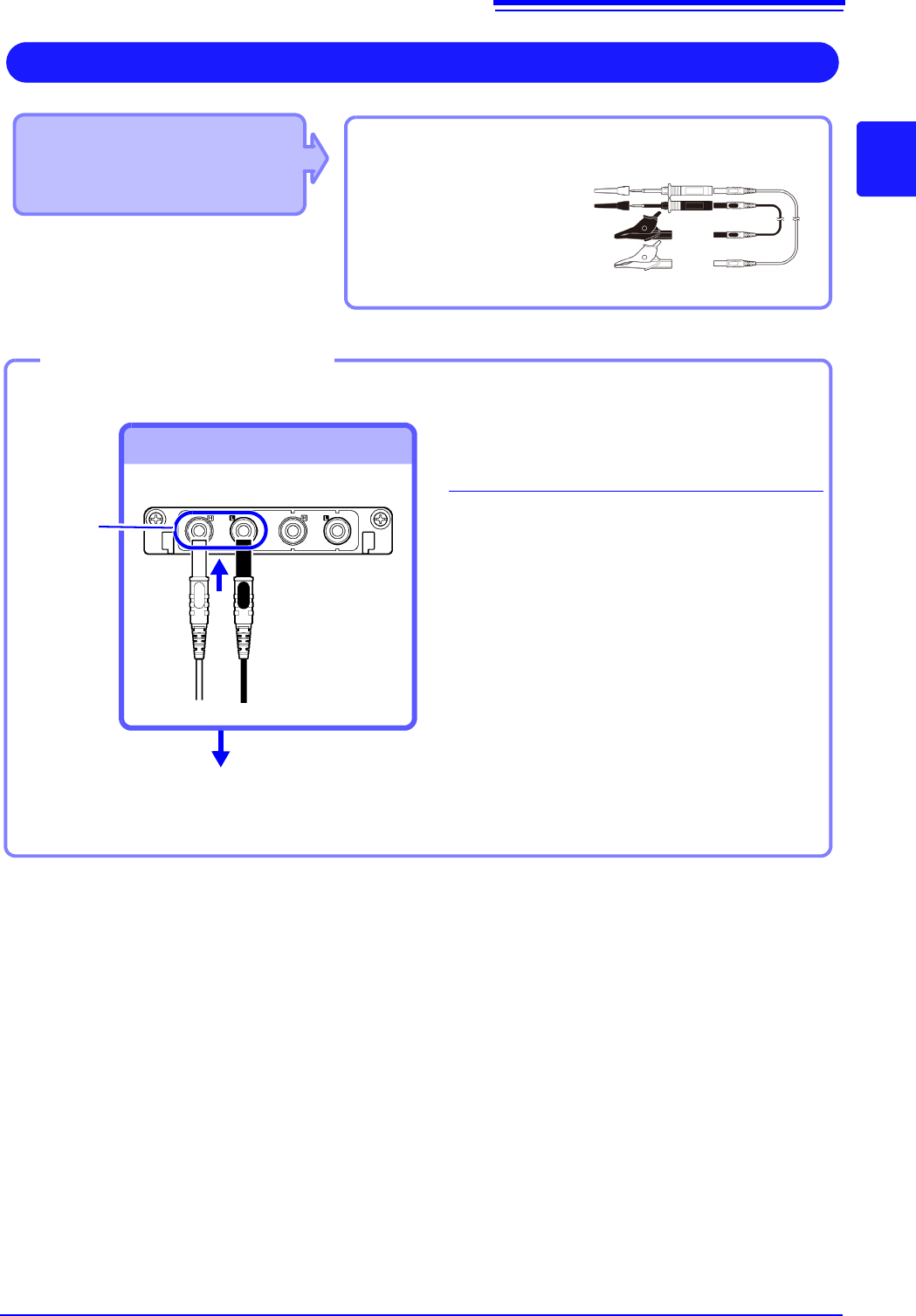
• Model MR8990 Digital Voltmeter Unit
Cables to connect: L2200 Test Lead
• L2200 Test Leads
(Maximum input voltage:
1000 V)
Measuring Voltage with High Accuracy (Digital Voltmeter)
Connect to the banana jacks on a module.
1
Connect the test leads to the banana
jacks on the module.
Connect the black lead to the L jack, and
the red lead to the H jack. Make sure the
test lead plugs are fully inserted into the
jacks.
2
Connect the test leads to the object to
be measured.
Required item: Test leads above
Banana jacks
Connect to banana jacks
Connect the leads to the object to
be measured
Connecting the test leads
1
2
Red
Black
2.2 Connecting Cords
50
Applicable Modules
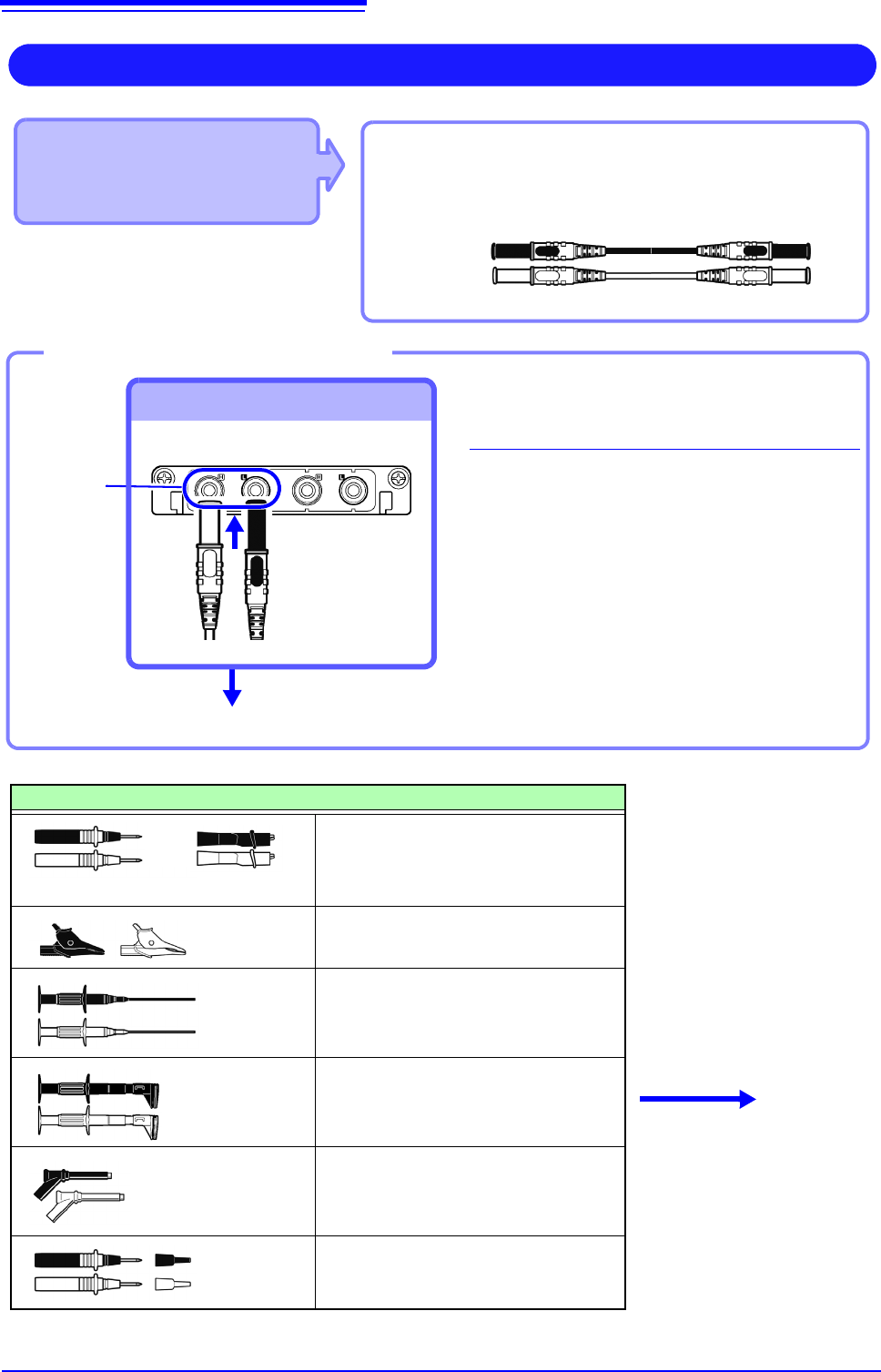
• Model U8974 High Voltage Unit
Required item: Model L4940 Connection Cable Set
• Model L4940 Connection Cable Set:
(Maximum input voltage: 1000 V)
High Voltage Measurement
Connect to the banana jacks on a module.
1
Connect the plug of the connection
cable to the banana jacks on the
module.
Connect the terminal and the plug of the
same color.
2
Insert the accessory clip into cable
clips.
3
Connect the cable clips to the mea-
surement object.
Required item: Model L4940 Connection Cable Set
Banana jacks
To Connect to banana jacks
Connect the clip.
Connect the Connection cable
Accessory clips
Model L4934 Small Alligator Clip Set
* Model L4932 is required when using
Model L4934.
Model L4935 Alligator Clip Set
Model 9243 Grabber Clip
Model L4936 Bus Bar Clip Set
Model L4937 Magnetic Adapter Set
Model L4932 Test Pin Set
L4934
+
Connect to the mea-
surement object.
Red
Black
3
1
2
2.2 Connecting Cords
51
2
Chapter 2 Measurement Preparations
Applicable Modules
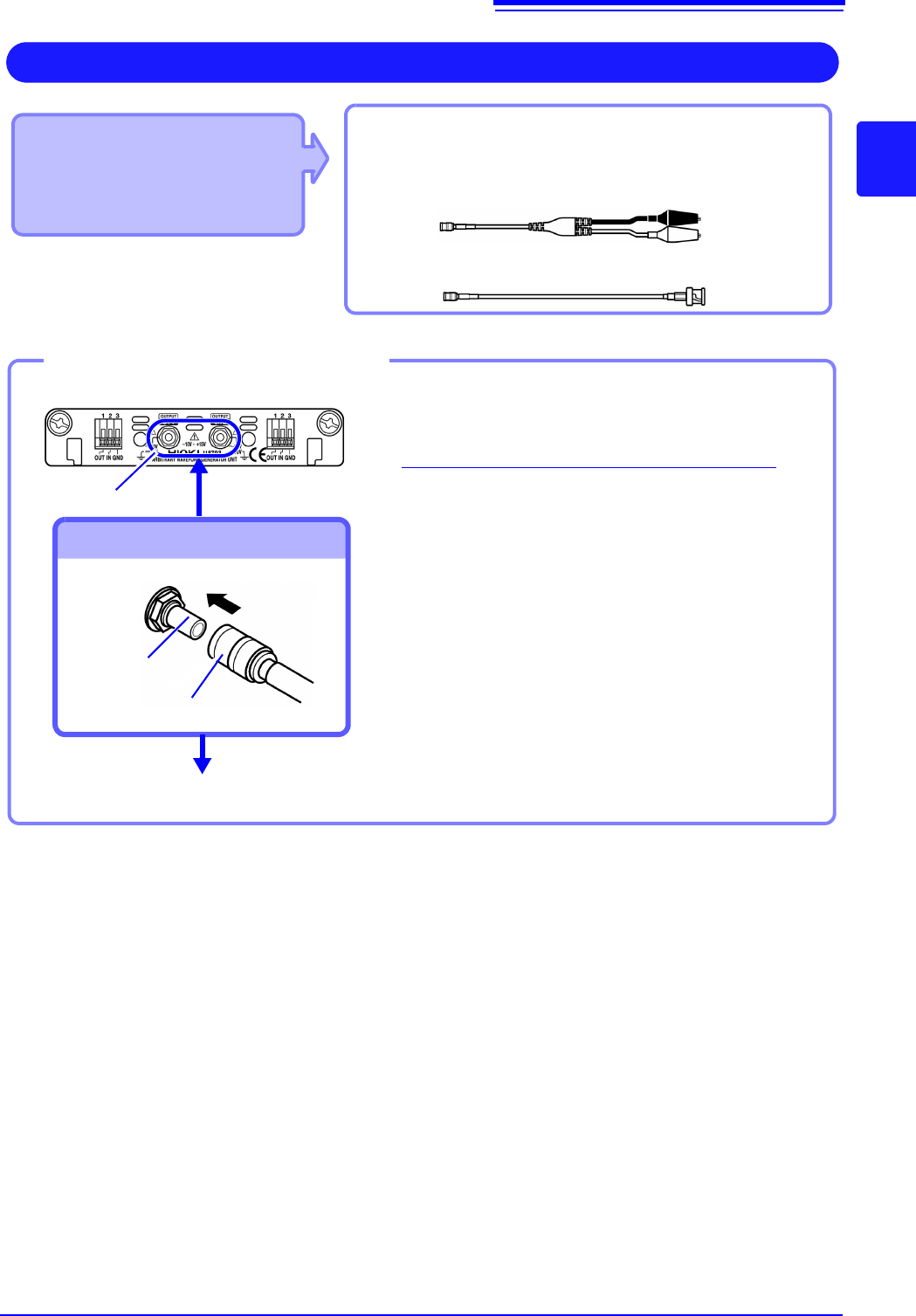
• Model U8793 Arbitrary
Waveform Generator Unit
• Model MR8790 Waveform
Generator Unit
Required item: Model L9795-01 /L9795-02 Connection
Cableconnect: L2200 Test Lead
Output Waveform
Connect to the SMB jack on a module.
• Model L9795-01 Connection Cable (Electrical clips)
• Model L9795-02 Connection Cable (BNC output)
1
Insert the SMB connector of connection cable
in the output terminal of the module until you
hear a click.
2
Connect the cable clips to the object to which
the waveform is being applied.
Required items: Connection cable mentioned above
Output terminal
To Connect to Output Terminals
Connect the Connection cable
To disconnect output connectors
Grip the head of the SMB connector (not the cable),
and pull it out.
Output terminal
SMB connector
Connect to the object to which the waveform is being applied.
Example: Model U8793
1
2