MR8740、MR8741_user_manual_eng_20191016H.pdf - 第66页
2.3 Recording Media Preparatio n 54 Possible targets for formatting are USB memory stick, and internal memory. During the formatting process, a folder named "HIOKI_MR8740" or "HIOKI_MR8741" will be cr…
2.3 Recording Media Preparation
53
2
Chapter 2 Measurement Preparations
Read "Handling Media" ( p.10) carefully.
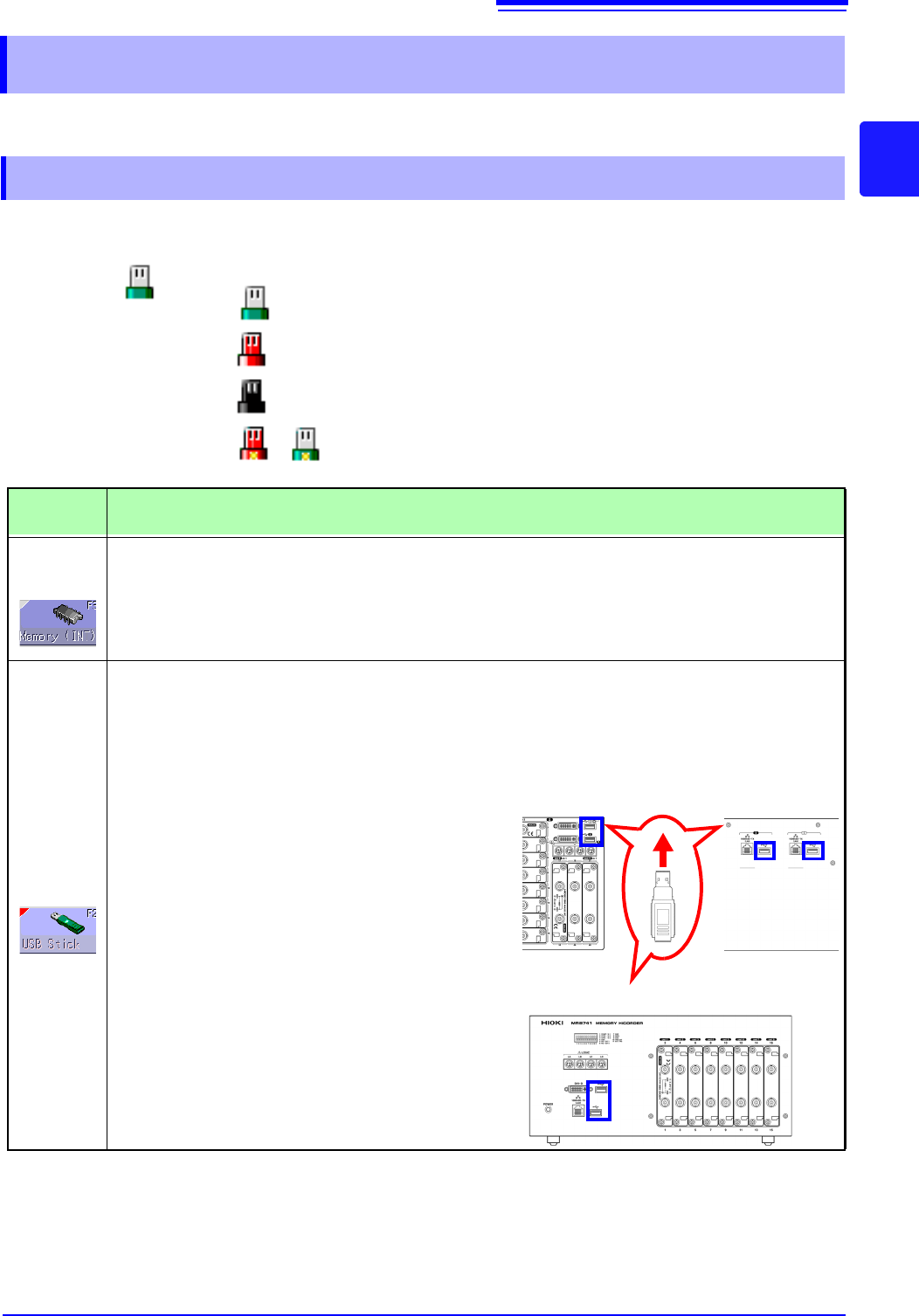
Media icons Icons indicating the status of storage media are always shown at the top of the
screen.
2.3 Recording Media Preparation
2.3.1 Storage Media (Inserting a USB Memory Stick)
USB
memory
stick
: Media is inserted
: Media is inserted and selected as save target (Icon col-
or is red)
: Media is not inserted but selected as save target (Icon
color is black)
: The center part of the icon appears yellow while the
USB memory stick is being accessed.
Storage
Media
Inserting procedure, Remarks, and Notes
RAM
(Internal
memory)
• Memory integrated in the unit is used. Only settings can be stored.
• Automatic saving of data is not possible.
USB
memory
stick
Inserting a USB memory stick
Ensure correct orientation of the USB memory
stick and push it all the way into the connector.
Remove a USB memory stick
Verify that the unit is not accessing the USB mem-
ory stick (for saving or loading data, etc.). Then
pull the USB memory stick out. (No special steps
are required at the instrument.)
USB Connector (Type A)
• Do not connect any devices other than USB memory stick.
• Not all commonly available USB memory sticks are supported.
• To use a USB memory stick, suitable unit settings must be made,
as described below.
Front Side
Back Side
MR8740
Front Side
MR8741
2.3 Recording Media Preparation
54
Possible targets for formatting are USB memory stick, and internal memory. During the formatting
process, a folder named "HIOKI_MR8740" or "HIOKI_MR8741" will be created.
2.3.2 Formatting Storage Media
Note that formatting used storage media deletes all the information on the stor-
age media and that deleted information is unrecoverable.
Procedure
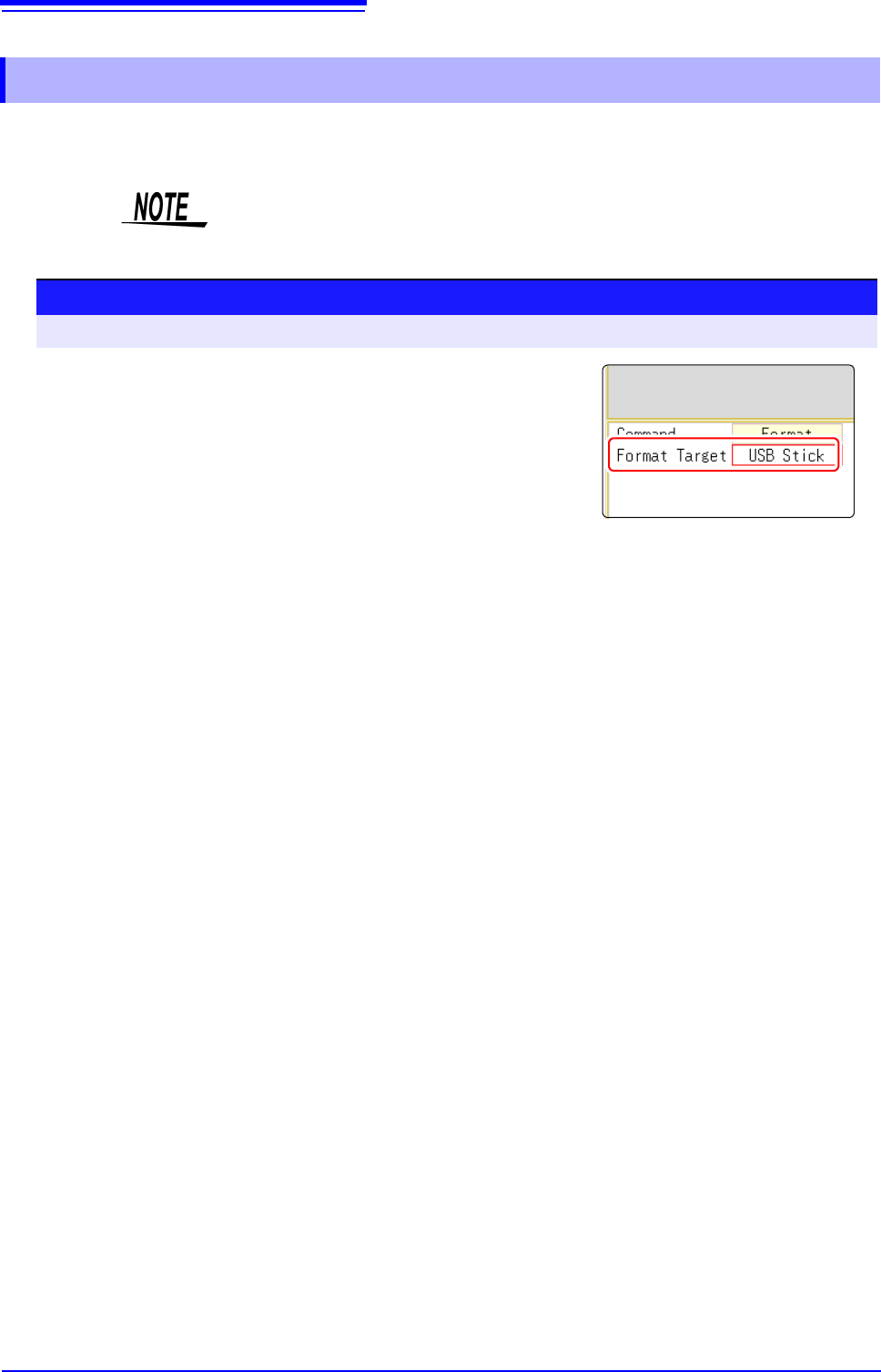
To open the screen: Right-click and select [FILE] File screen
1
Insert the storage media.
2
Select [Next Page].
Select [Format].
The flashing cursor moves to the [Format Target] item.
3
Select the storage media to format, and select [Exec].
The specified storage media is formatted.
A confirmation window will be displayed.
Select [Yes] to proceed, or [No] to cancel.
2.4 Supplying Power
55
2
Chapter 2 Measurement Preparations
Read "Before Turning the Power Supply On" ( p.12) carefully.
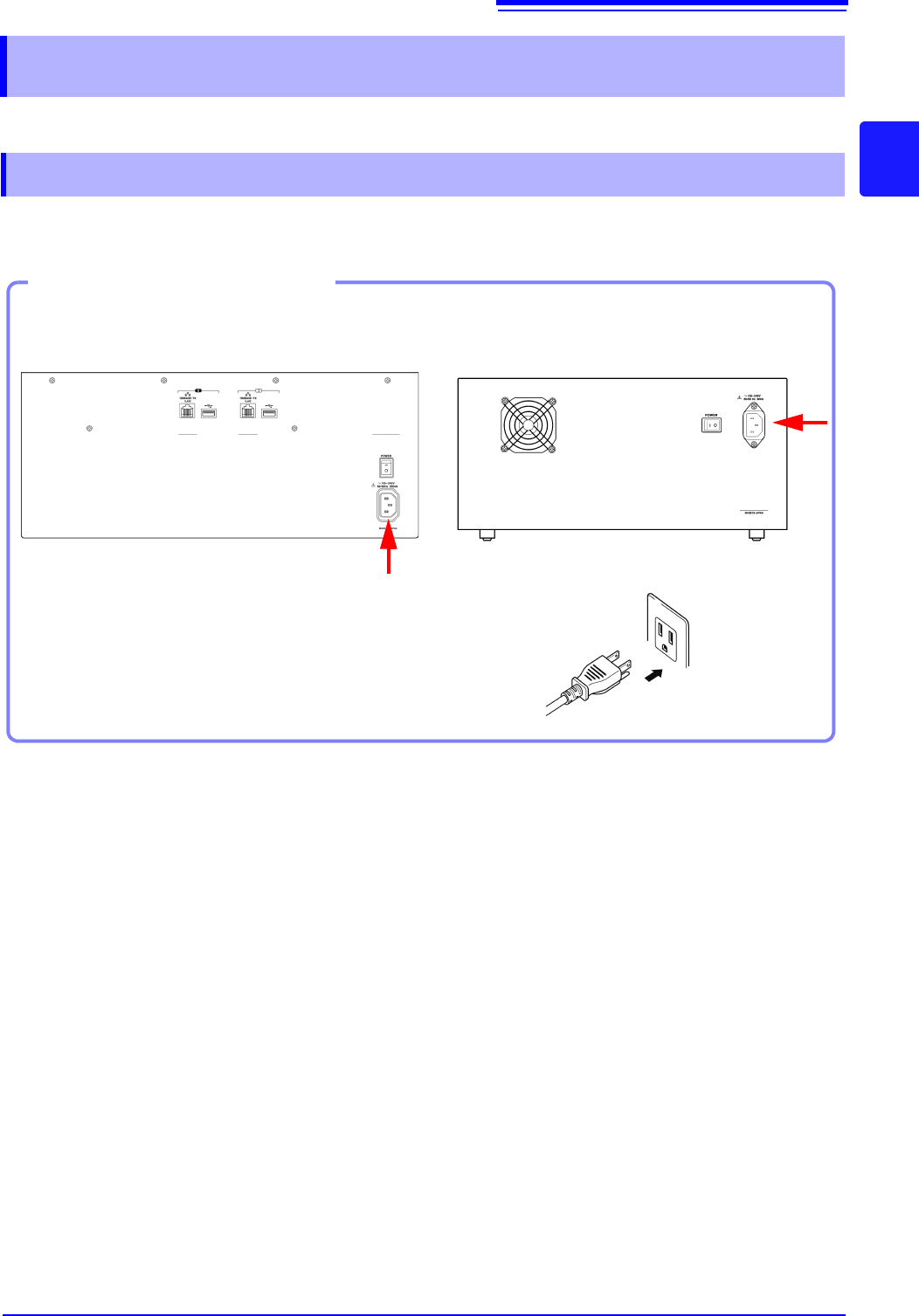
Connect the power cord to MR8740/MR8741 and plug it into an AC outlet.
2.4 Supplying Power
2.4.1 Connecting the Power Cord
1. Connect the power cord to the power
inlet on the instrument.
2. Plug the power cord into the mains outlet.
Connection Procedure
Back Side
2
MR8740
MR8741