MR8740、MR8741_user_manual_eng_20191016H.pdf - 第273页
12.3 Setting FFT Analysis Conditio ns 261 11 Chapter 12 FFT Function 12 3 When [Parameter] set ting content s are displaye d Set the p arameter . Move the flashing cursor to the [Parameter] column of the Anal- ysis No. t…
12.3 Setting FFT Analysis Conditions
260
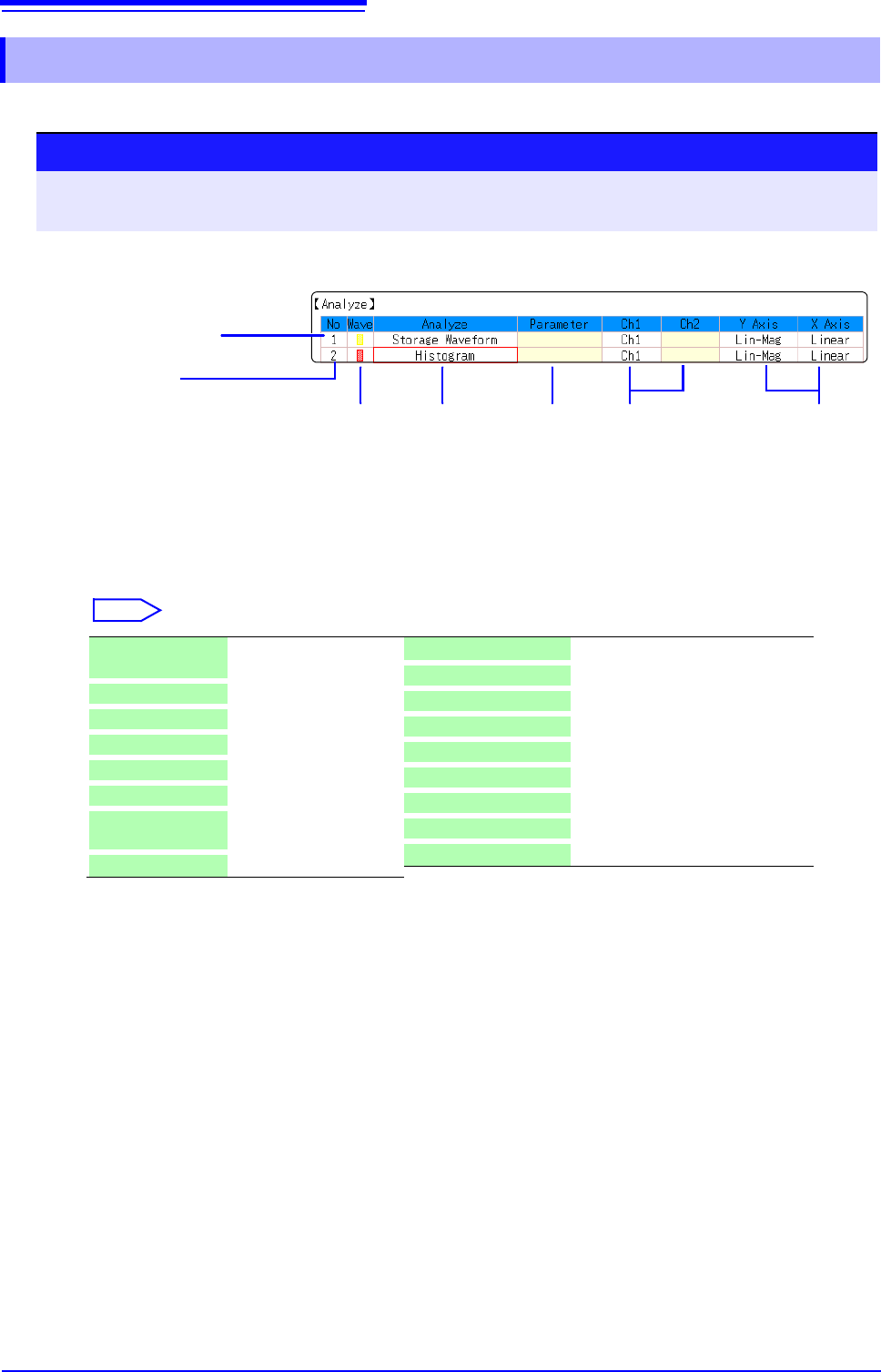
Select the type of FFT analysis, channel(s), waveform display color and x and y axes.
12.3.9 Analysis Mode Settings
1
Select the FFT analysis mode.
Move the flashing cursor to the [Analyze] column of the Analysis No.
to se
t.
Select
(When [List] is selected, a list of calculation types appears.)
2
Select whether to display the waveform, and its color.
Move the flashing cursor to the [Wave] column.
Select whether the waveform is to be displayed (On) or not, and its
color if displayed.
Analysis No.
Settings can be made from the
dialogs, or copied from another
Analysis No. (p.160)
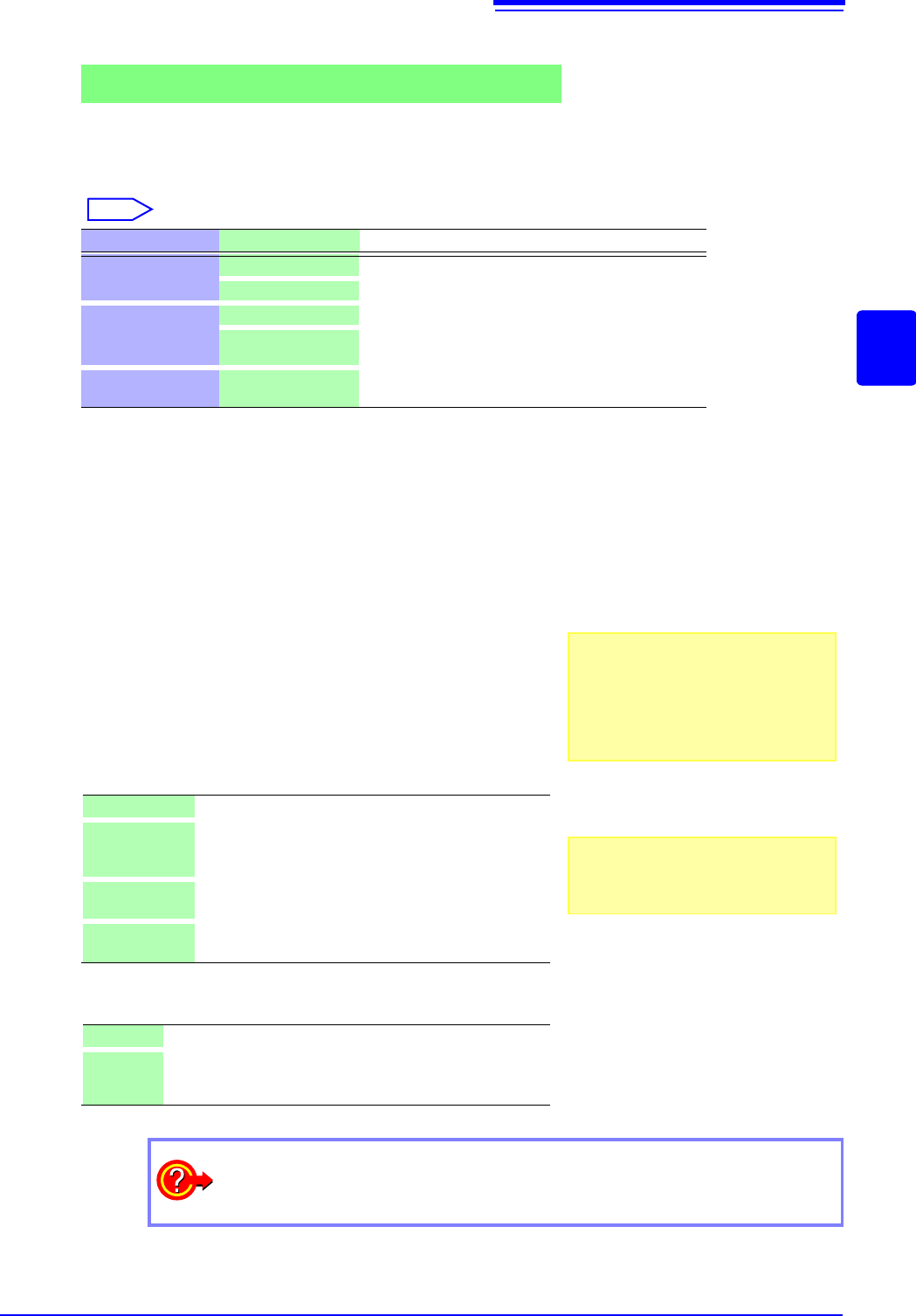
Analysis
Type
1
2
Analysis Setting
Contents
Channel for
Analysis
34 5
Display
Color
X/Y Axes
Display
Parameter
Off No analysis.
(default setting)
Storage Waveform (p.275)
Histgram (p.275)
Linear Spectrum (p.276)
RMS Spectrum (p.277)
Powre Spectrum (p.279)
Powre Spectrum
density*
(p.280)
LPC (density)* (p.281)
Transfer Function (p.282)
Cross Power Spectrum (p.283)
Impulse Response (p.284)
Coherance Function (p.285)
Phase Spectrum (p.286)
Auto-Correlation (p.287)
Cross-correlation (p.288)
1/1 Octave* (p.288)
1/3 Octave* (p.288)
*Not available with external sampling enabled.
See: "12.8.2 Analysis Mode Functions" (p.293)
Procedure
To open the screen: Right-click and select [STATUS] [Status] sheet
See: To set from the Waveform screen (p.265)
12.3 Setting FFT Analysis Conditions
261
11
Chapter 12 FFT Function
12
3
When [Parameter] setting contents are displayed
Set the parameter.
Move the flashing cursor to the
[Parameter] column of the Anal-
ysis No. to set.
Select
4
Select the channel for analysis.
Move the flashing cursor to the [Ch1] item.
Select which channel number to use. However, the channel of
MR8990 Digital Voltmeter Unit cannot be set.
5
Set the horizontal and vertical axes displaying the calcu-
lation results.
Move the flashing cursor to the
[X Axis] or [Y Axis].
Set the contents of the calculation results to be displayed on
the horizontal and vertical axes.
(Selectable display contents vary by analysis mode.)
See: "Analysis Modes and X/Y Axis Display" (p.262)
Y-axis display
X-axis display
Analyze Parameter Setting Contents
1/1 Octave,
1/3 Octave
Filter: Normal
nables the octave filter.
See: "Octave Filter Setting" (p.262)
Filter: Sharp
Phase Spectrum
1ch FFT Calculates the phase of [Ch1].
2ch FFT Calculates the phase difference between [Ch1] and
[Ch2].
LPC (dencity)
Order :2 to 64 Larger numerical values make finer spectrum compo-
nents visible.
Lin-Mag Analysis results are displayed as amplitude values.
Log-Mag Analysis results are displayed as dB values.
The dB reference is 1 eu. (As a voltage example, 1 V is
0 dB.)
Lin-Real The real-number component of analysis results are dis-
played.
Lin-Imag The imaginary component of analysis results are dis-
played.
Linear Frequency-axis is displayed linearly.
Log Frequency-axis is displayed logarithmically.
This is convenient when the data of interest is at the lower end
of the frequency range, such as for sound and vibration.
Analysis channel setting
For any of the following analysis modes,
set both channels 1 and 2.
Transfer Function, Impulse Response,
Cross-correlation Function, Cross Power
Spectrum, Coherence Function, Phase
Spectrum (2ch FFT)
To analyze using external sampling
The horizontal axis ( x-axis) displays the
number of data points.
How do I copy settings to other calculation No.?
See: "7.8 Copying settings to other channels (calculation No.) (Copy function)" (p.160)
12.3 Setting FFT Analysis Conditions
262
Octave Filter Setting
Filter features are based on JIS C1513-2002 class 1, class 2 (IEC61260).
After determining the entire power spectrum, the instrument performs octave analysis defined by the
above filter characteristics.
See:"Octave Filter Characteristics" (p.A25)
Analysis Modes and X/Y Axis Display
Normal
Filter characteristics approximate those
of an analog filter.
Sharp
Only those spectral component within the
octave band are used for analysis. Spec-
tral components outside of the octave
band are totally ignored.
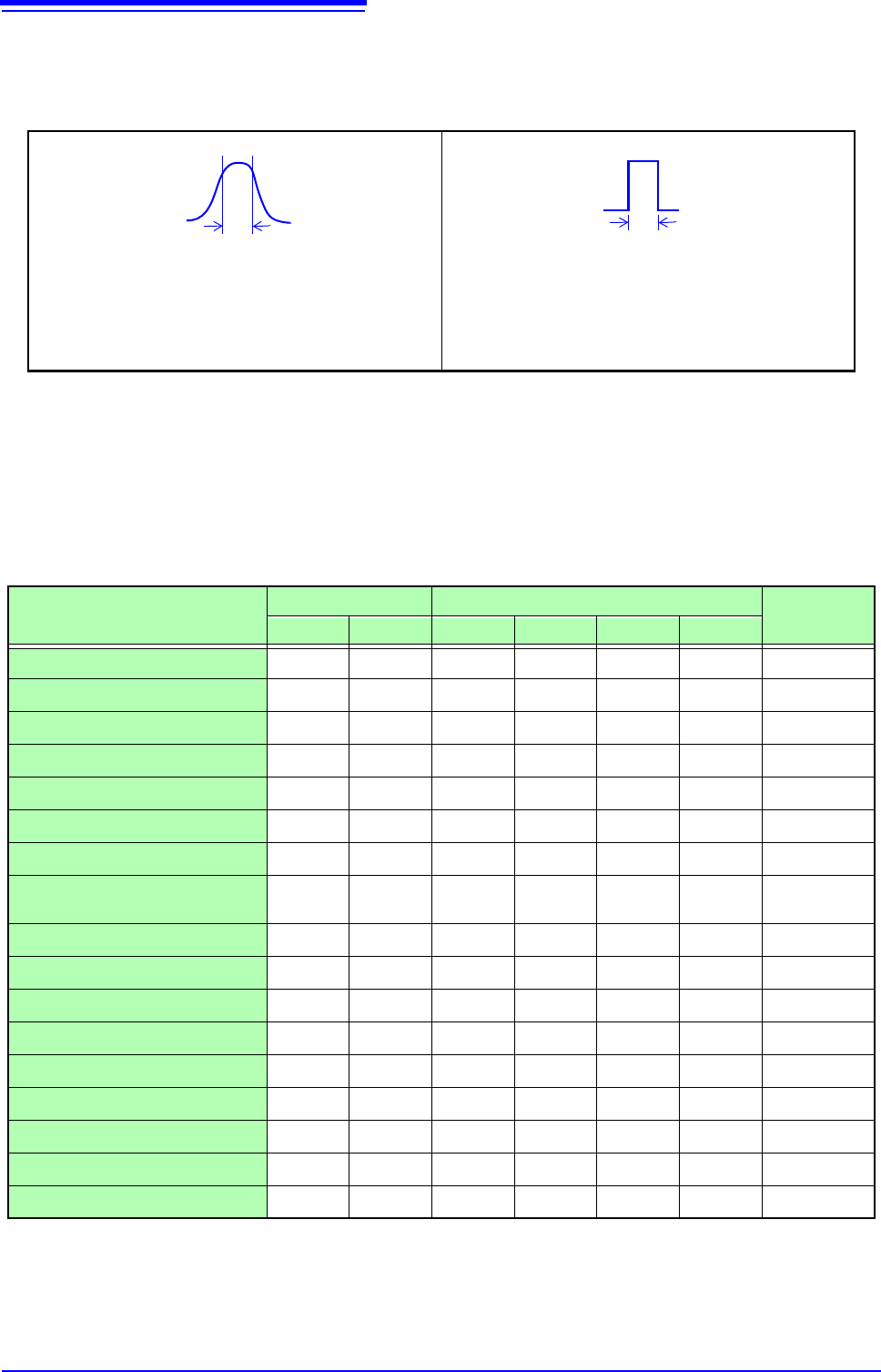
: Settable, ×: Unsettable
Analysis Mode
X axis Y axis
Nyquist
display
Linear Log Lin-Mag Log-Mag Lin-Real Lin-Imag
OFF
×××××× ×
Storage Waveform
×
××× ×
Histogram
×
××× ×
Linear Spectrum
RMS Spectrum
×
Power Spectrum
×× ×
Power Spectrum Density
×× ×
LPC analysis (Power Spectrum
Density)
×× ×
Transfer Function
Cross Power Spectrum
Impulse Response
×
××× ×
Coherence Function
××× ×
Phase Spectrum
××× ×
Auto-correlation Function
×
××× ×
Cross-correlation Function
×
××× ×
1/1 Octave
×
×× ×
1/3 Octave
×
×× ×
The x/y axes cannot be set when Nyquist Display is selected.