MR8740、MR8741_user_manual_eng_20191016H.pdf - 第346页
15.6 Operating the instrumen t remotely and acquiring data by using Model 933 3 LAN Communicator 334 Model 9333 LAN Communicator, which is the opti ona l communication program for PCs, enables the PC to control the instr…
15.5 Controlling the Instrument with Command Communications (LAN)
333
12
Chapter 15 Connection to a Computer
14
15
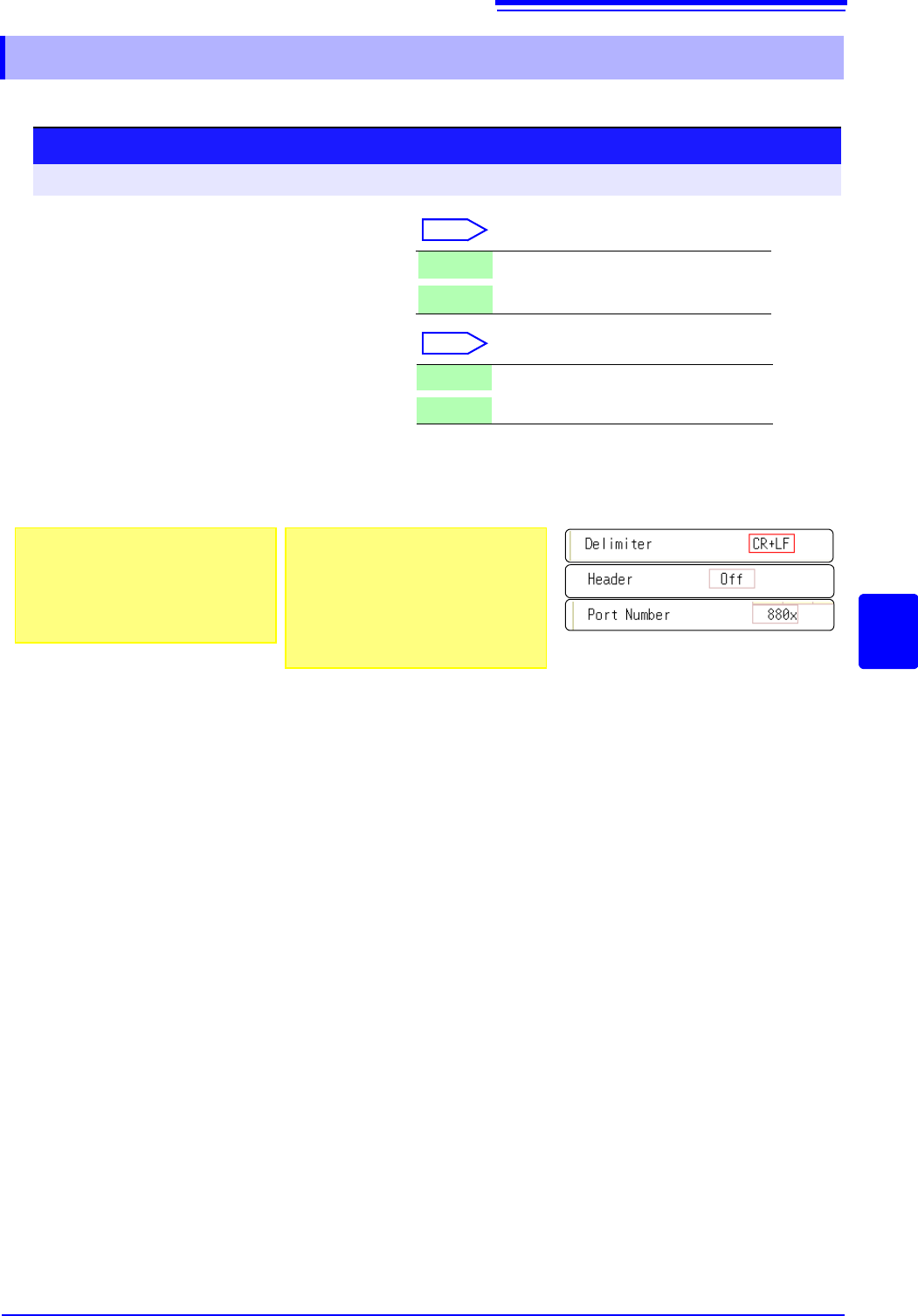
Set items related to command communications.
15.5.1 Making Settings on the Instrument
1
2
3
1
Set the delimiter.
Select
Move the flashing cursor to the [Delimiter]
item.
2
Make header settings.
Select
Move the flashing cursor to the [Header]
item.
3
Set the communications command port.
Move the flashing cursor to the [Port Number] item, and enter the port number.
LF Send character code 0x0a.
CR+LF Send character codes 0x0d and 0x0a.
Off Do not add a header to response data.
On Add a header to response data.
Procedure
To open the screen: Right-click and select [SYSTEM] [Interface] sheet
About port numbers
Specify only the most significant 3 digits
of the 4-digit port number.
If you specify "880x", port number 8802 is
used.
"Command Port (Port number)"
(p.332)
About headers
The response to a :FUNCTION? query
command from the PC differs according
to the header setting.
On ................... :FUNCTION MEM
Off ................... MEM
15.6 Operating the instrument remotely and acquiring data by using Model 9333 LAN Communicator
334
Model 9333 LAN Communicator, which is the optional communication program for PCs, enables the
PC to control the instrument remotely and to store data directly.
Additionally, Model 9333 enables waveforms to be printed from a printer connected to the PC.
15.6 Operating the instrument remotely and
acquiring data by using Model 9333 LAN
Communicator
1
2
Procedure
1
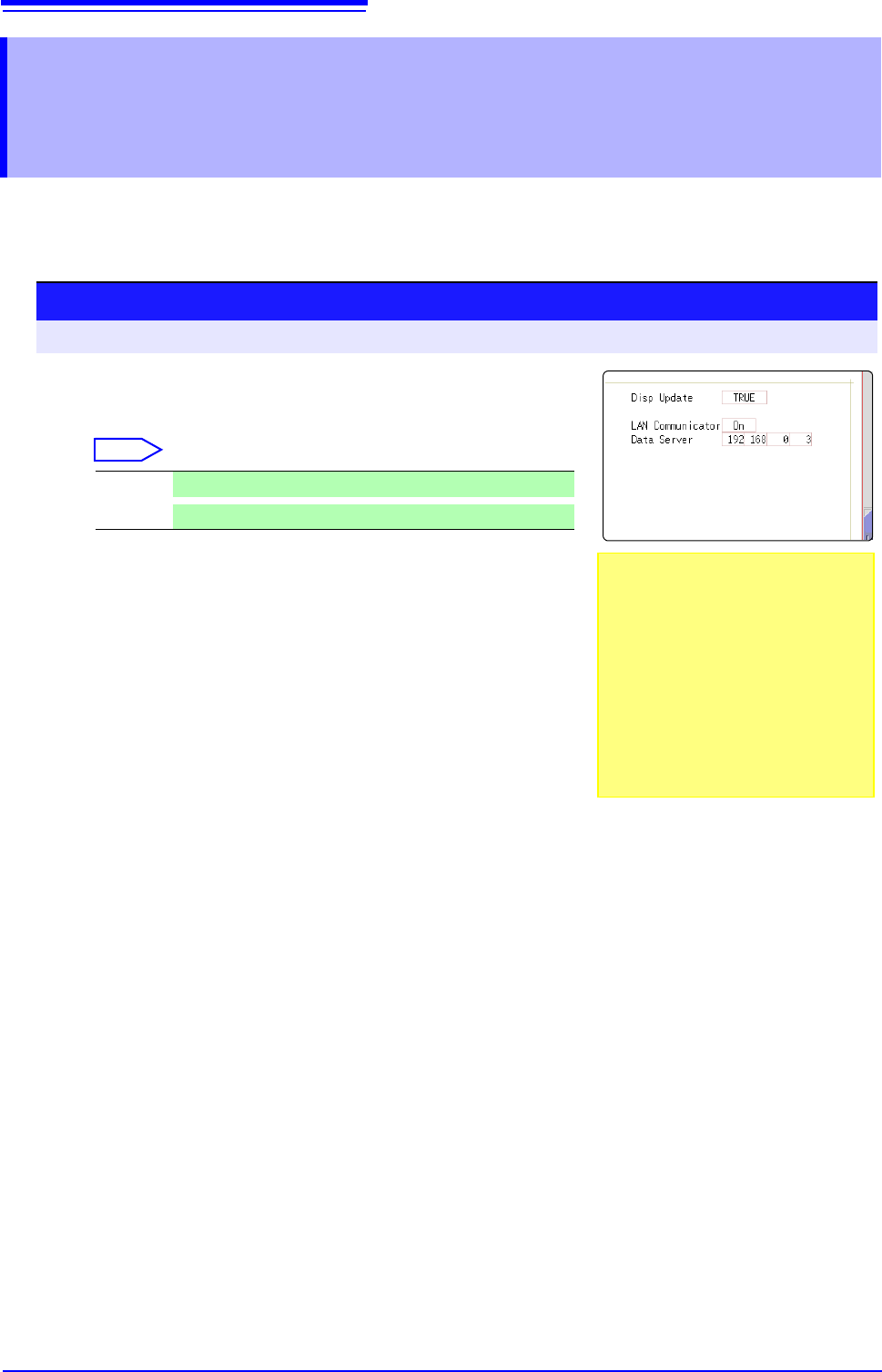
Setting the LAN Communicator
Select
2
Setting the data collection server
Specify the IP address of the PC on which Model 9333 LAN
Communicator is running to communicate with the instru-
ment.
The IP address is required to acquire data by using Model
9333 LAN communicator.
As necessary, set "LAN:\" as the save destination on the
[File Save] sheet.
3
Apply the settings.
Move the flashing cursor to the [Reset] item.
Select [Reflect Set].
The indication "LAN was reconnected" appears at the bottom of the screen.
On
LAN Communicator is enabled.
Off
LAN Communicator is disabled.
Setting the [LAN Cpmmunicator] to
[On] disables internet browsers to oper-
ate the instrument.
On: Using Model 9333 LAN communica-
tor allows you to remotely control the
instrument.
Off: Using a web browser allows you to
remotely control the instrument.
335
13
Chapter 16 External Control (MR8741 Only)
15
16
This chapter describes how to operate MR8741 using the external control terminals.
We use the term external control terminals generically to refer to all of the terminals.
External Control
(MR8741 Only) Chapter 16
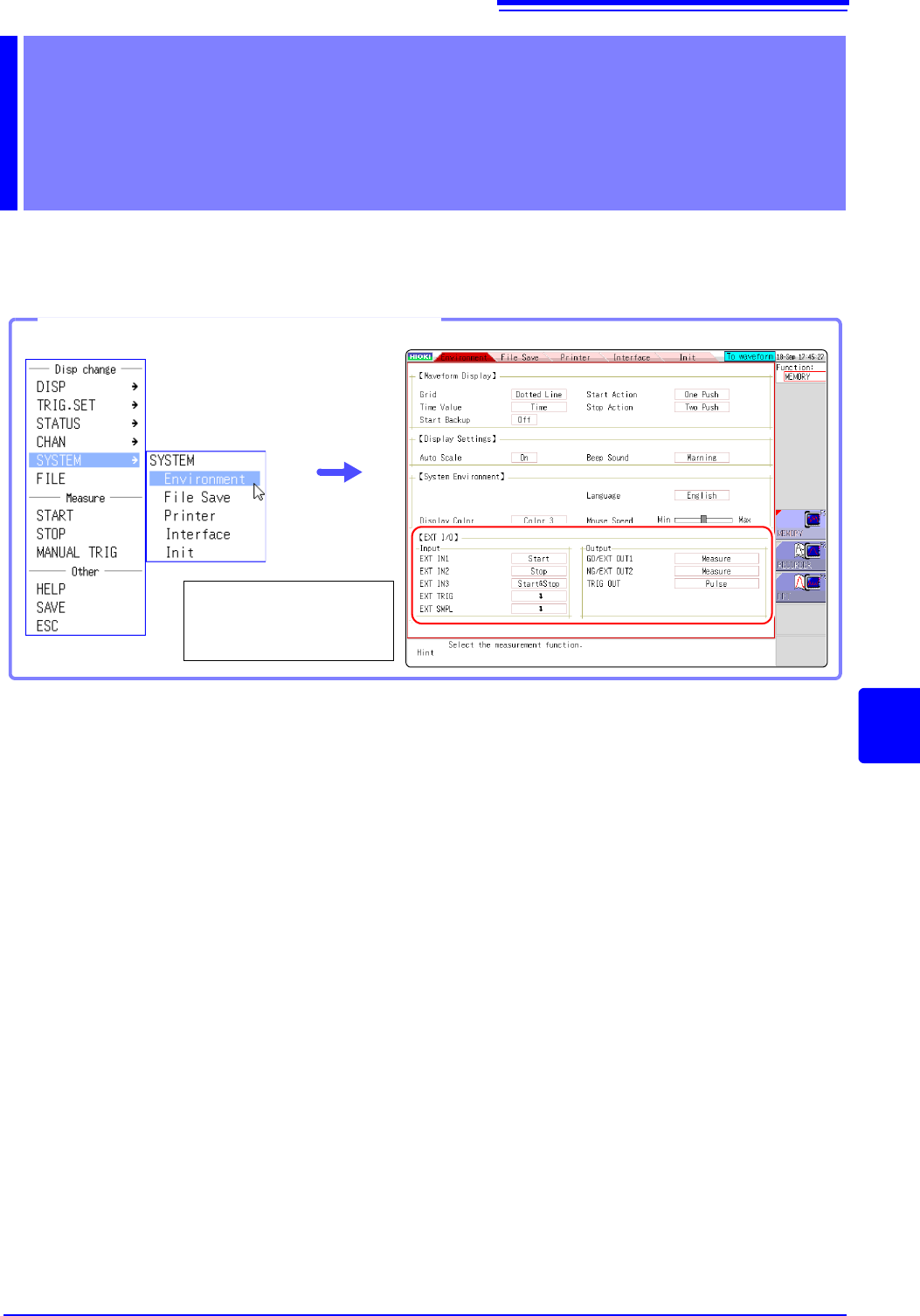
Opening the [Environment] sheet
Select [SYSTEM] and
then [Environment] from
the right-click menu.