MR8740、MR8741_user_manual_eng_20191016H.pdf - 第229页
9.2 Settings for Numerical Value Calculat ion 217 Chapter 9 Numerical Calculat ion Functions 8 9 Numerical calculation results are displayed on the Wavefor m screen 9.2.1 Displaying Numerical Calculation Result s Calcula…
9.2 Settings for Numerical Value Calculation
216
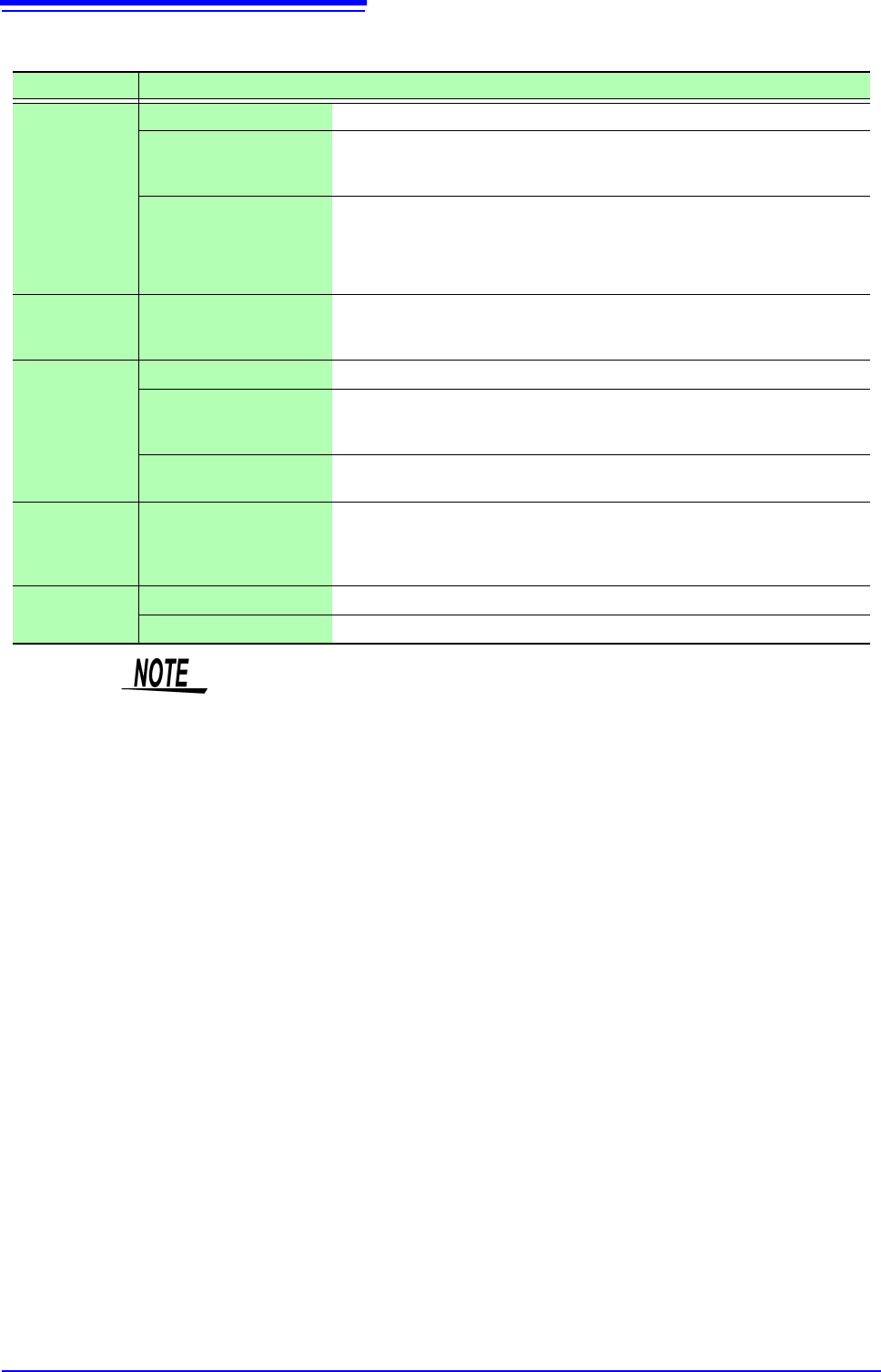
Parameter table________________________________________________
Calculation Type Parameter Parameter description
Period
Frequency
Pulse Width
Pulses
Duty Ratio*
Time Diff
Phase Diff
*: Level and
Filter only
L (Level) Calculation is based on the interval (time) when this level is crossed.
F (Filter)
Only when the measurement signal has crossed the level and has not crossed the
level again within the specified filter width, it is taken as a valid event. This is useful
to exclude level crossing events due to noise.
S (Slope(, ))
Calculation is based on the interval (time) when the level is crossed.
Depending on this setting, either crossing on the upward slope () or downward
slope () is used for calculation.
Risetime
Falltime
P (%)
Determines which section of the waveform between the upper and lower limits is
used for risetime (or falltime) calculation. The range is narrowed from the upper and
lower limit values by the percentage set here.
Time to Lev
L (Level) Calculates the time specified level is crossed.
F (Filter)
Only when the measurement signal has crossed the level and has not crossed the
level again within the specified filter width, it is taken as a valid event. This is useful
to exclude level crossing events due to noise.
S (Slope(, ))
Determines whether the time is calculated until the signal crosses the specified lev-
el on the upward slope or on the downward slope.
Lev-Time
Time or Measure (Calcula-
tion results)
Specifies the time for calculating the measurement value, using the trigger position
as zero.
To use the numerical calculation result, specify the numerical calculation number.
The range specified by A/B cursors is not available.
Calculation
Numerical Calculation No. Sets the numerical calculation number.
+, - , ×, ÷ Sets the operators for the four arithmetic operations.
• Depending on the signal waveform, calculation values for the Period, Fre-
quency, Risetime, and Falltime parameters may not be displayed.
• When Scaling is enabled, the waveform data are scaled before numerical cal-
culation. The units for parameter values are derived from the units set for the
Scaling function.
See: About Scaling: "7.4 Converting Input Values (Scaling Function)" (p.148)
9.2 Settings for Numerical Value Calculation
217
Chapter 9 Numerical Calculation Functions
8
9
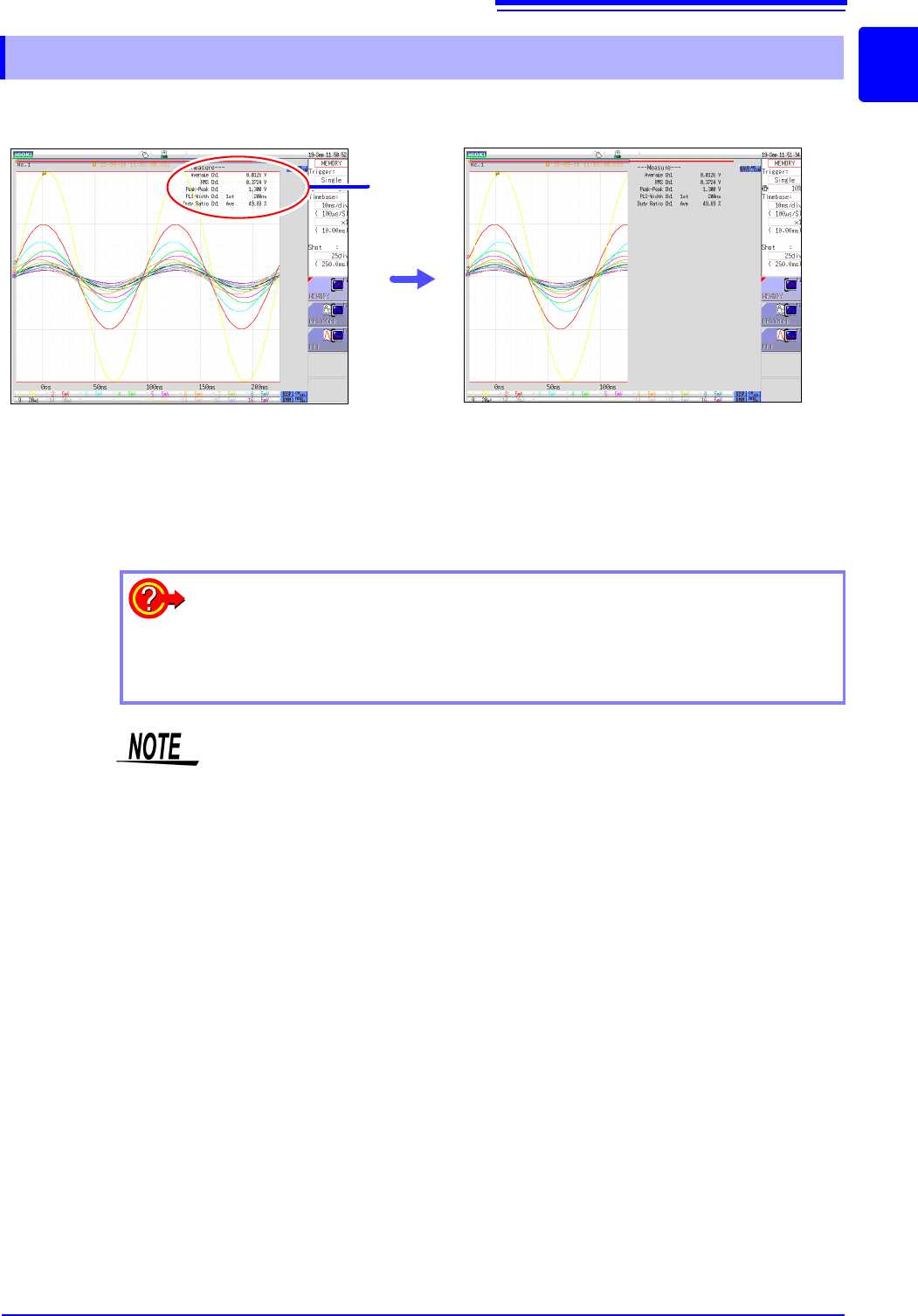
Numerical calculation results are displayed on the Waveform screen
9.2.1 Displaying Numerical Calculation Results
Calculation
Results
If the display is hard to view because of
overlapping numerical values and wave-
forms
Switch the waveform display width in the [DISP]
menu.
Numerical values and waveforms are displayed
separately.
See: "6.7.3 Switching the Waveform Display Width"
(p.135)
To save calculation results after measuring:
Set the [Select at save] item to [Yes]. When you click [SAVE] after measure-
ment, you can select the content to be saved. (Select [Calc Result].)
See: "4.2.3 Saving Data Selectively (SAVE)" (p.93)
If a numerical calculation that becomes invalid is performed using the data mea-
sured with MR8990 Digital Voltmeter Unit, the calculation result is displayed as
"******".
9.3 Judging Calculation Results
218
Set the judgment criteria (upper and lower threshold values) by which to judge numerical calculation
results. Judgment criteria can be set for every numerical calculation.
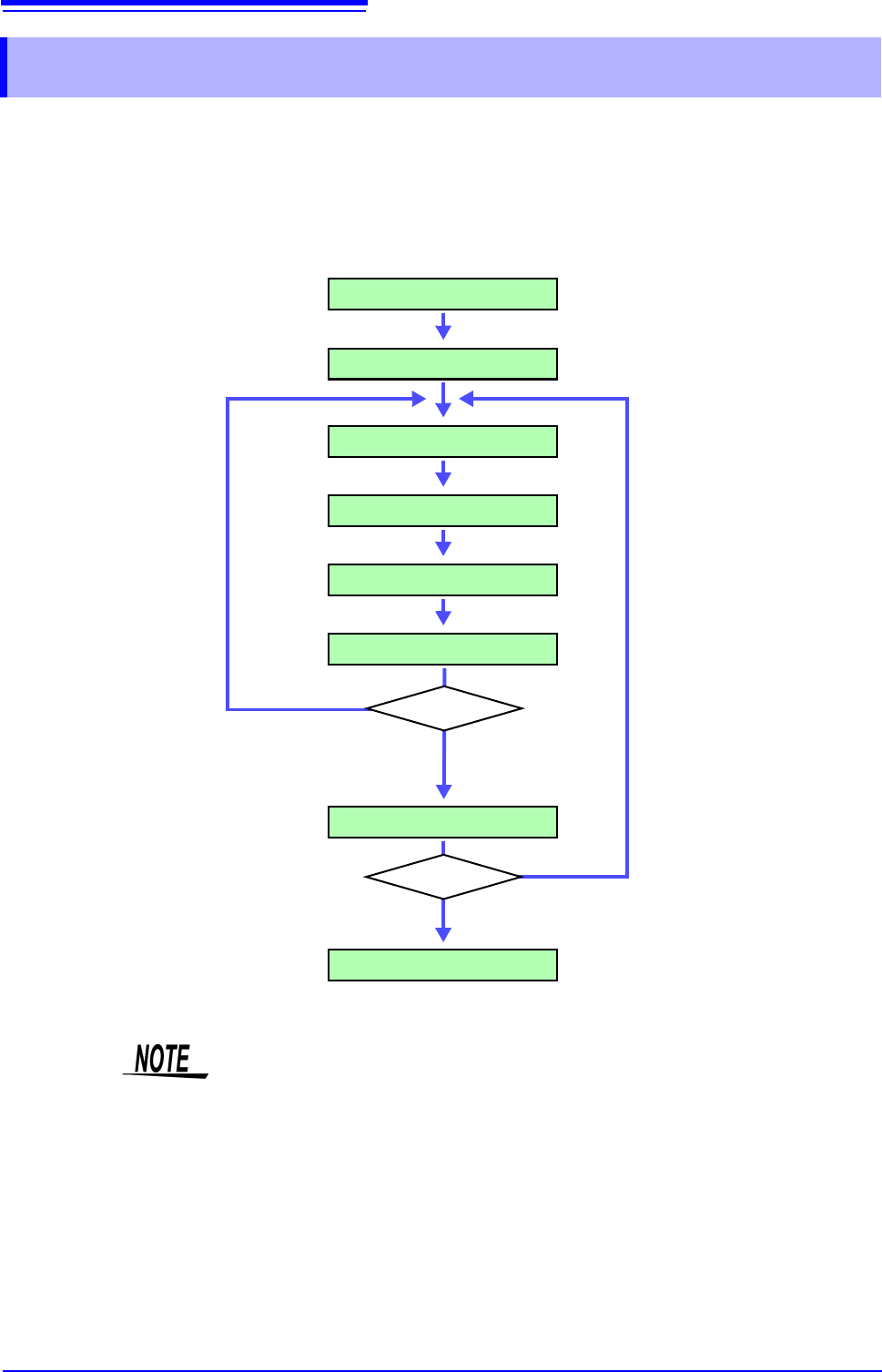
Waveform acquisition processing depends on the trigger mode setting (Single or
Repeat) and the criteria specified to stop measuring upon judgment (GO, NG or
GO & NG).
9.3 Judging Calculation Results
Make Calculation Settings
Start Measurement
Acquire Data
Calculate
Display Calculation Results
Calculation Judgments
Save
Stop Measurement
Stop Criteria
Trigger Mode
Stop criteria
not met
[Repeat]
[Single]
Measurement repeats
until stop criteria are met
Measurement repeats until you
click [STOP]
Stop Criteria Met or
Stop Criteria is
GO&NG
Automatic saving will not be carried out before termination conditions are fulfilled
at the end of the calculation evaluation.