MR8740、MR8741_user_manual_eng_20191016H.pdf - 第241页
10.1 Waveform Calculation Workflow 229 9 Chapter 10 W aveform Calculation Functions 10 Applying Calculations to Existing Dat a After measurement with calcula- tion OFF (Or with data loading ) (To load measurement data fr…
10.1 Waveform Calculation Workflow
228
There are two different ways of performing calculation.
• Calculating the data automatically after the measurement: Settings for waveform calculation must be made
before the measurement.
• Calculating the existing data: Calculation is possible for waveform data after measurement is completed,
and for data saved on media.
10.1 Waveform Calculation Workflow
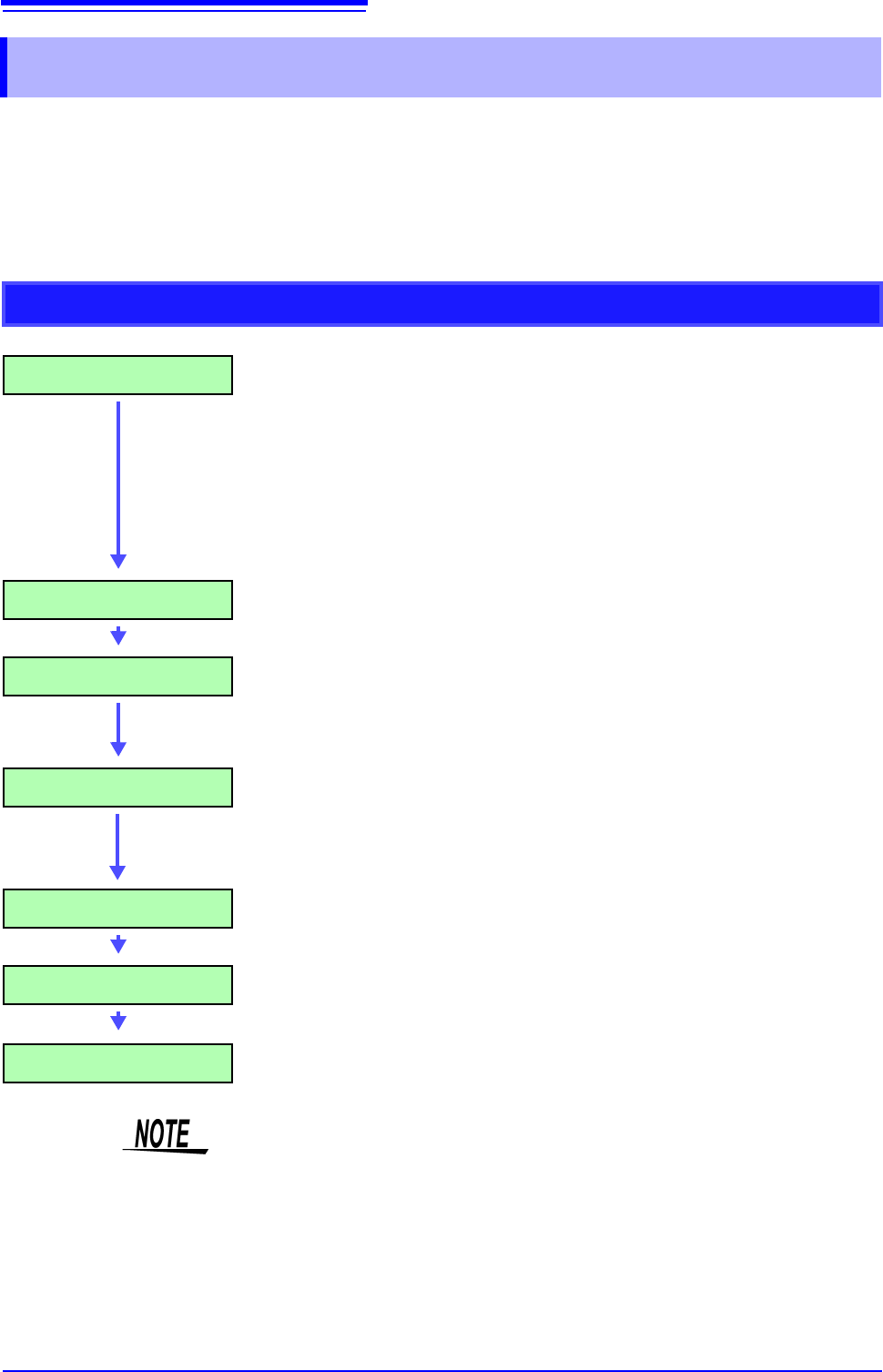
Calculating While Measuring
Make Calculation Settings Make calculation settings on the [Wave Calc] sheet. (p.231)
To automatically save calculation results: make saving settings
before measuring.
• Saving calculation results automatically
(p.88)
Start Measurement
Acquire Data The instrument acquires data when the trigger criteria are
met.
(If triggering is not enabled, the instrument acquires data when
measurement is started.)
Calculate [Calculating...] appears on the screen.
Calculations are performed sequentially from No. 1 to No. 16.
(To interrupt calculations, click [STOP] to abort.)
Display Calculation Results Results are displayed on the Waveform screen. (p.232)
(Save) (if auto saving are enabled)
Calculation results are automatically saved.
Stop Measurement
• Waveform calculation is not available when using Roll Mode.
• If waveform calculation is performed while measuring and is forcibly exited dur-
ing calculation, the result at that time of exit is displayed. To re-calculate, select
the [Exec] button at the waveform calculation sheet.
10.1 Waveform Calculation Workflow
229
9
Chapter 10 Waveform Calculation Functions
10
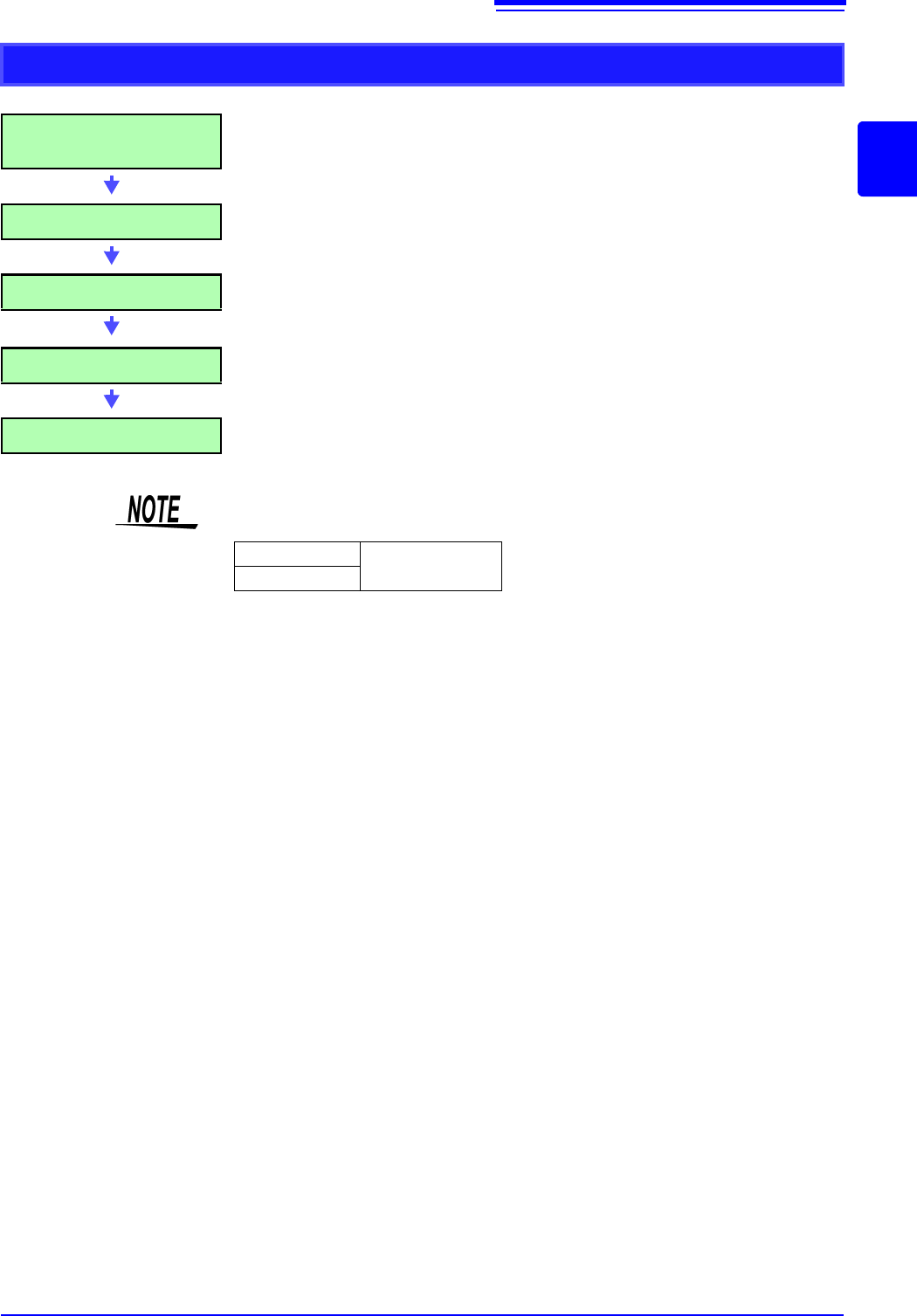
Applying Calculations to Existing Data
After measurement with calcula-
tion OFF (Or with data loading)
(To load measurement data from storage media for calcu-
lation)
(p.99)
Make Calculation Settings Make calculation settings on the Waveform Calculation
sheet ([Wave Calc] sheet)
(p.231)
Execute Calculation Select [Exec] to execute calculations.
(To interrupt calculations, click [STOP].)
Display Calculation Results Results are displayed on the Waveform screen.
(p.232)
(Save) Save calculation results as occasion demands.
•Save: [SAVE]
• The maximum record length that can be calculated is as follows.
To perform calculation for waveforms measured at longer record lengths, save
to files in sections at a range shorter than maximum record length, reload to
this instrument and then calculate.
• When memory division is not used, it is possible to reference the last 16 mea-
sured waveforms. However, when waveform calculation is performed for this
waveform, waveform data other than that of the currently referenced blocks
(the blocks in the data to be calculated) is deleted.
MR8740
2,000div
MR8741
10.1 Waveform Calculation Workflow
230
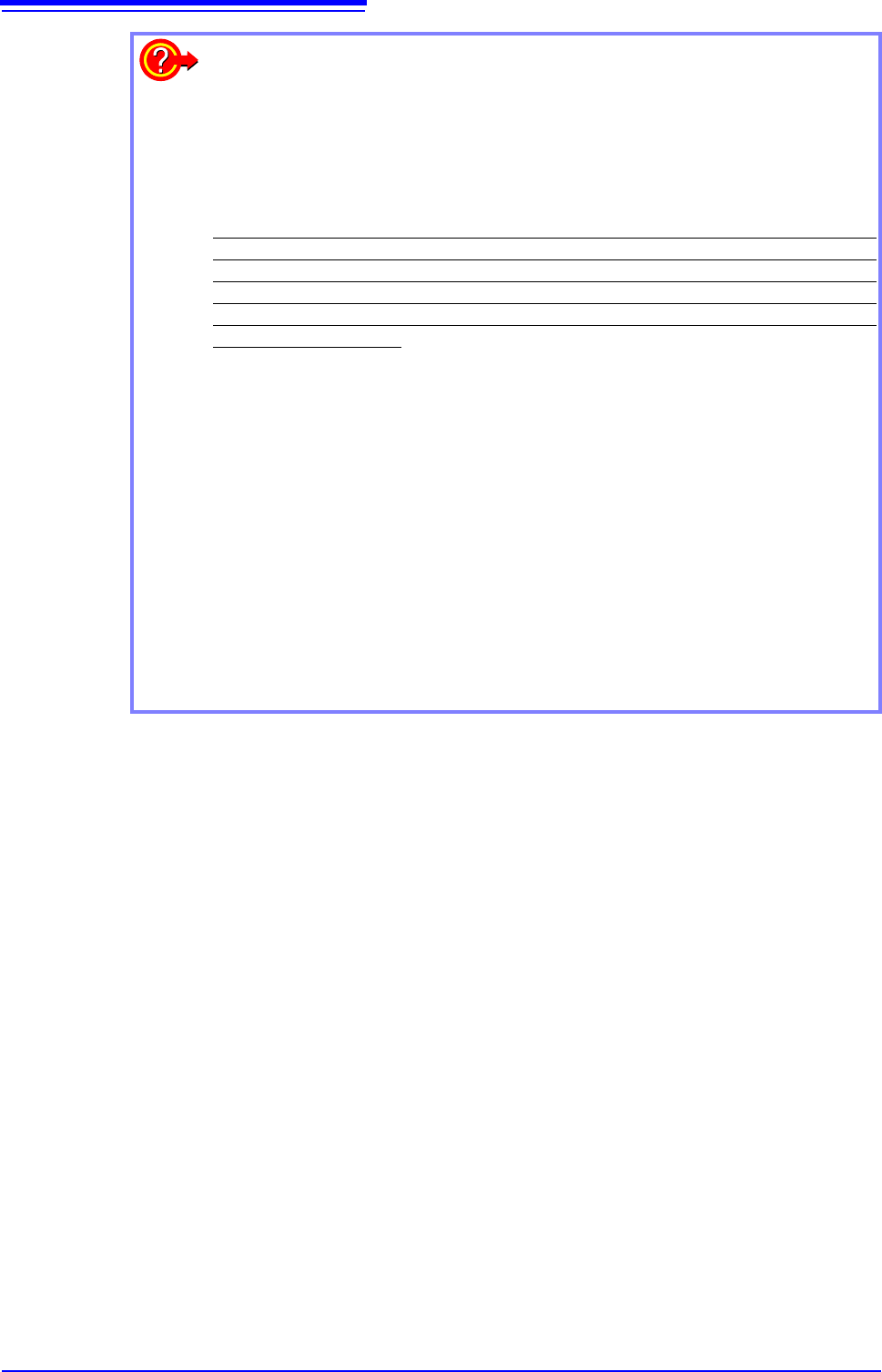
When specifying a waveform range for calculation:
Before executing a calculation, specify the calculation range using the A/B cursors
(div or Trace cursors) on the Waveform screen. Set the calculation range on the
[Wave Calc] sheet to [A-B Wave].
• Range cursors cannot be used to specify the range.
• When one cursor is used, the calculation range is from the cursor to the end of
the data.
Post-measurement waveform calculation cannot be performed for waveforms mea-
sured in excess of the maximum recording length, even if a range is specified with
the A and B cursors. To perform waveform calculation for a waveform with a longer
recording length, save a subset of the waveform that is shorter than the maximum
recording length to a separate file, load that file back into the instrument, and then
perform the calculation.
See: "6.2 Specifying a Waveform Range (A/B Cursor)" (p.124)
"10.2 Settings for Waveform Calculation" (p.231)
Changing calculation settings while measuring:
Changes made to calculation settings while measuring are applied after measure-
ment is finished.
To change calculation settings and recalculate:
Make changes to calculation contents on the [Wave Calc] sheet, and execute the
calculation.
See: "10.2 Settings for Waveform Calculation" (p.231)
To not display a calculation waveform, or to display only the desired waveform:
The displayed sheet and calculation waveform to be displayed can be selected on
the [Wave Calc] sheet.
See: "10.2.3 Changing the display method for calculated waveforms" (p.235)