MR8740、MR8741_user_manual_eng_20191016H.pdf - 第60页
2.2 Connecting Cords 48 Use to connect: Lo gic Probe • 9320 Logic Probe * • 9320-01 Logic Probe • 9327 Logic Probe LOGIC terminal Measuring Logic Signals Applicable Modules • Model 8973 Logic Unit LA to LB (MR8740) and L…
2.2 Connecting Cords
47
2
Chapter 2 Measurement Preparations
1
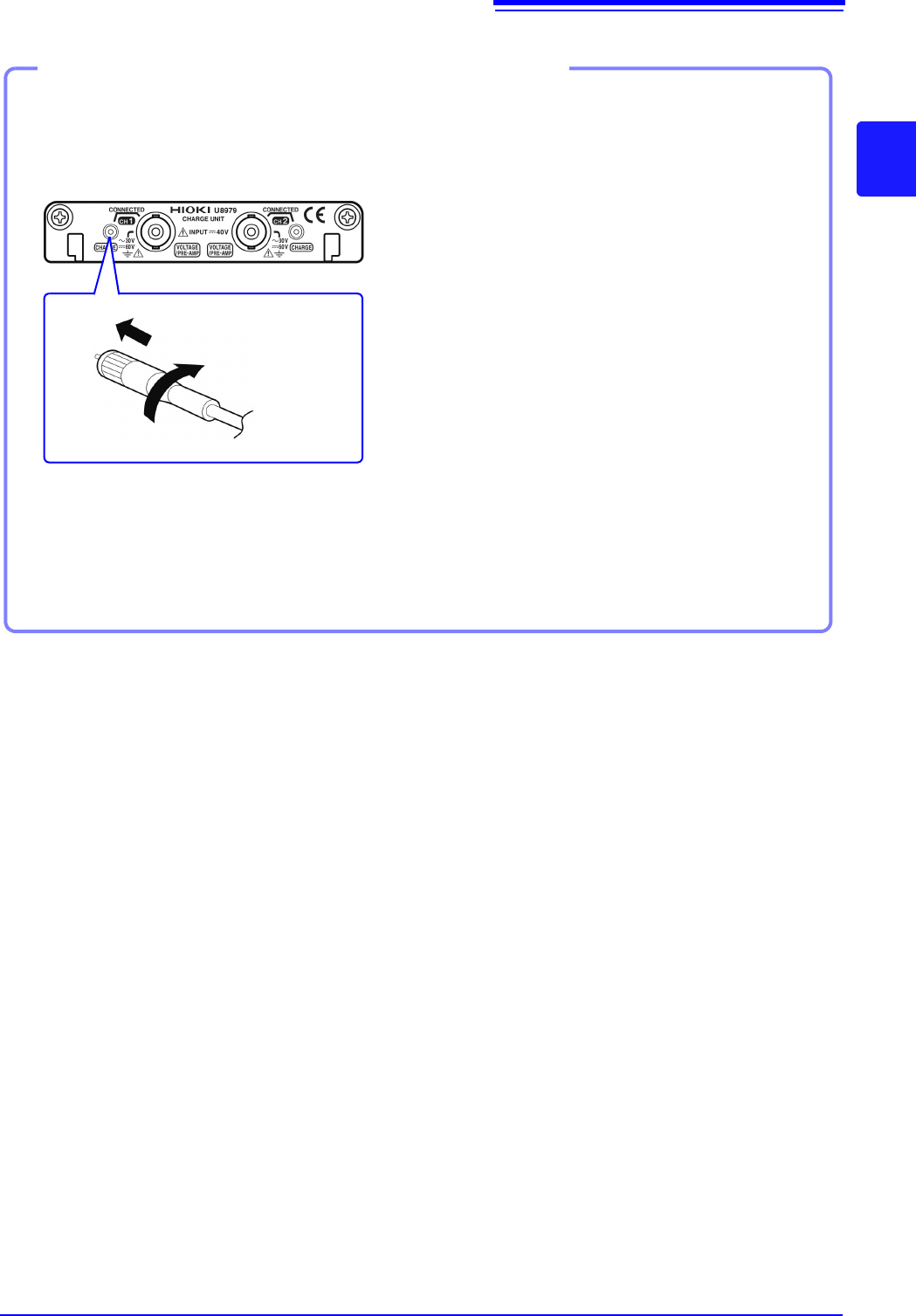
Align the screw of the miniature con-
nector, and turn the connector clock-
wise to tighten it.
2
Attach the charge-output acceleration
sensor to a measurement target.
Connecting a charge-output acceleration sensor equipped with the miniature connector
(#10-32)
Connecting a charge-output acceleration sensor
How to disconnect the current sensor
Turn the miniature connector counterclockwise,
and then pull out the connector.
Tighten the screw
Model U8979 Charge Unit
Connecting a charge-output acceleration sensor equipped with a connector other than a
miniature connector (#10-32)
Convert the output connector into the miniature connector (#10-32) using a commercially available
conversion connector or conversion cable to connect the sensor.
2.2 Connecting Cords
48
Use to connect: Logic Probe
• 9320 Logic Probe
*
• 9320-01 Logic Probe
• 9327 Logic Probe
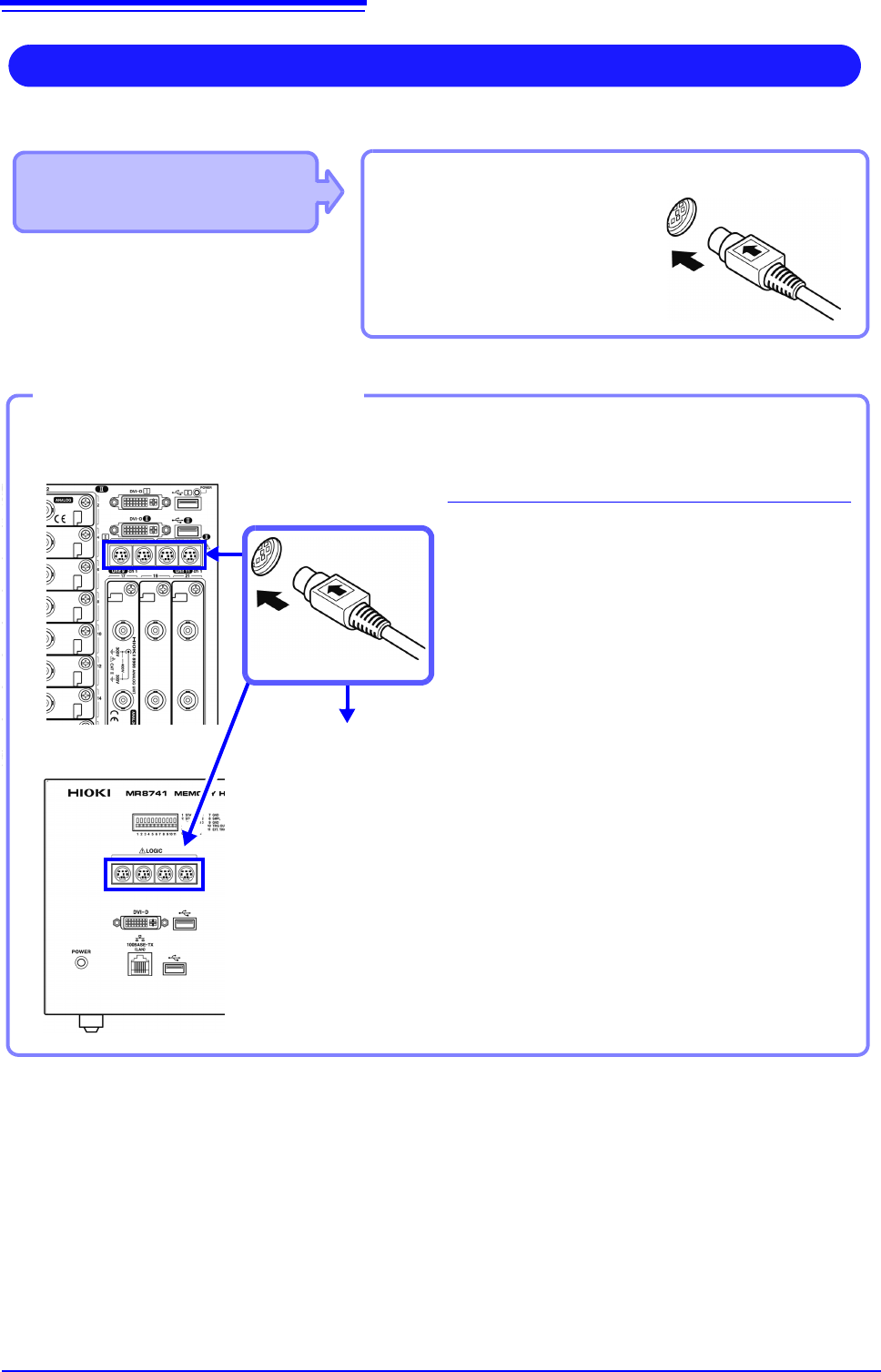
LOGIC terminal
Measuring Logic Signals
Applicable Modules
• Model 8973 Logic Unit
LA to LB (MR8740) and LA to LD
(MR8741) are supplied as standard equip-
ment with the instrument.
Read "Before Connecting a Logic Probe to the Measurement Object" ( p.12) carefully.
For more information about logic probe specifications, see the instruction manual that came with the logic probe you plan to us
Connect to the measurement object
MR8740 Front Side
Example: Connecting the 9327 Logic Probe
1
Connect the logic probe by aligning the
groves on the plug and a LOGIC terminal.
2
Connect to the measurement object.
Required item:Model 9327 Logic Probe
LOGIC terminals
2
1
Connect to LOGIC Terminals
MR8741 Front Side
2.2 Connecting Cords
49
2
Chapter 2 Measurement Preparations
Applicable Modules
• Model MR8990 Digital Voltmeter Unit
Cables to connect: L2200 Test Lead
• L2200 Test Leads
(Maximum input voltage:
1000 V)
Measuring Voltage with High Accuracy (Digital Voltmeter)
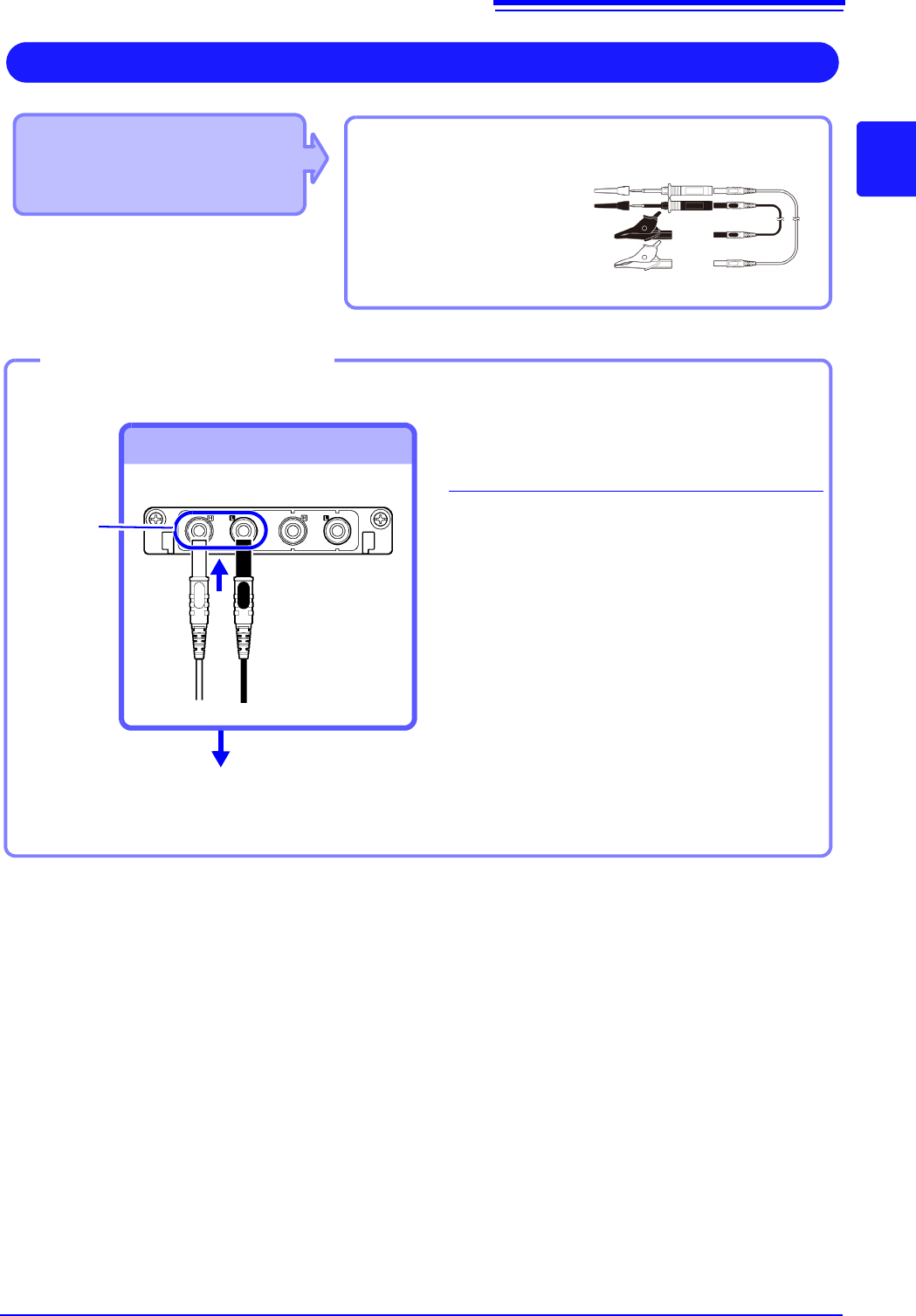
Connect to the banana jacks on a module.
1
Connect the test leads to the banana
jacks on the module.
Connect the black lead to the L jack, and
the red lead to the H jack. Make sure the
test lead plugs are fully inserted into the
jacks.
2
Connect the test leads to the object to
be measured.
Required item: Test leads above
Banana jacks
Connect to banana jacks
Connect the leads to the object to
be measured
Connecting the test leads
1
2
Red
Black