MR8740、MR8741_user_manual_eng_20191016H.pdf - 第312页
13.3 Setting the Waveform Evaluation Mode 300 13.3 Setting the W aveform Evaluation Mode Setting method Procedure Screen: STATUS Select Off Disable waveform evaluation. Out Return NG if any part of the waveform leaves th…
13.2 Setting the Waveform Area
299
11
Chapter 13 Waveform Evaluation Function (MR8741 Only)
12
13
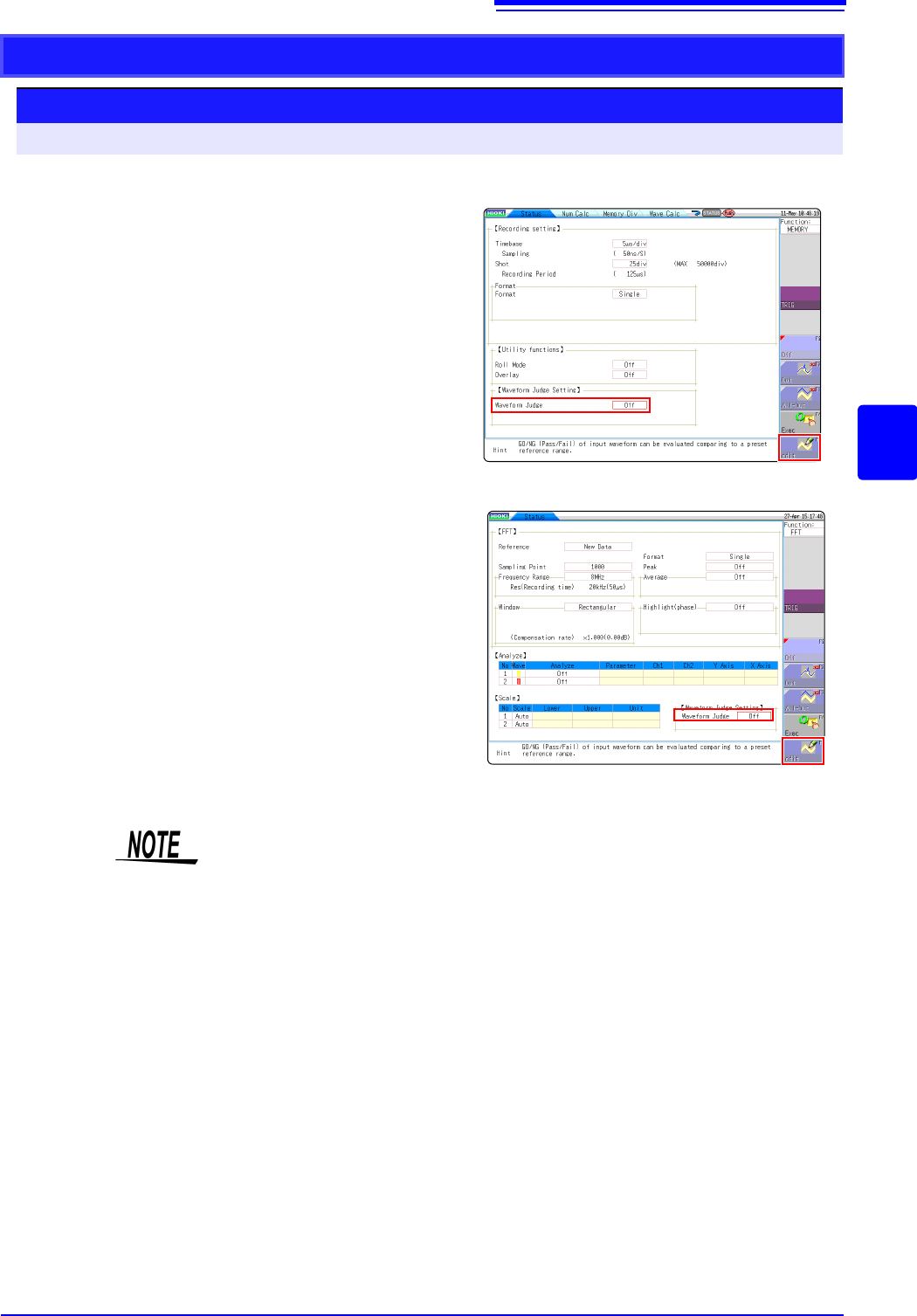
Creating a new evaluation area
Setting method
Procedure Screen: STATUS
1
Click [STATUS] to call the Status screen.
2
Move the flashing cursor to Waveform Judge.
3
Select [Edit] from the GUI displayed on the
screen.
4
Make the new evaluation area.
See:"13.5 Creating the Evaluation Area" (p.303)
5
Store the new evaluation area in the internal
memory.
6
After setting the parameters for "Waveform
Judge setting" and "Stop Mode," click
[DISP] to
make the Waveform display screen appear,
and then click
[START] to initiate measurement.
7
Save the evaluation area on the File screen, if
it s necessary.
See:"4.2 Saving Data" (p.87)
Only one waveform evaluation area is stored in internal memory. For example,
when operation is changed from the Memory function screen to the X-Y screen
and the X-Y screen waveform evaluation area is stored, the waveform evaluation
area created for the Memory function is lost.
Function:FFT
Function:MEMORY
13.3 Setting the Waveform Evaluation Mode
300
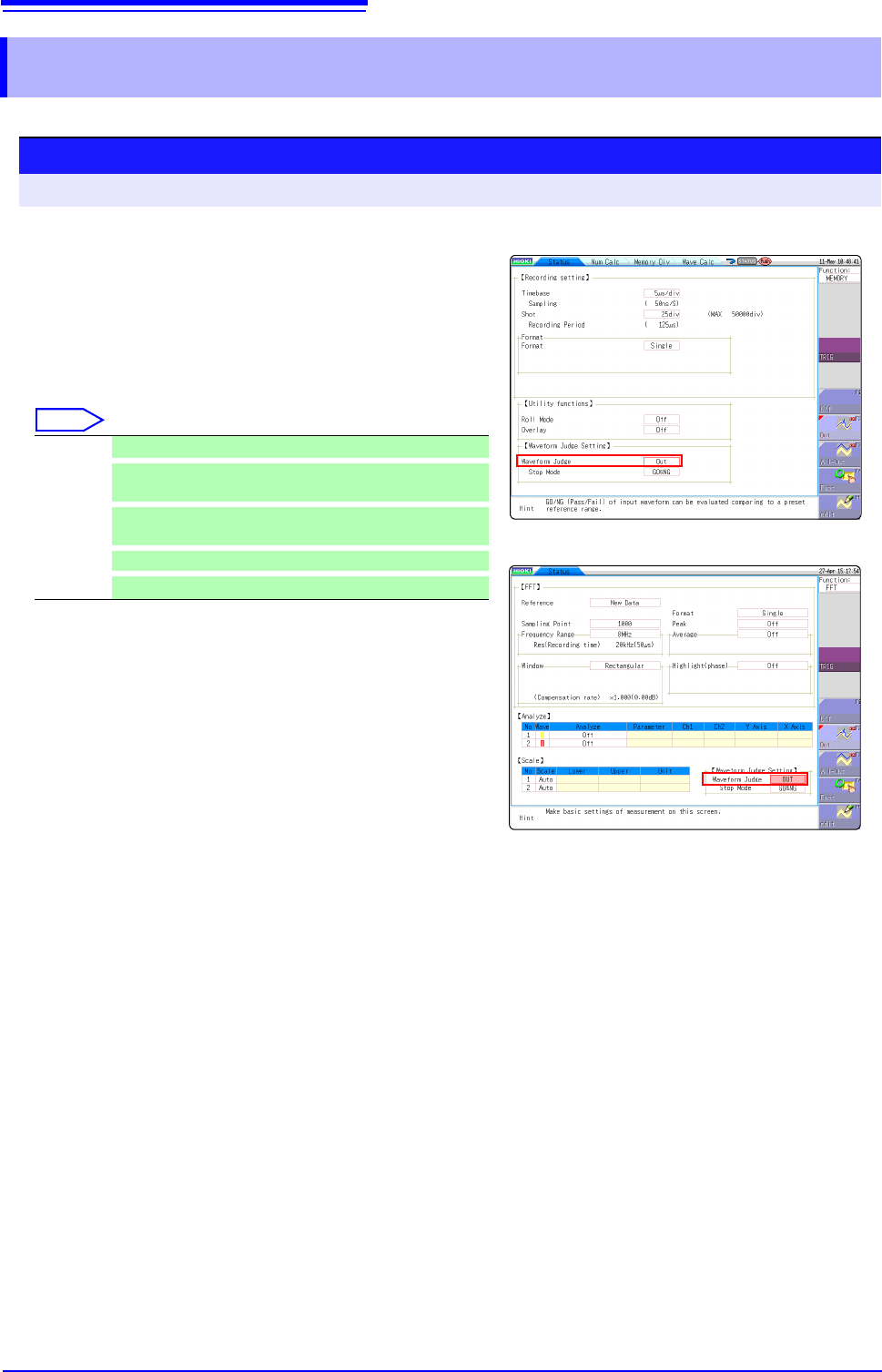
13.3 Setting the Waveform Evaluation Mode
Setting method
Procedure Screen: STATUS
Select
Off Disable waveform evaluation.
Out
Return NG if any part of the waveform leaves the evalua-
tion area.
All out
Return NG if the entire waveform leaves the evaluation
area.
exec
Enable waveform evaluation.
edit
Activate editor for setting up evaluation area.
Function:FFT
Function:MEMORY
1
Move the flashing cursor to Waveform Judge.
2
Select the setting from the GUI displayed on the
screen.
13.4 Setting the GO/NG Stop Mode
301
11
Chapter 13 Waveform Evaluation Function (MR8741 Only)
12
13
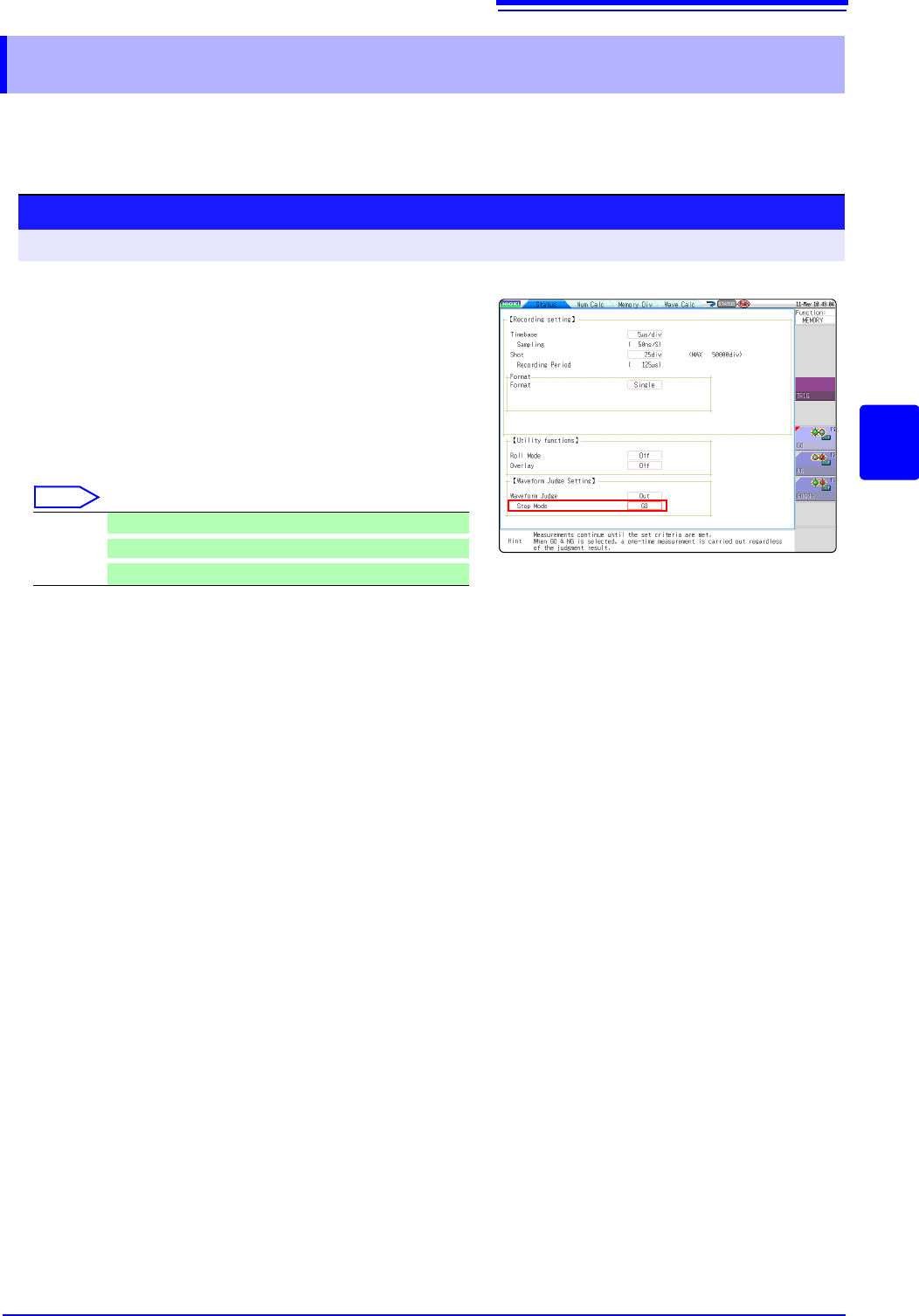
When waveform evaluation is enabled (OUT or ALL OUT is selected), the "Stop mode" menu appears.
Specify which evaluation option, GO or NG, should be used to stop the recording.
The Auto Save function is only executed when interruption conditions are satisfied.
13.4 Setting the GO/NG Stop Mode
Setting method
Procedure Screen: STATUS
Select
GO Stop recording on GO result.
NG
Stop recording on NG result.
GO or NG
Stop recording on GO or NG result.
1
Move the flashing cursor to the position Stop
Mode.
2
Select the setting from the GUI displayed on the
screen.