MR8740、MR8741_user_manual_eng_20191016H.pdf - 第196页
7.10 Register the Wavefo rm in the U8793 Arbitrary Waveform Generat or Unit 184 You can register waveform in the Mode l U8793. Registered waveforms can be output from the Model U8793. 7.10 Register the W aveform in the U…
7.9 Setting Details of Modules
183
6
Chapter 7 Utility Functions
7
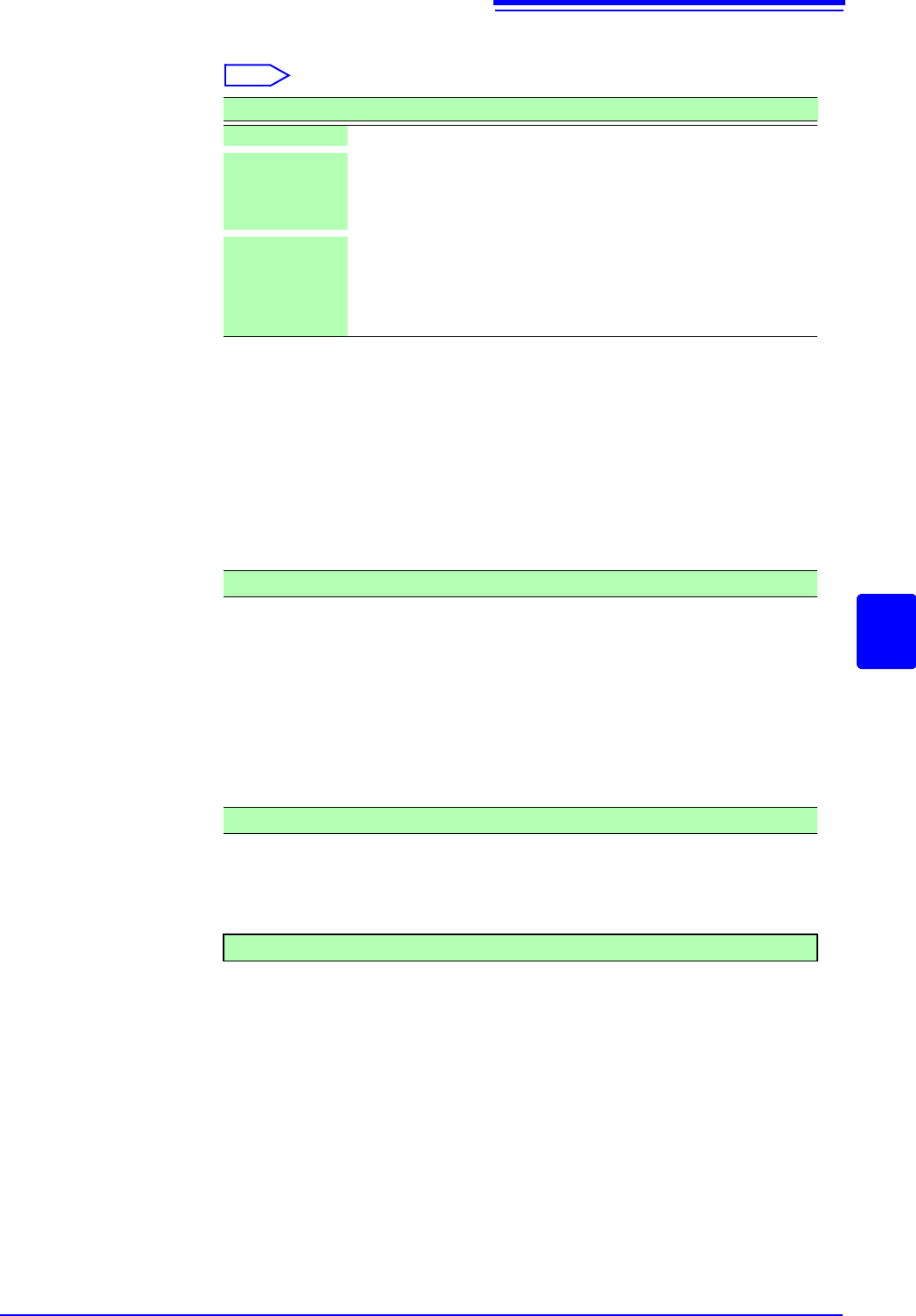
Method Selects the control method for waveform output.
Select
Settings when selecting arbitrary waveform
Data name
Register/delete the data of the outputted waveform. Maximum eight waveforms
can be registered.
Filter Filter the output waveform.
Clock Freq Set the clock frequency of the D/A converter that generates waveforms.
The period and frequency of the output waveform are displayed on the lower
level.
Delay Set the delay for waveform generation. When the delay value is positive, the
phase is progressive.
Loop Set the repetition count for generating waveforms.
Amp Adj Set the amplitude level for waveform output.
Offset Set the offset voltage for waveform.
Selections Description
Manual Restricts control of signal output to Signal Generation screen.
Sync. Augments manual control with signal output in synchronization with
the start and end of measurement.
START key: Starts output when measurement starts.
STOP key: Stops output when measurement stops.
Keys Augments manual control by allowing signal output to be manipu-
lated using the instrument’s keys.
START key: Starts output.
STOP key: Stops output.
Manual Trigger key: Pauses output.
Off (Default setting) to 1 MHz
-250,000 data to 250,000 data (Default settings: 0)
1 to 50,000, (Default setting: )
7.10 Register the Waveform in the U8793 Arbitrary Waveform Generator Unit
184
You can register waveform in the Model U8793. Registered waveforms can be output from the Model U8793.
7.10 Register the Waveform in the U8793 Arbi-
trary Waveform Generator Unit
Procedure
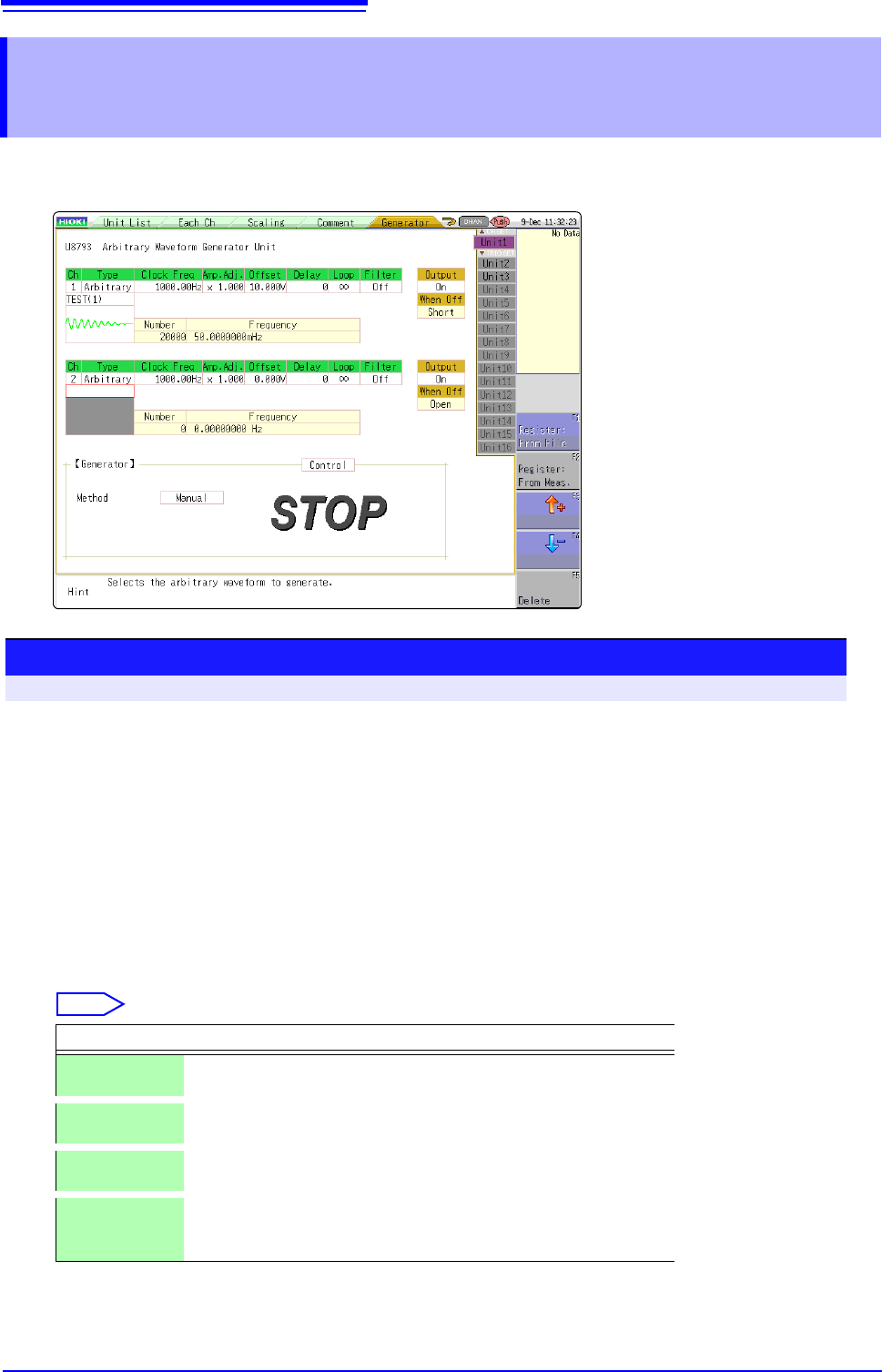
To open the screen: press the CHAN key to open the Channel screen, and then select [Generator] sheet
1
Set the type to arbitrary waveform.
Move the cursor to [Type] on the settings screen, and select [Arbitrary] using the F keys.
2
Register the waveform.
Move the cursor to the item listed below [Arbitrary] on the settings screen.
3
Select a reading source of the waveform.
Select
Selections Description
Resister:
From File
Registers from data saved in the media.
Register:
From Meas.
Registers the data measured using memory function. You can also
register after reading the MEM files from media to the instrument.
or Select arbitrary waveform data registered in the Model U8793.
(Use when selecting/deleting output waveforms.)
Delete Deletes the data registered in the U8793 memory.
If eight waveforms are already registered in the memory, delete
any of them and then register.
7.10 Register the Waveform in the U8793 Arbitrary Waveform Generator Unit
185
6
Chapter 7 Utility Functions
7
Register From Files
1
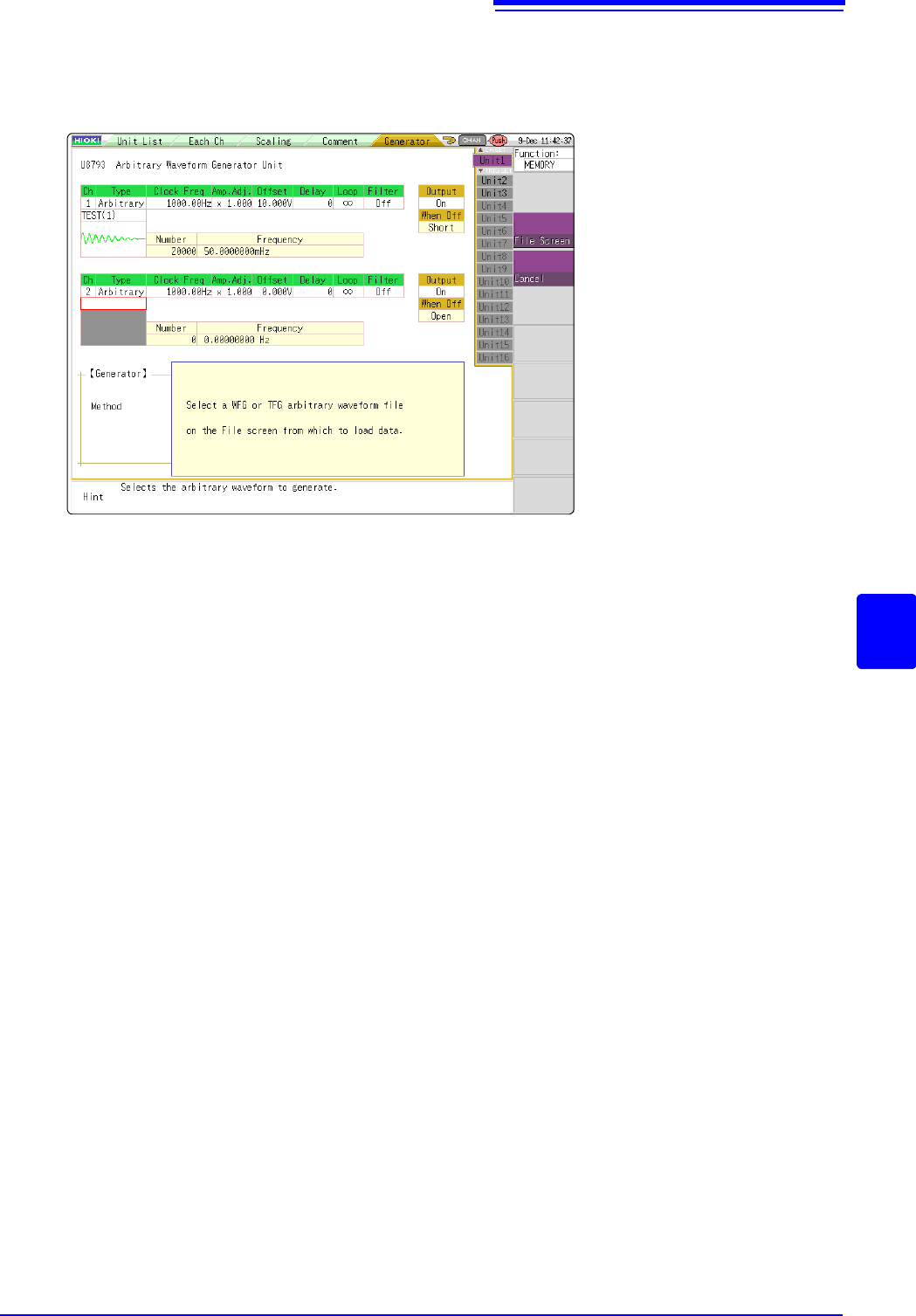
Select [Register..from file] using F keys
2
Select [to File scrn] using the CH.SET key.
Move to the file screen.
3
Select arbitrary waveform file WFG or TFG on the file screen and then register.