MR8740、MR8741_user_manual_eng_20191016H.pdf - 第157页
7.2 Displaying Waveforms During Record ing (Roll Mode) 145 6 Chapter 7 Utility Functions 7 This applies to the Memory functio n only. You can display the waveform at the same time as the data are acquired. • If me asurem…
7.1 Adding Comments
144
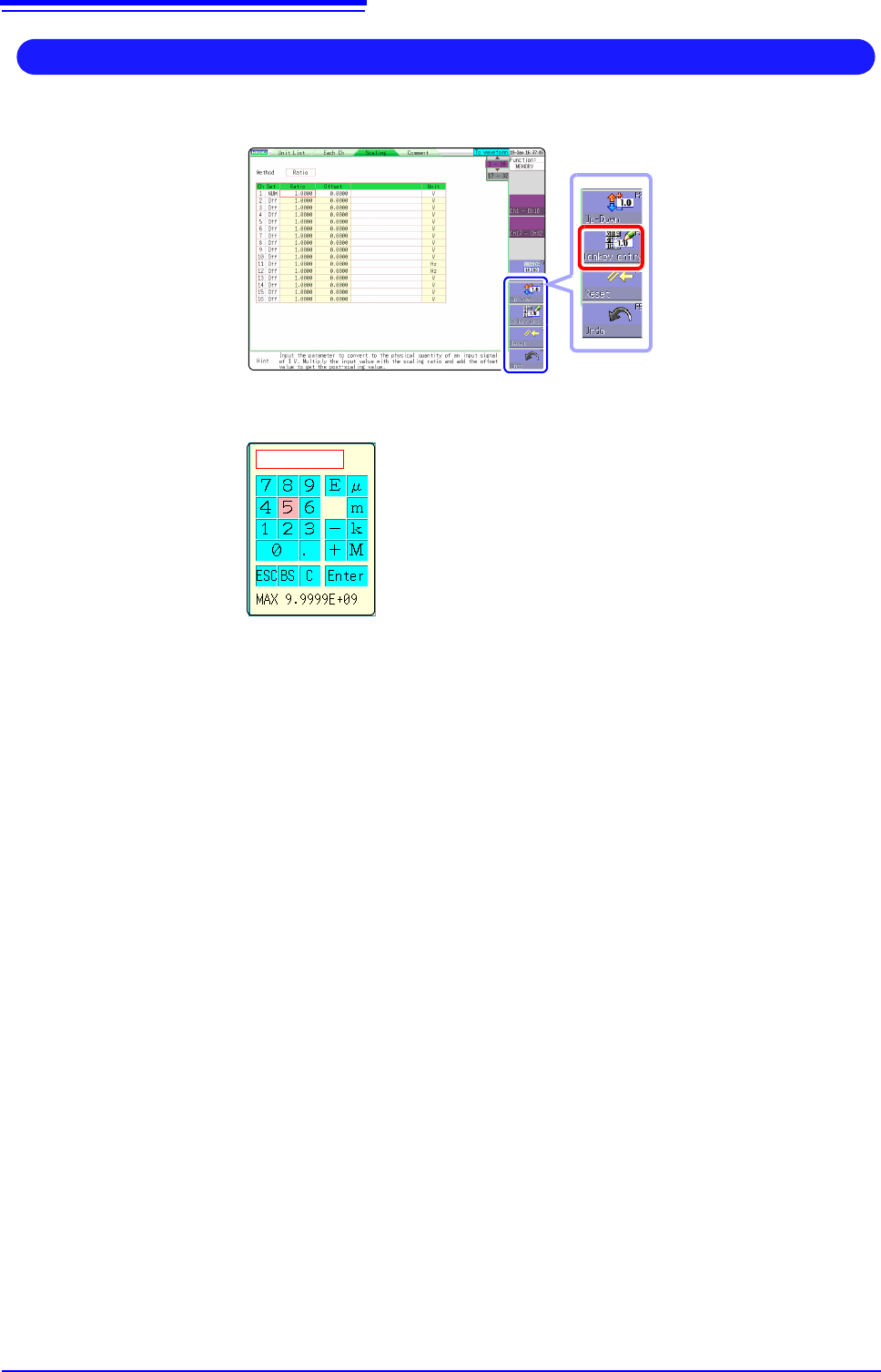
1. Move the flashing cursor to the numeric input field and select [Tenkey Entry].
A virtual keyboard for numeric keypad input appears.
2. Use the virtual keyboard for numeric keypad input.
3. Click [Enter].
The entered value is confirmed.
Click [ESC] to cancel the input.
Entering Numerals With a Numeric Keypad
BS: Delete 1 character
C: Delete all characters
E: Exponent entry
µ, m, k, M: Unit prefix
7.2 Displaying Waveforms During Recording (Roll Mode)
145
6
Chapter 7 Utility Functions
7
This applies to the Memory function only.
You can display the waveform at the same time as the data are acquired.
• If measurement is carried out at low sampling speed settings using the Memory
function, a long time will be required until data for the entire recording length have
been collected. In such cases, the Roll Mode function is convenient.
• The new waveform scrolls automatically.
Description When the Roll mode function is [On]
The roll mode cannot be used simultaneously with the following functions.
• Overlay (p.146)
• Memory division (p.241)
• Waveform calculation (p.227)
When the functions above are set to [On], the roll mode function is automatically
set to [Auto].
When the Roll Mode function is Off
Waveforms are displayed after the data has been acquired for the entire record-
ing length, so with slow sampling there may be a long wait after starting mea-
surement before the waveform is displayed.
7.2 Displaying Waveforms During
Recording (Roll Mode)
Procedure
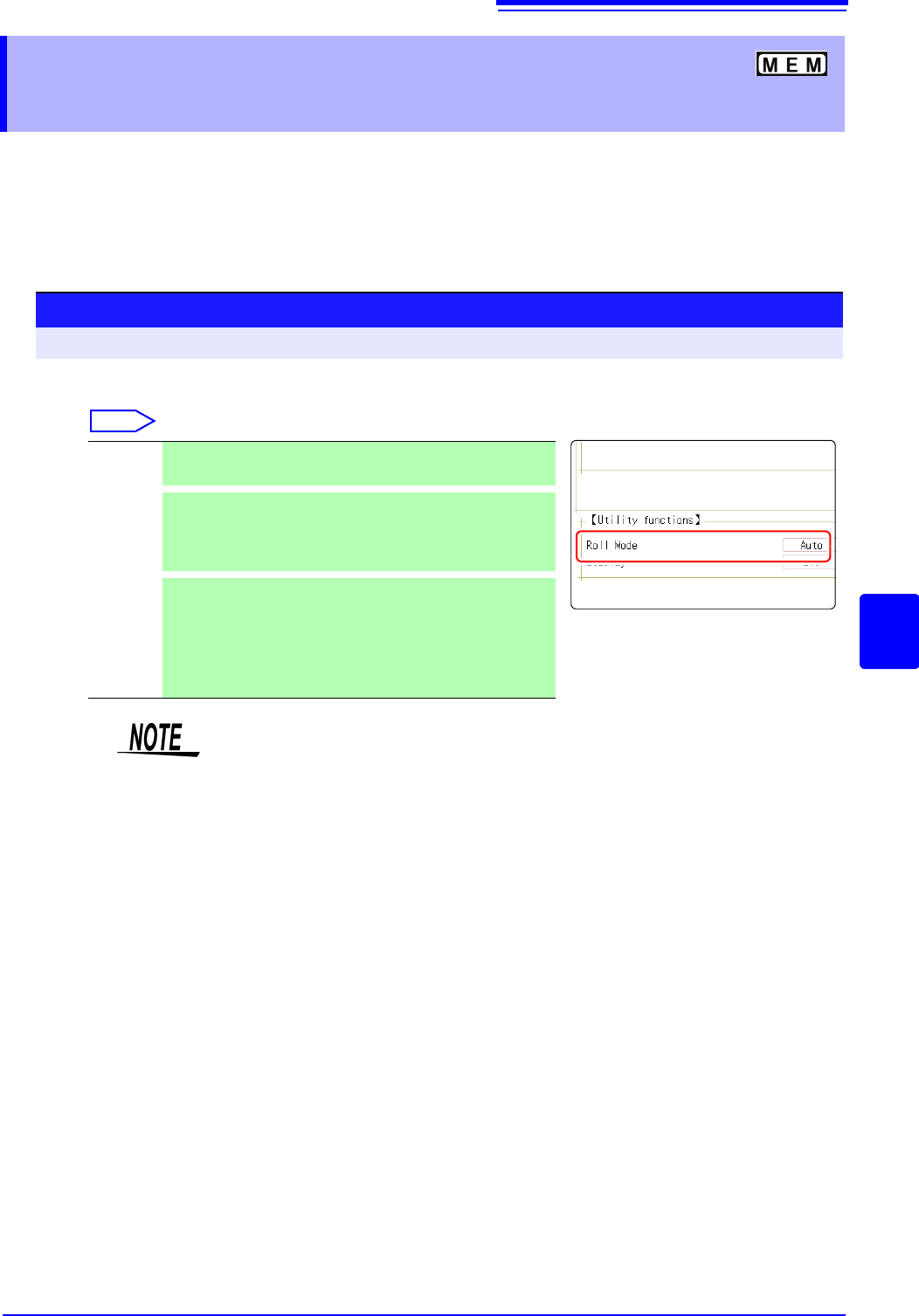
To open the screen: Right-click and select [STATUS] [Status] sheet
Move the flashing cursor to the [Roll Mode] item.
Select
Off Normal recording. Data is displayed only after acquiring the
specified recording length.
On
Waveforms are displayed while recording (with 10 ms and
slower settings). When the timebase is set to 5 ms/div or faster,
waveforms are not displayed until after acquisition has fin-
ished.
Auto
Regardless of the timebase setting, whether or not the wave-
form is displayed depends on the waveform display magnifica-
tion settings while the data is being recorded. However, when
the waveform is displayed using a time axis slower than 100
ms per division, or when the time axis range is 5 s/div , the
waveform will be displayed after it has been captured.
During longer recording operations, the waveform will scroll, so that you can
always observe the latest signal.
7.3 Displaying New Waveforms Over Past Waveforms (Overlay)
146
This applies to the Memory function only.
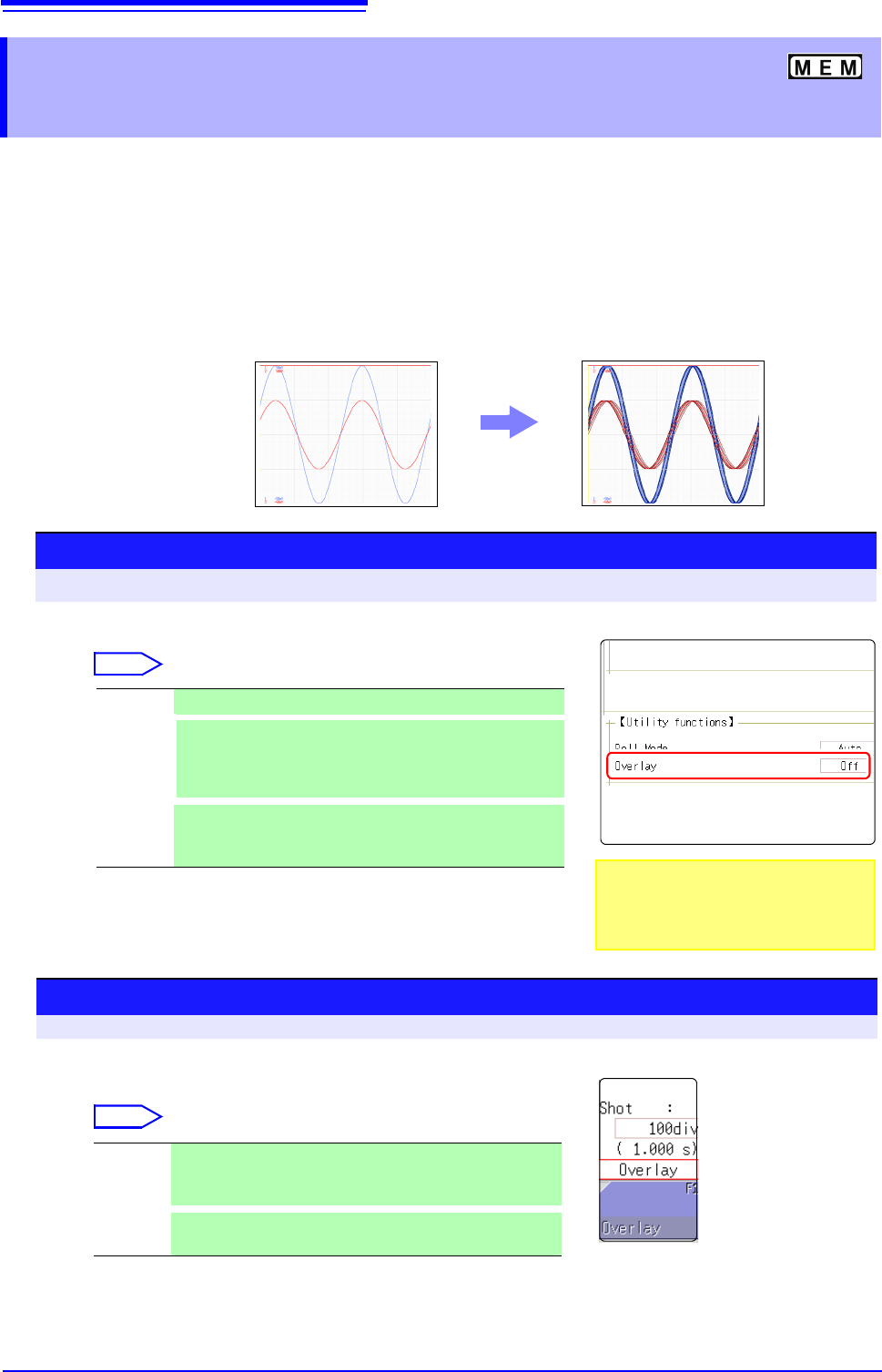
Displayed waveforms are retained on-screen and overlaid with new waveforms.
• Use this to compare new waveforms with those recorded immediately before.
(When the trigger mode is [Repeat] or [Auto]) (p.191)
• There are two overlay methods: automatic overlay during measurement and
manual overlay.
7.3 Displaying New Waveforms Over Past
Waveforms (Overlay)
Normal Display
Waveforms with the Overlay Function
Procedure
To open the screen: Right-click and select [STATUS] [Status] sheet
Move the flashing cursor to the [Overlay] item.
Select
Off Overlay disabled.(default setting)
Auto
Each time a waveform is acquired, it is automatically dis-
played as an overlay.
When the trigger mode is [Cont.] or [Auto], waveforms will
be overlaid from start until stop.
Manual
Overlay waveforms on the screen manually. Regardless of
the trigger mode, the waveform is left on the screen.
(
p.146)
This mode cannot be used simultaneously
with the Roll Mode.
"When the Overlay function is enabled
([Auto] or [Manual])." (
p.147)
Manual Overlay (Any waveform can be retained on-screen)
To open the screen: Right-click and select [DISP] Waveform screen
Move the flashing cursor to the [Overlay].
Select
Overlay Clicking [Overlay] leaves the loaded waveform on the
screen.
The overlay is displayed until the waveform is cleared.
Clear
Clears the screen of all overlaid waveforms.
Cleared waveforms cannot be displayed again.