MR8740、MR8741_user_manual_eng_20191016H.pdf - 第345页
15.5 Controlling the Instru ment with Command Communications (LAN) 333 12 Chapter 15 Connection to a Computer 14 15 Set items related to command communication s. 15.5.1 Making Settings on the Instrument 1 2 3 1 Set the d…
15.5 Controlling the Instrument with Command Communications (LAN)
332
You can control the instrument remotely over the communications interface (LAN).
• For details, see the communications related documentation on the supplied application
disc.
• Before using command communications, the LAN settings and connection must have
been established properly.
See: LAN"15.1"(p.314)
15.5 Controlling the Instrument with Command
Communications (LAN)
In an environment where noise from inverters or similar devices is present,
errors may occur when controlling the instrument remotely. Take care to ensure
that the environment is not subject to excessive noise.
About Setting Items
Delimiter The Delimiter item specifies LF or CR+LF as the newline delimiter in command response messages. The
instrument understands all three settings: LF or CR+LF.
Header Use for control of communications commands.
The Header item specifies whether to prefix headers to command response messages.
For more information about commands, refer to the Communications operation manual on the supplied CD.
Command Port
(Port number)
The instrument uses the TCP/IP protocol for communications. TCP/IP allows communicating devices to es-
tablish multiple connections, which are distinguished by port numbers.
By default the instrument uses port numbers 8800 to 8809.
•8800 to 8801 reserved
•8802 (instrument is server): For communications command control
•8803 to 8809 reserved
Normally these ports do not need to be changed. You can change them if certain ports cannot be used for
security reasons, or if certain ports are not available on the communicating PC. Set only the most significant
three digits. The least significant digit (0 to 9) is used by the instrument, or reserved for use by the instru-
ment.
15.5 Controlling the Instrument with Command Communications (LAN)
333
12
Chapter 15 Connection to a Computer
14
15
Set items related to command communications.
15.5.1 Making Settings on the Instrument
1
2
3
1
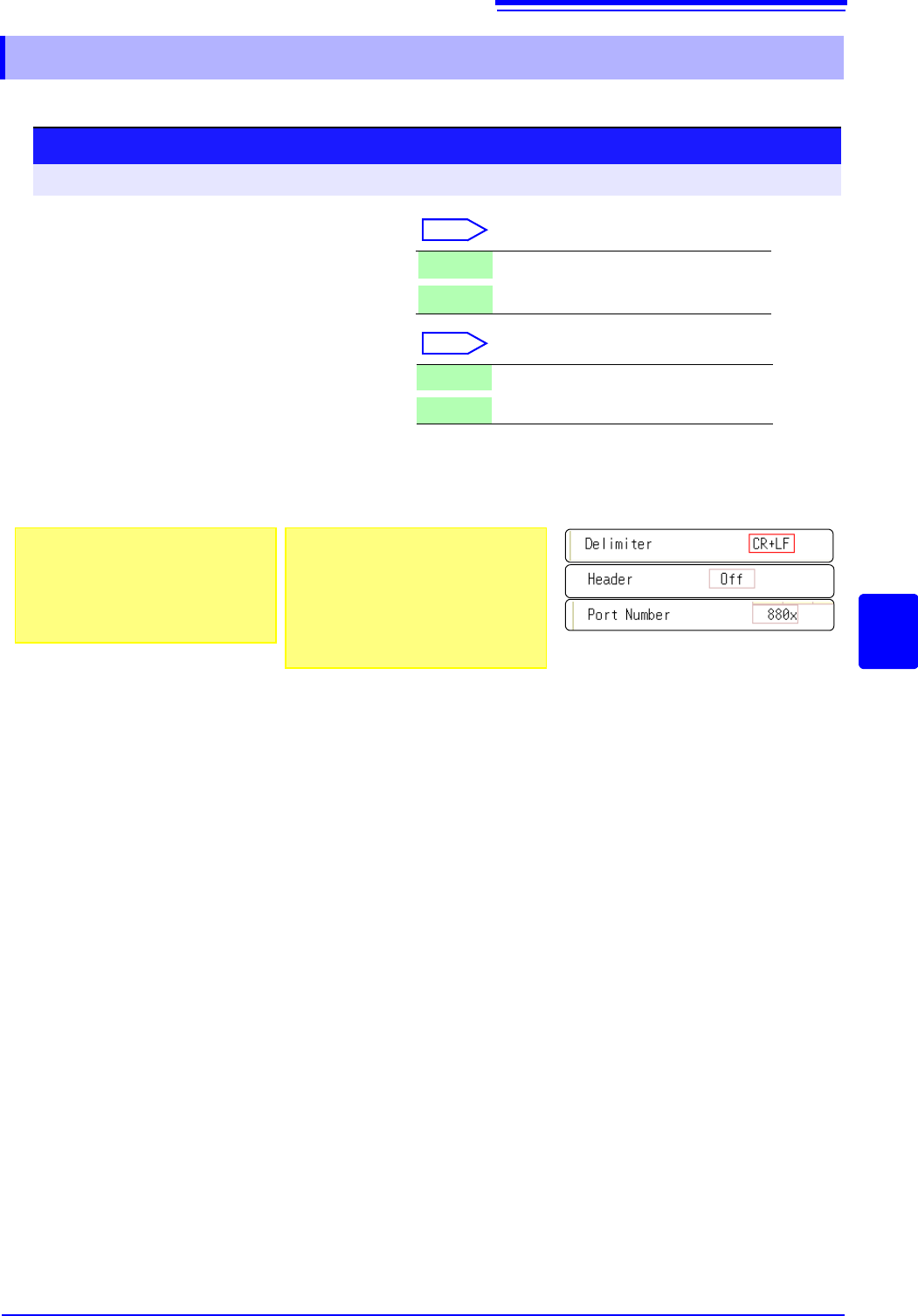
Set the delimiter.
Select
Move the flashing cursor to the [Delimiter]
item.
2
Make header settings.
Select
Move the flashing cursor to the [Header]
item.
3
Set the communications command port.
Move the flashing cursor to the [Port Number] item, and enter the port number.
LF Send character code 0x0a.
CR+LF Send character codes 0x0d and 0x0a.
Off Do not add a header to response data.
On Add a header to response data.
Procedure
To open the screen: Right-click and select [SYSTEM] [Interface] sheet
About port numbers
Specify only the most significant 3 digits
of the 4-digit port number.
If you specify "880x", port number 8802 is
used.
"Command Port (Port number)"
(p.332)
About headers
The response to a :FUNCTION? query
command from the PC differs according
to the header setting.
On ................... :FUNCTION MEM
Off ................... MEM
15.6 Operating the instrument remotely and acquiring data by using Model 9333 LAN Communicator
334
Model 9333 LAN Communicator, which is the optional communication program for PCs, enables the
PC to control the instrument remotely and to store data directly.
Additionally, Model 9333 enables waveforms to be printed from a printer connected to the PC.
15.6 Operating the instrument remotely and
acquiring data by using Model 9333 LAN
Communicator
1
2
Procedure
1
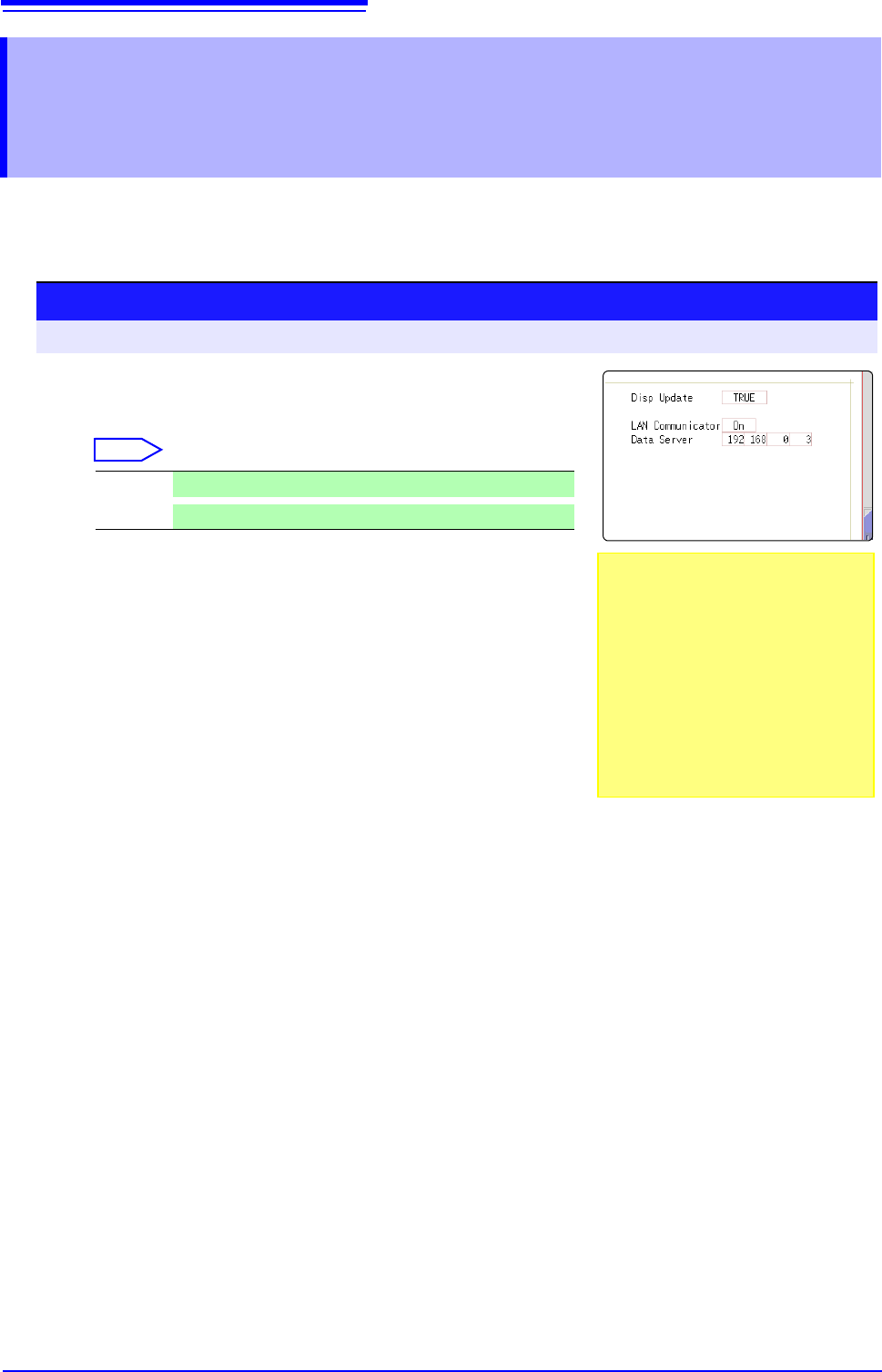
Setting the LAN Communicator
Select
2
Setting the data collection server
Specify the IP address of the PC on which Model 9333 LAN
Communicator is running to communicate with the instru-
ment.
The IP address is required to acquire data by using Model
9333 LAN communicator.
As necessary, set "LAN:\" as the save destination on the
[File Save] sheet.
3
Apply the settings.
Move the flashing cursor to the [Reset] item.
Select [Reflect Set].
The indication "LAN was reconnected" appears at the bottom of the screen.
On
LAN Communicator is enabled.
Off
LAN Communicator is disabled.
Setting the [LAN Cpmmunicator] to
[On] disables internet browsers to oper-
ate the instrument.
On: Using Model 9333 LAN communica-
tor allows you to remotely control the
instrument.
Off: Using a web browser allows you to
remotely control the instrument.