MR8740、MR8741_user_manual_eng_20191016H.pdf - 第67页
2.4 Supplying Power 55 2 Chapter 2 Measurement Prep arations Read "Before Turning the Power Supply On" ( p.12) carefully. Connect the power cord to MR8740/MR874 1 and plug it into an AC outlet. 2.4 Supplying Po…
2.3 Recording Media Preparation
54
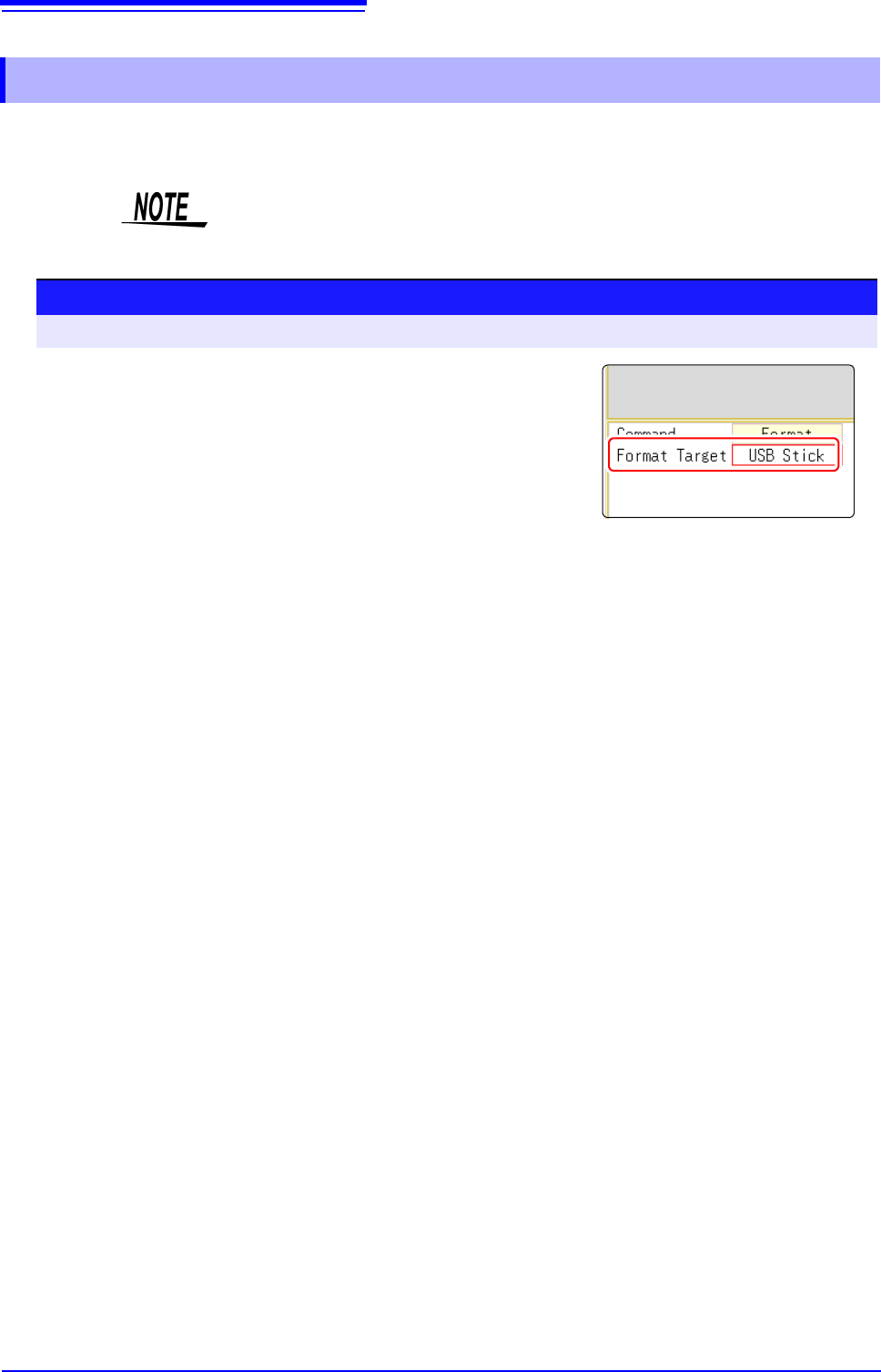
Possible targets for formatting are USB memory stick, and internal memory. During the formatting
process, a folder named "HIOKI_MR8740" or "HIOKI_MR8741" will be created.
2.3.2 Formatting Storage Media
Note that formatting used storage media deletes all the information on the stor-
age media and that deleted information is unrecoverable.
Procedure
To open the screen: Right-click and select [FILE] File screen
1
Insert the storage media.
2
Select [Next Page].
Select [Format].
The flashing cursor moves to the [Format Target] item.
3
Select the storage media to format, and select [Exec].
The specified storage media is formatted.
A confirmation window will be displayed.
Select [Yes] to proceed, or [No] to cancel.
2.4 Supplying Power
55
2
Chapter 2 Measurement Preparations
Read "Before Turning the Power Supply On" ( p.12) carefully.
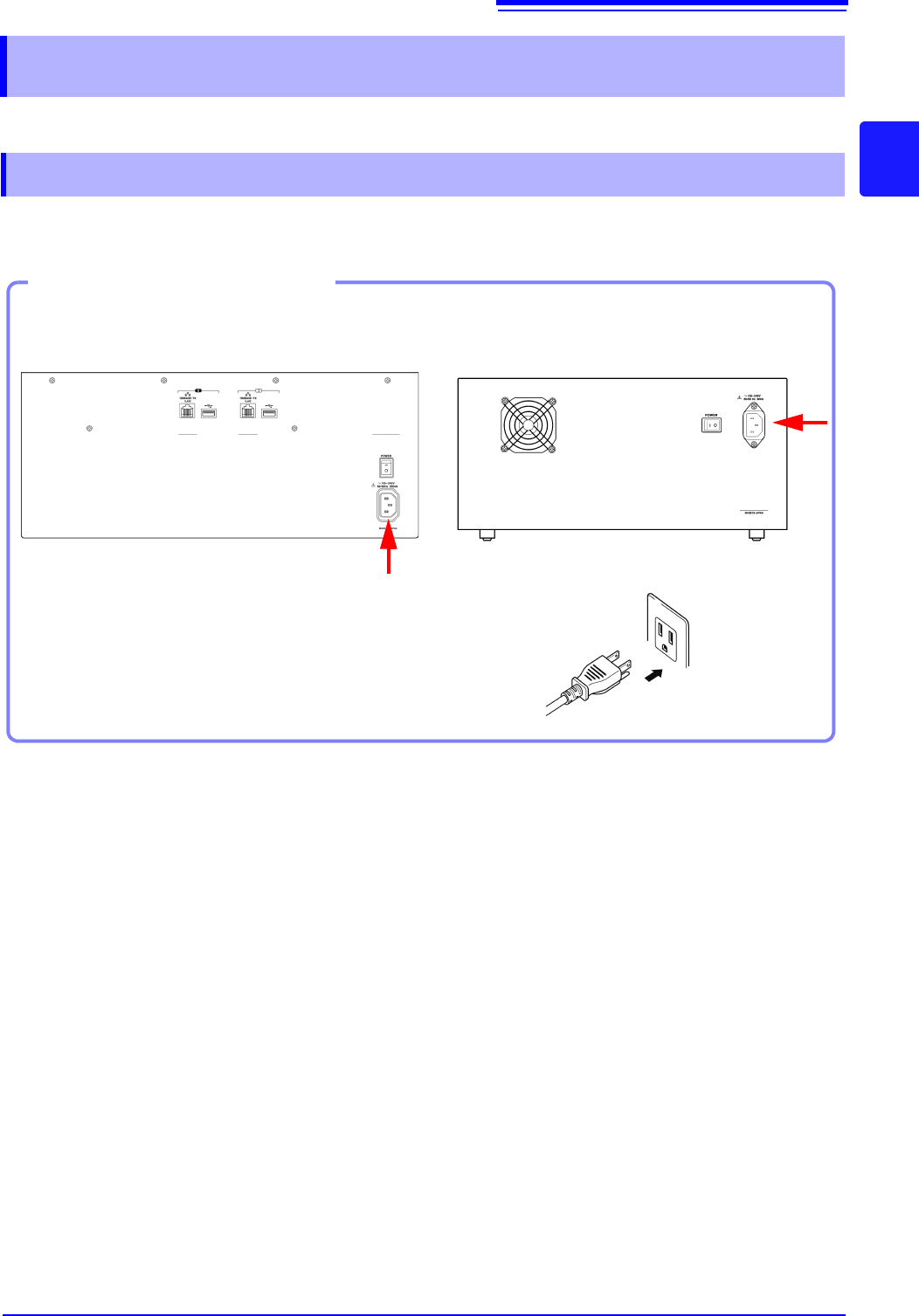
Connect the power cord to MR8740/MR8741 and plug it into an AC outlet.
2.4 Supplying Power
2.4.1 Connecting the Power Cord
1. Connect the power cord to the power
inlet on the instrument.
2. Plug the power cord into the mains outlet.
Connection Procedure
Back Side
2
MR8740
MR8741
2.4 Supplying Power
56
This section explains the correct procedure for powering the unit up or down.
2.4.2 Turning the Power On and Off
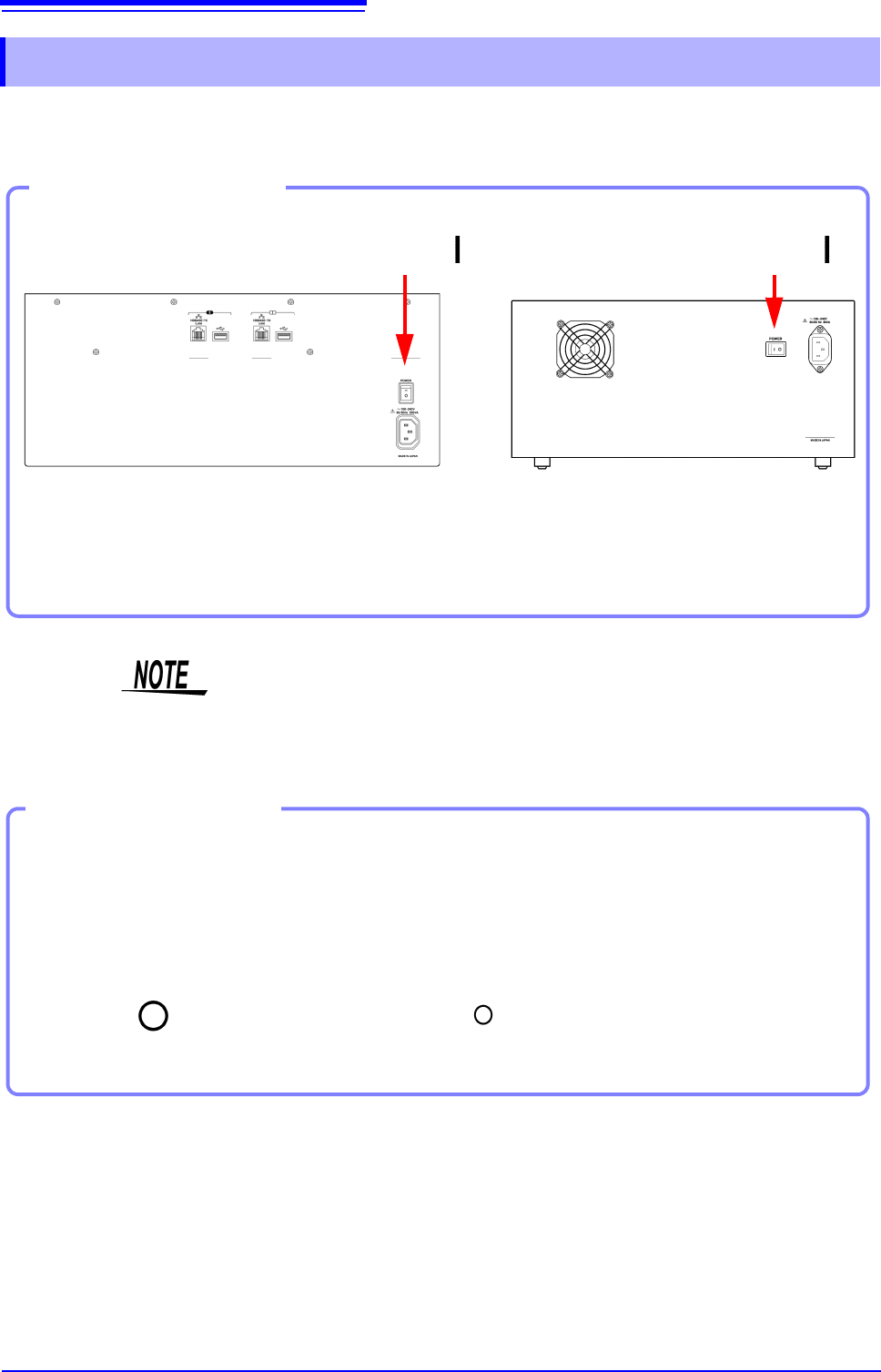
Turn the POWER switch on ( | ).
The startup screen appears first, and then the Waveform
screen is shown.
Power On
Turning Power On
Back Side
MR8740 MR8741
Power On
Before Starting Measurement
To obtain precise measurements, provide about 30 minutes warm-up after turn-
ing power on to allow the internal temperature of the modules to stabilize.
After that, perform zero adjustment before taking measurements.
Turn the POWER switch off ( ).
When power is turned on again, the display appears with the settings that
existed when power was last turned off.
Turning Power Off
Power Off
Recording Data
When the POWER switch is turned off, internal recorded data is erased. If
you don't want to lose recorded data, save it first to a USB memory stick.
See: "Chapter 4 Saving/Loading Data & Managing Files" (p.83)
Before Turning
Power Off