MR8740、MR8741_user_manual_eng_20191016H.pdf - 第83页
3.4 Setting Measurement Configuration 71 3 Chapter 3 Measuremen t Procedure Description Recording Length and Dat a Samples Each division o f the recording length c onsists of 100 data samples. The total number of data sa…
3.4 Setting Measurement Configuration
70
Set the length (number of divisions) to record each time data is acquired.
3.4.3 Recording Length
(number of divisions)
Procedure
To open the screen: Right-click and select [DISP] Waveform screen
Memory Function case
1
Move the flashing cursor to the [Shot] item, and then left-click.
2
Select the type.
Select
3
Set the recording length.
Select
(Fixed Shot)
(User Shot)
Can be inputted by the numeric keypad on the STATUS
screen.
See: "7.1.3 Alphanumeric Input" (p.141)
Fixd Shot Select from a a range of preset values.
User Shot
Freely specify any value in 1-division units.
25, 50, 100, 200, 500, 1000, 2000, 5000, 10000, 20000, 50000, 100000
div
1 to 160000 div
Recorder Function case
1
Move the flashing cursor to the [Shot] item.
2
Select the type.
Select
3
Set the recording length.
Select
(Fixed Shot)
(User Shot)
Can be inputted by the numeric keypad.
See: "7.1.3 Alphanumeric Input" (p.141)
Fixd Shot Select from a a range of preset values.
User Shot
Freely specify any value in 1-division units.
Cont. When [On] is selected, measurement is carried out while
continuously overwriting data in memory.
Data from the point at which measurement was stopped
to the maximum recording length can be saved or print-
ed again.
25, 50, 100, 200, 500, 1000, 2000, 5000, 10000, 20000, 50000 div
1 to 80,000 div
3.4 Setting Measurement Configuration
71
3
Chapter 3 Measurement Procedure
Description
Recording Length and Data Samples
Each division of the recording length consists of 100 data samples. The total
number of data samples for a specified recording length = set recording length
(divisions) × 100 + 1.
However, if MR8990 Digital Voltmeter Unit is installed, the number of data sam-
ples is as follows.
• When only MR8990 is installed
Number of data samples for each division: 50 data samples
Total number of data samples for recording length: Set recording length (divi-
sions) × 50 + 1
• When a mix of MR8990 and another units is installed
Channel of MR8990
Number of data samples for each division: 50 data samples
Total number of data samples for recording length: Set recording length (divi
sions) × 50 + 1
Channel of other units
Number of data samples for each division: 100 data samples
Total number of data samples for recording length: Set recording length (divi-
sions) × 100 + 2
• Each recording length division = 100 pairs of data points, with each pair com-
posed of two values: the maximum and minimum measured values within
each sampling period. The resolution of the data measured by the recorder
function is 16bit.
When recording length is set to [Cont.]
• Data for up to 80,000 divisions from the end of measurement can be recorded
in the internal memory of the unit.
The instrument stores the maximum recording length of data back from the
point at which measurement was stopped in its internal memory (80,000 divi-
sions).
• When Auto-saving is On, the saving is not performed during the measure-
ment. At the forced shutdown point, the remaining data in memory will be
saved.
To change recording length while measuring
Recording length can be changed on the Waveform screen.
The measurement will restart with the newly set recording length.
3.4 Setting Measurement Configuration
72
You can specify the format in which the input signal is shown on the Waveform screen.
With 2, 4, 8, or 16 screens, analog channels can be freely assigned to the respective graphs.
3.4.4 Screen Layout
Selecting X-Y1 screen or X-Y4 screen allows waveform X-Y synthesis.
(This applies to the Memory function.)
See: "6.4 Performing Waveform X-Y Synthesis" (p.127)
Procedure
To open the screen: Right-click and select [STATUS] [Status] sheet
Memory Function case
Move the flashing cursor to the [Format] item.
Select
Single Display and record using 1 graph. (default setting)
Dual
Display and record using 2 graphs.
Quad
Display and record using 4 graphs.
Oct
Display and record using 8 graphs.
Hex Display and record using 16 graphs.
XYSingle
Set input signal to X-Y and display and record the correlation using 1 graph.
XYQuad
Set input signal to X-Y and display and record the correlation using 4 graphs.
Analog Channel Assignment
Procedure
To open the screen: Right-click and select [CHAN] [Unit List] sheet
1
Move the flashing cursor to the [Graph] item.
2
Select the display screen for each channel.
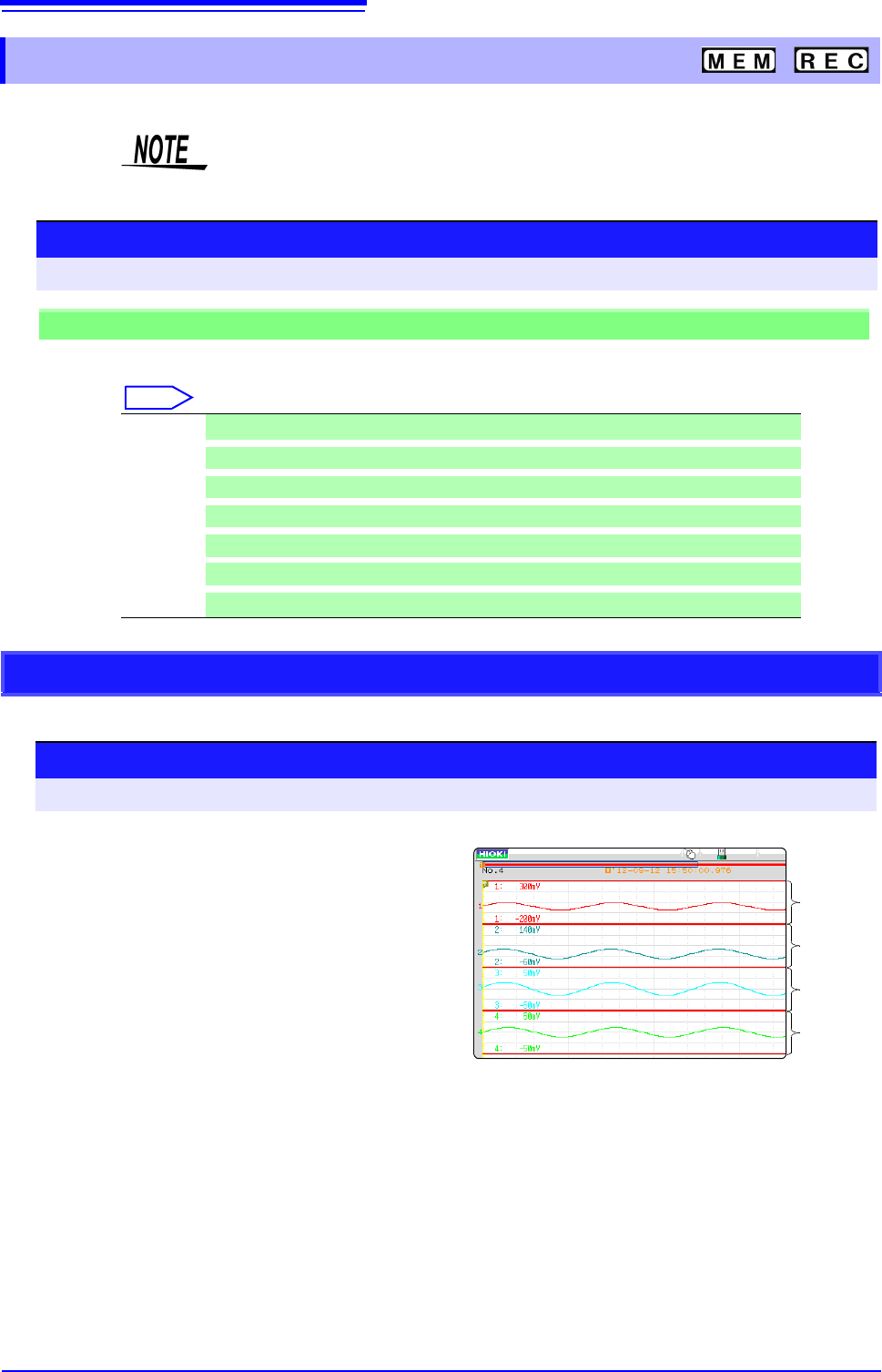
The sequence is Gr1, Gr2, Gr3... from the top.
Gr1
Gr2
Gr3
Gr4
<Sample screen after setting>