MR8740、MR8741_user_manual_eng_20191016H.pdf - 第280页
12.5 Setting Screen Displays 268 Display T ypes and S plit-Screen Settings Nine display arrangeme nts are available. When “Drawing fail ed”: • NG: Nyquist, Runn ing Spectrum The display format settin gs and analysis mo…
12.5 Setting Screen Displays
267
11
Chapter 12 FFT Function
12
Set the display method for FFT calculation results.
12.5 Setting Screen Displays
1
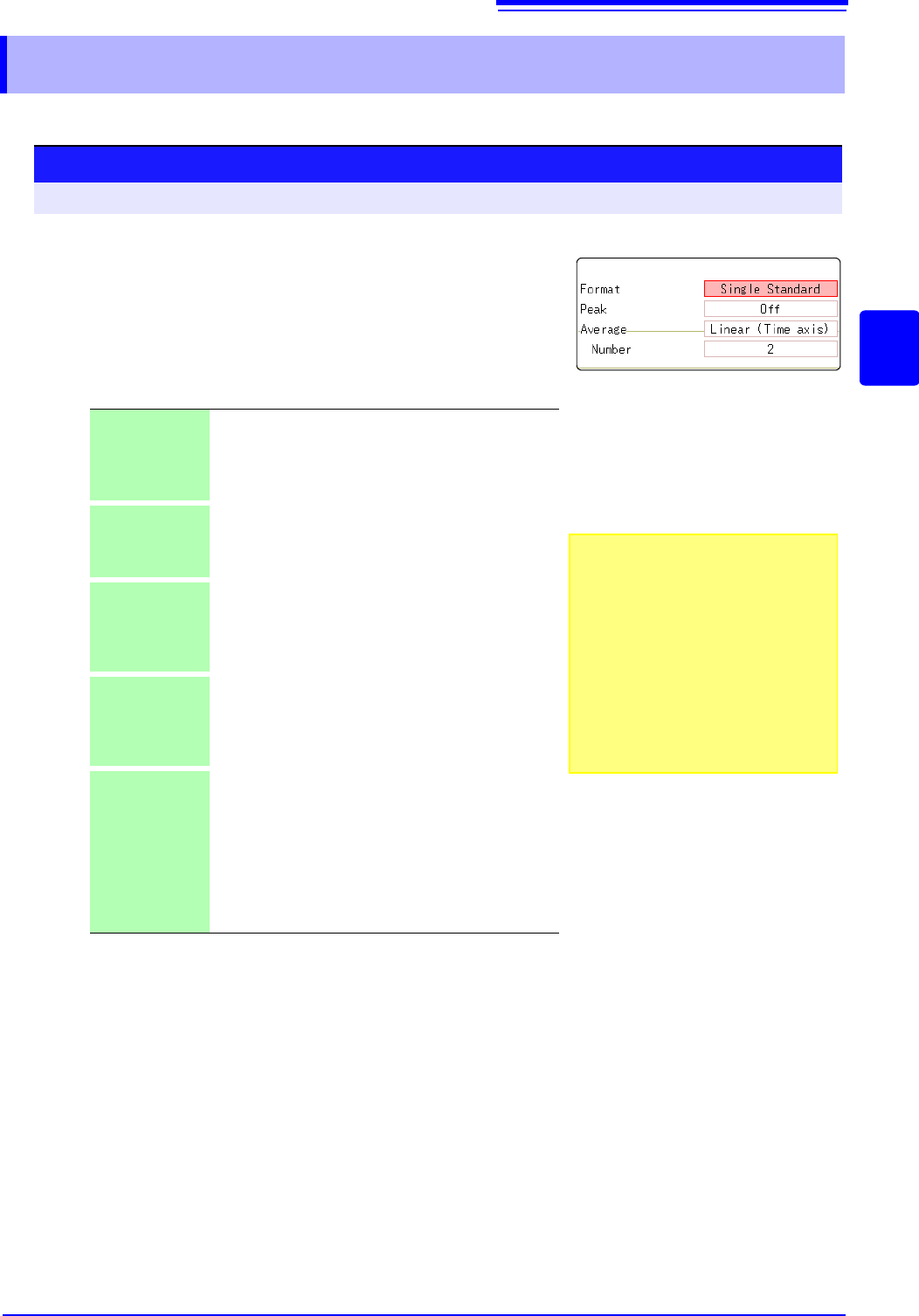
Select the display format.
Move the flashing cursor to the [Format] item.
Select the format of data to be displayed.
The display format depends on the input data selected for analysis.
*: The horizontal axis and vertical axis display the real parts and the
imaginary parts of calculation results, respectively.
2
Click [DISP] in the right-click menu to display the Wave-
form screen.
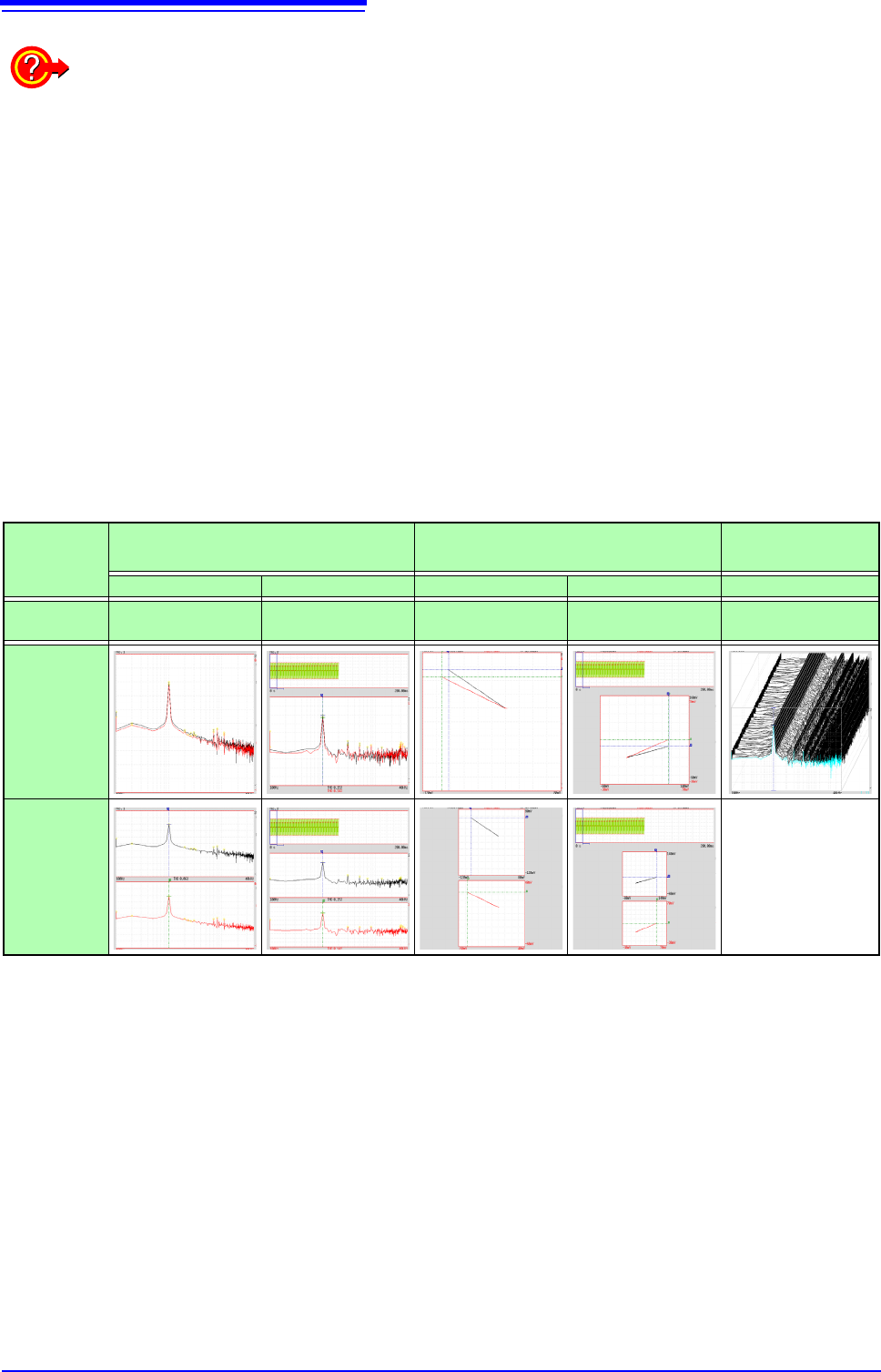
Single
Standard
The FFT calculation results are displayed in one screen.
If the calculations have multiple settings, waveforms are
overlaid.
Note: Depending on the analysis mode settings, analy-
sis No1 only may be preferentially displayed.
Dual Standard The FFT calculation results are displayed in two
screens.
If the calculations have multiple settings, waveforms are
displayed for each specified calculation.
Single Nyquist
*
If the analysis mode is linear spectrum, transfer function
or cross power spectrum, the FFT calculation result is
displayed in Nyquist display on one screen.
If the calculations have multiple settings, waveforms are
overlaid.
Dual Nyquist
*
If the analysis mode is linear spectrum, transfer function
or cross power spectrum, the FFT calculation result is
displayed in Nyquist display on two screens.
If the calculations have multiple settings, waveforms are
displayed for each specified calculation.
Running
spectrum
If the analysis mode is one of the following, analysis re-
sults are displayed three-dimensions: frequency, oscil-
lation and time.
(Linear spectrum, RMS spectrum, power spectrum,
power spectrum density, LPC analysis, transfer func-
tion, cross power spectrum, 1/1 octave analysis, 1/3 oc-
tave analysis)
If the calculations have multiple settings, No1 is prefer-
entially displayed.
Procedure
To open the screen: Right-click and select [STATUS] [Status] sheet
To use an existing memory waveform
for analysis
Select [From Memory]as the input data
source [Reference].
See: "12.3.2 Selecting the Data Source
for Analysis" (p.250)
To specify the analysis starting point
Specify the starting point on the memory
waveform.
See: "12.7.1 Analyzing after Specifying an
Analysis Starting Point" (p.273)
1
12.5 Setting Screen Displays
268
Display Types and Split-Screen Settings
Nine display arrangements are available.
When “Drawing failed”:
•
NG: Nyquist, Running Spectrum
The display format settings and analysis mode do not match.
•
NG: X-Axis
Either change the [Format] setting and increase the number of screen divisions or change the
display setting of the X-axis.
Linear and logarithm X-axes cannot exist in one graph.
•
NG:X-unit
Set [Format] and increase the number of screen divisions. Different horizontal axis units cannot
coexist in 1 graph.
•
NG: EXT
Analysis mode cannot perform external sampling.
Standard Nyquist
Running
Spectrum
Single Standard Dual Standard Single Nyquist Dual Nyquist Running spectrum
[Reference]
setting
[New Data] [From Memory] [New Data] [From Memory] [New Data]
One
division
Two divi-
sions
FFT
MEM
FFT
Nyquist
Nyquist
MEM
ナイキスト
Running Spectrum
FFT
FFT
MEM
FFT
FFT
Nyquist
Nyquist
Nyquist
MEM
Nyquist
12.5 Setting Screen Displays
269
11
Chapter 12 FFT Function
12
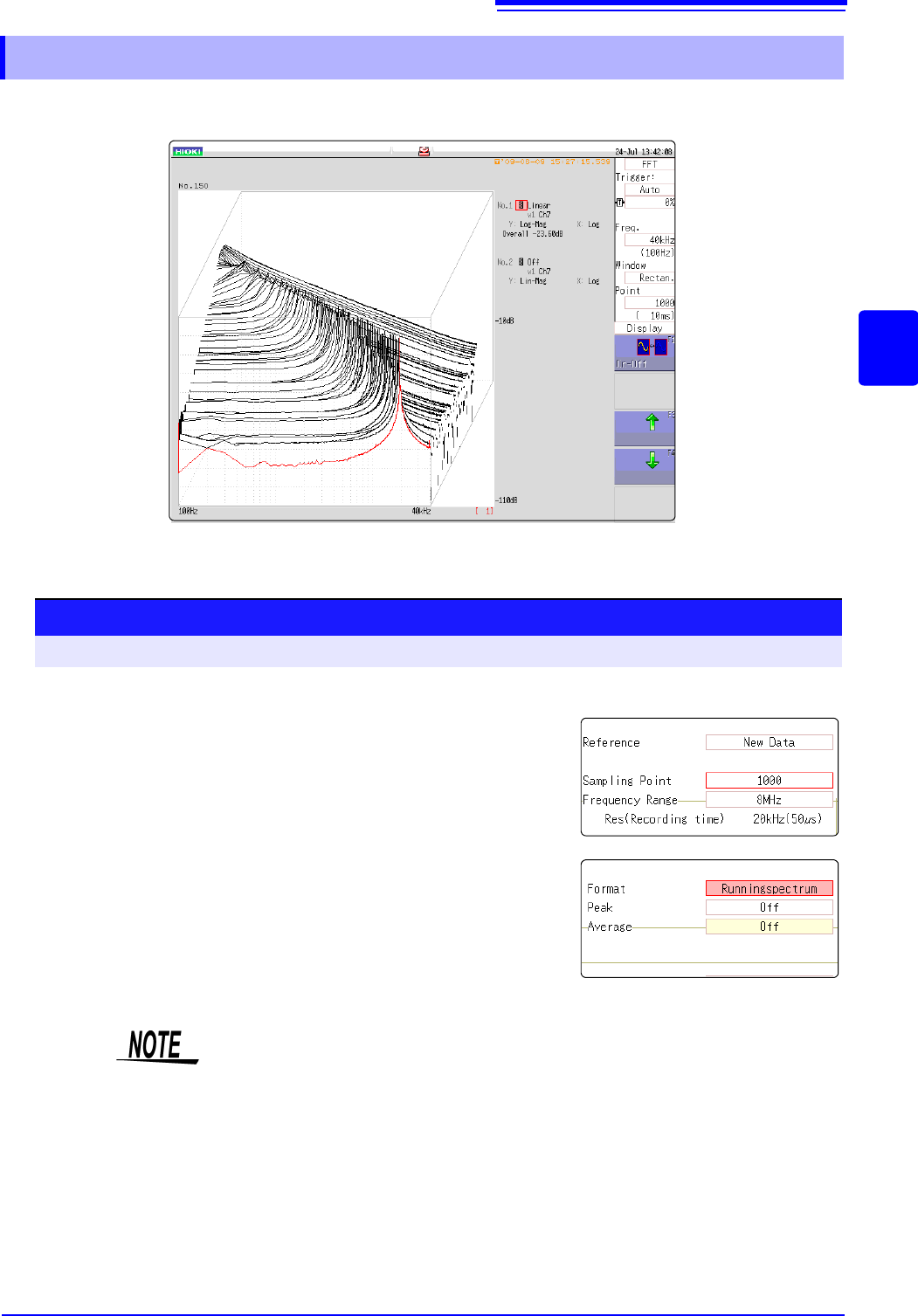
If [Format] is set to [Running spectrum], changes in frequency over time can be observed.
12.5.1 Displaying running spectrums
1
Select the reference data.
Move the flashing cursor to the [Reference], and select
[New Data].
2
Select the display format.
Move the flashing cursor to the [Format], and select [Run-
ning spectrum].
Procedure
To open the screen: Right-click and select [STATUS] [Status] sheet
1
2
• [Running spectrum] can only be set when the [Reference] is [New Data].
• The calculation interval (time interval of the running spectrum waveform and
the waveform) is not regulated.
• Averaging cannot be used.
• Calculations that can be analyzed by running spectrum are limited to the fol-
lowing. When other calculations are selected or calculation settings are
changed after measurement stops, waveforms are not displayed.
(Linear spectrum, RMS spectrum, power spectrum, power spectrum density,
LPC analysis, transfer function, cross power spectrum, 1/1 octave analysis, 1/
3 octave analysis)