MR8740、MR8741_user_manual_eng_20191016H.pdf - 第289页
12.8 FFT Analysis Modes 277 11 Chapter 12 FFT Function 12 W aveform Example Nyquist display • If the cursor is displayed, the total ha r monic distortion (THD), which sets the fundament al wave as the cursor position, is…
12.8 FFT Analysis Modes
276
Waveform Example
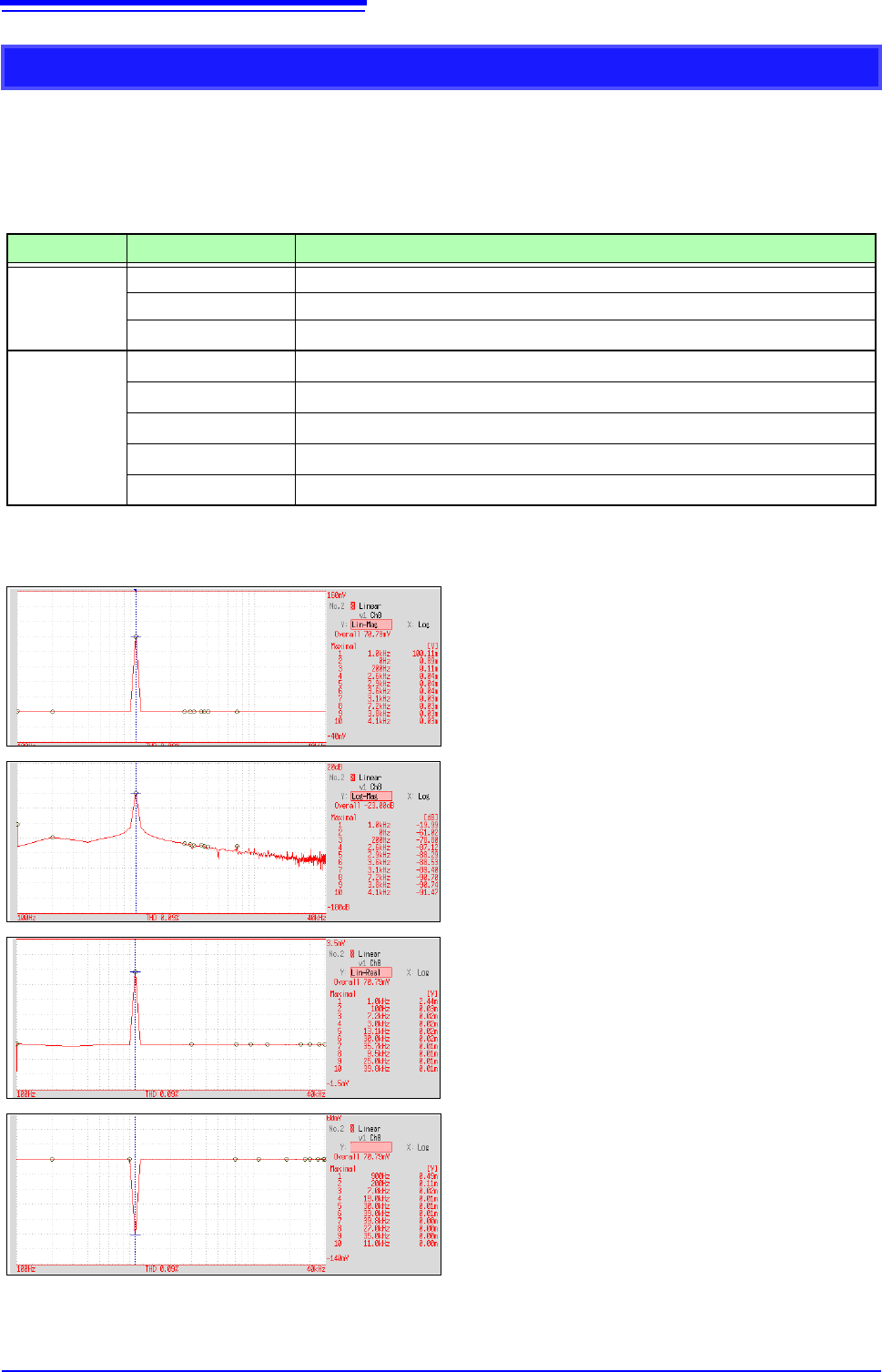
Linear Spectrum
The linear spectrum plots the input signal frequency. It can be displayed as a Nyquist plot.
Main uses:
• To inspect the peak frequency contents of a waveform
• To inspect signal amplitudes at each frequency
See: About the Functions"12.8.2 Analysis Mode Functions" (p.293)
Axis Display Type Description
X axis
Linear Frequency is displayed with equal spacing
Log Frequency display of logarithm interval
Nyquist display
The real-number component of analysis values are displayed linearly.
Y axis
Lin-Mag
Analysis values are displayed linearly.
Log-Mag
Analysis values are displayed as dB values. (0 dB reference value: 1eu)*
Lin-Real
The real-number component of analysis values are displayed.
Lin-Imag
The imaginary component of analysis values are displayed.
Nyquist display
The imaginary component of analysis values are displayed.
* eu: engineering units that are currently set are the standard (e.g., when the unit settings is volts, 0 dB = 1 V)
Normal display
X axis: Log
Y axis: Lin-Mag
Normal display
X axis: Log
Y axis: Log-Mag
Normal display
X axis: Log
Y axis: Lin-Real
Normal display
X axis: Log
Y axis: Lin-Imag
Lin-Imag
12.8 FFT Analysis Modes
277
11
Chapter 12 FFT Function
12
Waveform Example
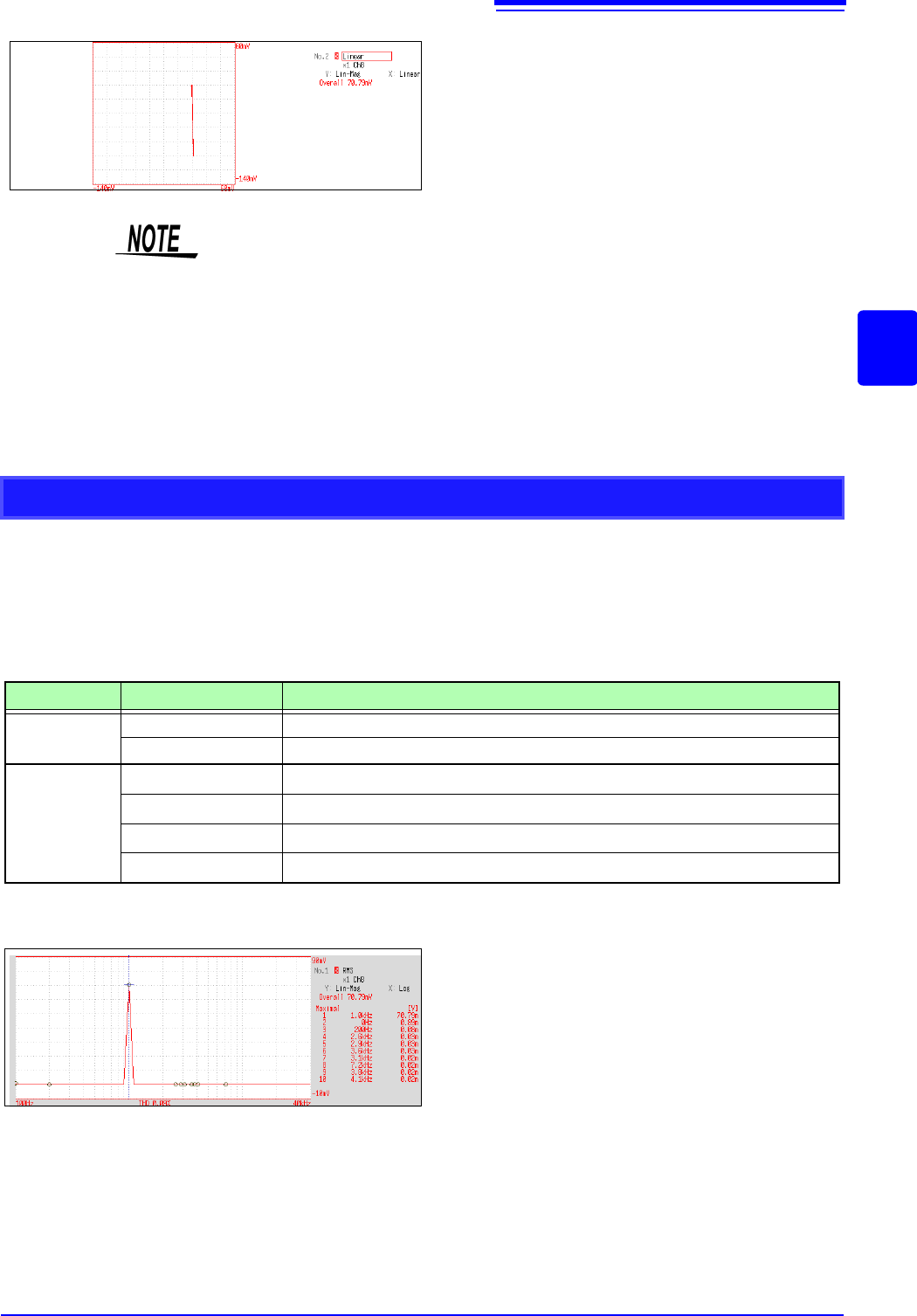
Nyquist display
• If the cursor is displayed, the total harmonic distortion (THD), which sets the
fundamental wave as the cursor position, is displayed.
When two cursors appear, A cursor is the fundamental wave.
When results cannot be obtained, [---%] is displayed.
• When only sine waves are input, the level of this component becomes approx-
imately 1.4 times (3 dB) larger than the overall value. To measure at a refer-
ence the same as the overall value, analyze using RMS spectrum or power
spectrum.
See: RMS Spectrum (p.277), Power Spectrum (p.279)
RMS Spectrum
The oscillation component (actual value) is calculated by the frequency axis waveform of the input signal.
RMS and power spectra displays use the same analysis results displayed logarithmically (amplitude in dB).
Main uses:
• To inspect the execution value of the frequency component of the waveform
• To inspect the RMS value at each frequency
See: About the Functions"12.8.2 Analysis Mode Functions" (p.293)
Axis Display Type Description
X axis
Linear Frequency is displayed with equal spacing
Log Frequency display of logarithm interval
Y axis
Lin-Mag
Analysis values are displayed linearly.
Log-Mag
Analysis values are displayed as dB values. (0 dB reference value: 1eu)*
Lin-Real
The real-number component of analysis values are displayed.
Lin-Imag
The imaginary component of analysis values are displayed.
* eu: engineering units that are currently set are the standard (e.g., when the unit settings is volts, 0 dB = 1 V)
Normal display
X axis: Log
Y axis: Lin-Mag
12.8 FFT Analysis Modes
278
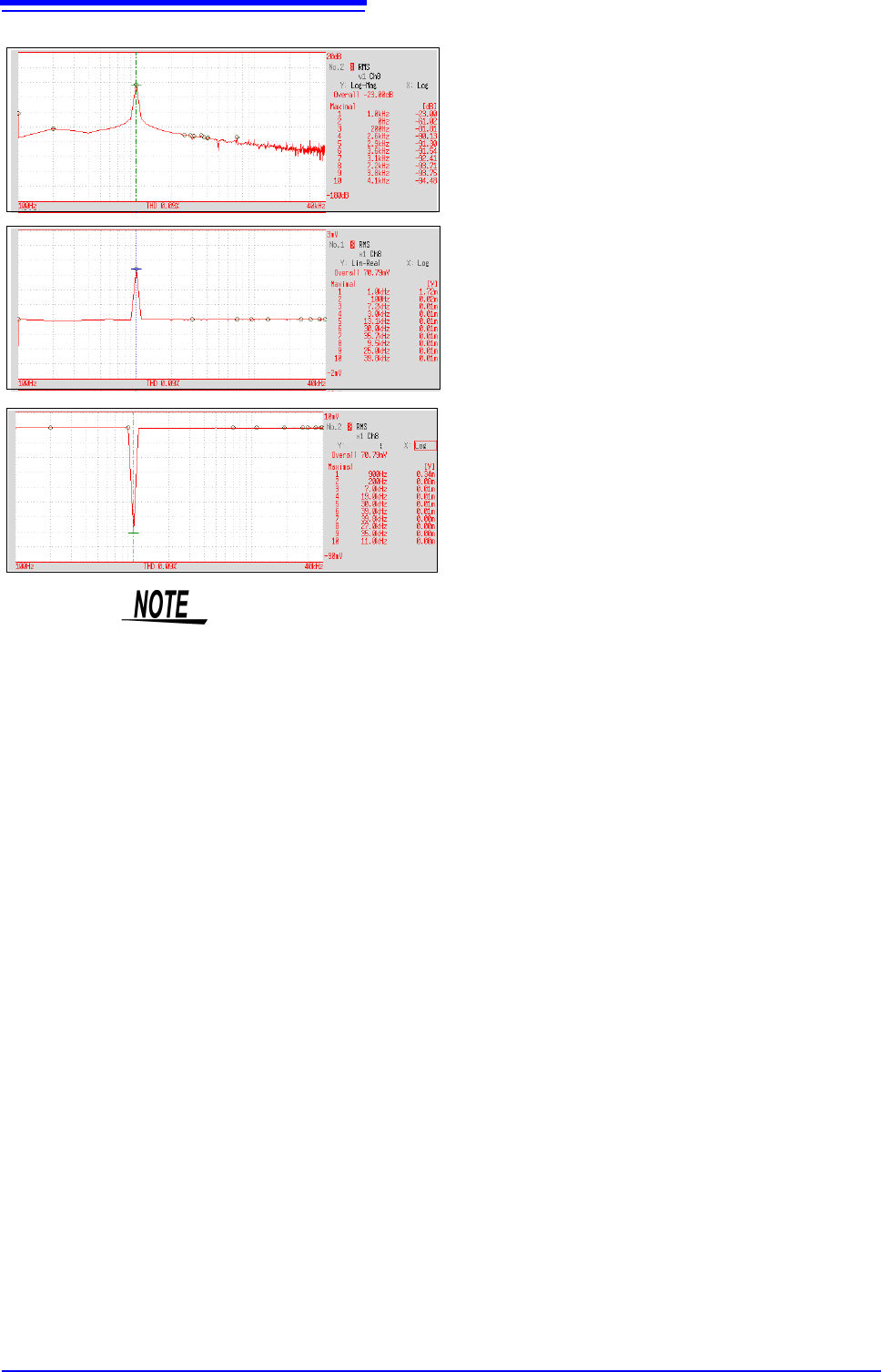
Normal display
X axis: Log
Y axis: Log-Mag
Normal display
X axis: Log
Y axis: Lin-Real
Normal display
X axis: Log
Y axis: Lin-Imag
Lin-Imag
If the cursor is displayed, the total harmonic distortion (THD), which sets the fun-
damental wave as the cursor position, is displayed.
When two cursors appear, A cursor is the fundamental wave.
When results cannot be obtained, [---%] is displayed.