MR8740、MR8741_user_manual_eng_20191016H.pdf - 第12页
Contents x
Contents
ix
1
ït
ò^
ç€
à¯
2
3
4
5
6
7
8
9
10
11
12
Appendix________________________________ A 1
Appendix 1 Default Values for Major Settings............................... A 1
Appendix 2 Reference................................................................... A 2
Appendix 2.1 Waveform File Sizes ................................................. A 2
Appendix 2.2 Setting Configuration and Image Data File Sizes ...... A 5
Appendix 2.3 Timebase and Maximum Recordable Time ............... A 6
Appendix 2.4 Maximum record length and number of divisions
(Memory division function) ........................................ A 7
Appendix 2.5 Time Axis Range and Sampling Rate of
MR8990 Digital Voltmeter Unit .................................. A 8
Appendix 2.6 Scaling Method When Using Strain Gauges ............. A 9
Appendix 3 About Options........................................................... A 10
Appendix 3.1 Options .................................................................... A 10
Appendix 4 FFT Definitions ......................................................... A 13
Index ________________________________Index 1
14
15
16
17
13
12
18
Appendix
Index

Contents
x
Usage Index
1
Usage Index
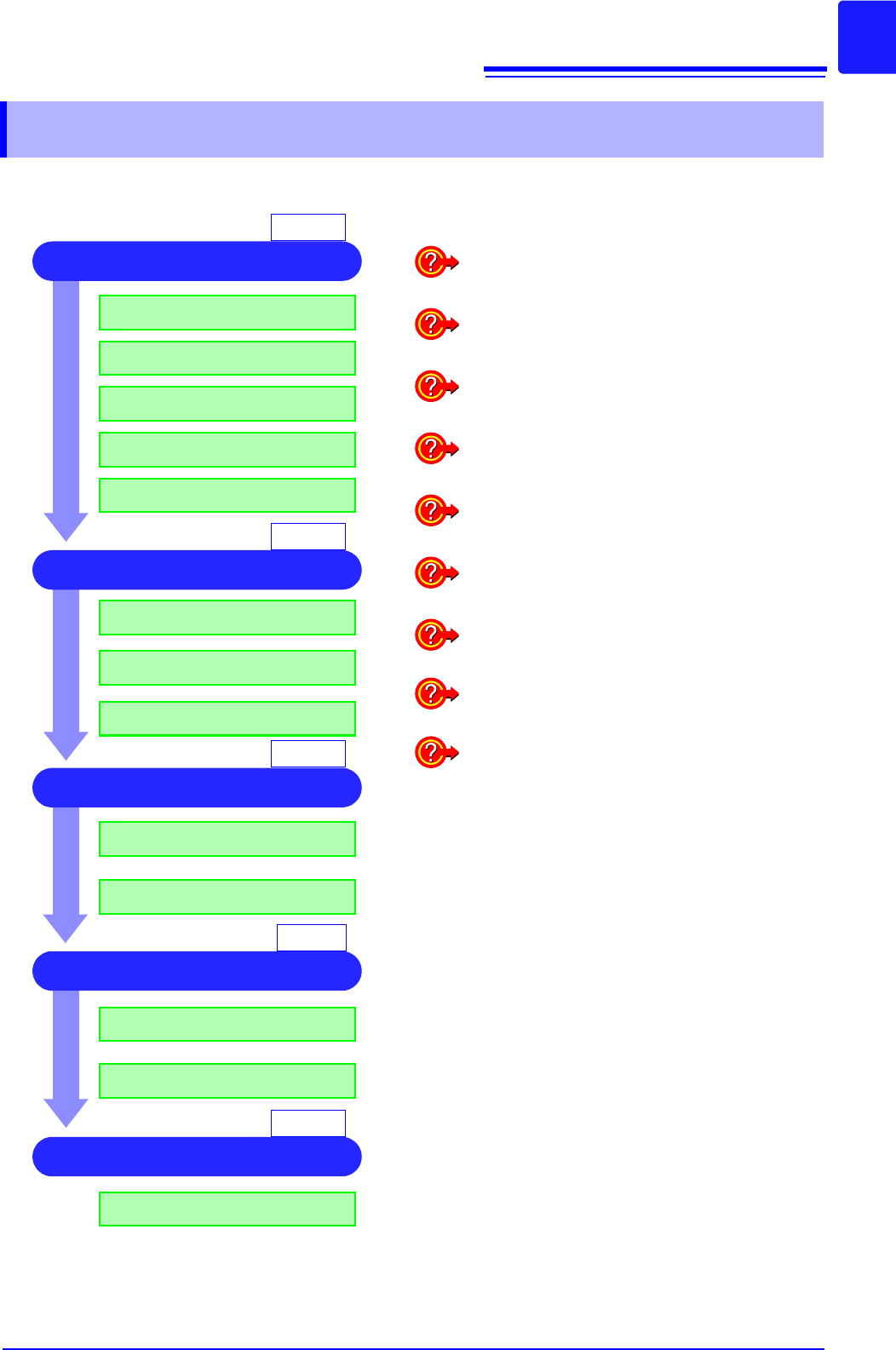
1 Install & Connect
2 Make Instrument Settings
3 Measure
Install the instrument
Setting measurement configuration
Start recording
Analysis
Optionally save
5 Finish
Stop recording
4 Analyze and Save
Turn the power off
Catching Changes in Input Signals (p.189)
Applying a Manual Trigger (p.203)
Adding Comments (p.138)
Freely Setting the Waveform Display (p.73)
Converting Input Values (p.148)
Copying Settings to Other Channels (p.160)
Suppressing Noise (Low-pass filter) (p.78)
Composing X-Y Waveforms (p.127)
Scaling During Measurement Using a Current
Clamp (p.150)
Basic Workflow
(p.35)
(p.61)
(p.81)
(p.55)
(p.119)
Connect the cords
Install the modules
Install the recording paper
Turn power on
Select the function
Select the input channels