MR8740、MR8741_user_manual_eng_20191016H.pdf - 第63页
2.2 Connecting Cords 51 2 Chapter 2 Measurement Prep arations Applicable Modules • M odel U8793 Arbitrary W aveform Generator Unit • M odel MR8790 W aveform Generator Unit Required item: Model L9795-01 /L9795-02 Connecti…
2.2 Connecting Cords
50
Applicable Modules
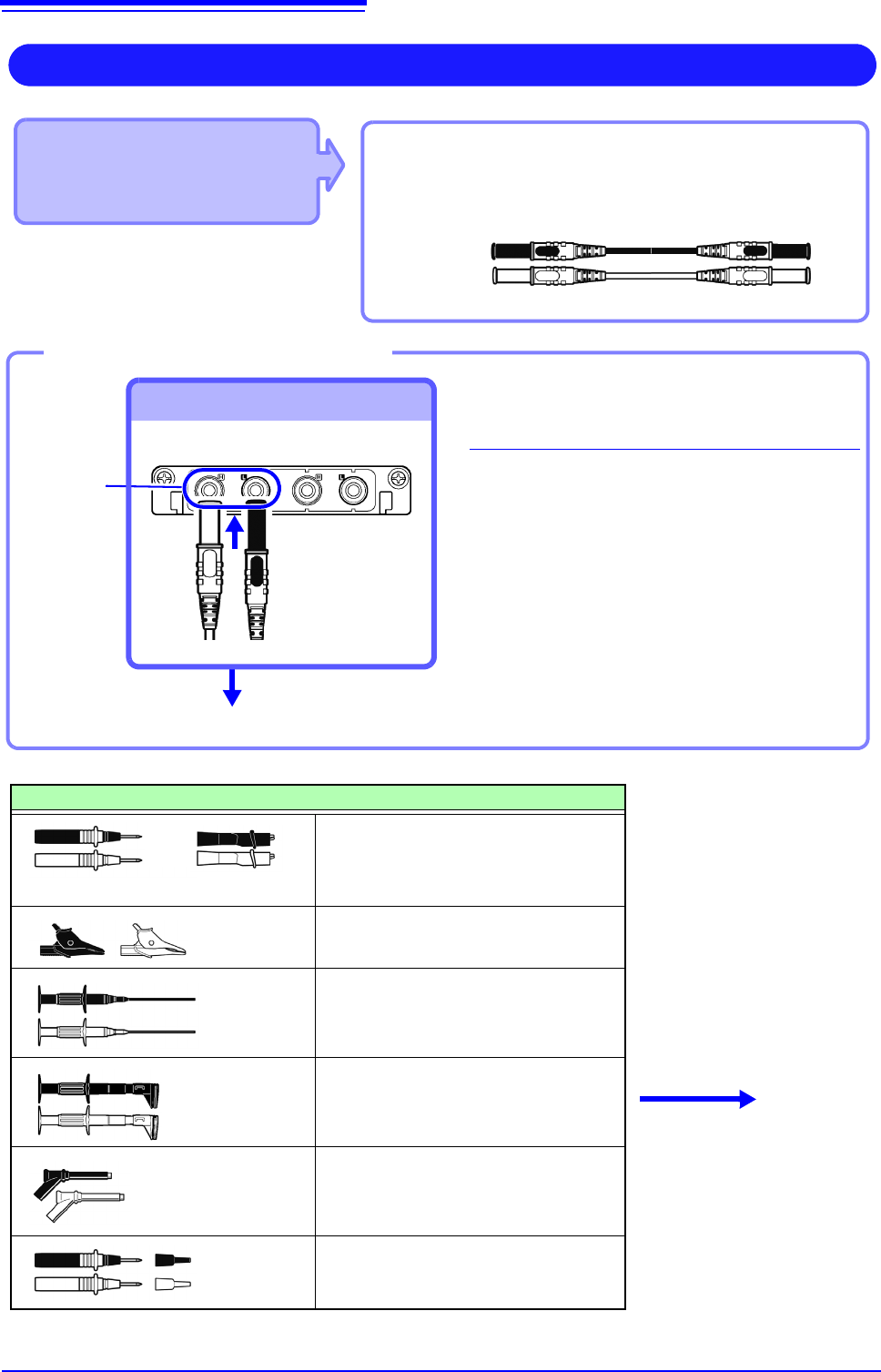
• Model U8974 High Voltage Unit
Required item: Model L4940 Connection Cable Set
• Model L4940 Connection Cable Set:
(Maximum input voltage: 1000 V)
High Voltage Measurement
Connect to the banana jacks on a module.
1
Connect the plug of the connection
cable to the banana jacks on the
module.
Connect the terminal and the plug of the
same color.
2
Insert the accessory clip into cable
clips.
3
Connect the cable clips to the mea-
surement object.
Required item: Model L4940 Connection Cable Set
Banana jacks
To Connect to banana jacks
Connect the clip.
Connect the Connection cable
Accessory clips
Model L4934 Small Alligator Clip Set
* Model L4932 is required when using
Model L4934.
Model L4935 Alligator Clip Set
Model 9243 Grabber Clip
Model L4936 Bus Bar Clip Set
Model L4937 Magnetic Adapter Set
Model L4932 Test Pin Set
L4934
+
Connect to the mea-
surement object.
Red
Black
3
1
2
2.2 Connecting Cords
51
2
Chapter 2 Measurement Preparations
Applicable Modules
• Model U8793 Arbitrary
Waveform Generator Unit
• Model MR8790 Waveform
Generator Unit
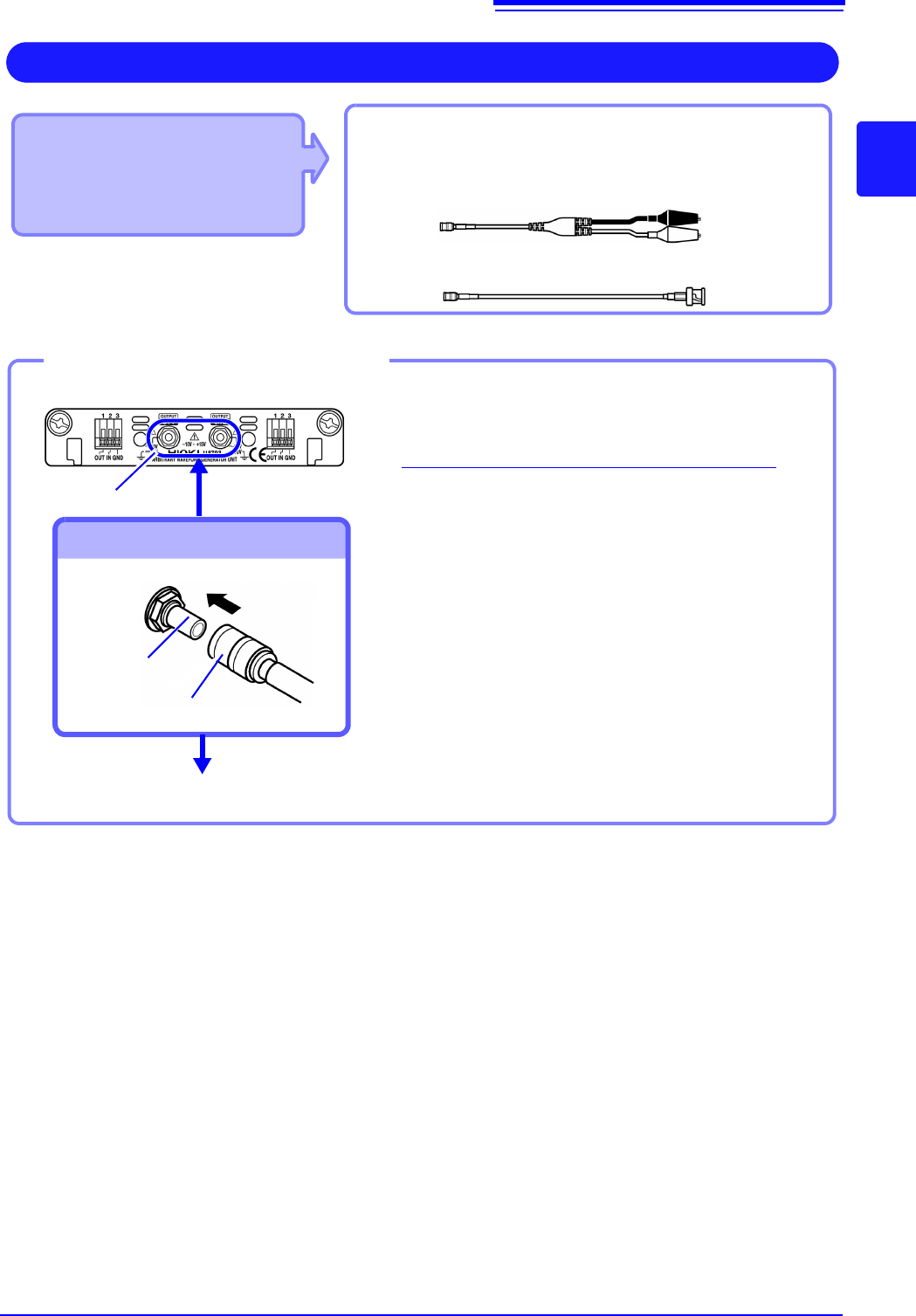
Required item: Model L9795-01 /L9795-02 Connection
Cableconnect: L2200 Test Lead
Output Waveform
Connect to the SMB jack on a module.
• Model L9795-01 Connection Cable (Electrical clips)
• Model L9795-02 Connection Cable (BNC output)
1
Insert the SMB connector of connection cable
in the output terminal of the module until you
hear a click.
2
Connect the cable clips to the object to which
the waveform is being applied.
Required items: Connection cable mentioned above
Output terminal
To Connect to Output Terminals
Connect the Connection cable
To disconnect output connectors
Grip the head of the SMB connector (not the cable),
and pull it out.
Output terminal
SMB connector
Connect to the object to which the waveform is being applied.
Example: Model U8793
1
2
2.2 Connecting Cords
52
Output connector
10250-52A2PL: Sumitomo 3M products (SCSI-2 connector), (Centronics half-pitch 50 pin socket-contact)
Refer to "Output Connector Specifications" ( p.370).
• Metal shell of the connector 10250-52A2PL is the same as GND of the instrument (frame GND).
• Use lock type connectors for connecting the harness and the connector.
Applicable Module
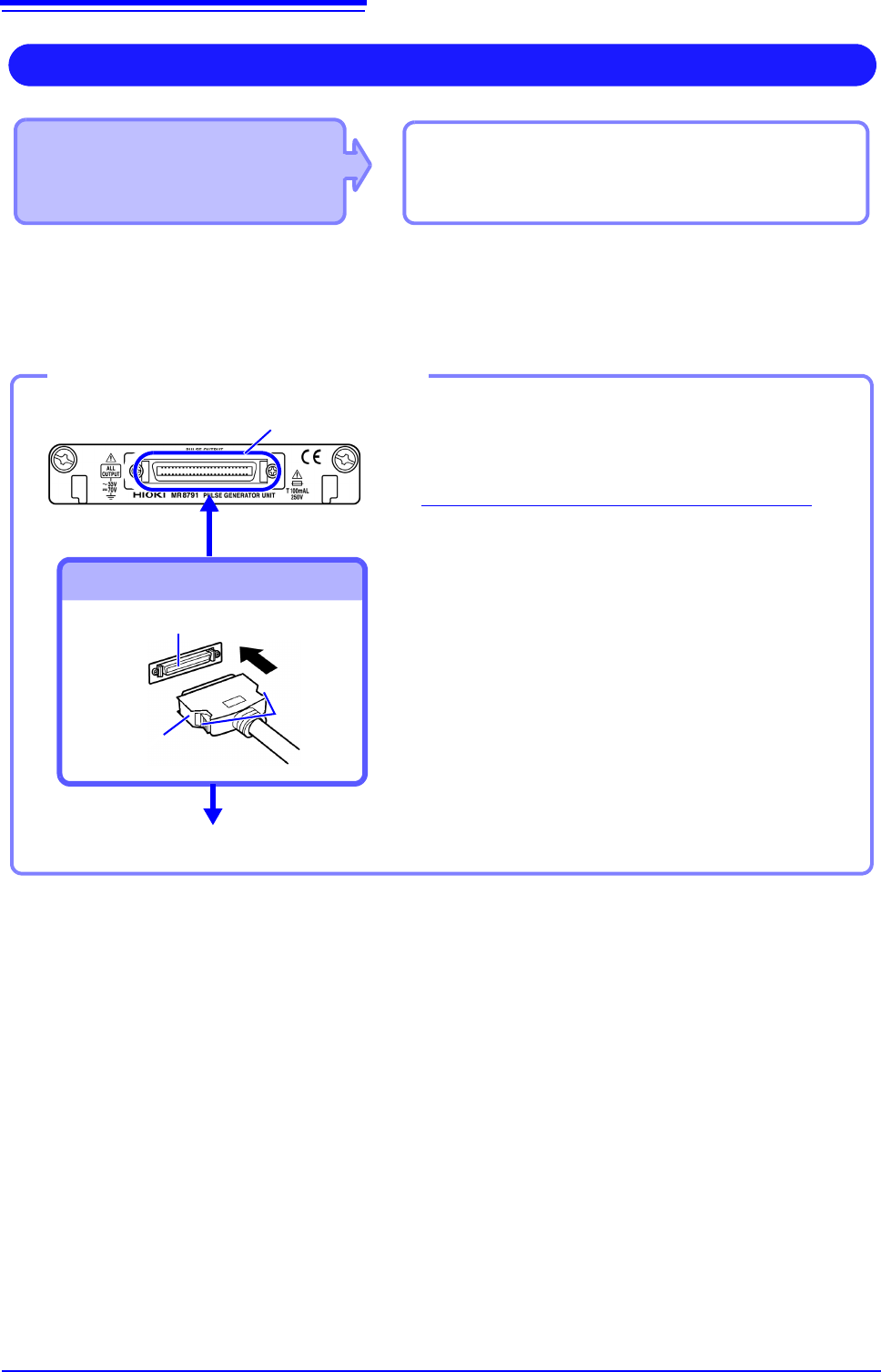
• Model MR8791 Pulse Generator Unit
Required items: Commercially available cable
(Half-pitch 50 pins)
Output Pulse Waveform
Connect to the banana jacks on a module.
1
Connect the connection cable to Output
Connector of module.
2
Connect the connection cable to the object to
which the waveform is being applied.
Required items: Commercially available cable
To Connect to Output Connector
Connect the Connection cable
To disconnect output connectors
Hold the button of connection cable while pulling the
connector.
Button
Connect to the object to which the waveform is being applied.
Example: Model U8793
Output connector
Connection cable
connector
Output connector
2
1