MR8740、MR8741_user_manual_eng_20191016H.pdf - 第41页
1.5 Basic Operations 29 1 Chapter 1 Overview You can select menus and confirm item s by left-clicking with the mouse. This section describes left-click operations for menu selectio n and settings. 1.5.3 Mouse Lef t-click…
1.5 Basic Operations
28
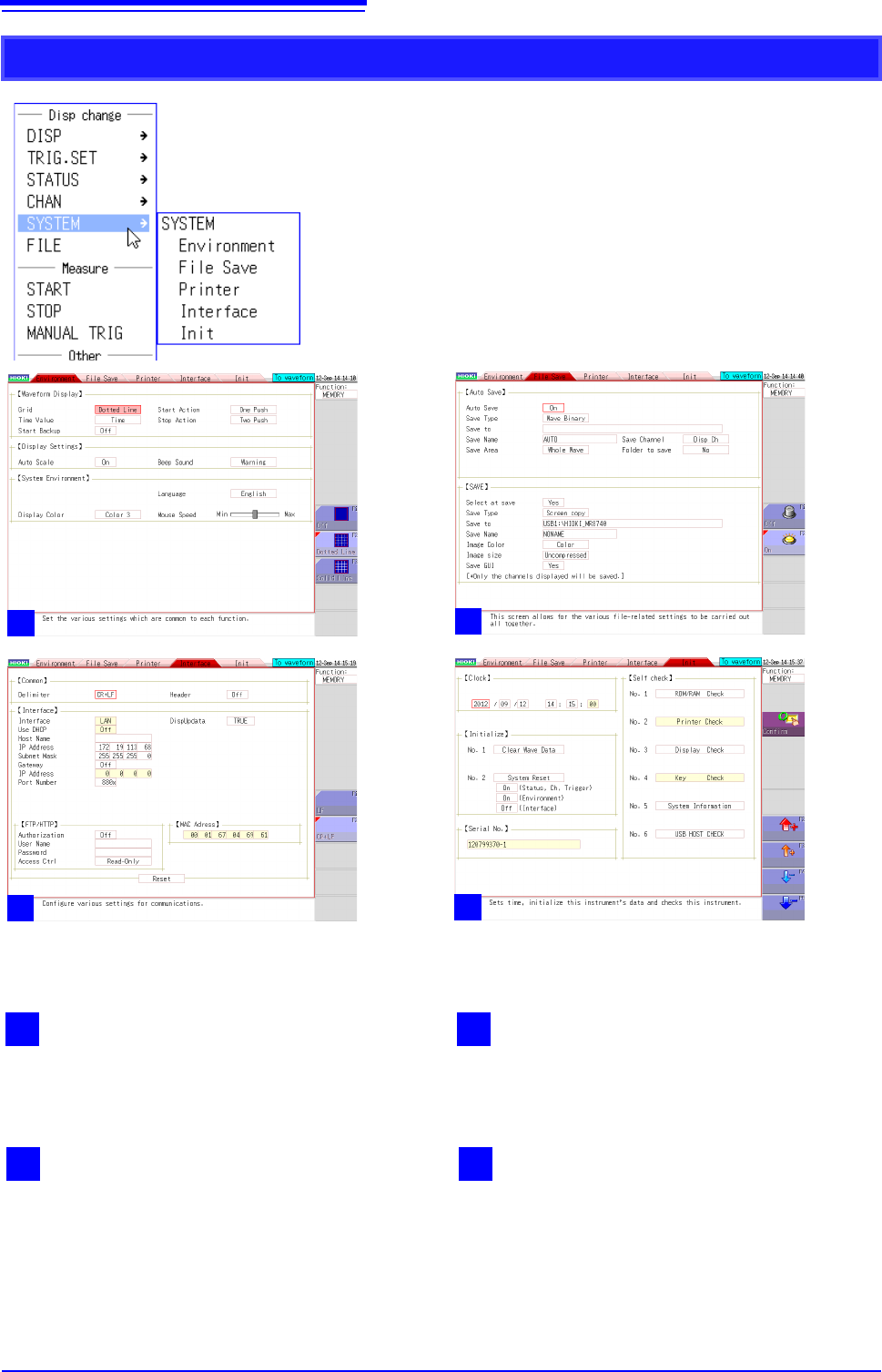
SYSTEM
2
1
Environment
Displays the screen for setting the operating envi-
ronment of the instrument.
2
File save
Displays the screen for setting the method for sav-
ing measurement data.
4
Initialization
Displays the screen for clearing the settings of the
instrument, setting the time, etc.
3
Interface
Displays the screen for the LAN communication
setting conditions.
1
2
2
2
3
2
4
1.5 Basic Operations
29
1
Chapter 1 Overview
You can select menus and confirm items by left-clicking with the mouse.
This section describes left-click operations for menu selection and settings.
1.5.3 Mouse Left-click Operations
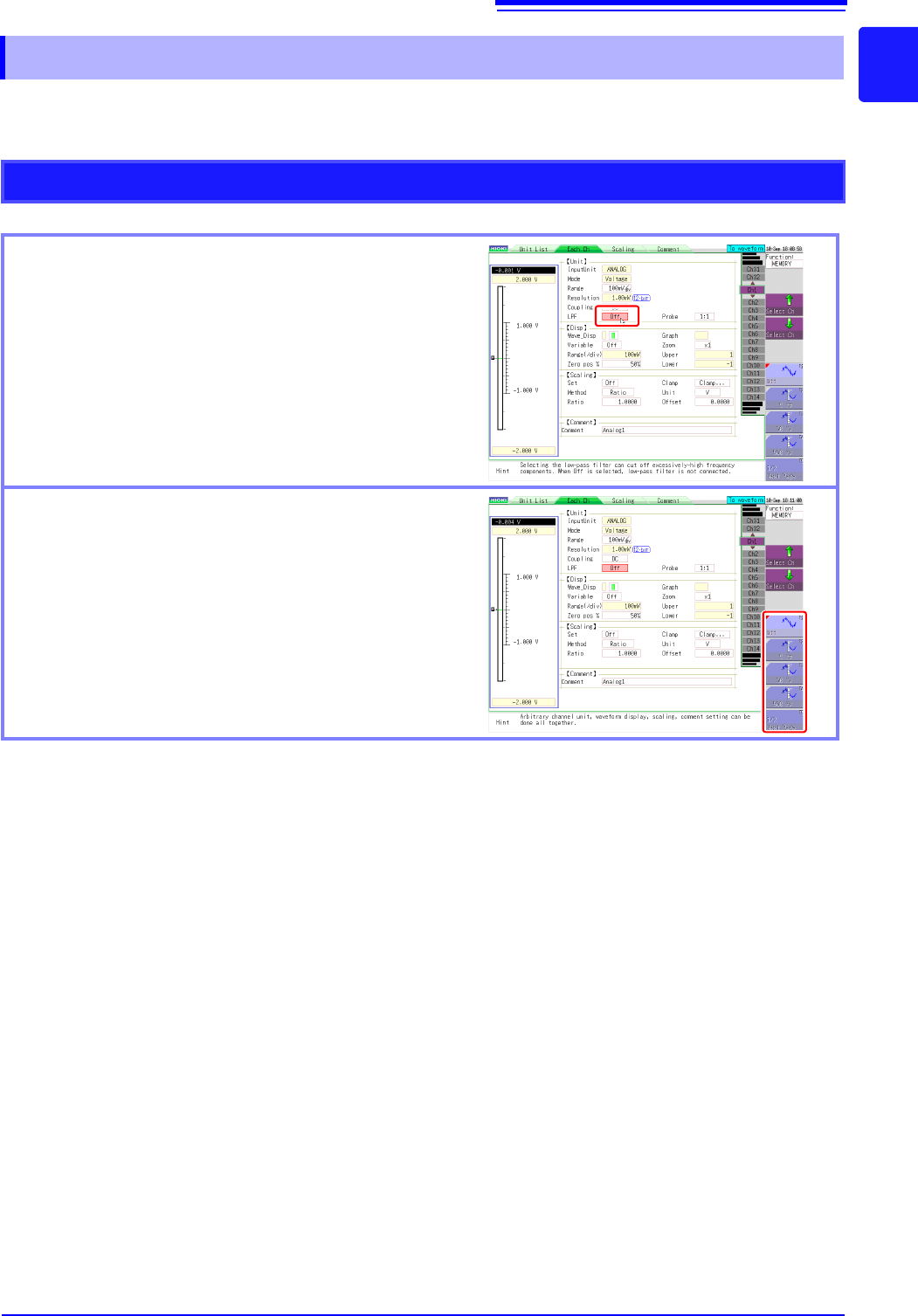
Operations on a Settings Screen
Clicking a setting
When clicked, the setting becomes selected, the frame
changes color, and the setting flashes.
Selecting a setting value from the GUI on the right of
the screen
You can change the setting by moving the mouse cursor
to a selection item on the right of the screen and then
clicking.
The number of selection items differs depending on the
setting.
1.5 Basic Operations
30
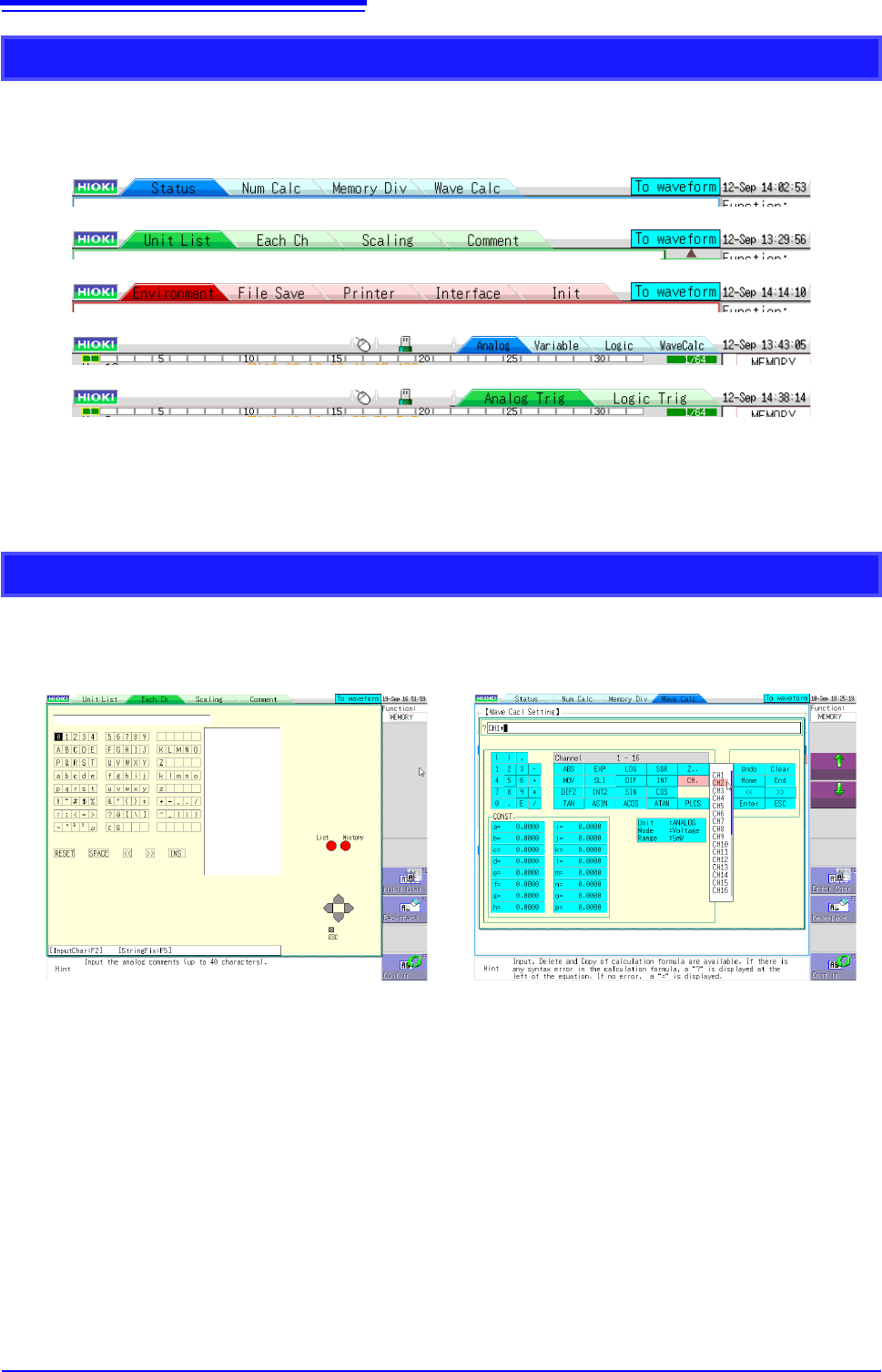
When settings are split into multiple pages, you can change the settings screen directly by clicking
the displayed tabs.
With the tabs of the Waveform screen, clicking the currently selected tab again changes the dis-
played channel.
The menus displayed when inputting comments and calculation equations allow direct character
input with click operations.
Changing Pages on a Settings Screen
Character Input