MR8740、MR8741_user_manual_eng_20191016H.pdf - 第199页
7.10 Register the Wavefo rm in the U8793 Arbitrary Waveform Generat or Unit 187 6 Chapter 7 Utility Functions 7 5 Set the conversi on ratio. 6 Enter a dat a name. Register as an arbitrary waveform data in the U8793 memor…
7.10 Register the Waveform in the U8793 Arbitrary Waveform Generator Unit
186
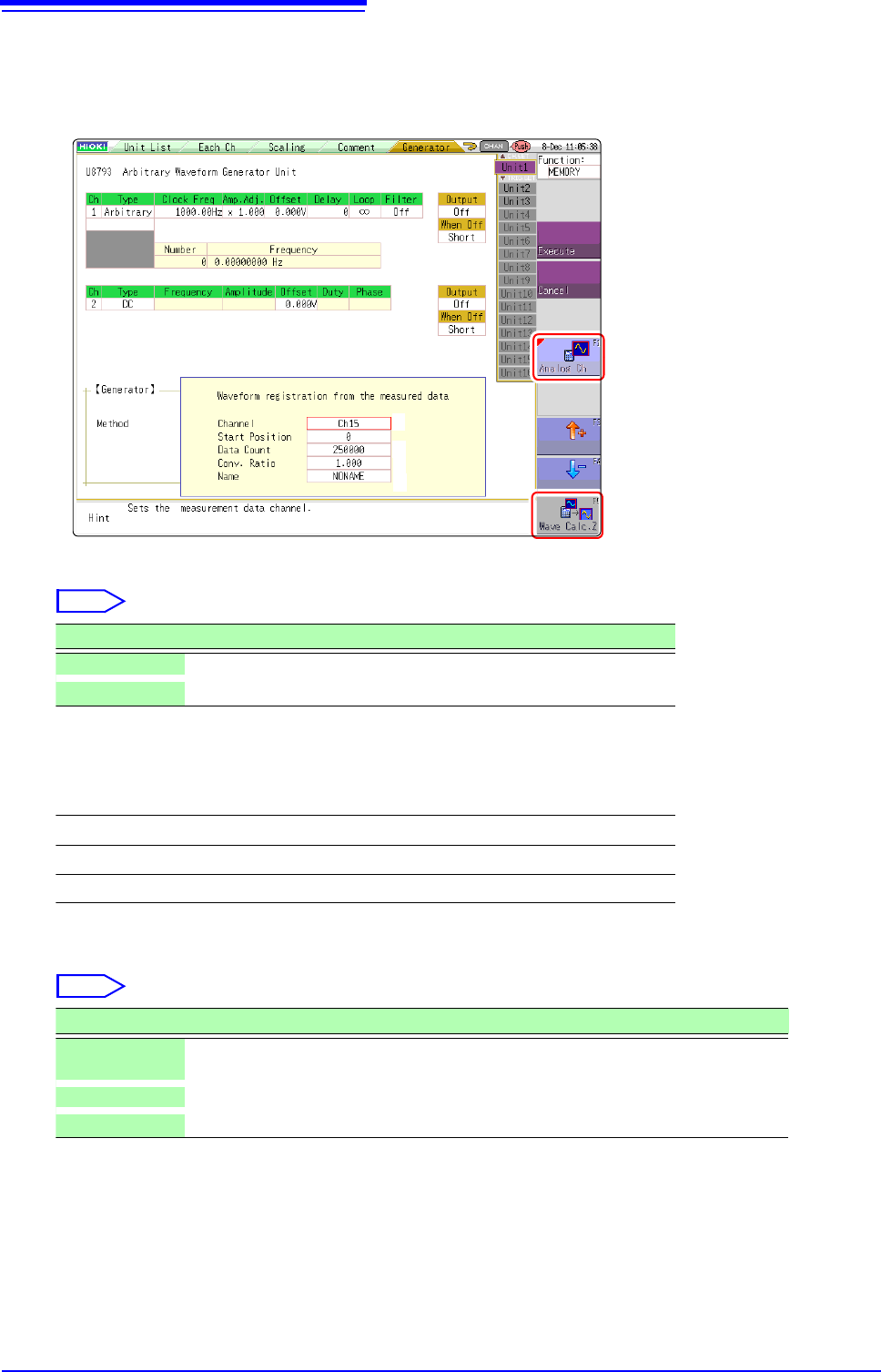
Register From Measured Data
1
Select [Register..from measurement data] using F keys
2
Select the waveform to be registered using F keys.
3
Select the waveform channels to register.
4
Set the data count to be registered.
* Data count more than 250,000 (maximum registerable data count) cannot be registered.
2
2
6
3
4
5
Select
Selections Description
Analog Ch Registers the waveform of the measured analog channel.
Wave Calc. Z Registers the waveforms with waveform calculation result.
Analog waveform
Ch1 to Ch32
Waveform calculations
Z1 to Z16
Select
Selections Description
Whole wave-
forms
Registers the whole wave.*
A-B waveforms Registers the waveforms between AB cursors.*
Tenkey input Randomly sets data lead position and data count in the numeric keypad input.

7.10 Register the Waveform in the U8793 Arbitrary Waveform Generator Unit
187
6
Chapter 7 Utility Functions
7
5
Set the conversion ratio.
6
Enter a data name.
Register as an arbitrary waveform data in the U8793 memory.
Enter a [Name].
When a data name is not entered, the data will be registered as [NONAME].
Amplify or attenuate a voltage value of the measured data to register it.
0.001 times to 100 times
7.11 Saving Waveforms Registered in Model U8793 onto a Storage Device
188
You can save the arbitrary waveform data registered in U8793 in the media.
For saving methods, refer to "4.2.5 Save Waveform Output Data to the Media" (p.98).
Parameters (frequency, amplitude, and offset) for the output waveform that was configured on the Generator
screen (signal generation setting screen) can be changed on the Waveform screen.
The ability to configure and change these settings while outputting and measuring the resulting waveform pro-
vides a convenient way to measure a waveform while varying its parameters.
7.11 Saving Waveforms Registered in Model
U8793 onto a Storage Device
7.12 Setting Output Waveform Parameters on the
Waveform Screen
1
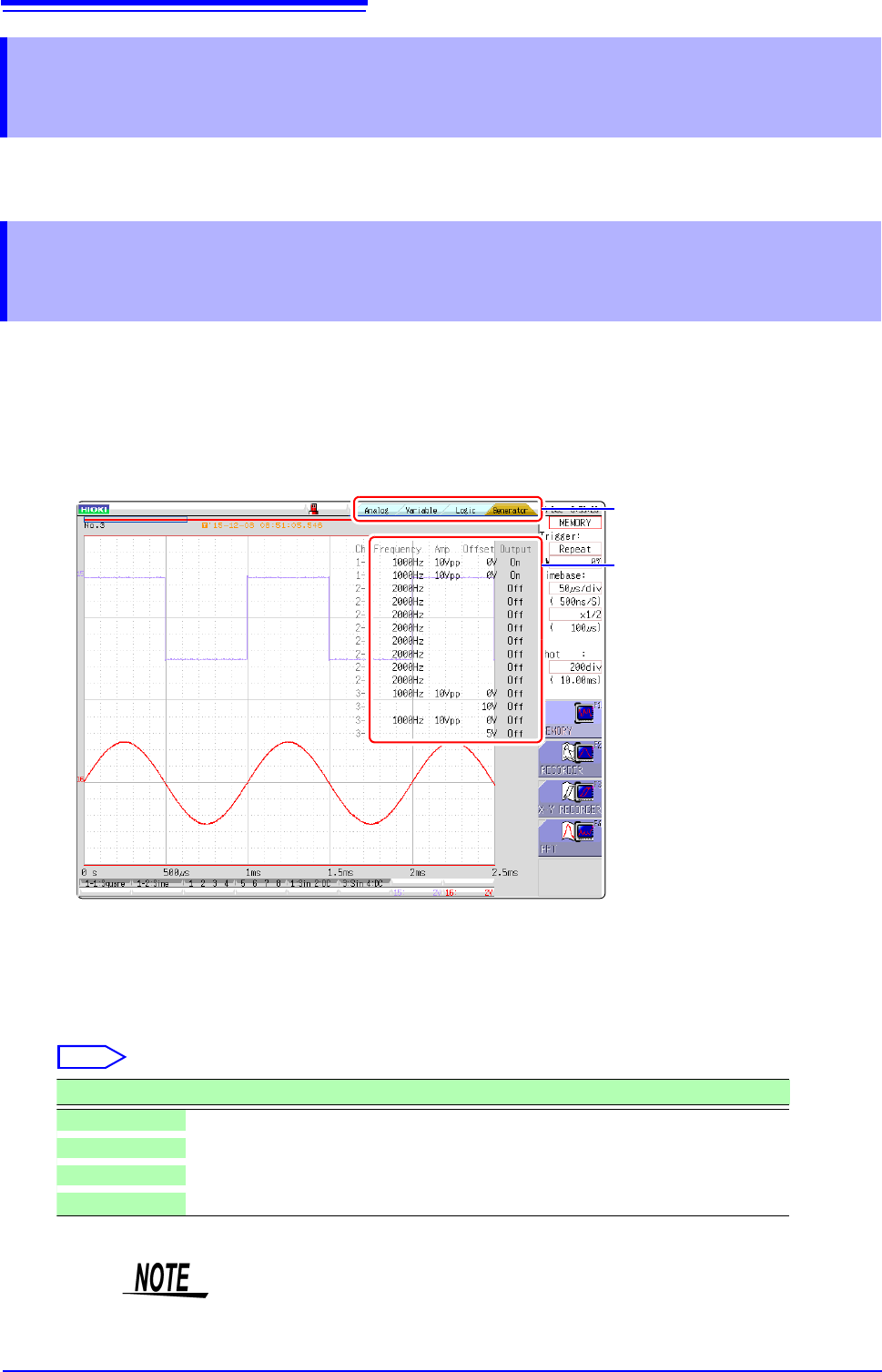
Display the Waveform screen (if viewing another screen, press DISP to display the Waveform
screen).
2
Press CH.SET (to display the tabs).
3
Press CH.SET or select the [Generator] tab with the mouse.
4
Set the following parameters as desired.
3
4
Select
Selections Description
Frequency Sets the frequency.
Amp Sets the amplitude.
Offset Sets the offset.
Output Turns output on or off.
For details, see the instruction manual of Models U8793, MR8790, and MR8791.