MR8740、MR8741_user_manual_eng_20191016H.pdf - 第221页
8.12 Using trigger settings to search me asurement data 209 7 Chapter 8 T rigger Settings 8 Trigger settings can be used to search measurement data. Locations that match the set trigger criteria in the measurement data a…
8.11 Setting Combining Logic (AND/OR) for Multiple Trigger Sources
208
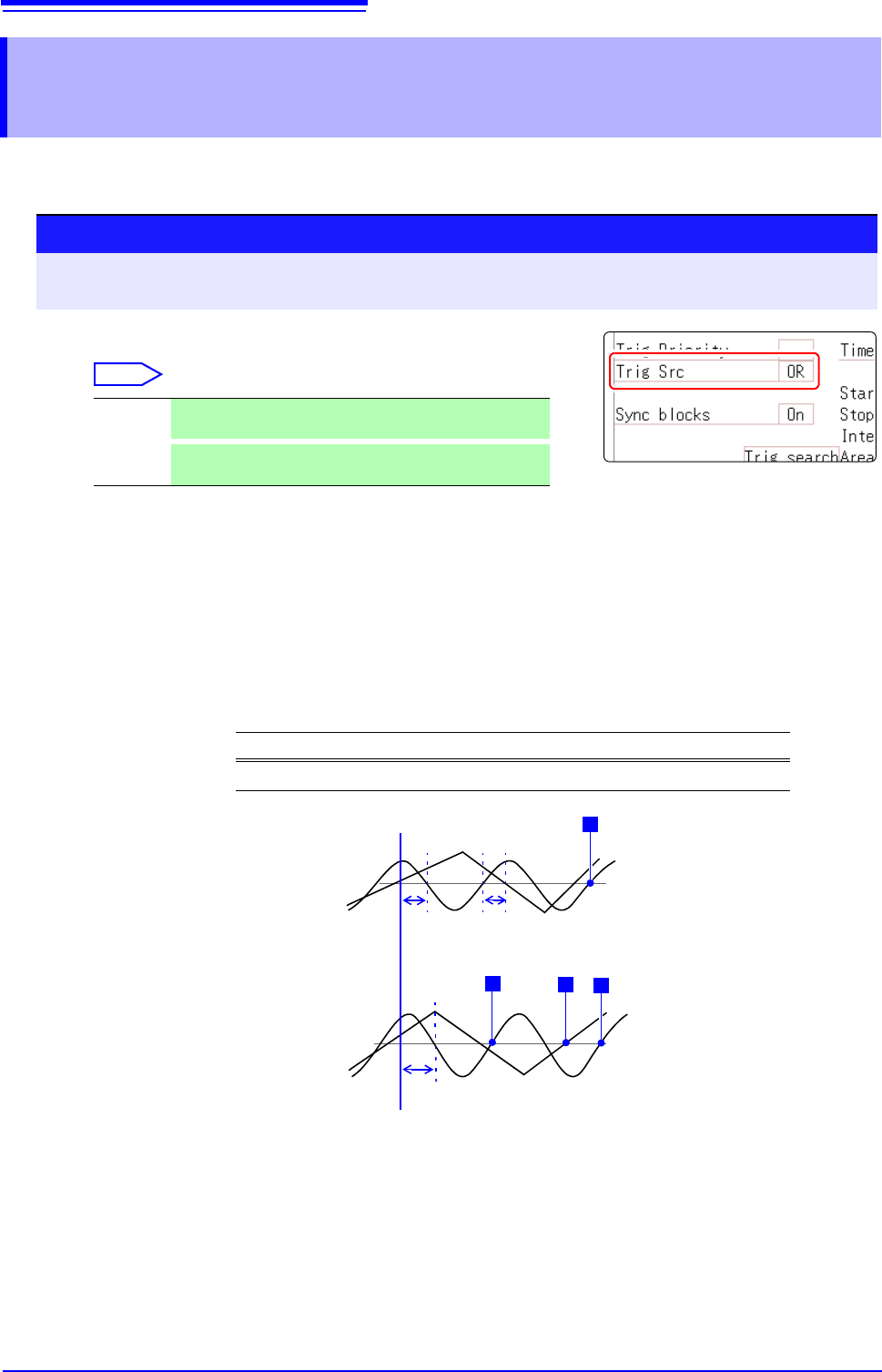
Analog, logic, external and timer trigger criteria can be combined by AND/OR logic to define com-
plex trigger criteria.
Description When the trigger combining logic (Source (AND/OR)) is set to [AND]
If trigger criteria are already met when measurement is started, no triggering
occurs. Triggering occurs only after all trigger sources have ceased to meet the
criteria at once, and are subsequently met again.
Setting Example:
To apply a trigger when the upslope (
) of the waveform crosses zero volts
Triggering occurs as follows in the AND and OR cases.
8.11 Setting Combining Logic (AND/OR) for
Multiple Trigger Sources
Procedure
To open the screen: Right-click and select [DISP] Waveform screen Right-click and select [TRIG.SET]
Trigger settings window
(Memory Function case)
Move the flashing cursor to the [Trig Src] item.
Select
OR
Triggering occurs when any one of the specified trigger
source criteria is met. (default setting)
AND
Triggering occurs only when all of the specified trigger
source criteria are met.
Channel Trigger Trigger Level Slope Filter
Ch1, Ch2 Level 0.00 V Off
[AND]
Ch2
Ch1
One waveform has crossed
above 0V as the other
crosses on the upslope
[OR]
Either waveform crosses 0V
on the upslope
0 V
0 V
T
T
T
T
Ch2
Ch1
Start Measurement
Trigger criteria have been met,
but no trigger occurs.
Trigger criteria have been met,
but no trigger occurs.
8.12 Using trigger settings to search measurement data
209
7
Chapter 8 Trigger Settings
8
Trigger settings can be used to search measurement data.
Locations that match the set trigger criteria in the measurement data are searched for and displayed
sequentially.
Using the same method to set triggers, it is possible to search for criteria different to those at the
time of measurement.
Example 1: The measurement trigger criteria is trigger level 0 V and the data search condition is
level 100 V.
Example 2: After measurement with a free run without a trigger, locations that exceed 100 V are
searched for.
8.12 Using trigger settings to search
measurement data
Procedure
To open the screen: Right-click and select [DISP] Waveform screen Right-click and select [TRIG.SET]
Trigger settings window ([Analog Trig], or [Logic Trig] sheet)
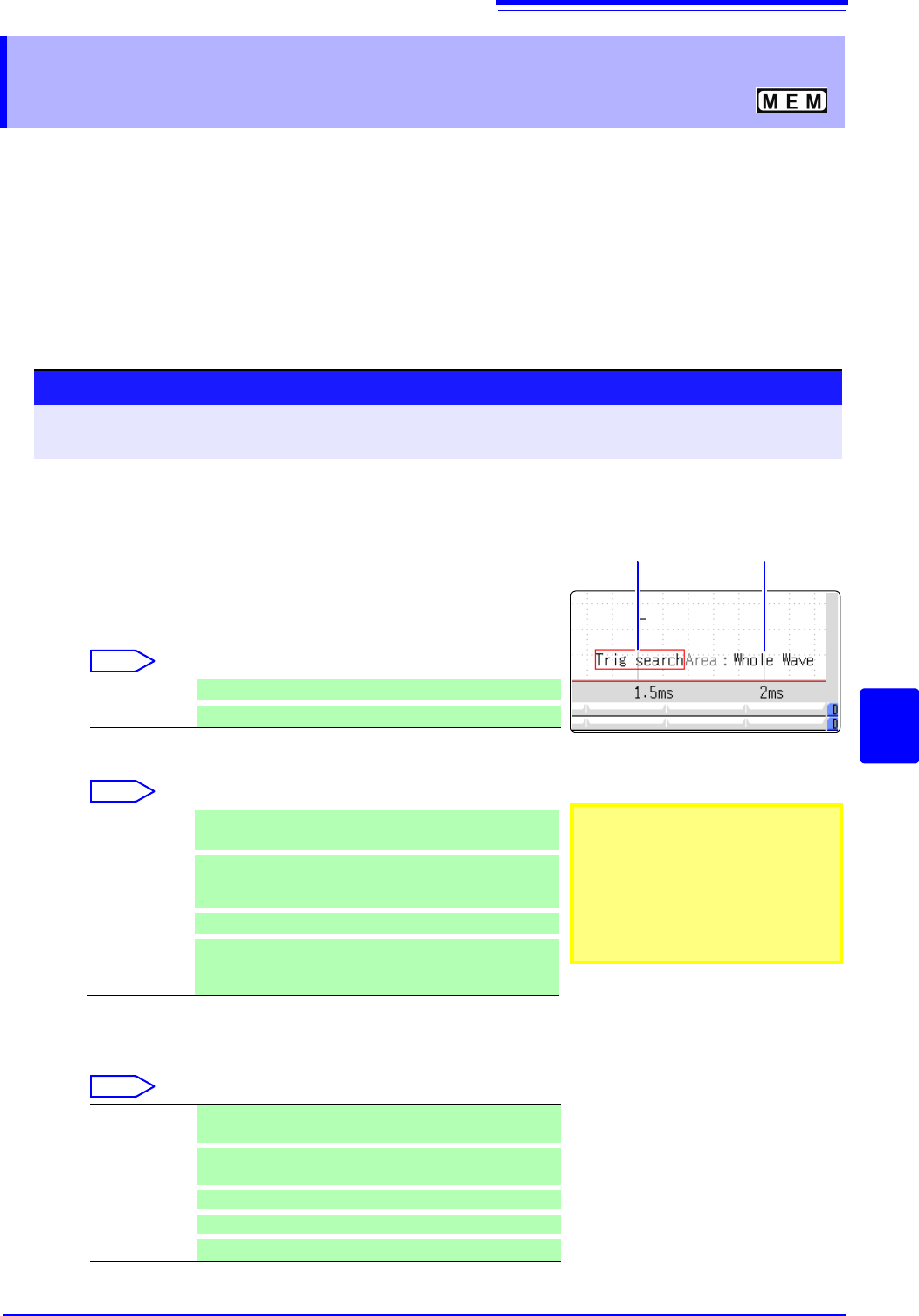
1
After measurement is finished, set the search criteria.
The setting method is the same as described in "8.3 Trigger-
ing by Analog Signals" (p.192) and "8.4 Triggering by Logic
Signals (Logic Trigger)" (p.197).
2
Specify the search range.
Move the flashing cursor to the [Area] item.
Select
(When using memory division)
Select
3
Execute search.
Move the flashing cursor to the [Trig search] item.
Select
Whole Wave Search all measured data. (default setting)
A-B Wave
Search in the range between A/B cursor.
Whole Display
Blocks
Applies search to the whole display blocks.
A/B Display
Blocks
When setting the A/B cursors on the display blocks, ap-
plies search to the range between the A and B cursors on
the display blocks.
Whole Blocks
Applies search to the data in the whole blocks.
A/B Whole
Blocks
When setting the A/B cursors for the whole blocks, applies
search to the range between the A and B cursors for the
whole blocks.
Execute
search
Start the search from the beginning of the measurement
data.
Search next
Searches for the next search condition at the most recent
search position.
Move A cursor
Move A cursor to the searched position.
Move B cursor
Move B cursor to the searched position.
Clear
Clear the searched position.
3
2
• When selecting A/B range and only
A cursor is shown on the screen,
search will be performed on the
data after A cursor.
• The search range for [Whole
Blocks] and [A/B Whole Blocks]
will be defined according to the
start block and the number of
blocks to be measured.
8.12 Using trigger settings to search measurement data
210
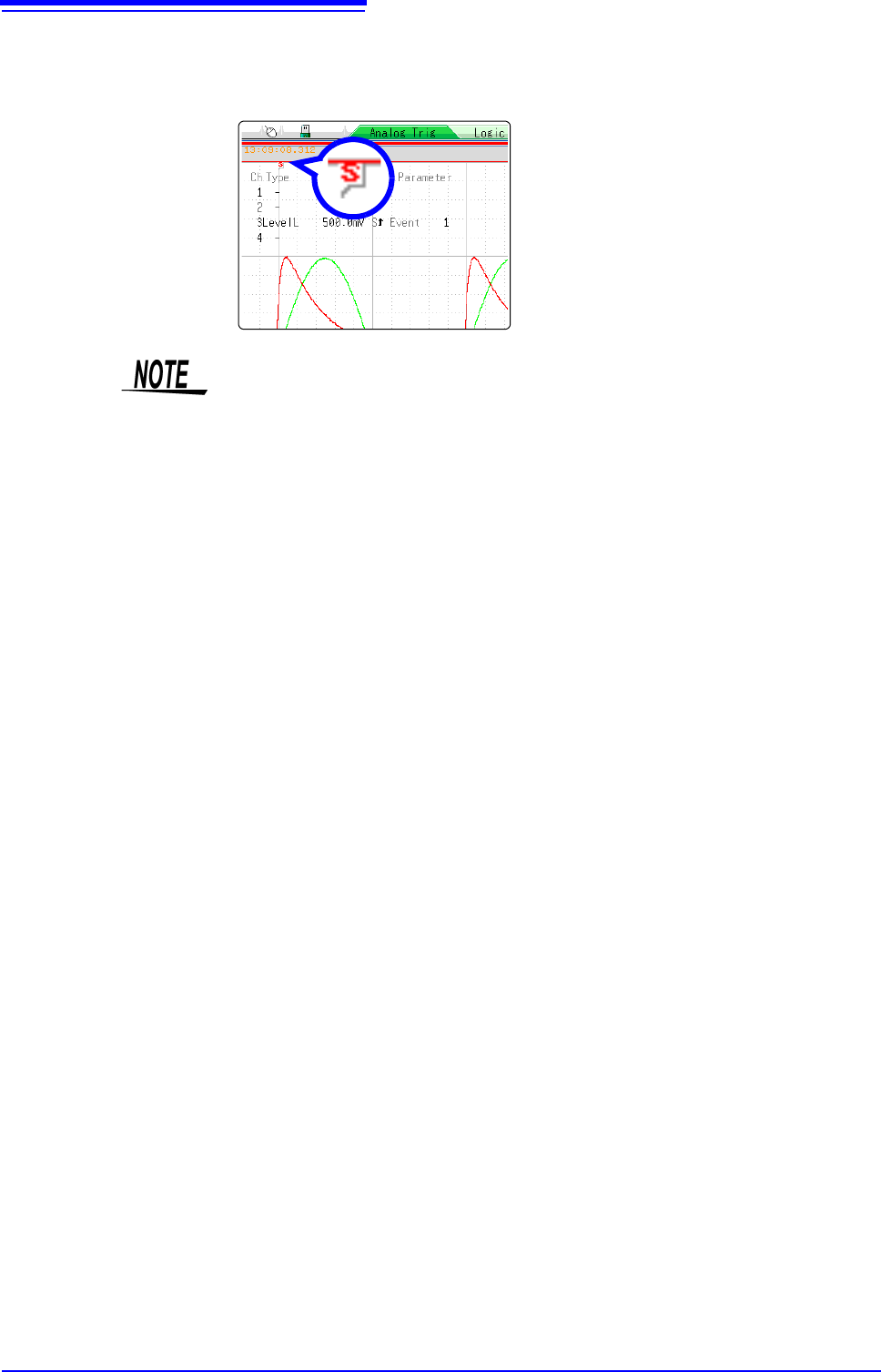
Description Search results
Locations that match the criteria are displayed in the center of the screen and an
S mark is displayed in this position.
When no matches are found, a message
stating that no matches were found is dis-
played.
• Pre-triggers, trigger priorities, external triggers and timer triggers cannot be
used as search conditions.
• The trigger position and search results may not match.
• Data measured with MR8990 Digital Voltmeter Unit cannot be searched.