MR8740、MR8741_user_manual_eng_20191016H.pdf - 第126页
5.4 Set the print contents 114 Print content s sett ing To open the scr een: Press the SYSTEM key [Printer] sheet 3 Select the horizont al axis (time axis) display value. Move the cursor to the [Time V alue] item. Sel…
5.4 Set the print contents
113
6
Chapter 5 Printing
5
Set the print contents on the [Printer] sheet of the System screen.
5.4 Set the print contents
Print contents setting
To open the screen: Press the SYSTEM key [Printer] sheet
1
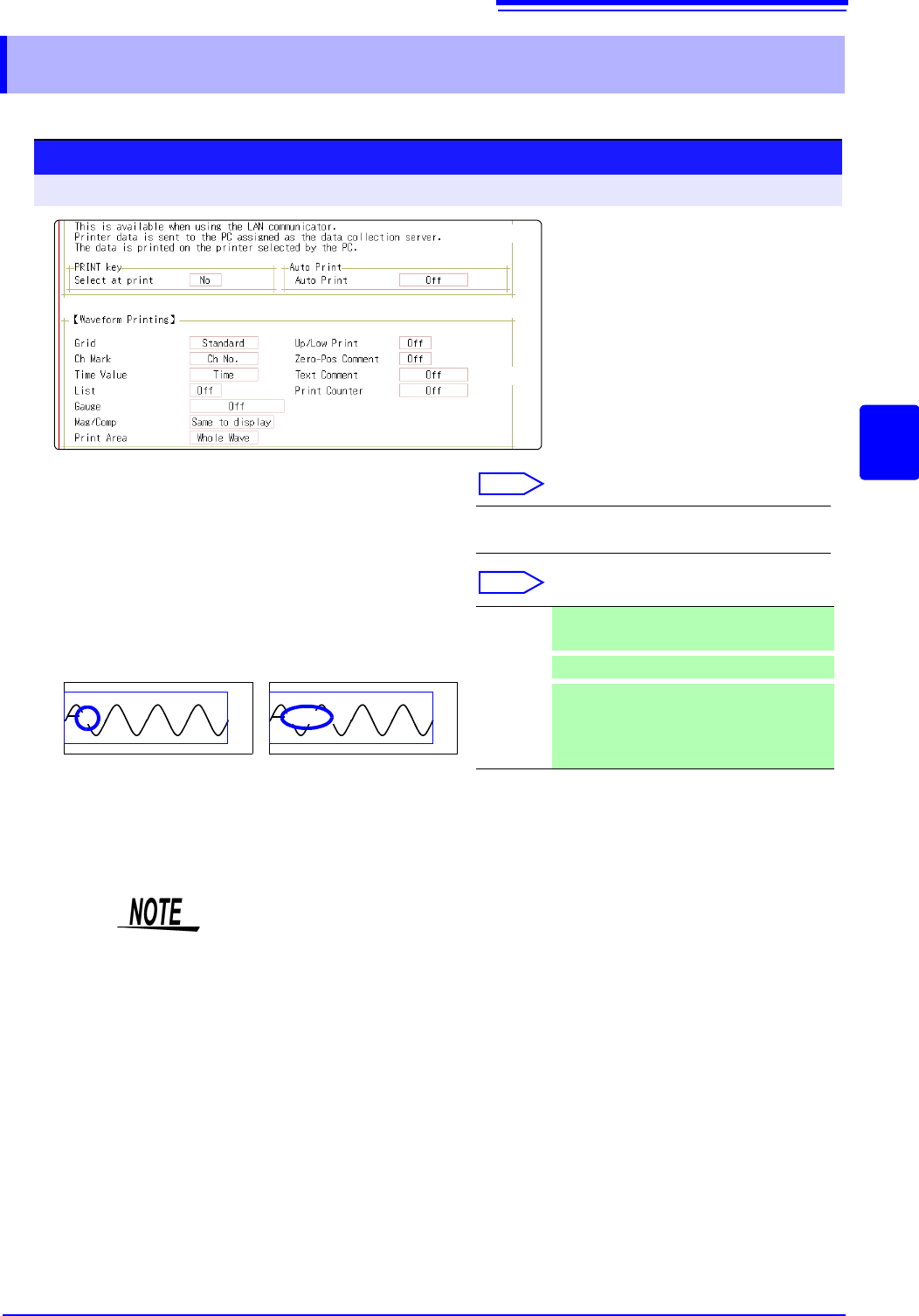
Select the grid type.
Move the cursor to the [Grid] item.
Select
2
Select the channel marker type.
Move the cursor to the [Ch Mark] item.
Select
Off, Standard (default setting), Fine, Std Dark,
Fine Dark
Channel number. Comment
<Print Example>
1
Voltage
Off Do not print the channel number or com-
ments.
Ch No.
Print the channel number . (default setting)
Comment
Print the comments entered in the Channel
Settings screen over the waveform.
A comment setting must have been made.
See: "7.1 Adding Comments" ( p.138)
1
2
( p.117)
( p.116)
Grid Type
Grids displayed on the screen are not reflected in the printout.
5.4 Set the print contents
114
Print contents setting
To open the screen: Press the SYSTEM key [Printer] sheet
3
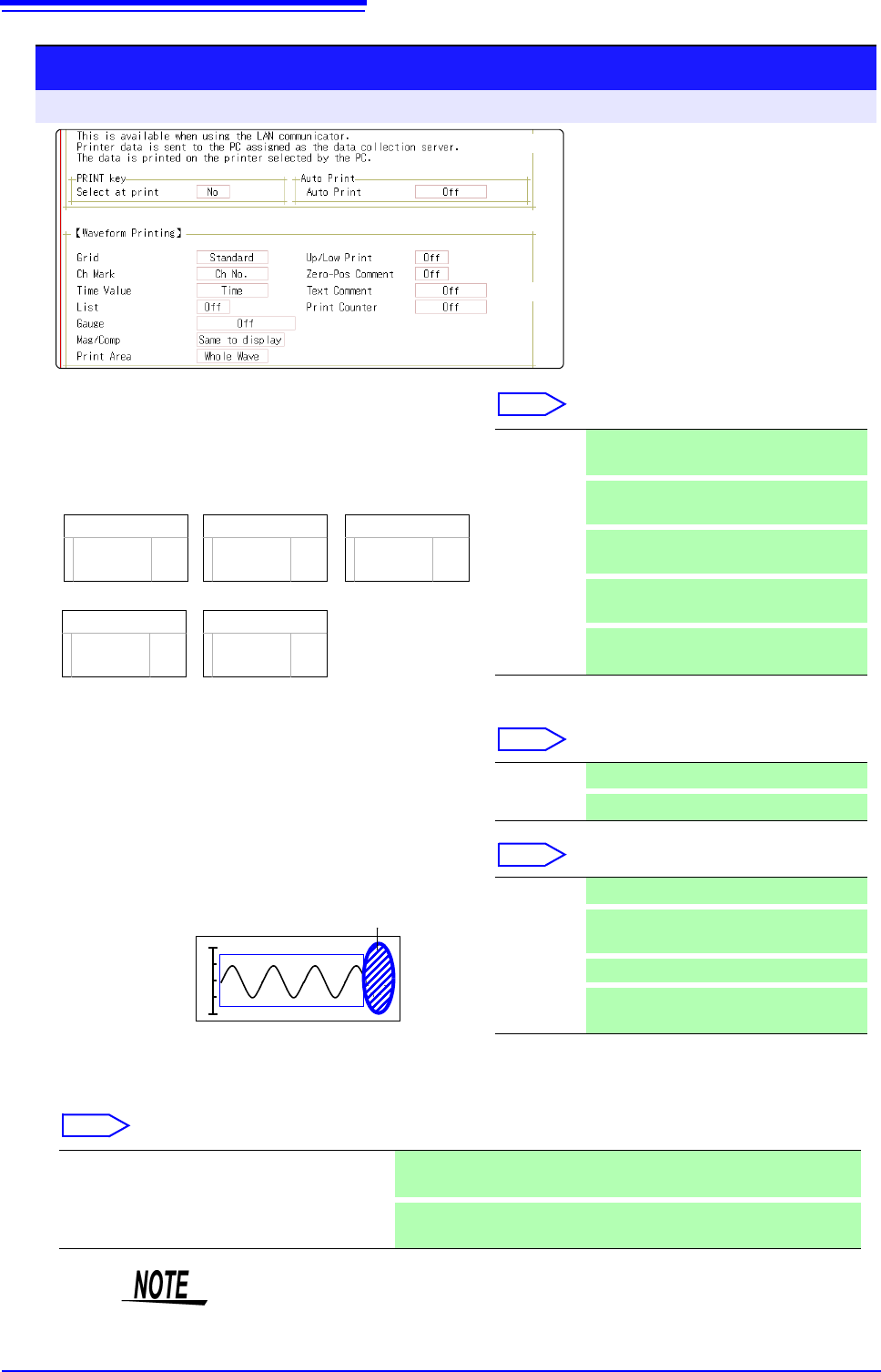
Select the horizontal axis (time axis) display
value.
Move the cursor to the [Time Value] item.
Select
* Printing for external sampling is done according to the
[Sample] setting.
4
Print a list of settings
Move the cursor to the [List] item.
Select
5
Select the type of gauge.
Move the cursor to the [Gauge] item.
Select
6
Set the horizontal axis (time axis) magnification and compression.
Move the cursor to the [Mag/Comp] item.
Select
Time
Time (60)
div
Date
-2.000000 s
1m40 s
5
’04-10-30 10:20:30
Sample Num
500
<Print Example>
Time* Print the time from trigger event (unit is
fixed). (default setting)
Time (60)*
Print the time from trigger event (unit is
modulo 60).
div
Print the number of divisions from trigger
event.
Date*
Print the date and time when waveform
was acquired.
Sample
Num
Print the number of samples from trigger
event.
Off Do not print a list. (default setting)
On Print list after waveform.
<Print Example>
Gauge
List
Off Do not print a gauge. (default setting)
Before
Wave
Print gauge before waveform.
After Wave
Print gauge after waveform.
Before&Aft
Wave
Print gauge before and after waveform.
x10 to x1/200000 (Memory Function case)
x1 to x1/50000 (Recorder Function case)
Print using the magnification or compression ratio set here.
Same to display
Print using the magnification or compression ratio set for the waveform
screen. (default setting)
3
4
5
9
7
9
8
( p.117)
( p.116)
Horizontal axis (Time axis) zoom
When time axis zoom has been set, printing will be carried out using this zoom
setting, regardless of the zoom setting on the Waveform screen.
5.4 Set the print contents
115
6
Chapter 5 Printing
5
7
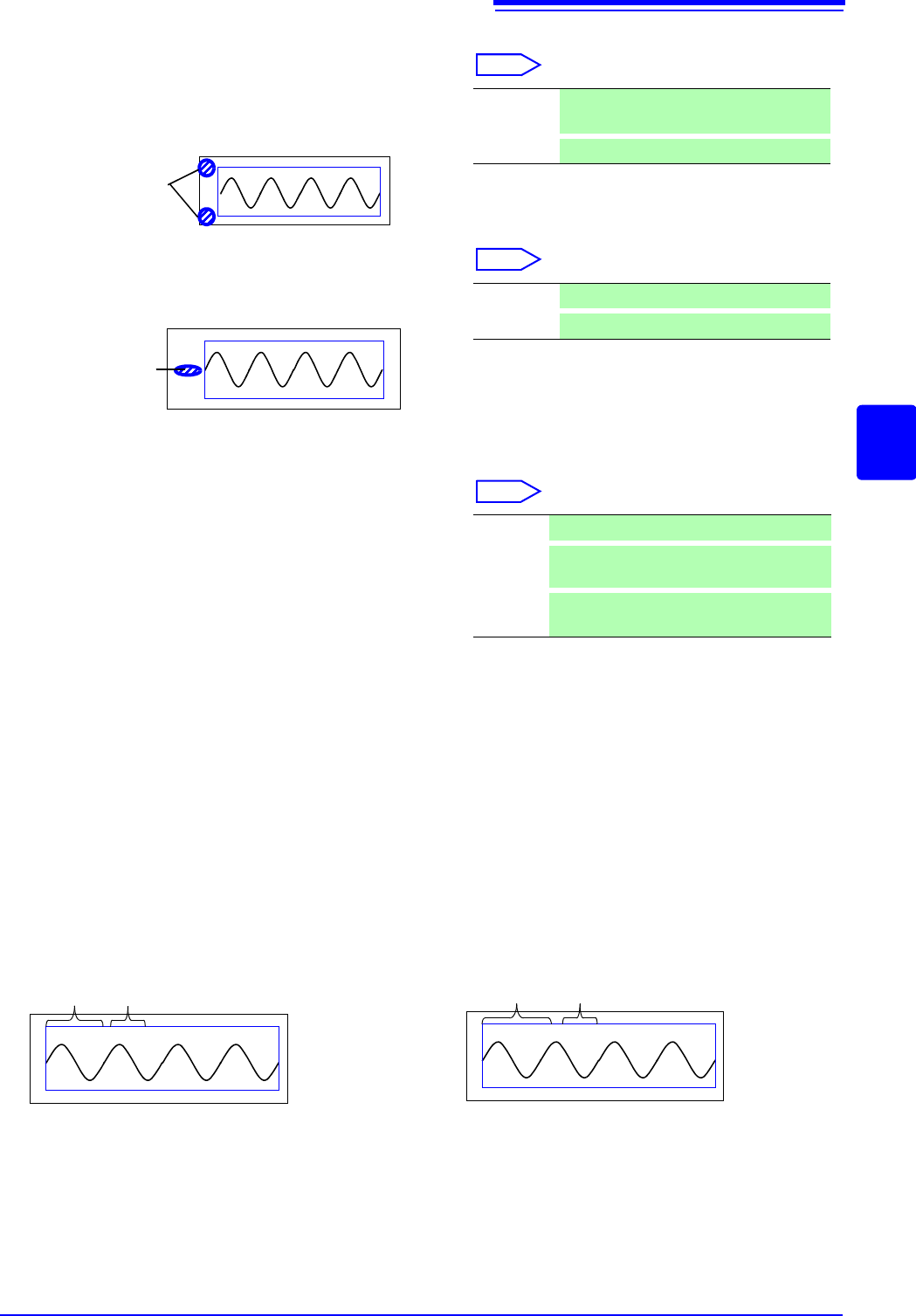
Set the upper and lower limit value
Move the cursor to the [Up/Low Print] item.
Select
8
Set the zero-position comment
Move the cursor to the [Zero-Pos Comment] item.
Select
The zero position comment is not printed in the following
case:
• When the waveform screen format has been set to X-Y,
or FFT display
• When no comment has been set for a channel
See: "7.1 Adding Comments" ( p.138)
9
Select the counter print.
Move the cursor to the [Print Counter] item.
Select
(When [Date] or [Name] is selected)
If you want to begin from an arbitrary count
Move the cursor to the [Counter Num], and set an arbitrary count.
See: "7.1.3 Alphanumeric Input" ( p.141)
The count is automatically cleared to zero when the instrument is powered on.
The count is increased by 1 each time a waveform is acquired. (Maximum count 9999)
(When [Name] is selected)
Enter a counter name.
Move the cursor to the
[Counter Name], and enter a counter name (up to 10 characters).
See: "7.1.3 Alphanumeric Input" ( p.141)
<Print Example>
Upper and
Lower Limit
Off Do not print upper and lower limits. (default
setting)
On
Print upper and lower limits.
<Print Example>
Comment
Off Print the channel number. (default setting)
On
Print zero position comment.
Off Do not print a counter. (default setting)
Date
Print the date of printing and a waveform ac-
quisition count. (Example: 04-8-1-0001)
Name
Print a counter name and a waveform acqui-
sition count. (Example: DeviceA-0001)
<Print Example of Data and Counter>
08-5-1-0001
Date Counter
<Print Example of Counter name and Counter>
DeviceA-0001
Counter name Counter