MR8740、MR8741_user_manual_eng_20191016H.pdf - 第68页
2.4 Supplying Power 56 This section explains the correct pro cedure for powering the unit up or down. 2.4.2 T urning the Power On and Off Turn the POWER swit ch on ( | ). The startup screen appears fir st, and then the W…
2.4 Supplying Power
55
2
Chapter 2 Measurement Preparations
Read "Before Turning the Power Supply On" ( p.12) carefully.
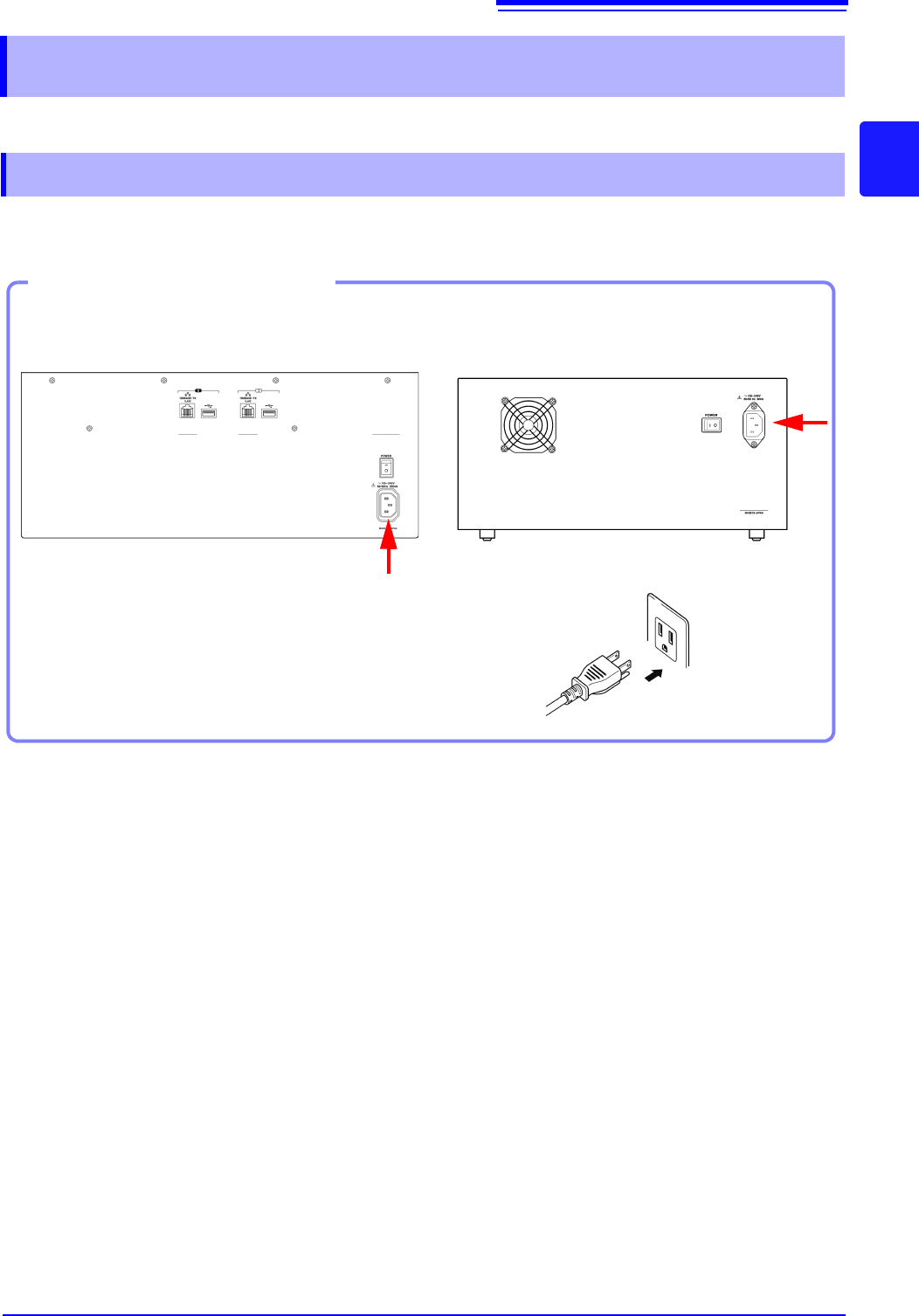
Connect the power cord to MR8740/MR8741 and plug it into an AC outlet.
2.4 Supplying Power
2.4.1 Connecting the Power Cord
1. Connect the power cord to the power
inlet on the instrument.
2. Plug the power cord into the mains outlet.
Connection Procedure
Back Side
2
MR8740
MR8741
2.4 Supplying Power
56
This section explains the correct procedure for powering the unit up or down.
2.4.2 Turning the Power On and Off
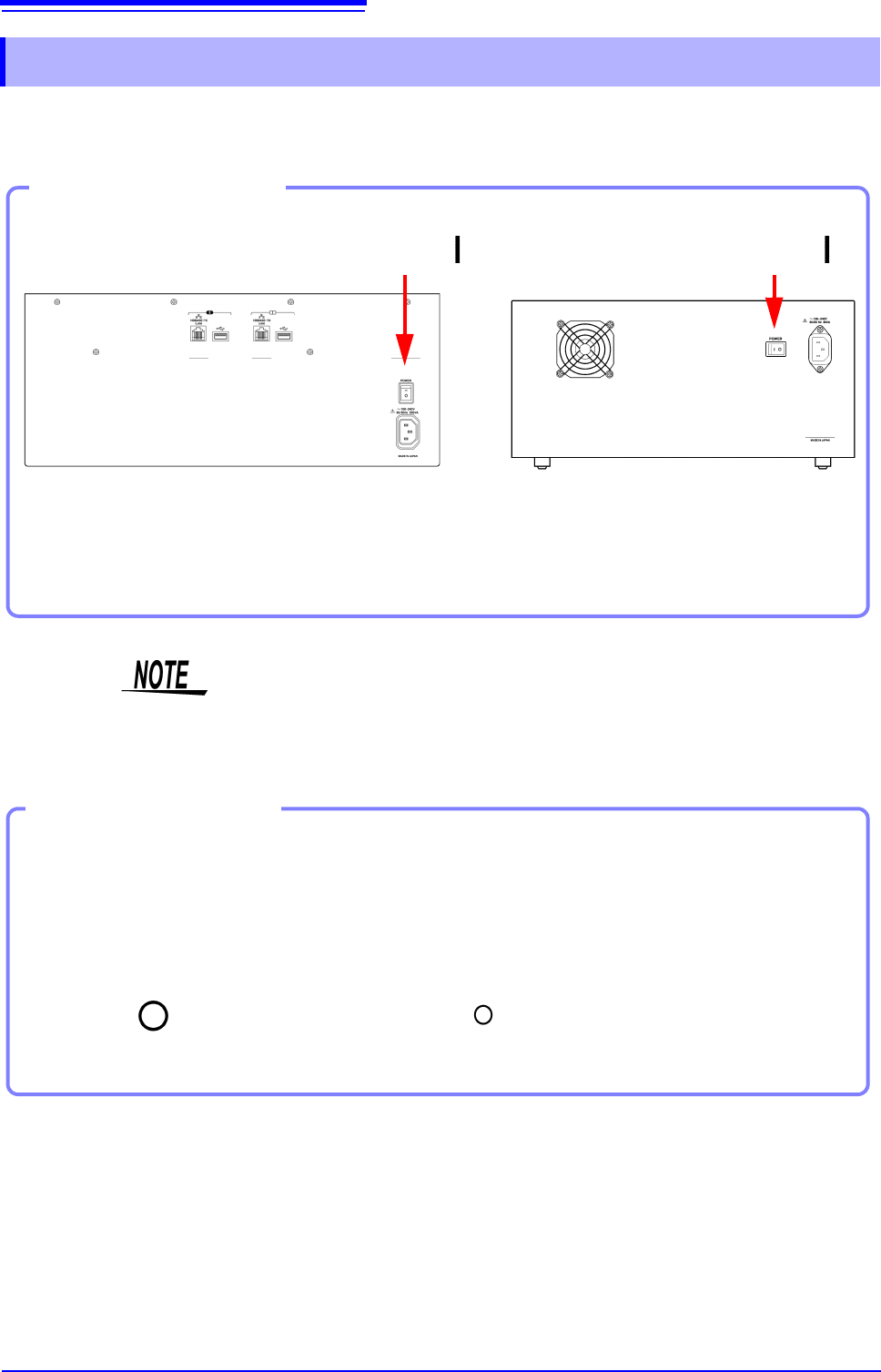
Turn the POWER switch on ( | ).
The startup screen appears first, and then the Waveform
screen is shown.
Power On
Turning Power On
Back Side
MR8740 MR8741
Power On
Before Starting Measurement
To obtain precise measurements, provide about 30 minutes warm-up after turn-
ing power on to allow the internal temperature of the modules to stabilize.
After that, perform zero adjustment before taking measurements.
Turn the POWER switch off ( ).
When power is turned on again, the display appears with the settings that
existed when power was last turned off.
Turning Power Off
Power Off
Recording Data
When the POWER switch is turned off, internal recorded data is erased. If
you don't want to lose recorded data, save it first to a USB memory stick.
See: "Chapter 4 Saving/Loading Data & Managing Files" (p.83)
Before Turning
Power Off
2.5 Setting the Clocks
57
2
Chapter 2 Measurement Preparations
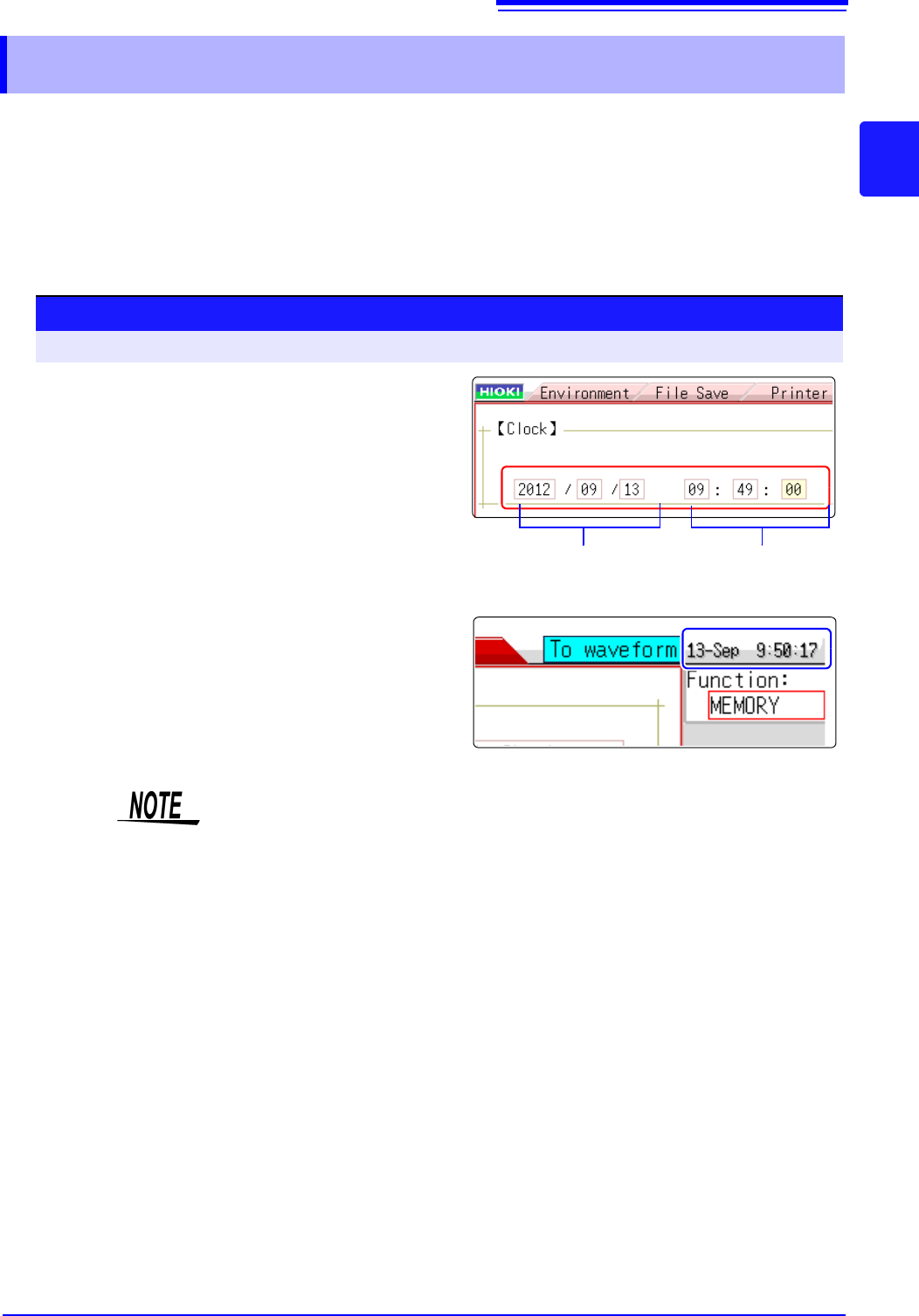
Set date and time for the built-in clock as follows.
The clock has an automatic calendar with leap year correction and 24-hour format.
The functions listed below make use of the clock. Ensure that the clock is set correctly before using
these functions.
• Measurement with timer-based trigger
• Saving measurement data
2.5 Setting the Clocks
Date setting
(Year, Month, Day)
Time setting
(Hour, Minutes,
Seconds)
Procedure
To open the screen: Right-click and select [SYSTEM] [Init] sheet
1
Move the flashing cursor to the [Clock] item.
2
Select the digit to change and set the numeric
value.
3
When you select [Apply] while the flashing
cursor is on the [Clock] item, the clock is set
to the current date and time values.
The date and time indication is shown at the top right of the
screen.
The instrument contains a built-in backup lithium battery, which offers a service
life of about ten years. If the date and time deviate substantially when the instru-
ment is switched on, it is the time to replace that battery. Contact your dealer or
Hioki representative.