MR8740、MR8741_user_manual_eng_20191016H.pdf - 第393页
18.5 Updating the Instrument 381 Chapter 18 Maintenance and Service 14 18 If the version up date file is not displayed on the File screen The possible causes a re as follows. (Example: When the version up date file is sa…
18.5 Updating the Instrument
380
Each of block I and block II need to be updated for MR8740. The version update file is the same for
both block I and block II.
18.5 Updating the Instrument
1
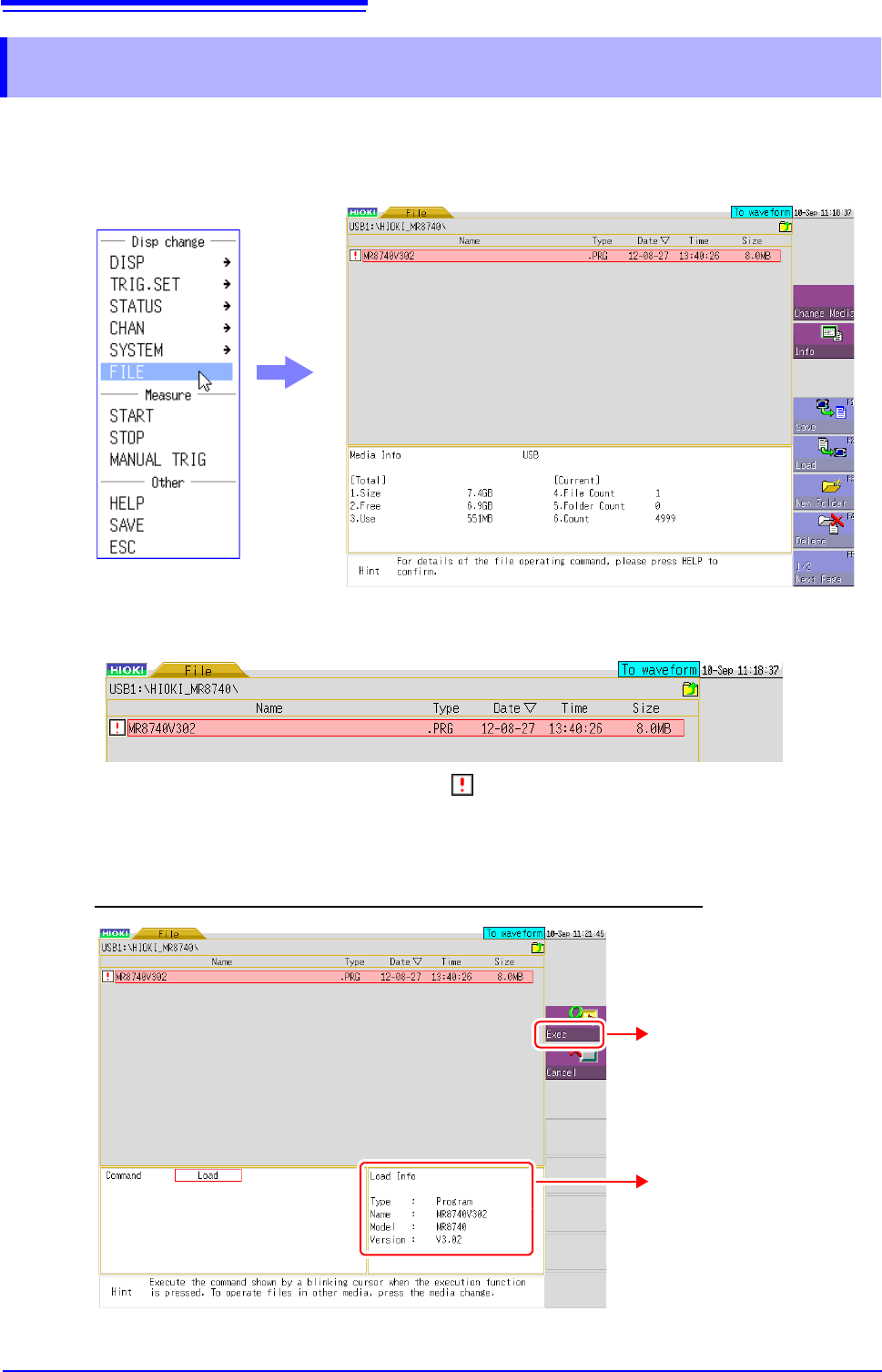
Right-click to display the list menu, and then click [FILE] to open the File screen.
2
Double-click the MR8740/MR8741 version update file in the list.
3
When the file information appears, check the information and then click [Exec] to start the
version update.
Once you start the update, do not turn the power off until it is finished.
* A version update file is indicated with the icon.
* If you cannot find a version update file, refer to the next page.
Click [Exec] to start the
version update.
File information
18.5 Updating the Instrument
381
Chapter 18 Maintenance and Service
14
18
If the version update file is not displayed on the File screen
The possible causes are as follows.
(Example: When the version update file is saved in the "HIOKI_MR8740" folder of the USB mem-
ory stick)
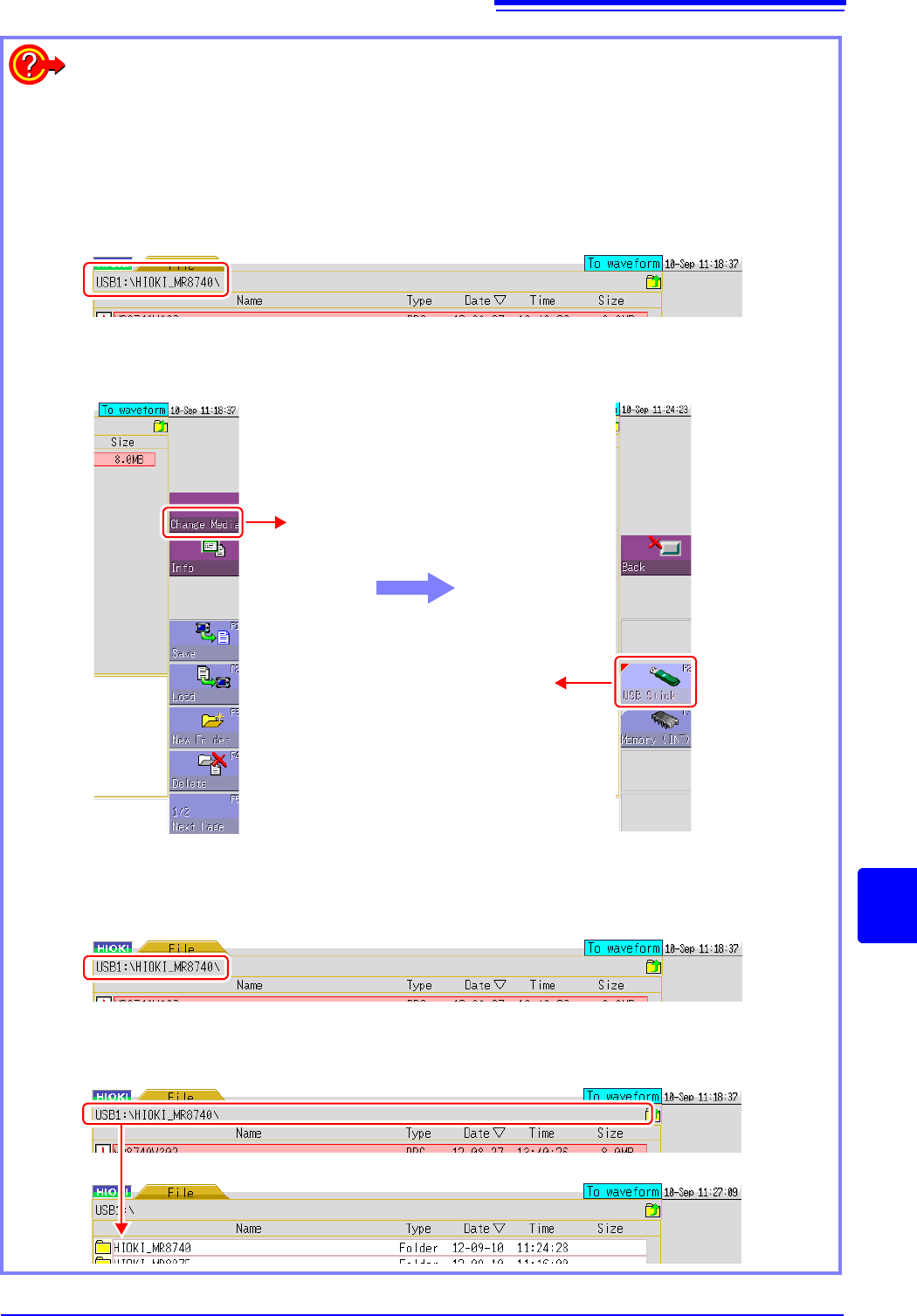
Wrong media is selected
Check the address displayed at the top of the screen.There is no problem if the address begins
with "USB1".
• If the address does not begin with "USB1":
Click [Change Media] on the right of the File screen and then click [USB Stick] in the displayed
list.
Wrong folder is selected
Check the address displayed at the top of the screen. There is no problem if the address is
"USB1:\HIOKI_MR8740\".
• If the address does not begin with "USB1:\HIOKI_MR8740\":
Left-click the part enclosed by a red line in the figure below until "USB1:\" is displayed for the
address. When it is displayed, double-click the HIOKI_MR8740 folder in the list.
Click [Change Media].
Click [USB Stick] to switch to the
USB memory stick.
Click the part enclosed by a red line until "USB1:\" is displayed, and then double-click the

18.6 Cleaning
382
To clean the instrument and modules wipe it gently with a soft cloth moistened
with water or mild detergent.
18.6 Cleaning
Cleaning the Instrument and Modules
Never use solvents such as benzene, alcohol, acetone, ether, ketones, thinners
or gasoline, as they can deform and discolor the case.