MR8740、MR8741_user_manual_eng_20191016H.pdf - 第45页
1.5 Basic Operations 33 1 Chapter 1 Overview You can control the starting and stopping of measu r ement from the menu that is displayed by right- clicking. 1.5.6 Measurement Operations St arting measurement Click [ST ART…
1.5 Basic Operations
32
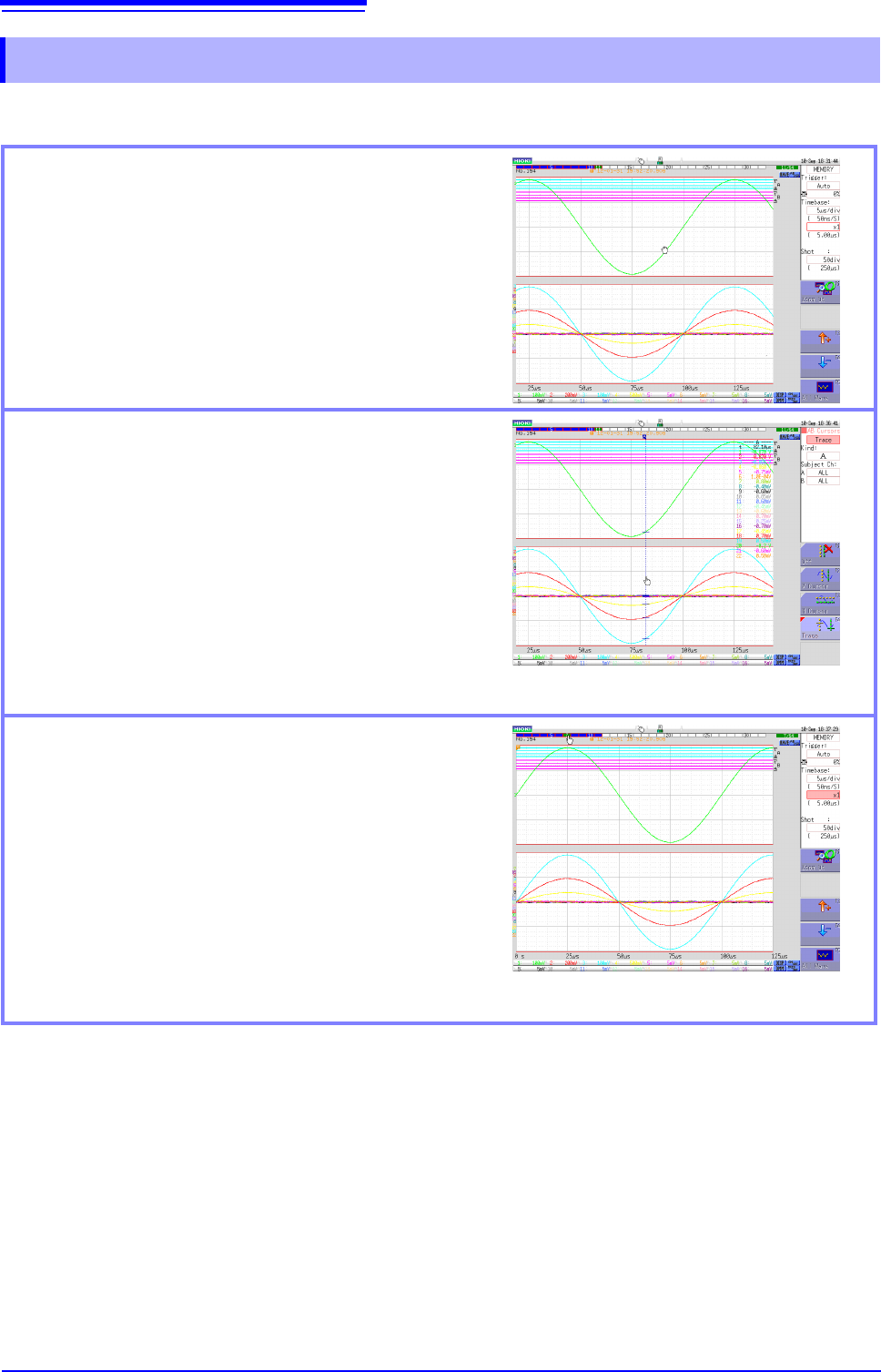
You can scroll a waveform and change the cursor position on the Waveform screen.
1.5.5 Waveform Operations
Scrolling measured waveforms left or right
When the mouse cursor is in the Waveform screen, you
can scroll the waveform by moving the mouse left or
right while holding down the left mouse button (drag-
ging).
You can rotate the wheel button forward or backward to
make fine scrolling adjustments.
(If the waveform is not scrollable, click the [WAVE] icon
on the top right of the Waveform display screen.)
Moving the A/B cursors
When the mouse cursor is in the Waveform screen, you
can move the cursors by moving the mouse left or right
while holding down the left mouse button (dragging).
You can rotate the wheel button forward or backward to
move the A/B cursors one sample at a time.
(Click the [AB CSR] icon on the top right of the Wave-
form display screen beforehand.)
When the A/B cursors are in the Waveform screen, you
can move the A or B cursor if you left-click the A or B
mark.
Changing the displayed block
When the memory is divided, you can change the mea-
surement block if you double-click the block number on
the top of the screen. When the mouse cursor is in the
block number, you can also change the measurement
block number by rotating the mouse wheel button for-
ward or backward.
(If the displayed block is not displayed on the Waveform
screen, click the [WAVE] icon on the top right of the
Waveform display screen, and click [posblock] from
the GUI menu on the right side of the screen.)
1.5 Basic Operations
33
1
Chapter 1 Overview
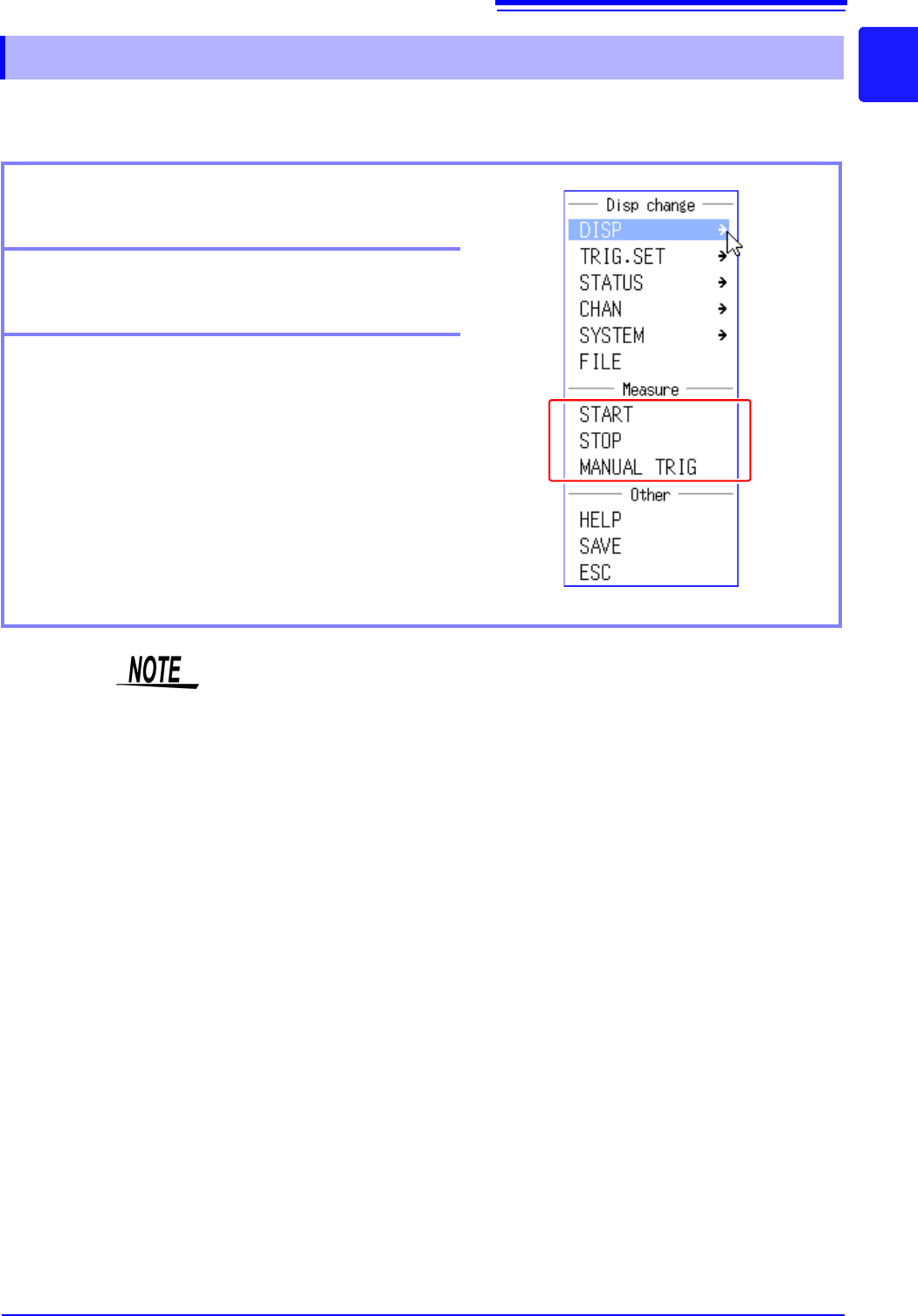
You can control the starting and stopping of measurement from the menu that is displayed by right-
clicking.
1.5.6 Measurement Operations
Starting measurement
Click [START] to start measurement.
Stopping measurement
Click [STOP] to stop measurement.
Triggering manually
When the instrument is in a measuring state, you can
click [MANUAL TRIG] to apply a trigger manually.
You can also start and stop measurement as described below.
[START] Press the right mouse button, drag right, and then release the button.
[STOP] Press the right mouse button, drag left, and then release the button.
1.5 Basic Operations
34
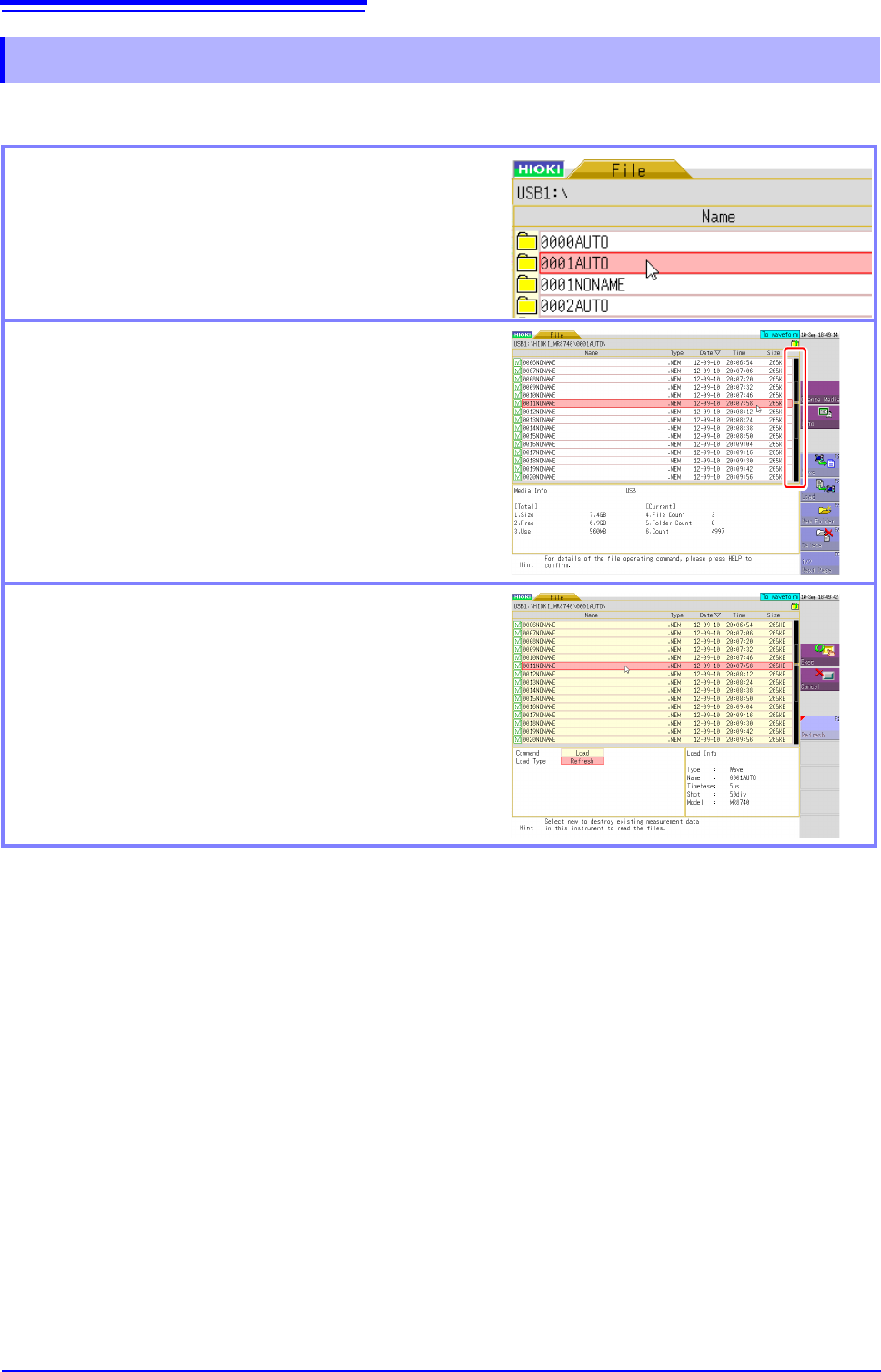
You can change the displayed folder, load files, and perform other file operations on the File screen.
1.5.7 File Operations
Moving to a folder
To move to a folder, double-click the folder to which you
want to move. To move to the folder one layer up, click
the folder path part.
Scrolling a file list
Click the bar on the right side of the screen to scroll a
list. You can also scroll the list one item at a time by
rotating the wheel button forward or backward.
Selecting the file to load
If you double-click the list, you can select the file to load.