MR8740、MR8741_user_manual_eng_20191016H.pdf - 第262页
12.3 Setting FFT Analysis Conditio ns 250 F Select the data to be used for FFT analysis. There are two analysis methods: anal ysis using new measurements and an alysis of data measured using the memory function. 12.3.2 S…
12.3 Setting FFT Analysis Conditions
249
11
Chapter 12 FFT Function
12
Basic measurement configuration settings are performed on the Status screen-[Status] sheet. Measure-
ment configuration can be performed from the Waveform screen
(p.265).
The FFT function can be selected at screens other than the file screen.
12.3 Setting FFT Analysis Conditions
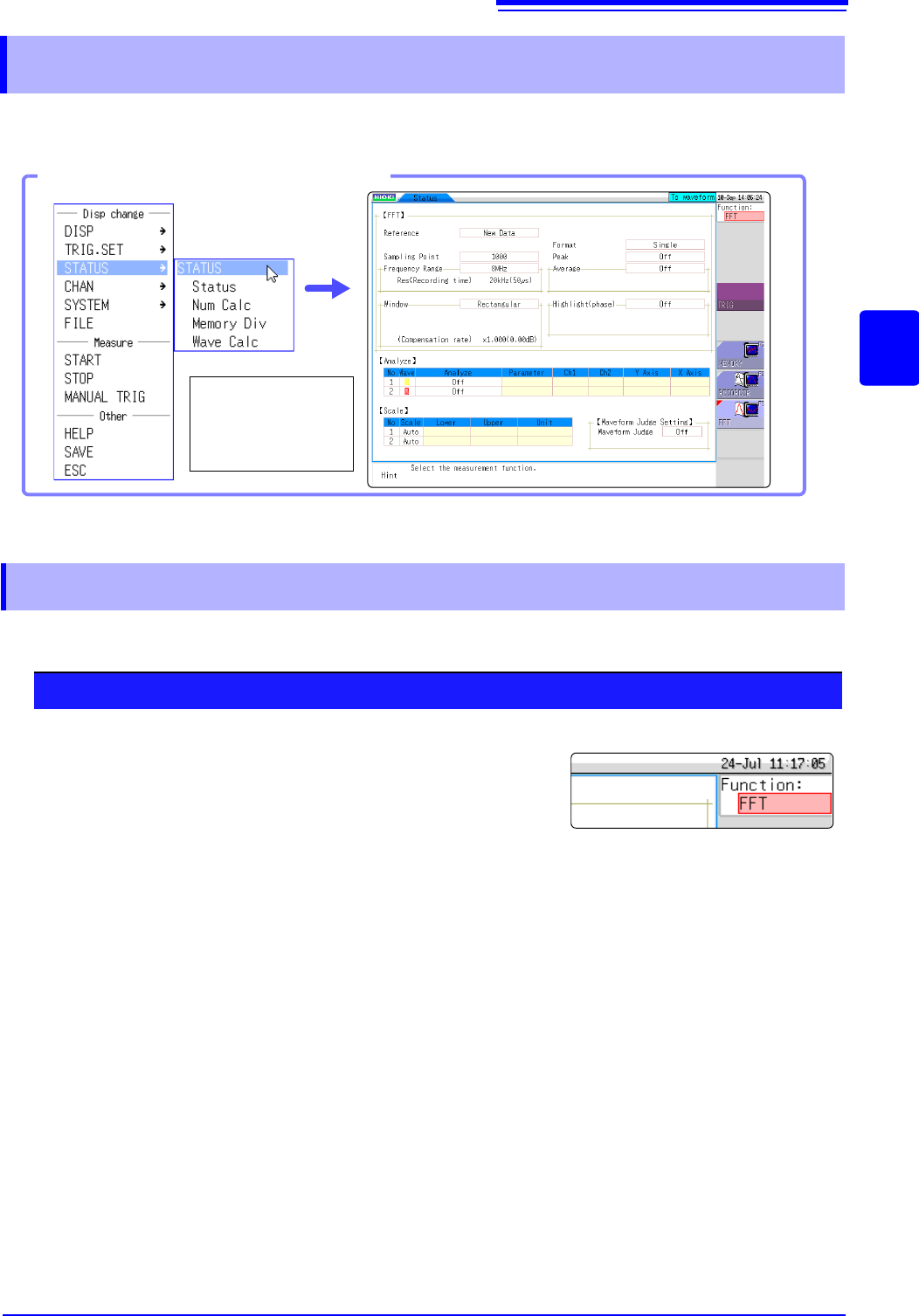
Opening the [Status] sheet
Select [STATUS]
and then [Status]
from the right-click
menu.
12.3.1 Selecting the FFT Function
Procedure
1
Move the flashing cursor to the function item (the upper most
column of the Settings window).
2
Select [FFT].
12.3 Setting FFT Analysis Conditions
250
F
Select the data to be used for FFT analysis.
There are two analysis methods: analysis using new measurements and analysis of data measured
using the memory function.
12.3.2 Selecting the Data Source for Analysis
1
Select the input data source.
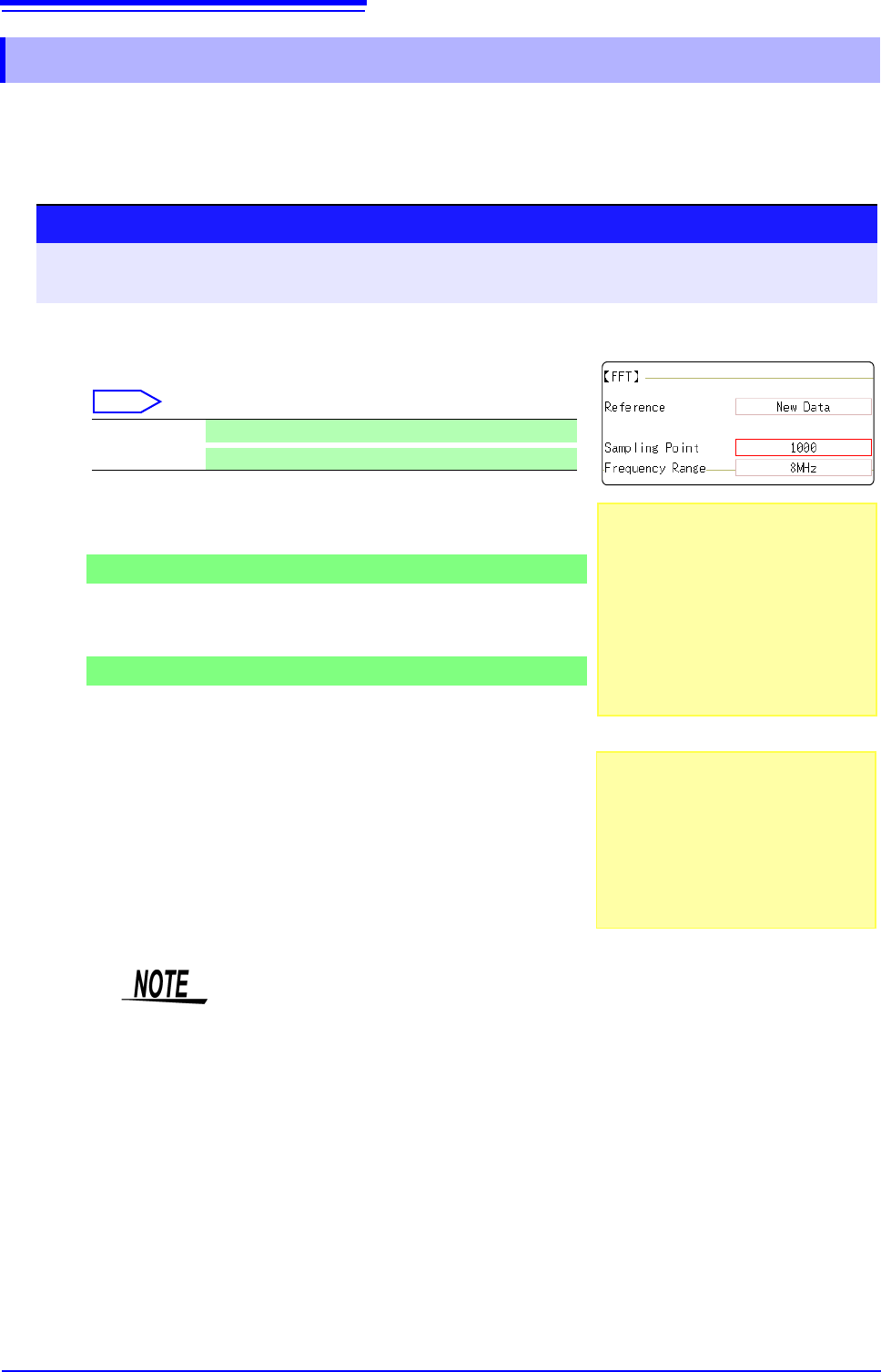
Move the flashing cursor to the
[Reference] item.
Select
2
When finished making settings, click [START].
For the [New Data] case
Measurement starts to acquire data for the number of analysis points
specified as the [Sampling Point], and FFT analysis is performed.
For the [From Memory] case
Analysis is performed on the number of specified points from data
previously recorded in memory (Memory function data) .
The analysis starting point can also be specified.
See: "12.7.1 Analyzing after Specifying an Analysis Starting Point" (p.273)
The frequency range is selected automatically.
See: "Relationship Between Frequency Range, Resolution and Number of
Analysis Points" (p.252)
New Data Acquire a new waveform for analysis.
From Memory
Calculates data measured using the memory function.
Procedure
To open the screen: Right-click and select [STATUS] [Status] sheet
See: To set from the Waveform screen (p.265)
When the input data [Reference] is
[From Memory]
Analysis is performed until the specified
number of FFT analysis points have been
processed, then the data is shifted by that
amount and analysis repeats until all of the
previously acquired data has been pro-
cessed. (If the amount of data is less than
the specified number of FFT analysis
points, no analysis occurs.)
When no trace is displayed after start-
ing measurement
Analysis is impossible if [From Memory]
is selected as the input data source and
no recorded data exists in the instrument's
memory.
Either select [New Data] as the input data
source, or load the data to be analyzed
before clicking [START] again.
1
When the [Reference] is set to [From Memory], the frequency is automatically
set.
The setting cannot be changed.
12.3 Setting FFT Analysis Conditions
251
11
Chapter 12 FFT Function
12
About the frequency range and number of analysis points ___________________
• The settings for the frequency range and number of analysis points determine
the input signal acquisition time and frequency resolution.
• The frequency range setting for the FFT function corresponds to the timebase
setting of the Memory function. Changing the frequency range also changes
the data sampling period.
See: "Relationship Between Frequency Range, Resolution and Number of Analysis
Points" (p.252)
• The cut-off frequency of the anti-aliasing filter is the same as the frequency
range setting.
See: "Relationship Between Frequency Range, Resolution and Number of Analysis
Points" (p.252)
• The set number of analysis points specifies the amount of data to be analyzed
with each measurement. Increasing the number of analysis points increases
the frequency resolution, but also increases the time required for calculations.
See: "Number of Analysis Points" (p.A15)
12.3.3 Setting the Frequency Range and Number of
Analysis Points
When the [Reference] is [From Memory], the frequency is automatically
set.
The setting cannot be changed.
To control sampling by an external signal,
select [External]
When the input data [Reference] is
[From Memory]
The frequency range is set automatically
when analysis is started.
1
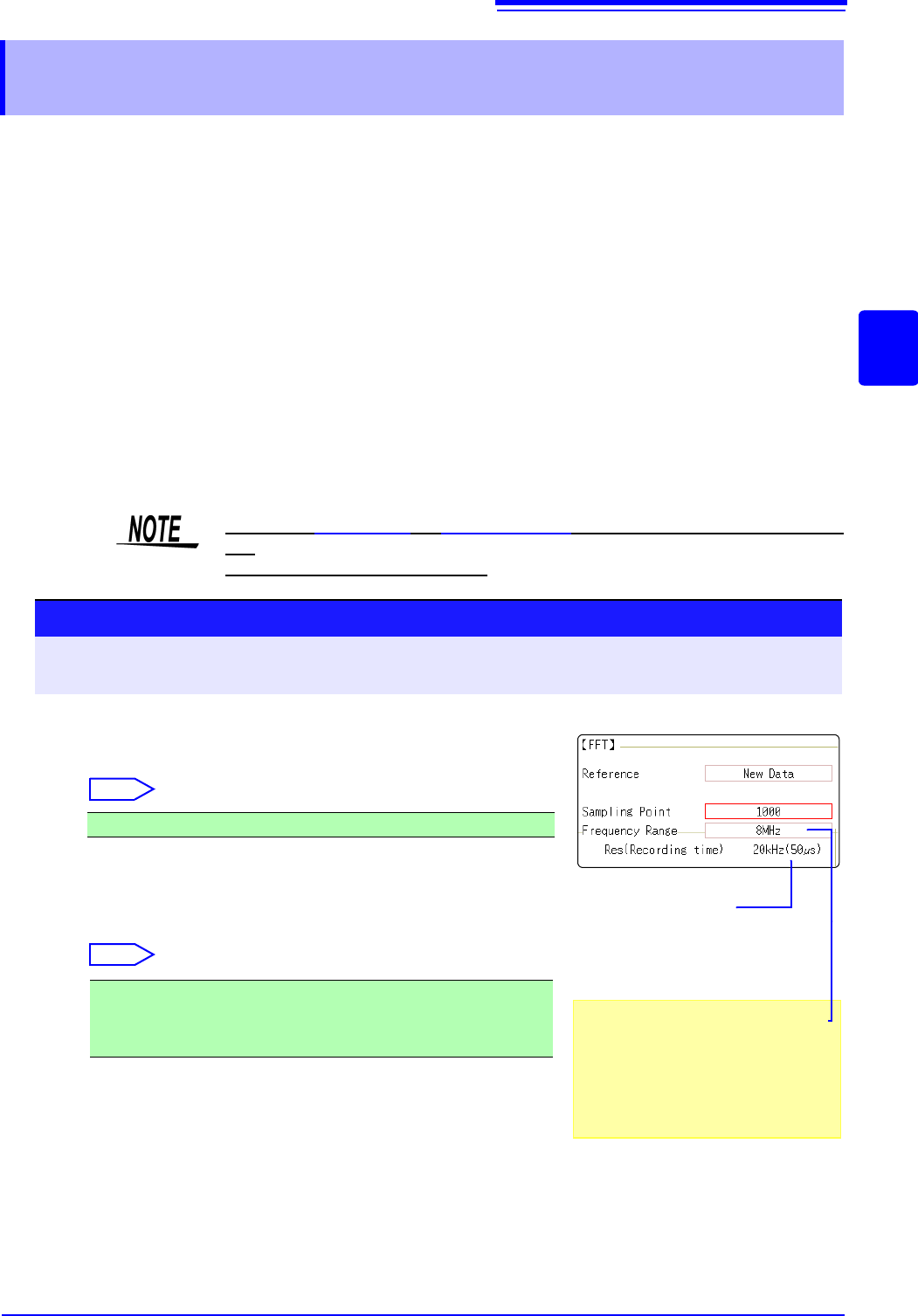
Set the number of FFT analysis points.
Move the flashing cursor to the [Sampling Point] item.
Select
See: "Number of Analysis Points" (p.A15)
2
Select the frequency range.
Move the flashing cursor to the [Frequency Range] item.
Select
See: "Relationship Between Frequency Range, Resolution and Number of
Analysis Points" (p.252)
1000 (default setting), 2000, 5000, 10000
8 MHz(default setting), 4 MHz, 2 MHz, 800 kHz, 400 kHz, 200 kHz, 80
kHz, 40 kHz, 20 kHz, 8 kHz, 4 kHz , 2 kHz, 800 Hz, 400 Hz, 200 Hz, 80
Hz, 40 Hz, 20 Hz, 8 Hz, 4 Hz, 1.33 Hz, 800 mHz, 667 mHz, 400 mHz, 333
mHz, 133 mHz, External
Procedure
To open the screen: Right-click and select [STATUS] [Status] sheet
See: To set from the Waveform screen (p.265)
Frequency Resolution
(during acquisition)
The resolution is affected by settings of
frequency range and the number of
analysis points. Not displayed for exter-
nal sampling.
2
1