MR8740、MR8741_user_manual_eng_20191016H.pdf - 第230页
9.3 Judging Calculation Results 218 Set the judgment criteria (upper and lower threshol d values) by which to judge numerical calculation results. Judgment criteria can be set for every nu merical calculation. Waveform a…
9.2 Settings for Numerical Value Calculation
217
Chapter 9 Numerical Calculation Functions
8
9
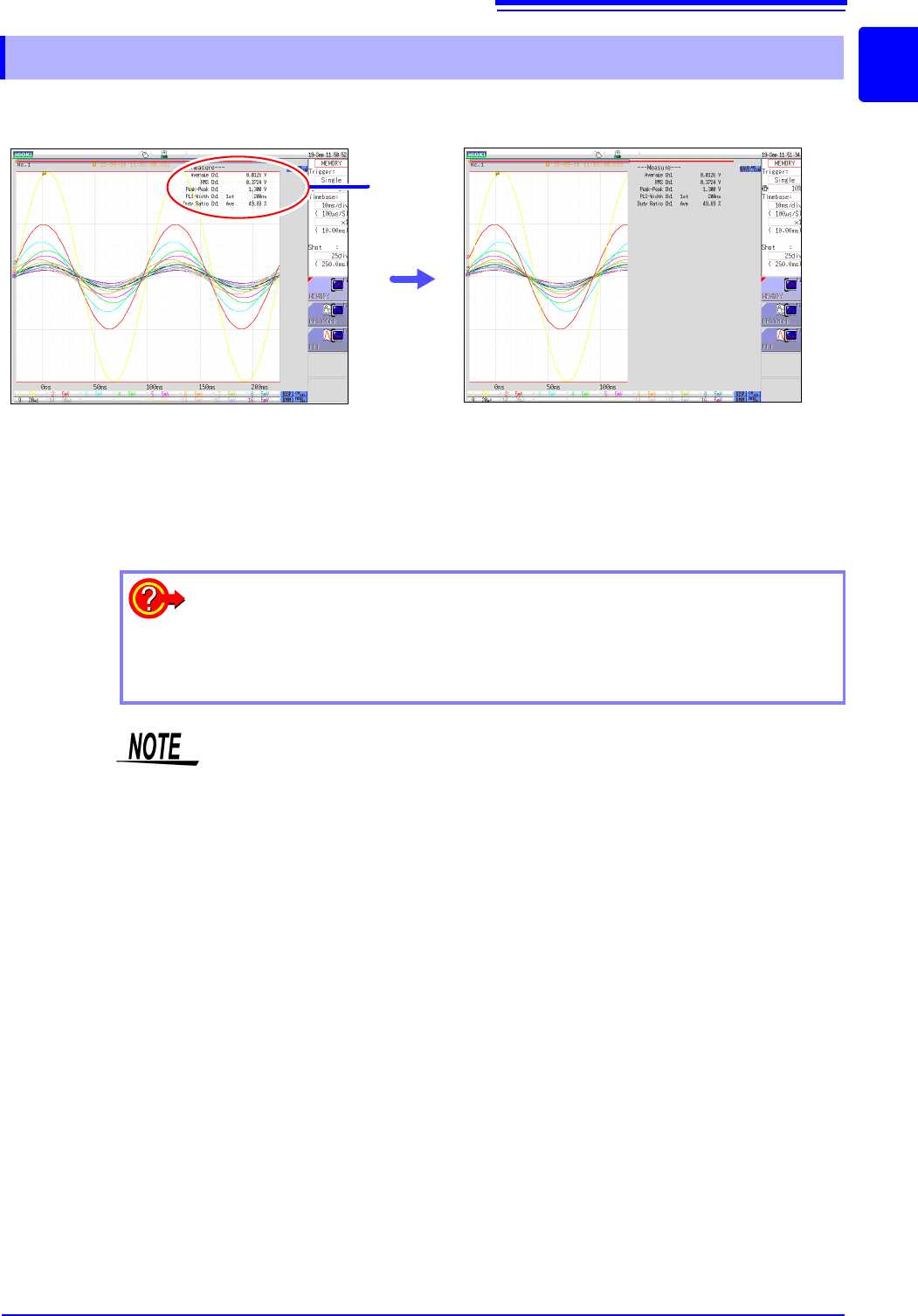
Numerical calculation results are displayed on the Waveform screen
9.2.1 Displaying Numerical Calculation Results
Calculation
Results
If the display is hard to view because of
overlapping numerical values and wave-
forms
Switch the waveform display width in the [DISP]
menu.
Numerical values and waveforms are displayed
separately.
See: "6.7.3 Switching the Waveform Display Width"
(p.135)
To save calculation results after measuring:
Set the [Select at save] item to [Yes]. When you click [SAVE] after measure-
ment, you can select the content to be saved. (Select [Calc Result].)
See: "4.2.3 Saving Data Selectively (SAVE)" (p.93)
If a numerical calculation that becomes invalid is performed using the data mea-
sured with MR8990 Digital Voltmeter Unit, the calculation result is displayed as
"******".
9.3 Judging Calculation Results
218
Set the judgment criteria (upper and lower threshold values) by which to judge numerical calculation
results. Judgment criteria can be set for every numerical calculation.
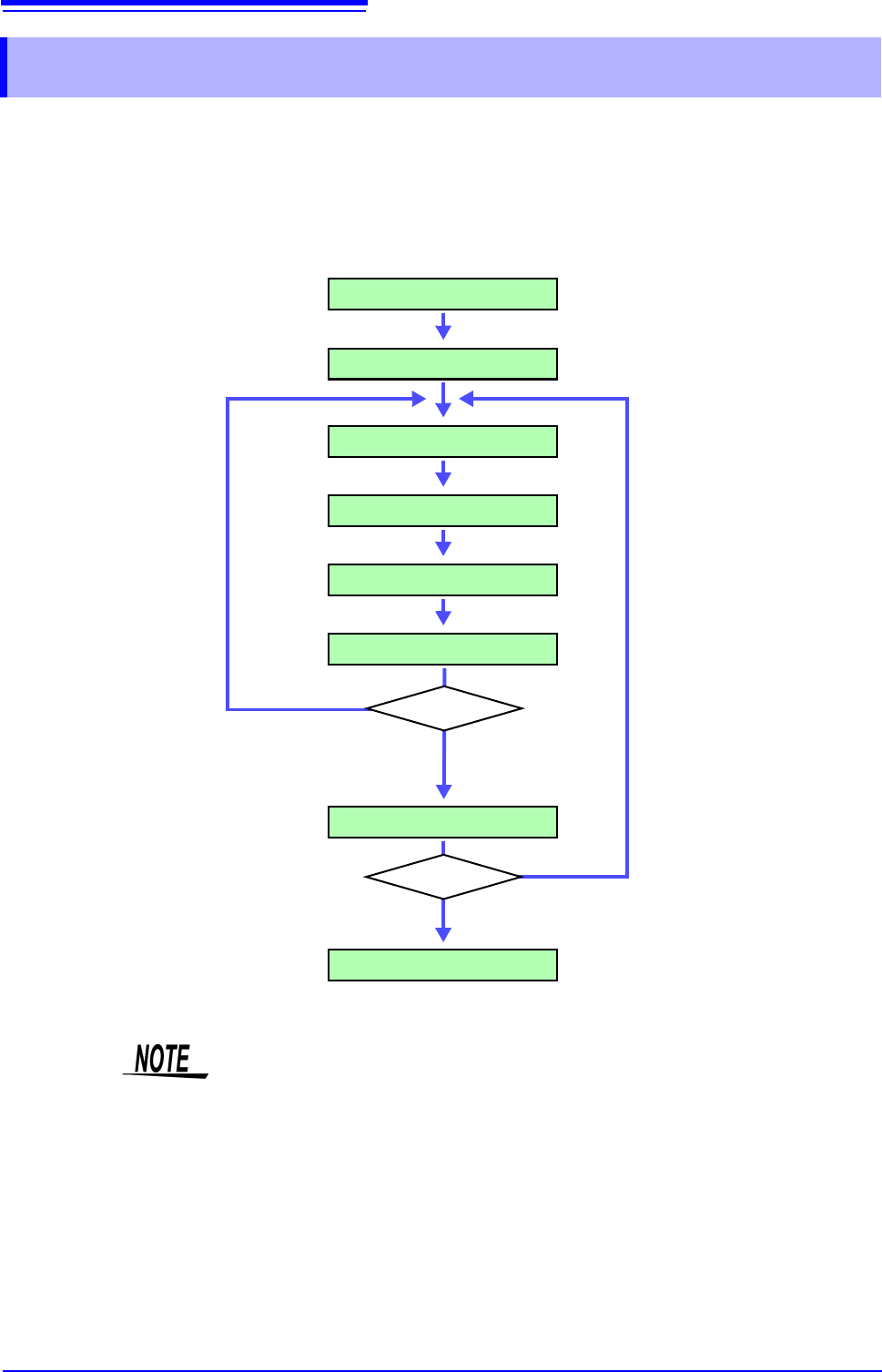
Waveform acquisition processing depends on the trigger mode setting (Single or
Repeat) and the criteria specified to stop measuring upon judgment (GO, NG or
GO & NG).
9.3 Judging Calculation Results
Make Calculation Settings
Start Measurement
Acquire Data
Calculate
Display Calculation Results
Calculation Judgments
Save
Stop Measurement
Stop Criteria
Trigger Mode
Stop criteria
not met
[Repeat]
[Single]
Measurement repeats
until stop criteria are met
Measurement repeats until you
click [STOP]
Stop Criteria Met or
Stop Criteria is
GO&NG
Automatic saving will not be carried out before termination conditions are fulfilled
at the end of the calculation evaluation.
9.3 Judging Calculation Results
219
Chapter 9 Numerical Calculation Functions
8
9
4
Procedure
To open the screen: Right-click and select [STATUS] [Num Calc] sheet
1
Make calculation settings. (p.214)
2
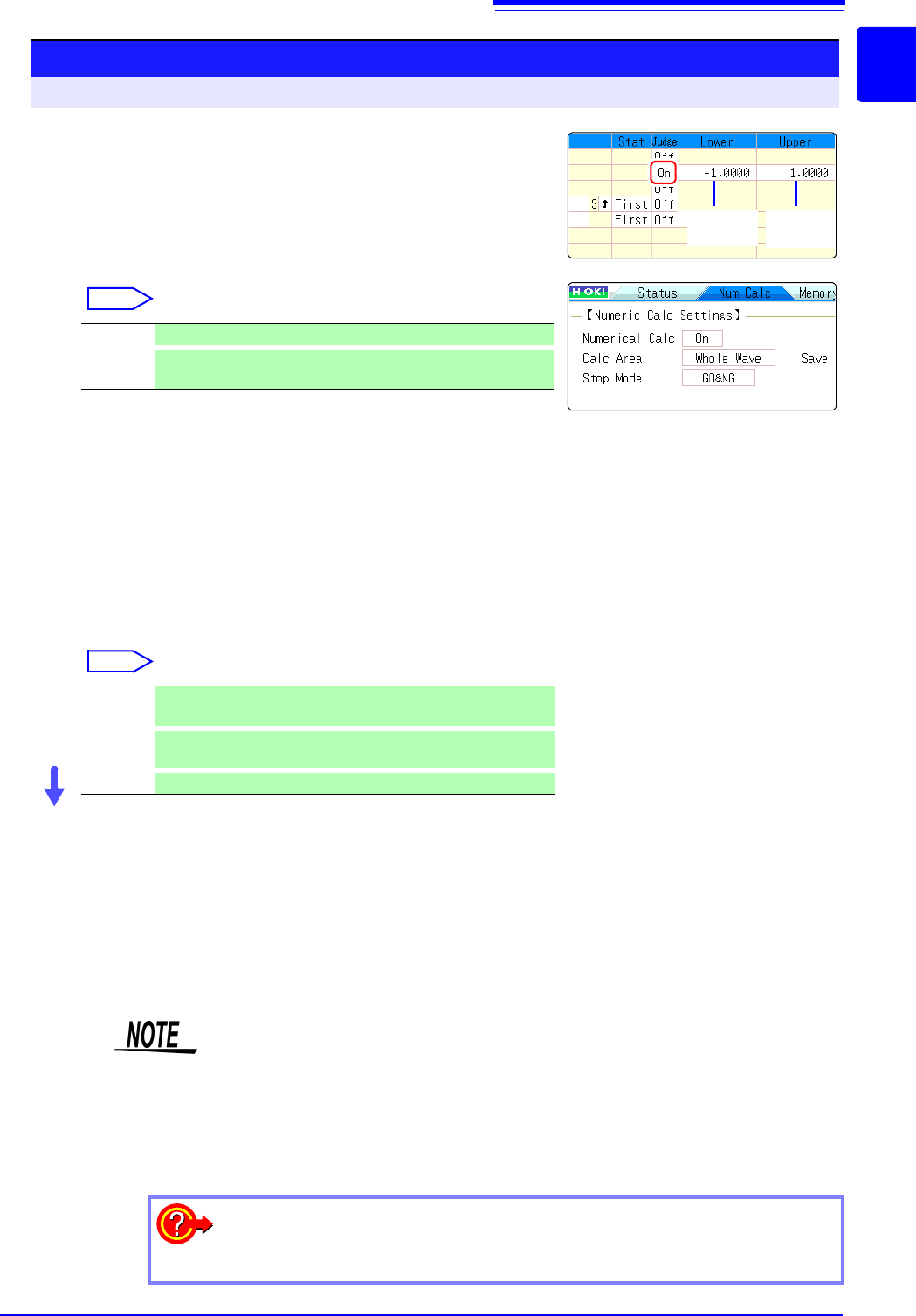
Enable the judgment function.
Move the flashing cursor to the [Judge] setting for Calcula-
tion No. to judge, and select [On].
Select
3
Specify the judgment thresholds.
Move the flashing cursor to the [ Lower] and [Upper] items.
Select an entry method and enter the threshold values.
Input range:-9.9999E+29 to +9.9999E+29
See: "7.1.3 Alphanumeric Input" (p.141)
4
Select the Stop Criteria upon judgment.
Move the flashing cursor to the [Stop Mode] item.
Select
Execute the calculations.
Applying Calculations to Existing Data
Select [Exec].
When judging automatically after measurement
Click [START] to start measurement.
Off Judgment is not carried out.
On
Result will be NG (Fail) if judgment range is exceeded.
Any channel in which result was NG is shown in red.
GO Continue to the next process when within the threshold range
(PASS judgment)
NG
Continue to the next process when outside of the threshold
range (FAIL judgment)
GO&NG
Continue to the next process regardless of judgment result.
2
2
3
Lower limit
value
Upper limit
value
About upper and lower threshold
The upper threshold of the period range cannot be set below the lower threshold,
and vice-versa.
About executing the calculation
Processing depends on the Trigger Mode setting.
If calculating while acquiring waveforms, measurement is repeated until the Stop
Criteria are met. (p.218)
To record all calculation results
Set the Stop Mode item to [GO&NG].