MR8740、MR8741_user_manual_eng_20191016H.pdf - 第36页
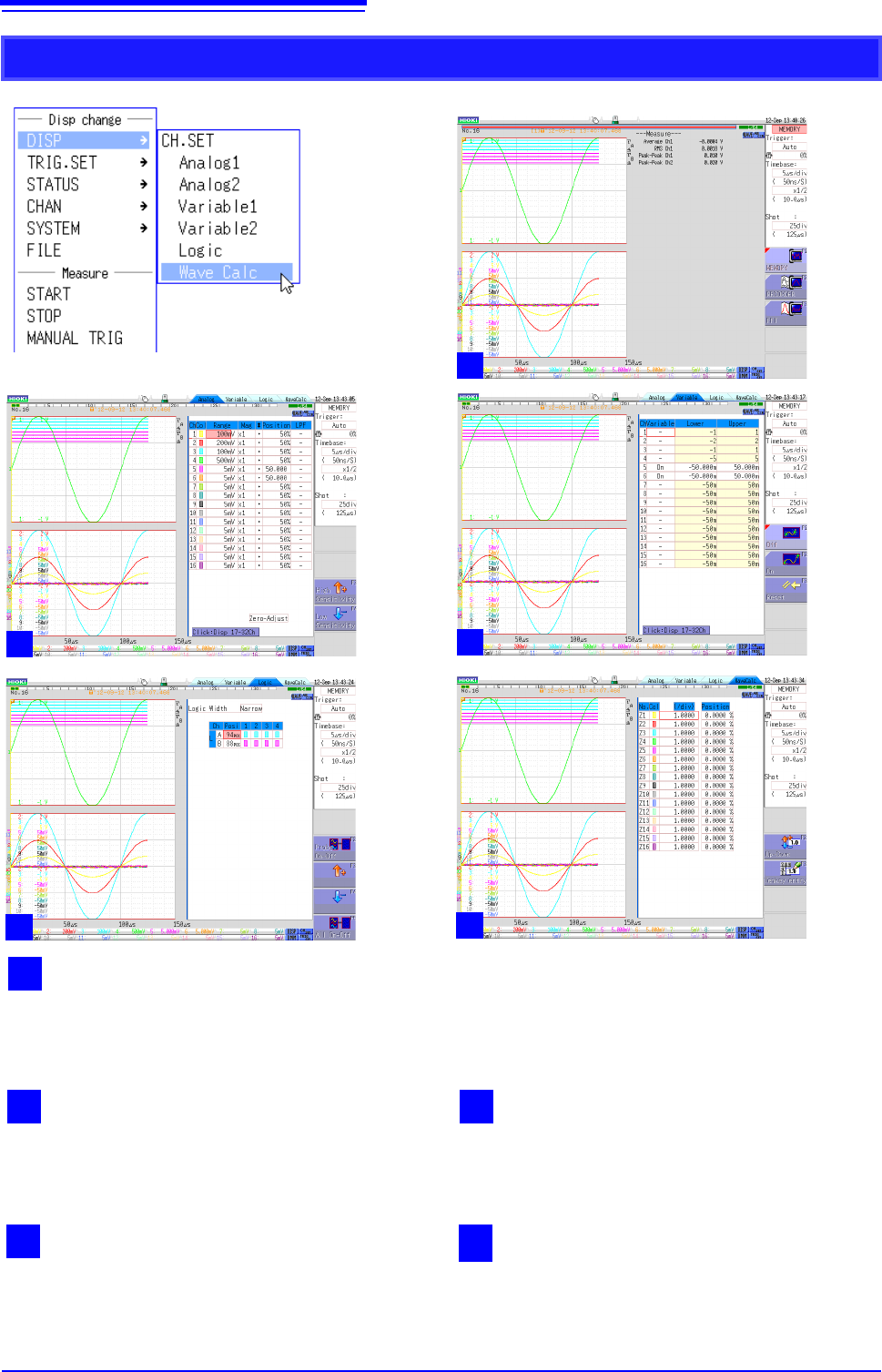
1.5 Basic Operations 24 CH.SET 1 W aveform dis play This is the normal waveform disp lay state. Move the cursor to [DISP] and then click any of the menu items under [CH.SET] to switch to one of the screens 2 to 5. Altern…
1.5 Basic Operations
23
1
Chapter 1 Overview
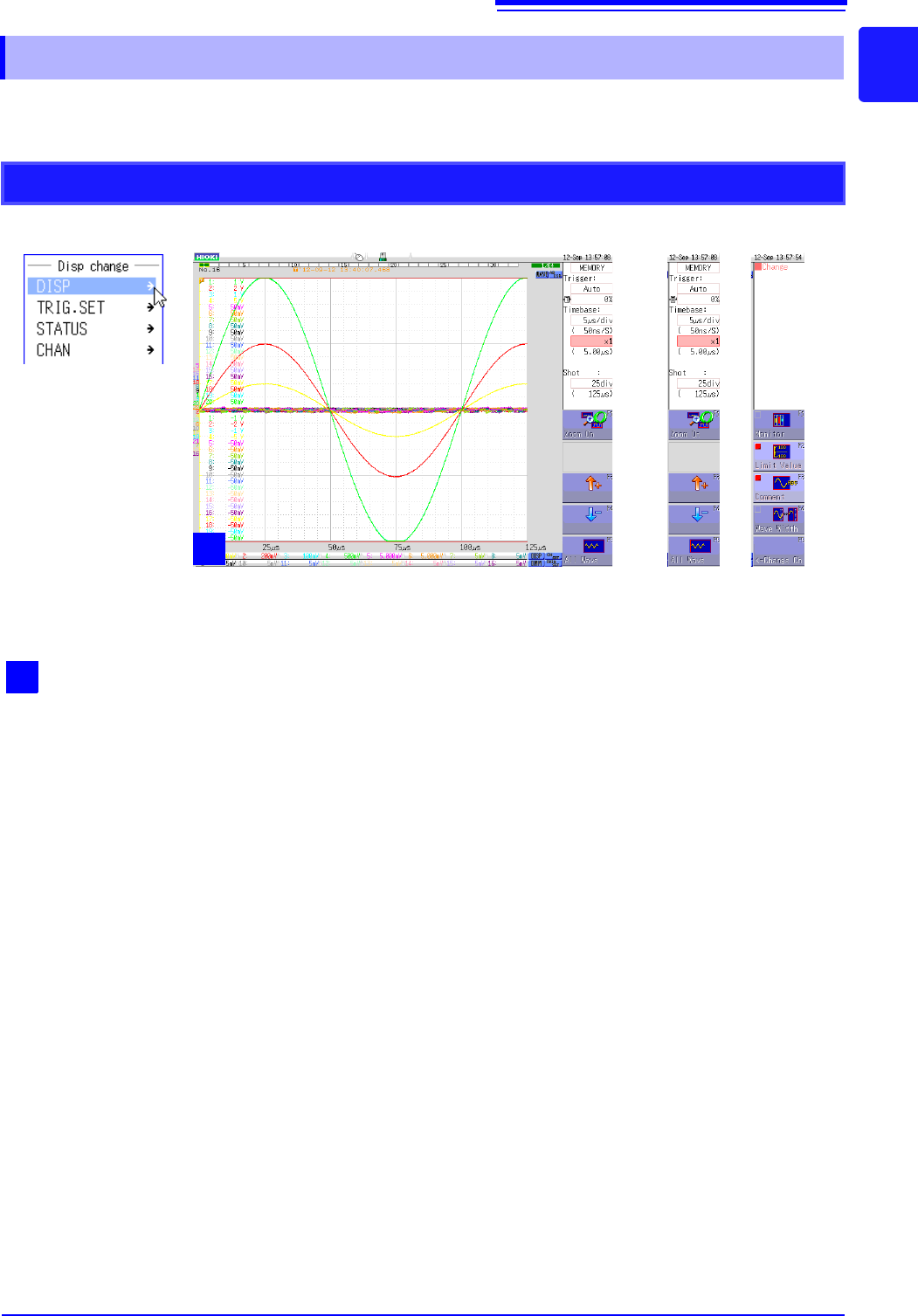
Right-clicking with the mouse displays a list of screens.
This section describes the menu and the screens that can be displayed.
1.5.2 Mouse Right-click Menu
DISP
1
Waveform screen
Click [DISP] to display the Waveform screen.
If the Waveform screen is already displayed, the
GUI menu on the right of the screen changes each
time you click this item. Alternatively, you can
change the GUI menu on the right of the screen
when the Waveform screen is displayed by click-
ing the [DISP] icon on the bottom right.
1
1.5 Basic Operations
24
CH.SET
1
Waveform display
This is the normal waveform display state. Move the cursor to [DISP] and then click any of the menu items
under [CH.SET] to switch to one of the screens 2 to 5. Alternatively, you can click the [CH.SET] icon on
the bottom right of the Waveform display screen to switch screens.
3
Display range 1/2
Displays the screen for setting the waveform dis-
play range of the analog unit.
2
Analog channel 1/2
Displays the screen for setting the display position,
etc. by setting the range for the analog unit.
5
Waveform calculation
Displays the screen for changing the display posi-
tion or color of the calculation waveform when
waveform calculation is set to ON.
4
Logic
Displays the screen for changing the display posi-
tion or color of the logic waveform.
1
2
3
4
5
1.5 Basic Operations
25
1
Chapter 1 Overview
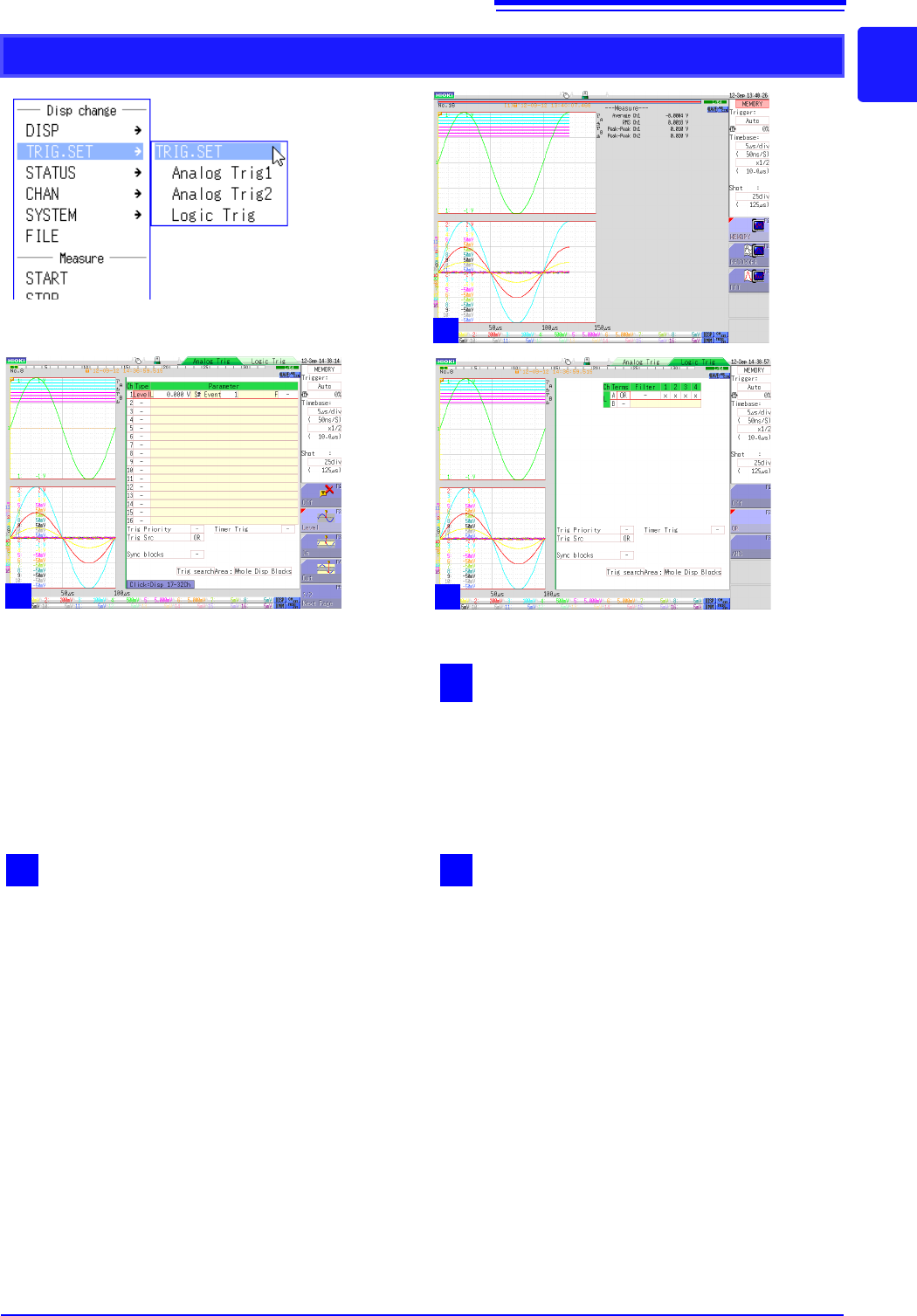
TRIG.SET
1
Waveform display
This is the normal waveform display state. Clicking
[TRIG.SET] switches between screens 1 to 3.
Alternatively, you can click the [TRIG.SET] icon on
the bottom right of the Waveform display screen to
switch screens.
3
Logic trigger
Displays the screen for setting the waveform dis-
play range of the logic channel.
2
Analog trigger 1/2
Displays the screen for setting the trigger criteria
of the analog unit.
1
2
3