MR8740、MR8741_user_manual_eng_20191016H.pdf - 第128页
5.5 Miscellaneous Printing Functions 116 You can produce a hard copy of the screen disp lay, perform report printing or list printing. To print the hardcopy of the screen, display the screen to be printed, and then execu…
5.4 Set the print contents
115
6
Chapter 5 Printing
5
7
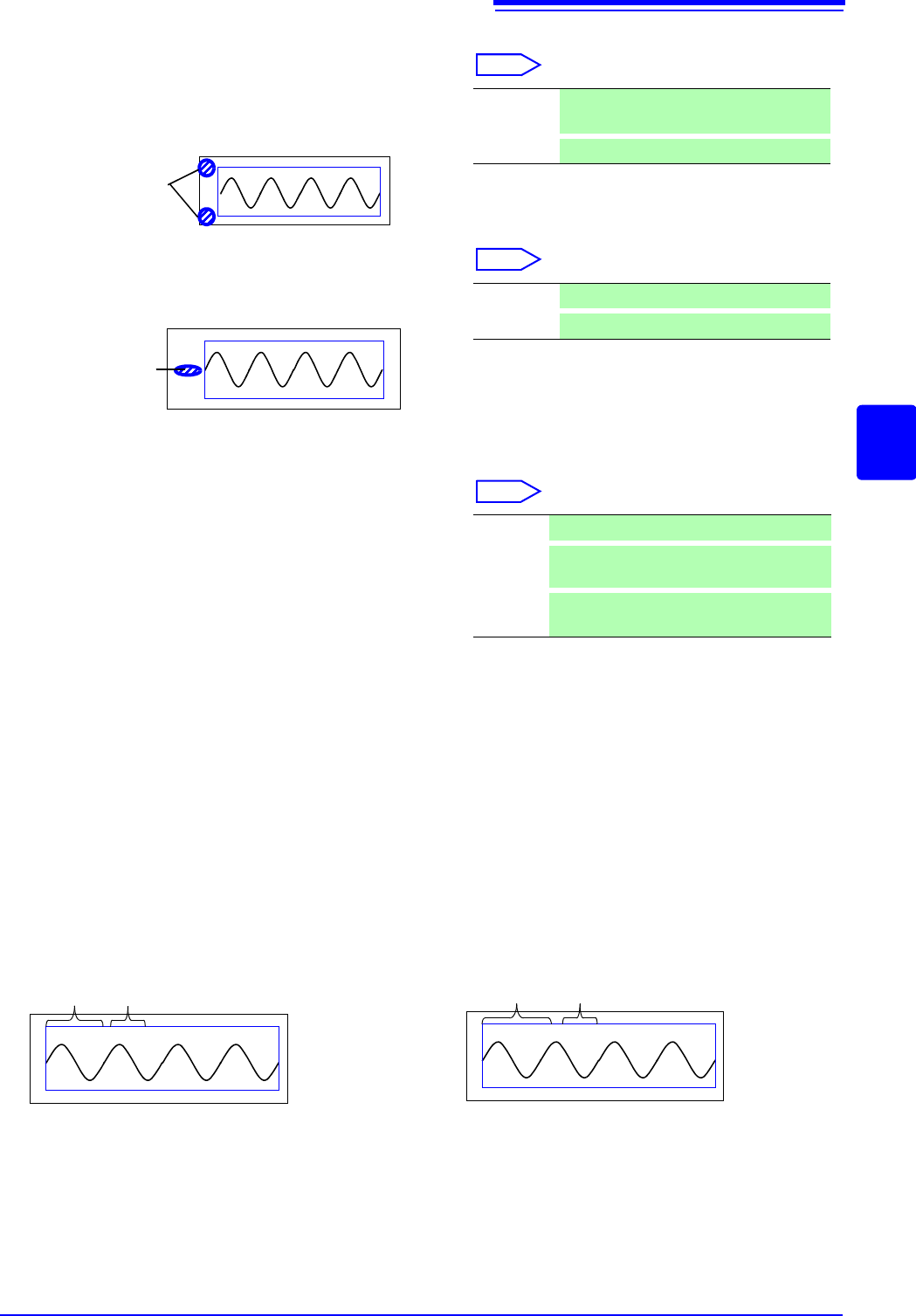
Set the upper and lower limit value
Move the cursor to the [Up/Low Print] item.
Select
8
Set the zero-position comment
Move the cursor to the [Zero-Pos Comment] item.
Select
The zero position comment is not printed in the following
case:
• When the waveform screen format has been set to X-Y,
or FFT display
• When no comment has been set for a channel
See: "7.1 Adding Comments" ( p.138)
9
Select the counter print.
Move the cursor to the [Print Counter] item.
Select
(When [Date] or [Name] is selected)
If you want to begin from an arbitrary count
Move the cursor to the [Counter Num], and set an arbitrary count.
See: "7.1.3 Alphanumeric Input" ( p.141)
The count is automatically cleared to zero when the instrument is powered on.
The count is increased by 1 each time a waveform is acquired. (Maximum count 9999)
(When [Name] is selected)
Enter a counter name.
Move the cursor to the
[Counter Name], and enter a counter name (up to 10 characters).
See: "7.1.3 Alphanumeric Input" ( p.141)
<Print Example>
Upper and
Lower Limit
Off Do not print upper and lower limits. (default
setting)
On
Print upper and lower limits.
<Print Example>
Comment
Off Print the channel number. (default setting)
On
Print zero position comment.
Off Do not print a counter. (default setting)
Date
Print the date of printing and a waveform ac-
quisition count. (Example: 04-8-1-0001)
Name
Print a counter name and a waveform acqui-
sition count. (Example: DeviceA-0001)
<Print Example of Data and Counter>
08-5-1-0001
Date Counter
<Print Example of Counter name and Counter>
DeviceA-0001
Counter name Counter
5.5 Miscellaneous Printing Functions
116
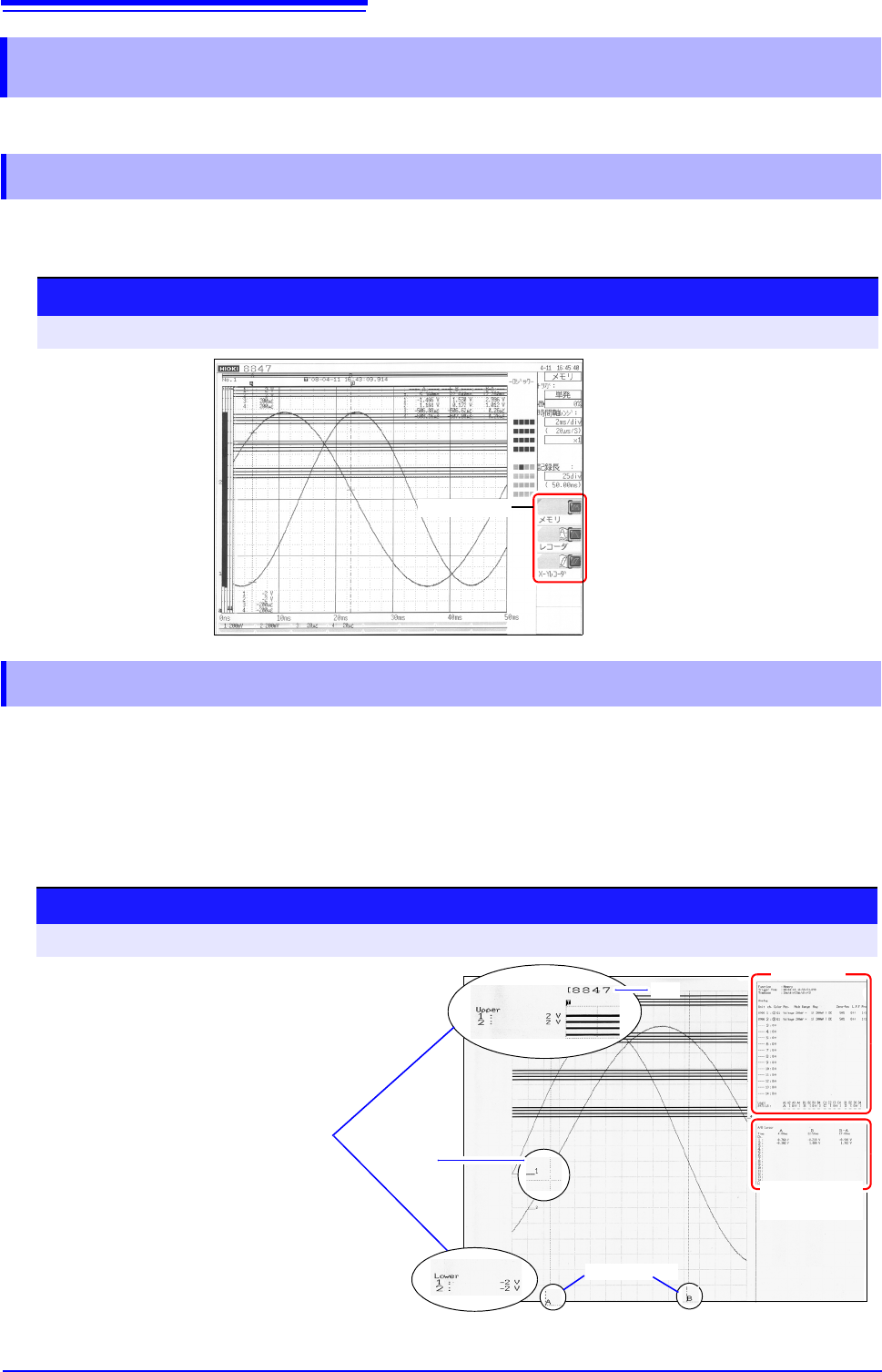
You can produce a hard copy of the screen display, perform report printing or list printing.
To print the hardcopy of the screen, display the screen to be printed, and then execute the "Print
Screen" by using Model 9333.
The waveform range as displayed on the Waveform screen, upper and lower limit values, and chan-
nel settings are printed in A4 size. When zoom display is enabled, two zoom display screens are
printed.
The A/B cursor pair shown on the Waveform screen is also printed.
If the comment type is set to
[Comment] or [Set&Com] on the Comment sheet of the Channel
screen, the title comment can also be printed. ( )
5.5 Miscellaneous Printing Functions
5.5.1 Screen Hard Copy
GUI print setting
To open the screen: Press the SYSTEM key [Printer] sheet
<Print Example>
GUI section
5.5.2 Report Print (A4 Size Print)
See: "7.1.1 Adding a Title Comment" ( p.138)
Procedure
To open the screen: Press the DISP key File screen, Press the DISP key Select the [WAVE WIDTH] menu
A/B Cursor
Execute the "Get/Print Report Image" by using
Model 9333.
<Print Example>
Settings
Cursor A/B
Value
Channel
Title
Upper and Lower
Limit Value
5.5 Miscellaneous Printing Functions
117
6
Chapter 5 Printing
5
This function prints out function status information and channel setting information in list format. The
list settings are the same as for the List function. ( )
Execute the "Send Print Key" by using Model 9333.
A text document edited on a PC can be printed together with a waveform.
1. Create a text file using [Notepad] or another suitable application on the PC.
The maximum size of the text comment that can be imported to the MR8847 is 104 x 200.
Print width will be adjusted to the widest line.
2. Press the SYSTEM key and set [Text Comment] on the [Printer] sheet.
Select
3. Press the FILE key and use the File screen to import the text file created on the
PC into the MR8847.
See: "4.3 Loading Data" ( p.99)
The text file content will be printed along with the waveform when printing.
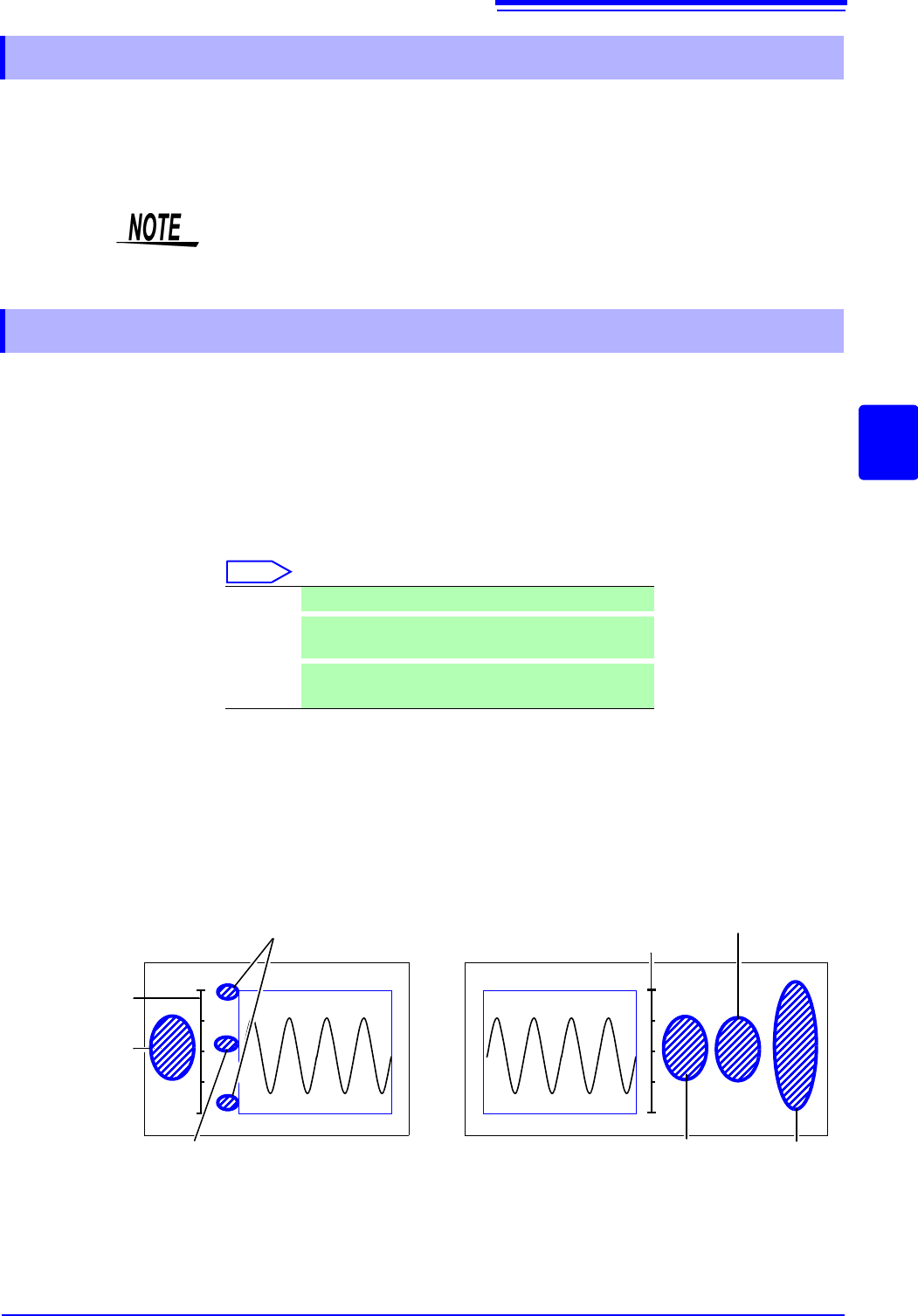
Print Example _ Positioning with regard to other print items
5.5.3 List Print
See: "Print a list of settings" ( p.114
The printed list contains the setting parameters for the acquired waveform data.
The list content will not change even if the settings were changed after the wave-
form data were acquired.
5.5.4 Text Comment Printing
Off Text comment is not printed. (default setting)
Before
Wave
Text comment is printed before waveform.
After
Wave
Text comment is printed after waveform.
Upper and Lower limit value
Text comment
List
Zero position comment
<Printing before waveform selected>
Numerical calculation results
Text comment
<Printing after waveform selected>
Gauge
Gauge