MR8740、MR8741_user_manual_eng_20191016H.pdf - 第38页
1.5 Basic Operations 26 ST A TUS 2 Numerical calculat ion Displays the screen for setting the ana lysis of measured waveform data. 1 Stat us Displays the screen for setting the basic items for measurement such as the tim…
1.5 Basic Operations
25
1
Chapter 1 Overview
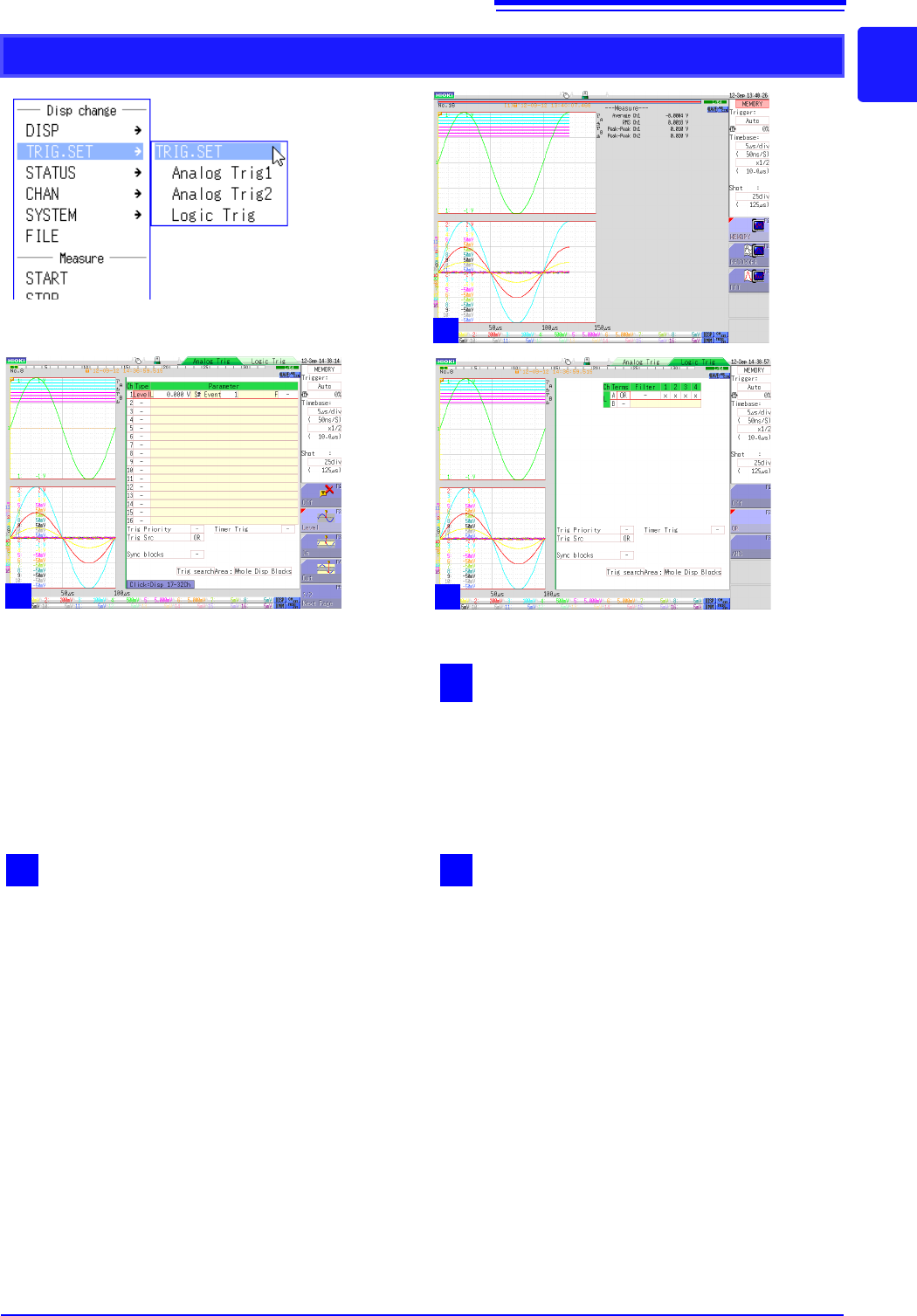
TRIG.SET
1
Waveform display
This is the normal waveform display state. Clicking
[TRIG.SET] switches between screens 1 to 3.
Alternatively, you can click the [TRIG.SET] icon on
the bottom right of the Waveform display screen to
switch screens.
3
Logic trigger
Displays the screen for setting the waveform dis-
play range of the logic channel.
2
Analog trigger 1/2
Displays the screen for setting the trigger criteria
of the analog unit.
1
2
3
1.5 Basic Operations
26
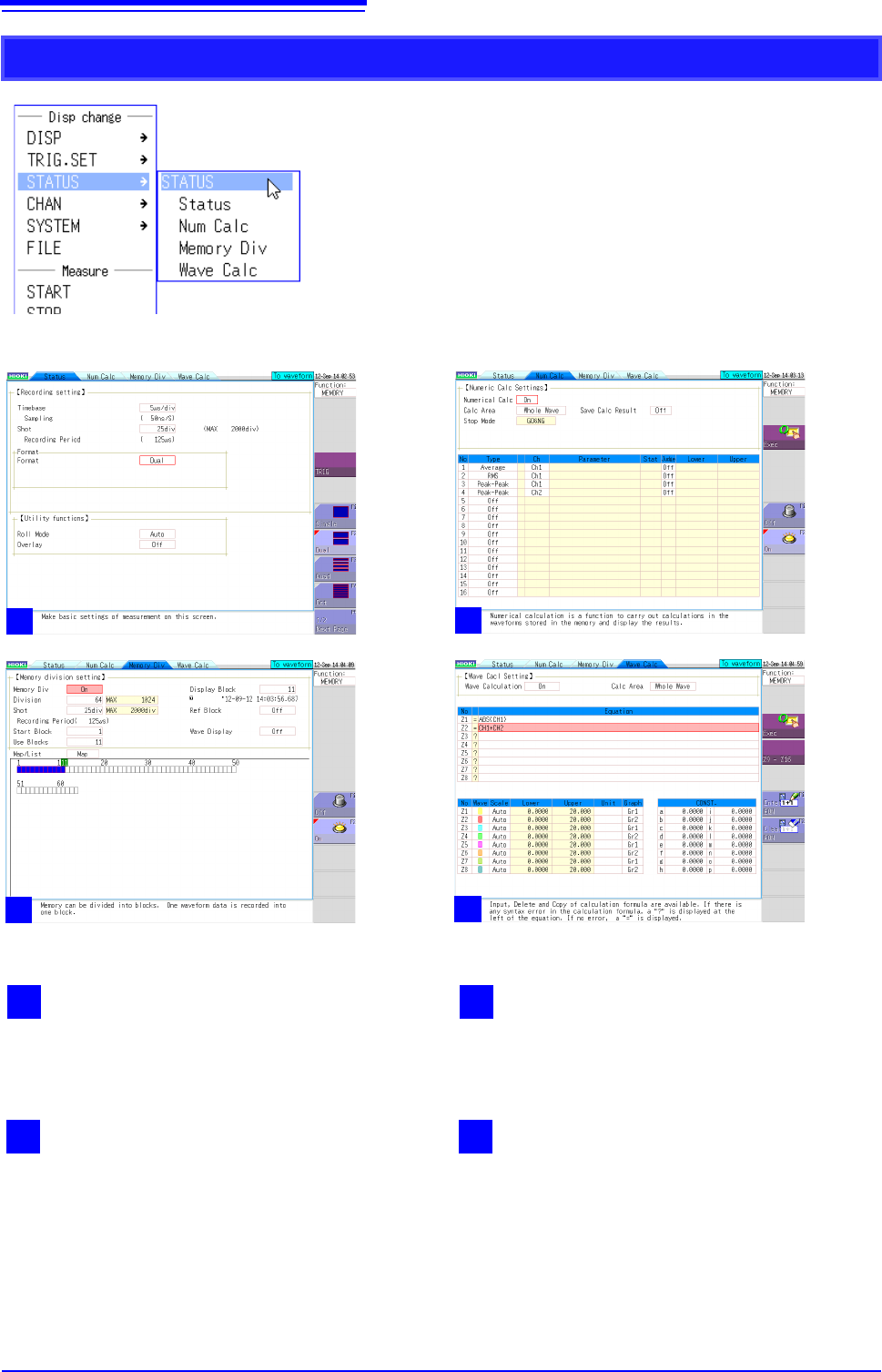
STATUS
2
Numerical calculation
Displays the screen for setting the analysis of
measured waveform data.
1
Status
Displays the screen for setting the basic items for
measurement such as the time axis range.
4
Waveform calculation
Displays the screen for setting the application and
analysis of addition, subtraction, multiplication,
division, and other numerical calculations for
waveform data.
3
Memory division
Displays the screen for setting the measurement
of waveform data using the internal memory of the
instrument divided.
1
2
3
4
1.5 Basic Operations
27
1
Chapter 1 Overview
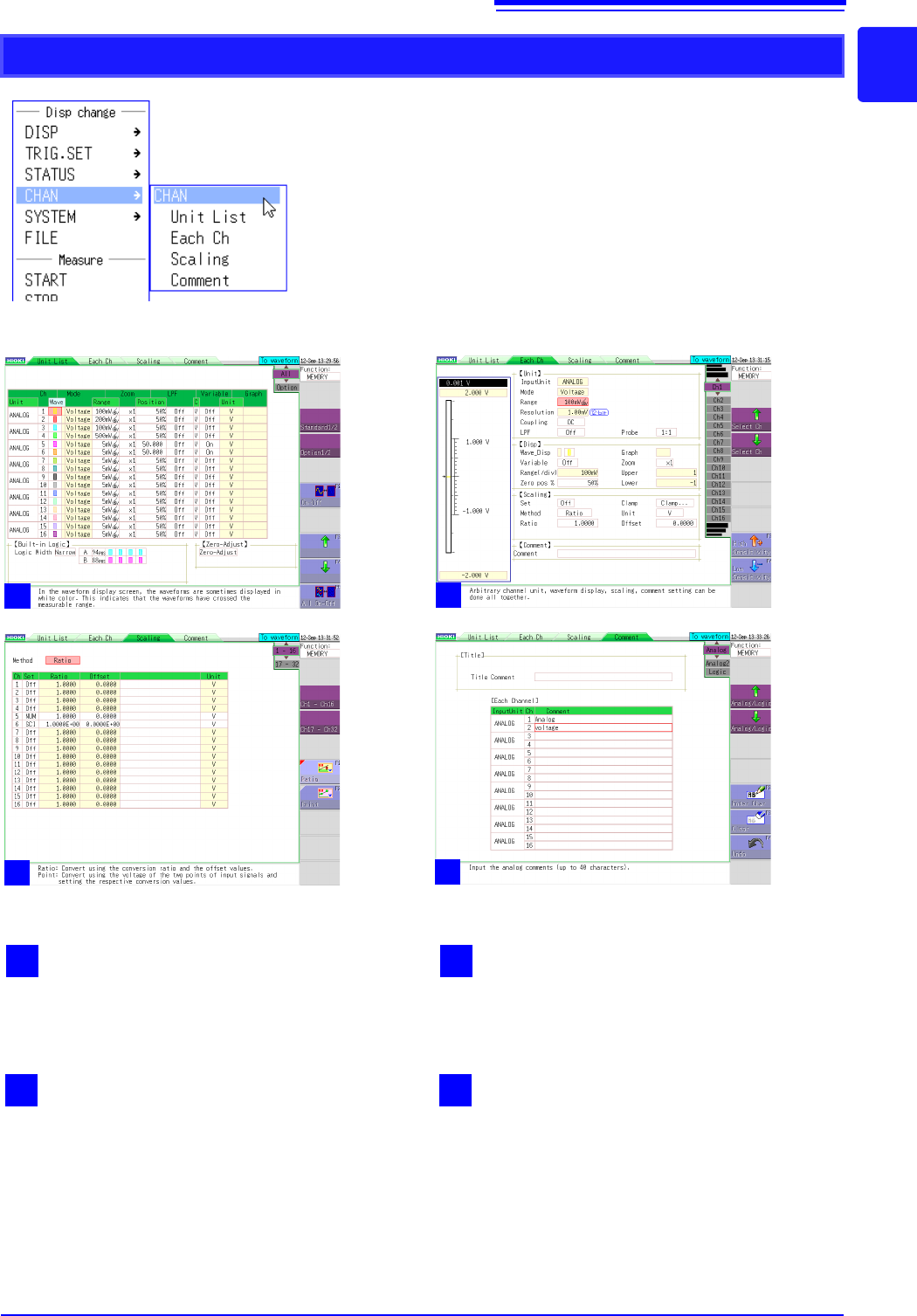
CHAN
2
Each channel
Displays the settings for each unit.
1
Unit list
Displays a list of plug-in units inserted into the
instrument and their settings.
4
Comments
Displays the screen for setting a comment for
each measurement channel.
3
Scaling
Displays the screen for setting the conversion of
measurement values using linear functions.
1
2
3
4