MR8740、MR8741_user_manual_eng_20191016H.pdf - 第40页
1.5 Basic Operations 28 SYSTEM 2 1 Environment Displays the screen for se tting the operating envi- ronment of the instrument. 2 File save Displays the screen for setting the method for sav- ing measurement data. 4 Initi…
1.5 Basic Operations
27
1
Chapter 1 Overview
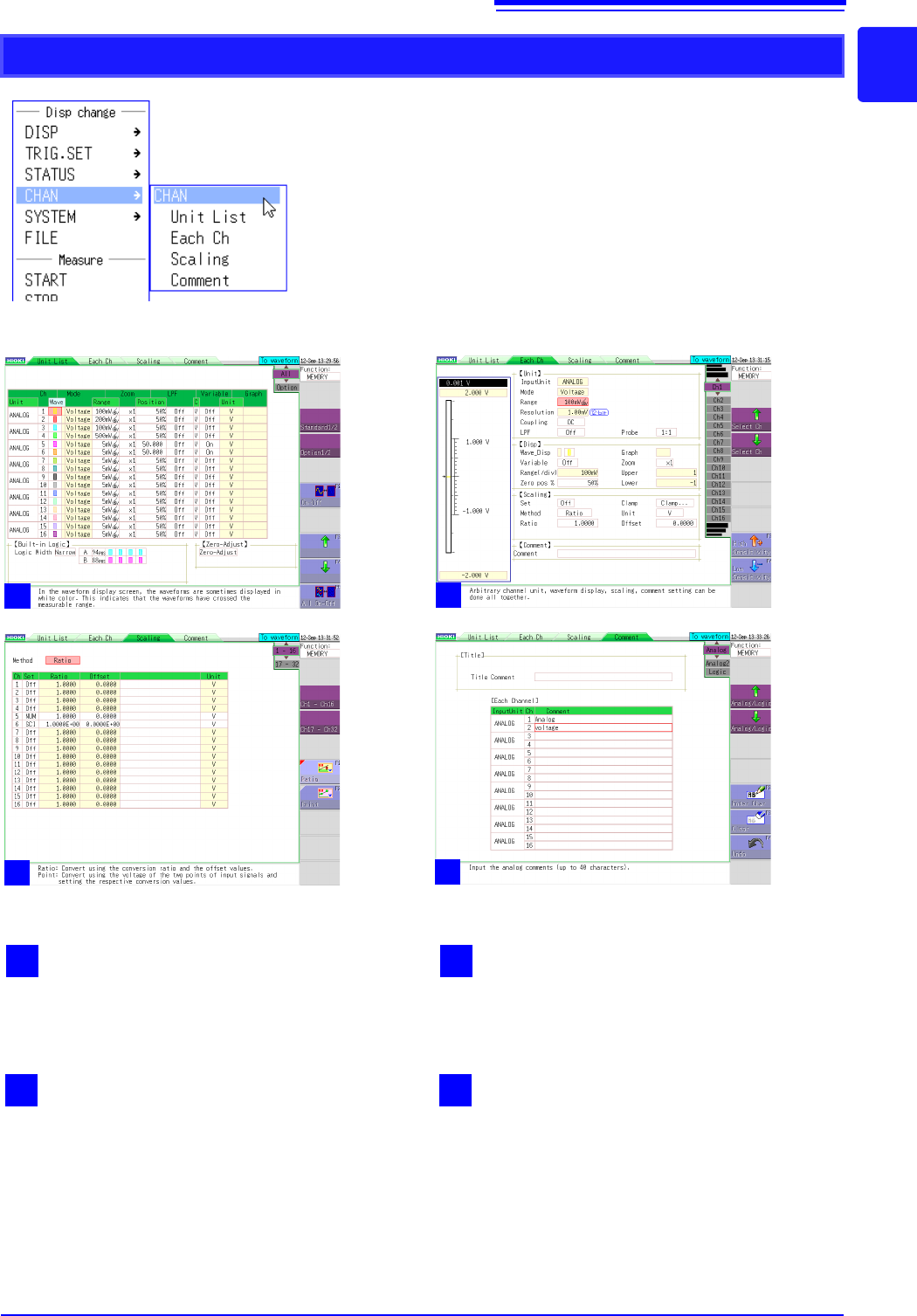
CHAN
2
Each channel
Displays the settings for each unit.
1
Unit list
Displays a list of plug-in units inserted into the
instrument and their settings.
4
Comments
Displays the screen for setting a comment for
each measurement channel.
3
Scaling
Displays the screen for setting the conversion of
measurement values using linear functions.
1
2
3
4
1.5 Basic Operations
28
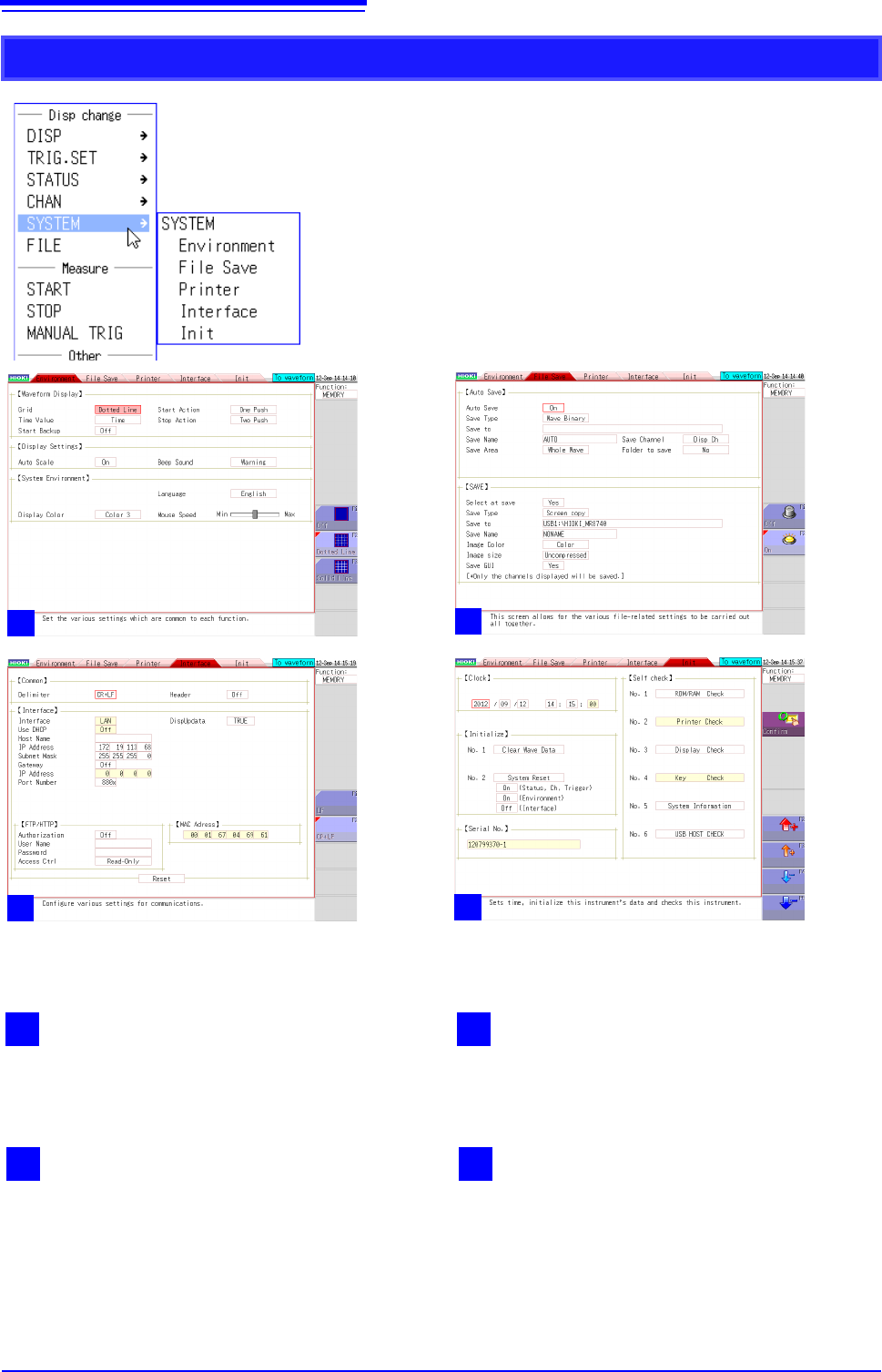
SYSTEM
2
1
Environment
Displays the screen for setting the operating envi-
ronment of the instrument.
2
File save
Displays the screen for setting the method for sav-
ing measurement data.
4
Initialization
Displays the screen for clearing the settings of the
instrument, setting the time, etc.
3
Interface
Displays the screen for the LAN communication
setting conditions.
1
2
2
2
3
2
4
1.5 Basic Operations
29
1
Chapter 1 Overview
You can select menus and confirm items by left-clicking with the mouse.
This section describes left-click operations for menu selection and settings.
1.5.3 Mouse Left-click Operations
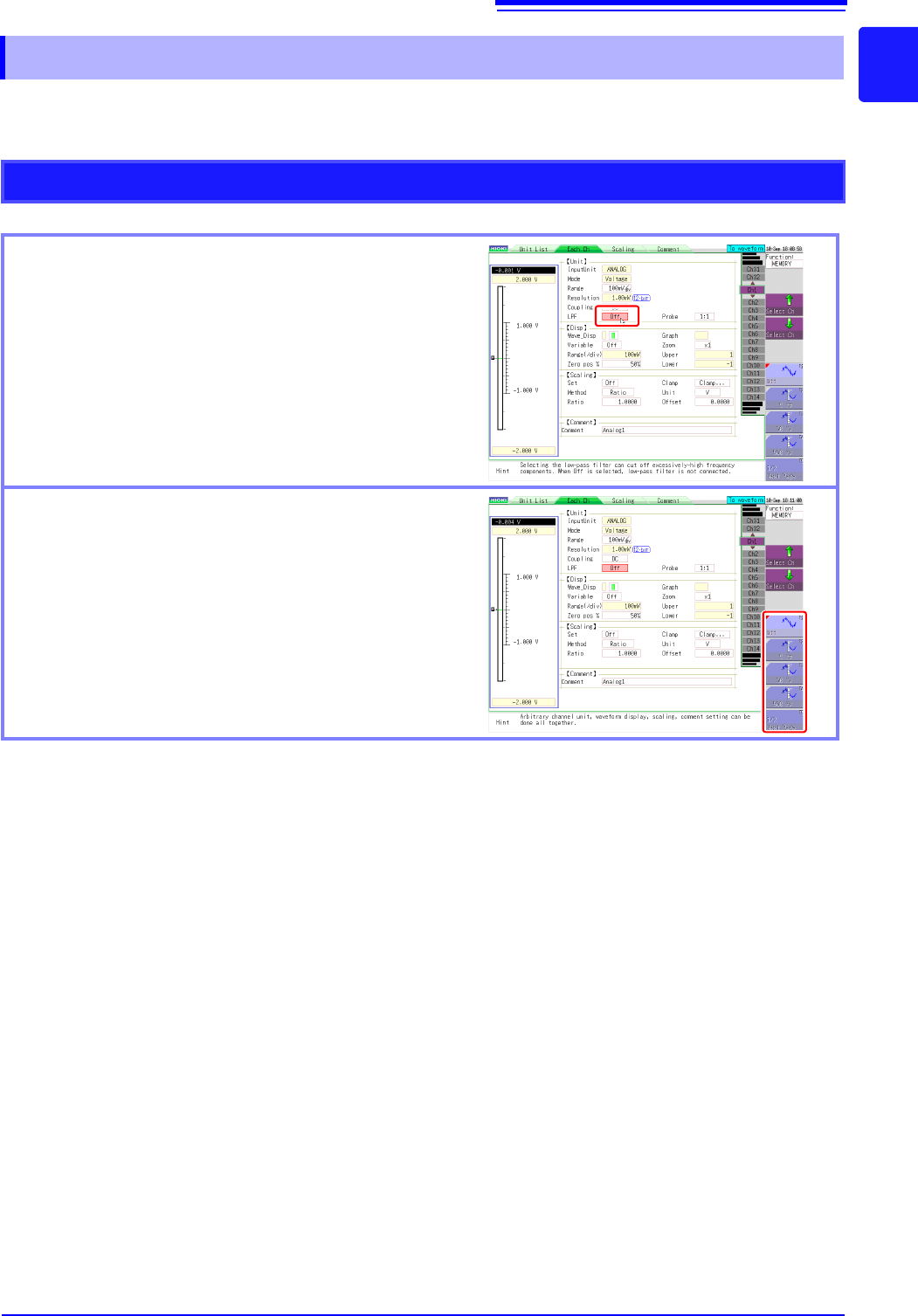
Operations on a Settings Screen
Clicking a setting
When clicked, the setting becomes selected, the frame
changes color, and the setting flashes.
Selecting a setting value from the GUI on the right of
the screen
You can change the setting by moving the mouse cursor
to a selection item on the right of the screen and then
clicking.
The number of selection items differs depending on the
setting.