MR8740、MR8741_user_manual_eng_20191016H.pdf - 第39页
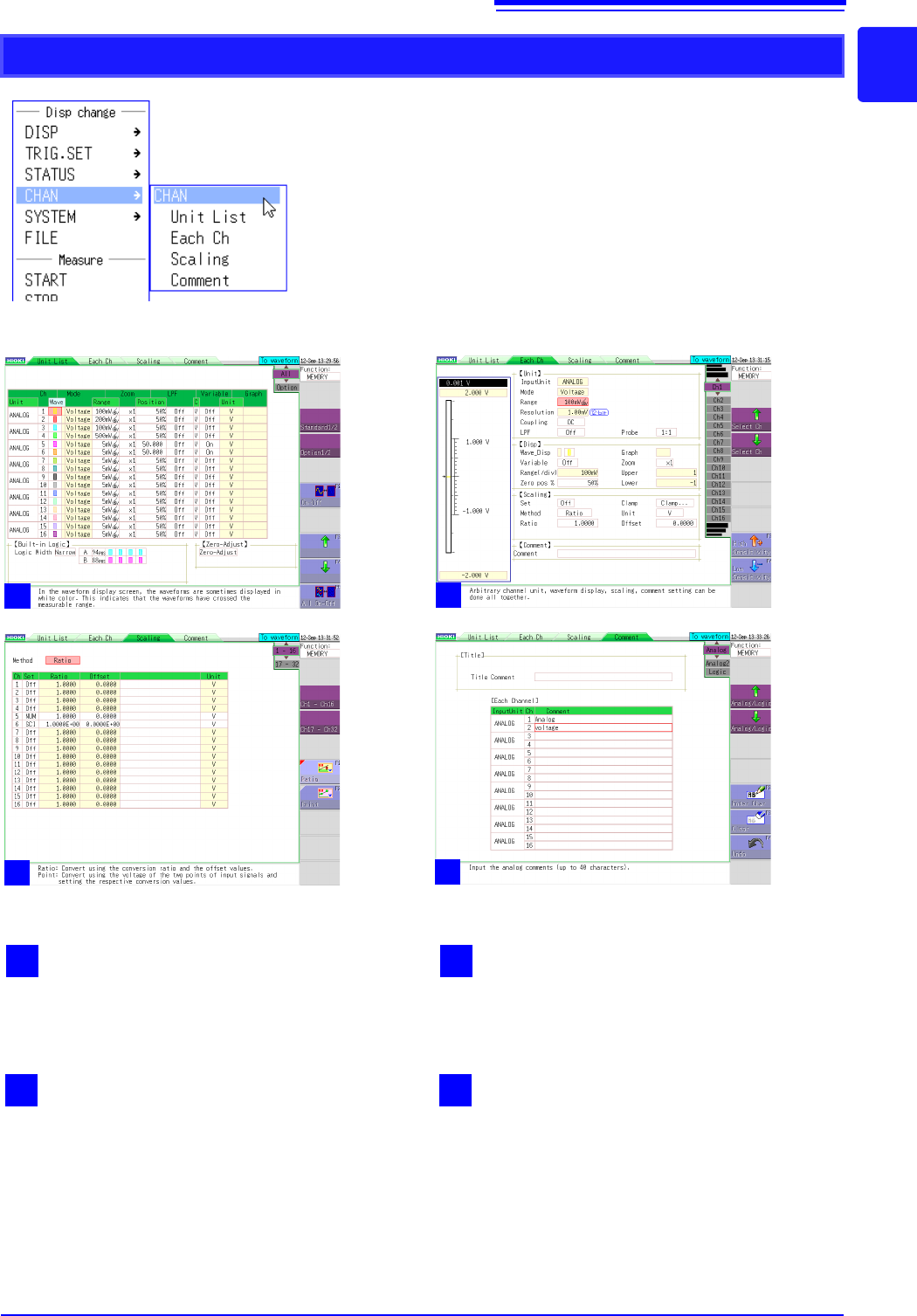
1.5 Basic Operations 27 1 Chapter 1 Overview CHAN 2 Each channel Displays the settings for each unit. 1 Unit list Displays a list of plug-in units inserted into the instrument and their settings. 4 Comment s Displays the…
1.5 Basic Operations
26
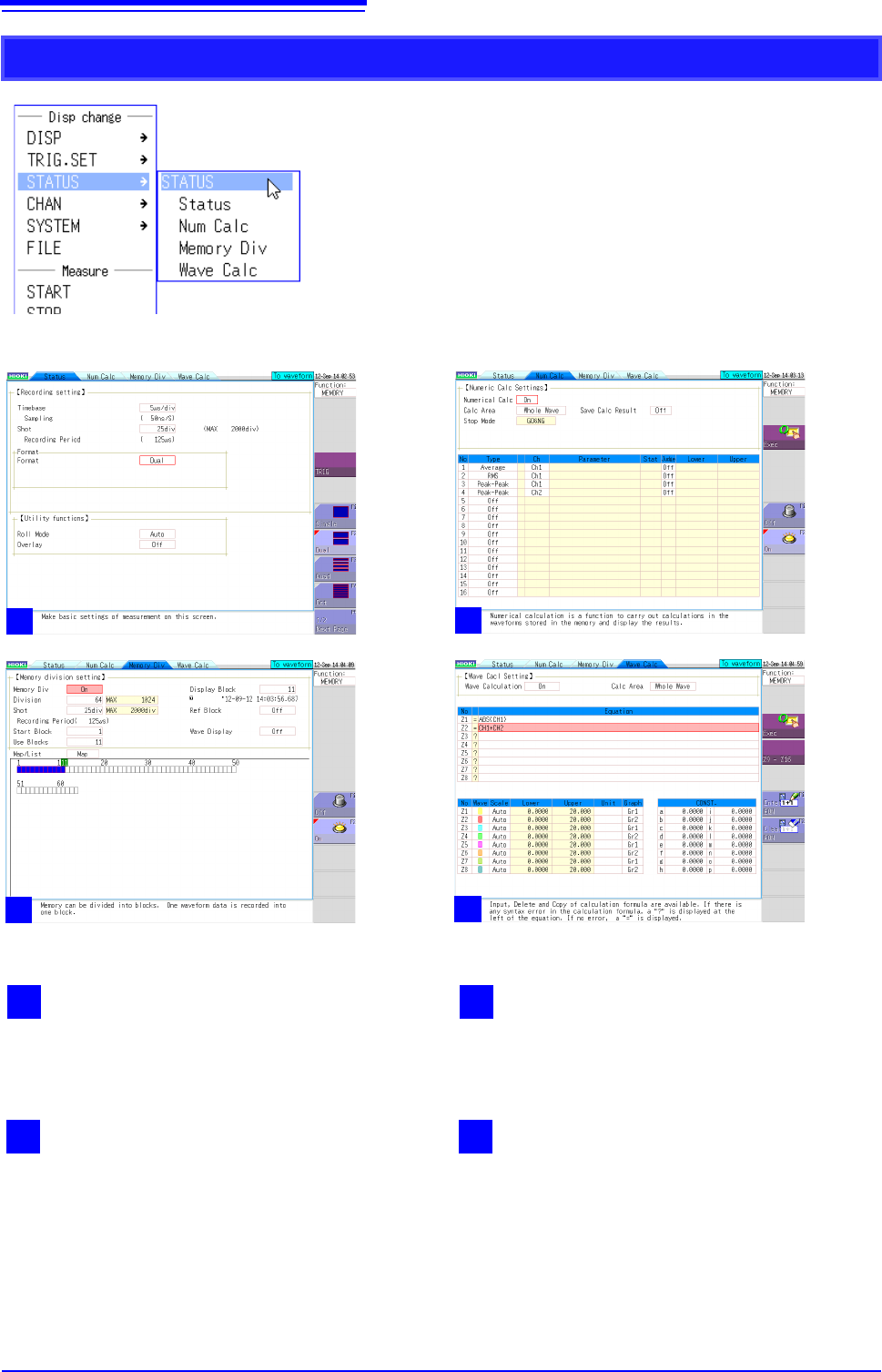
STATUS
2
Numerical calculation
Displays the screen for setting the analysis of
measured waveform data.
1
Status
Displays the screen for setting the basic items for
measurement such as the time axis range.
4
Waveform calculation
Displays the screen for setting the application and
analysis of addition, subtraction, multiplication,
division, and other numerical calculations for
waveform data.
3
Memory division
Displays the screen for setting the measurement
of waveform data using the internal memory of the
instrument divided.
1
2
3
4
1.5 Basic Operations
27
1
Chapter 1 Overview
CHAN
2
Each channel
Displays the settings for each unit.
1
Unit list
Displays a list of plug-in units inserted into the
instrument and their settings.
4
Comments
Displays the screen for setting a comment for
each measurement channel.
3
Scaling
Displays the screen for setting the conversion of
measurement values using linear functions.
1
2
3
4
1.5 Basic Operations
28
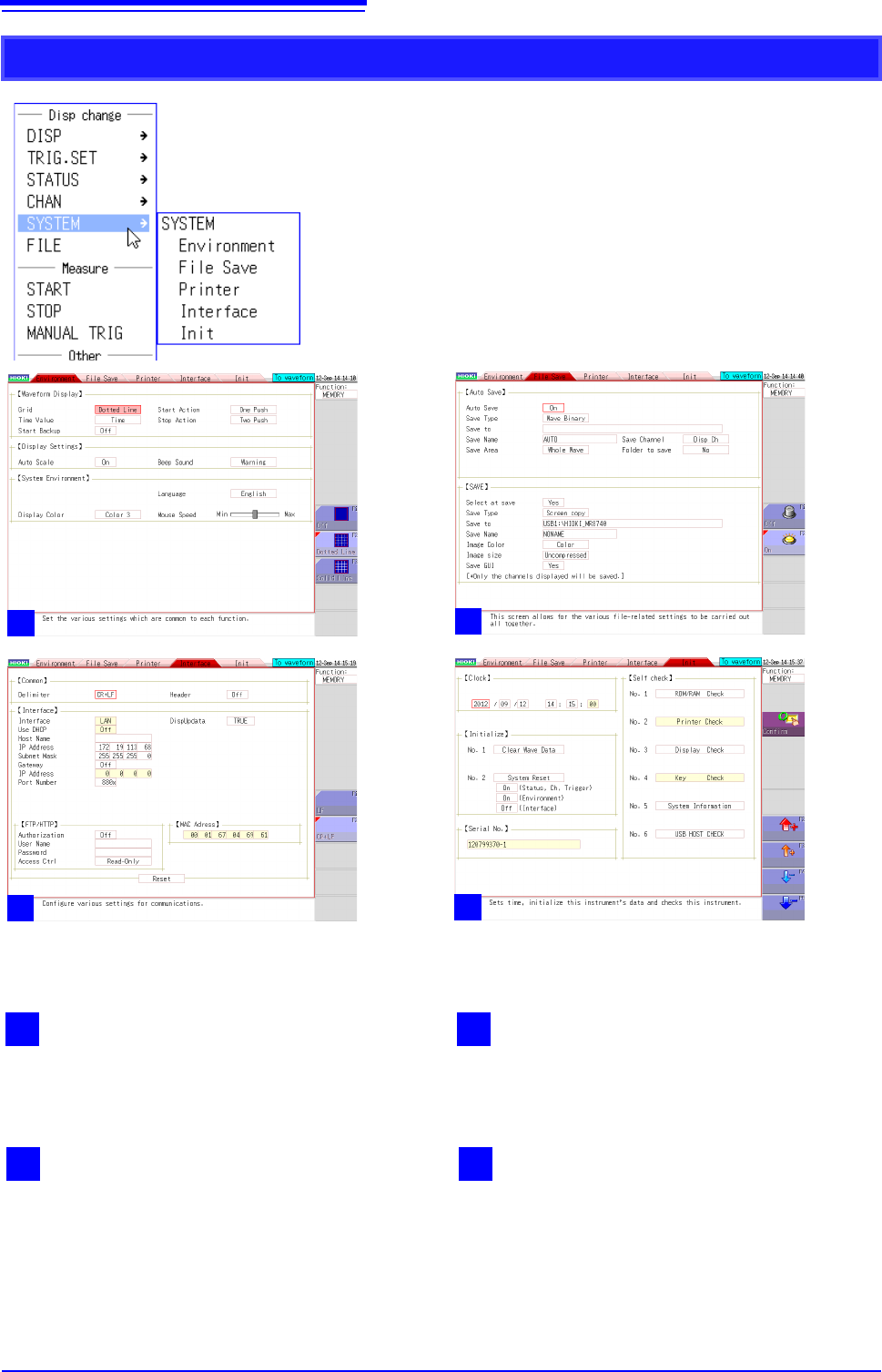
SYSTEM
2
1
Environment
Displays the screen for setting the operating envi-
ronment of the instrument.
2
File save
Displays the screen for setting the method for sav-
ing measurement data.
4
Initialization
Displays the screen for clearing the settings of the
instrument, setting the time, etc.
3
Interface
Displays the screen for the LAN communication
setting conditions.
1
2
2
2
3
2
4