MR8740、MR8741_user_manual_eng_20191016H.pdf - 第197页
7.10 Register the Wavefo rm in the U8793 Arbitrary Waveform Generat or Unit 185 6 Chapter 7 Utility Functions 7 Register From Files 1 Select [Register..from file] using F keys 2 Select [to File scrn] using the CH.SET key…
7.10 Register the Waveform in the U8793 Arbitrary Waveform Generator Unit
184
You can register waveform in the Model U8793. Registered waveforms can be output from the Model U8793.
7.10 Register the Waveform in the U8793 Arbi-
trary Waveform Generator Unit
Procedure
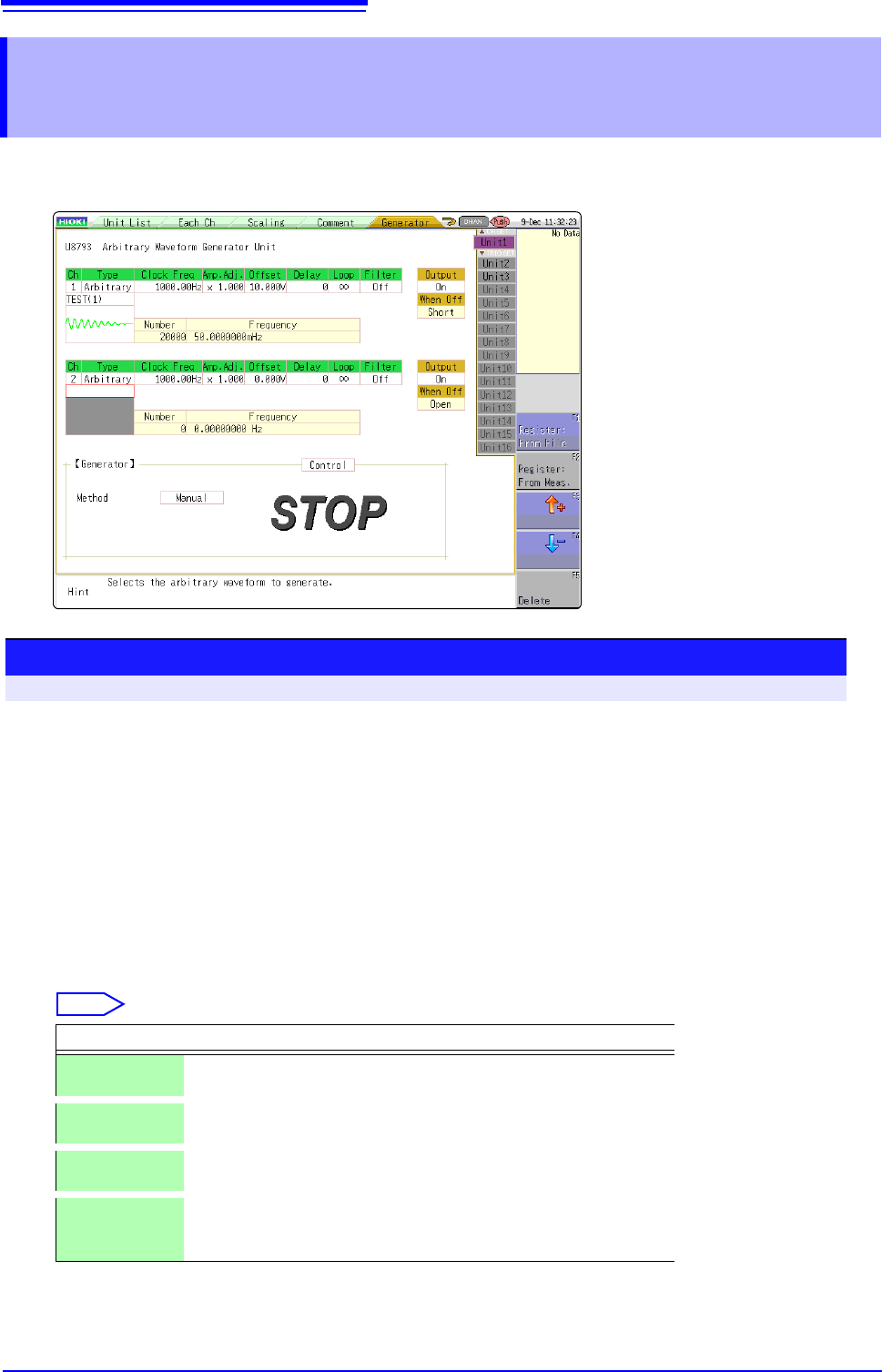
To open the screen: press the CHAN key to open the Channel screen, and then select [Generator] sheet
1
Set the type to arbitrary waveform.
Move the cursor to [Type] on the settings screen, and select [Arbitrary] using the F keys.
2
Register the waveform.
Move the cursor to the item listed below [Arbitrary] on the settings screen.
3
Select a reading source of the waveform.
Select
Selections Description
Resister:
From File
Registers from data saved in the media.
Register:
From Meas.
Registers the data measured using memory function. You can also
register after reading the MEM files from media to the instrument.
or Select arbitrary waveform data registered in the Model U8793.
(Use when selecting/deleting output waveforms.)
Delete Deletes the data registered in the U8793 memory.
If eight waveforms are already registered in the memory, delete
any of them and then register.
7.10 Register the Waveform in the U8793 Arbitrary Waveform Generator Unit
185
6
Chapter 7 Utility Functions
7
Register From Files
1
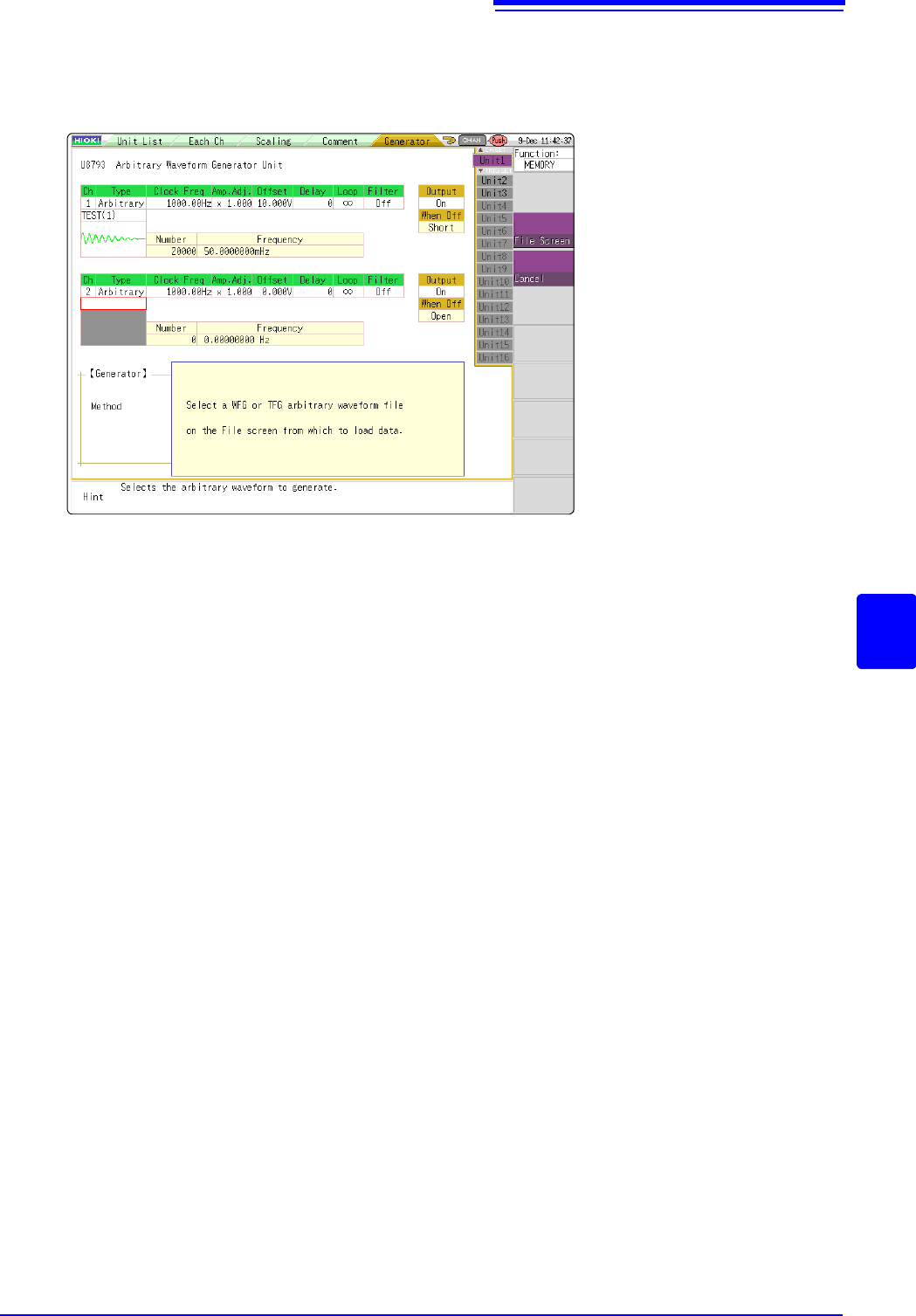
Select [Register..from file] using F keys
2
Select [to File scrn] using the CH.SET key.
Move to the file screen.
3
Select arbitrary waveform file WFG or TFG on the file screen and then register.
7.10 Register the Waveform in the U8793 Arbitrary Waveform Generator Unit
186
Register From Measured Data
1
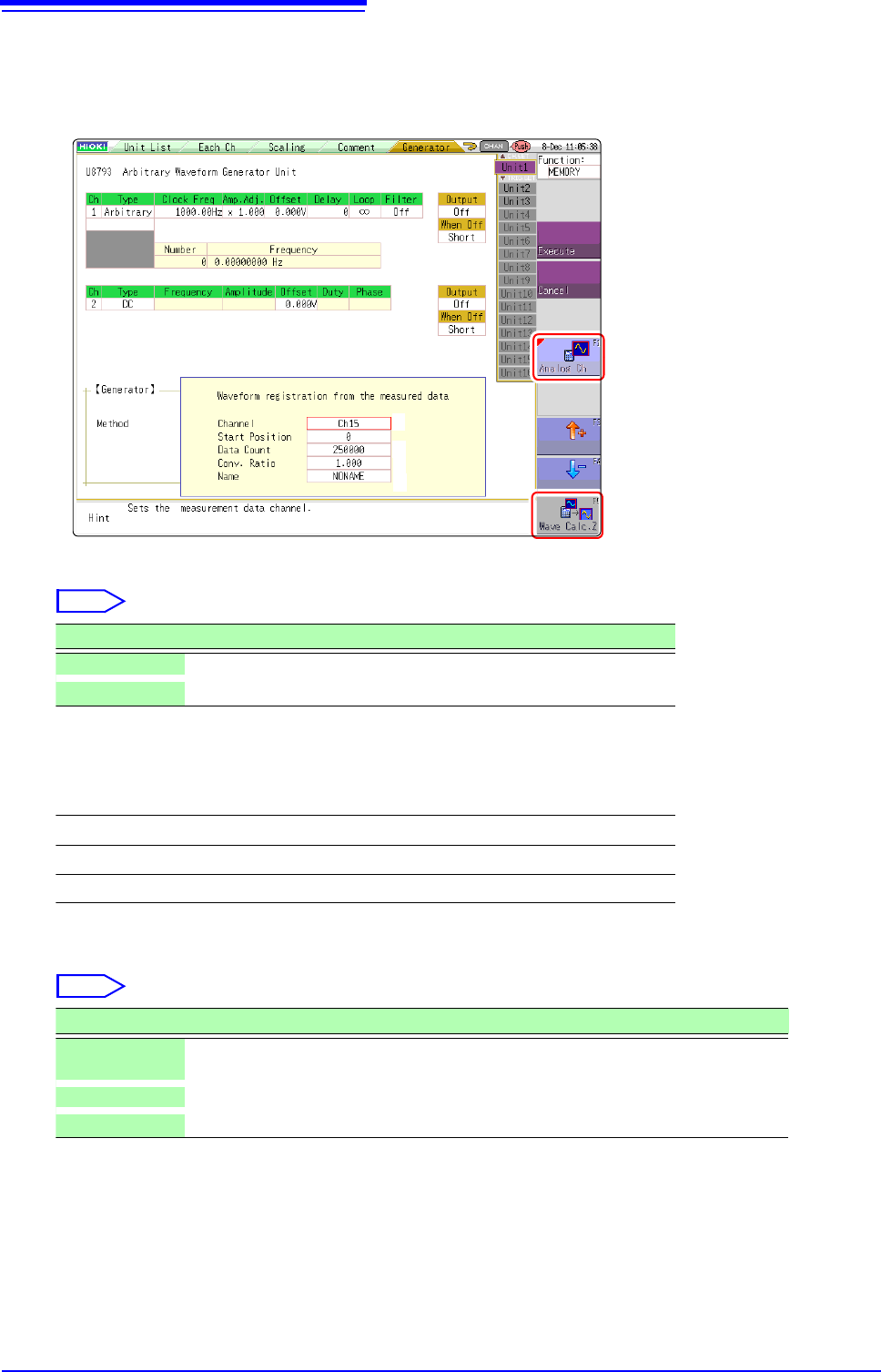
Select [Register..from measurement data] using F keys
2
Select the waveform to be registered using F keys.
3
Select the waveform channels to register.
4
Set the data count to be registered.
* Data count more than 250,000 (maximum registerable data count) cannot be registered.
2
2
6
3
4
5
Select
Selections Description
Analog Ch Registers the waveform of the measured analog channel.
Wave Calc. Z Registers the waveforms with waveform calculation result.
Analog waveform
Ch1 to Ch32
Waveform calculations
Z1 to Z16
Select
Selections Description
Whole wave-
forms
Registers the whole wave.*
A-B waveforms Registers the waveforms between AB cursors.*
Tenkey input Randomly sets data lead position and data count in the numeric keypad input.