MR8740、MR8741_user_manual_eng_20191016H.pdf - 第142页
6.5 Magnifying and Compressing Wa veforms 130 This applies to the Memory function only. A magnified section of a waveform can be display ed together with the unma gnified view by splitting the screen horizontally. With t…
6.5 Magnifying and Compressing Waveforms
129
5
Chapter 6 Waveform Screen Monitoring and Analysis
6
This applies to the Memory function and Recorder function. (However, with the
Recorder function, waveform magnification is not available.)
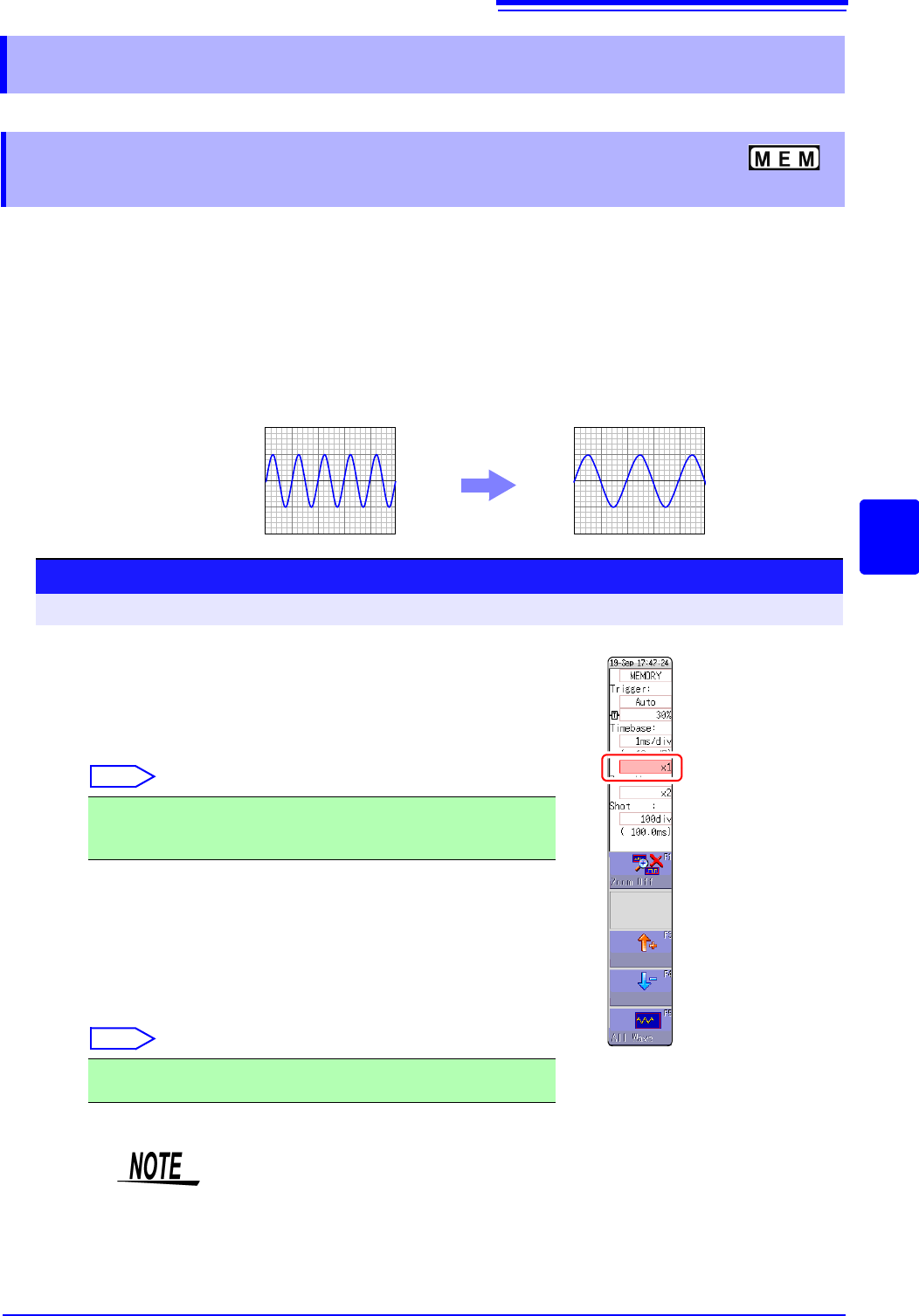
Data details can be observed by magnifying the waveform along the horizontal axis (time axis).
Also, by compressing the time axis, overall waveform fluctuations can be readily seen.
On-screen magnification and compression is based on the left edge of the screen. However, when
A/B cursor appears on the screen, use the cursor as the standard to expand or compress.
The amount of magnification/compression can be changed after measurement.
6.5 Magnifying and Compressing Waveforms
6.5.1 Magnifying and Compressing
Horizontal Axis (Time Axis)
Normal Display Magnified Display (x2)
Procedure
To open the screen: Right-click and select [DISP] Waveform screen
1
Move the flashing cursor to the magnification item, and click
it.
2
Select display magnification.
Memory Function
Select
When [Zoom On] is selected, a section of the time axis will be mag-
nified.
See: "6.5.2 Zoom Function (Magnifying a Section of the Horizontal Axis
(Time Axis))" (p.130)
When [All Wave] is selected, the entire recording length waveform
will be displayed.
Recorder Function
Select
x10, x5, x2, x1, x1/2, x1/5, x1/10, x1/20, x1/50, x1/100,
x1/200, 1/500, x1/1000, x1/2000, x1/5000, x1/10000,
x1/20000, 1/50000, x1/100000, x1/200000
x1, x1/2, x1/5, x1/10, x1/20, x1/50, x1/100, x1/200, x1/500, x1/1000,
x1/2000, x1/5000, x1/10000, x1/20000, x1/50000
When a waveform loaded from media is displayed at a high compression ratio,
the display may be slow to update.
6.5 Magnifying and Compressing Waveforms
130
This applies to the Memory function only.
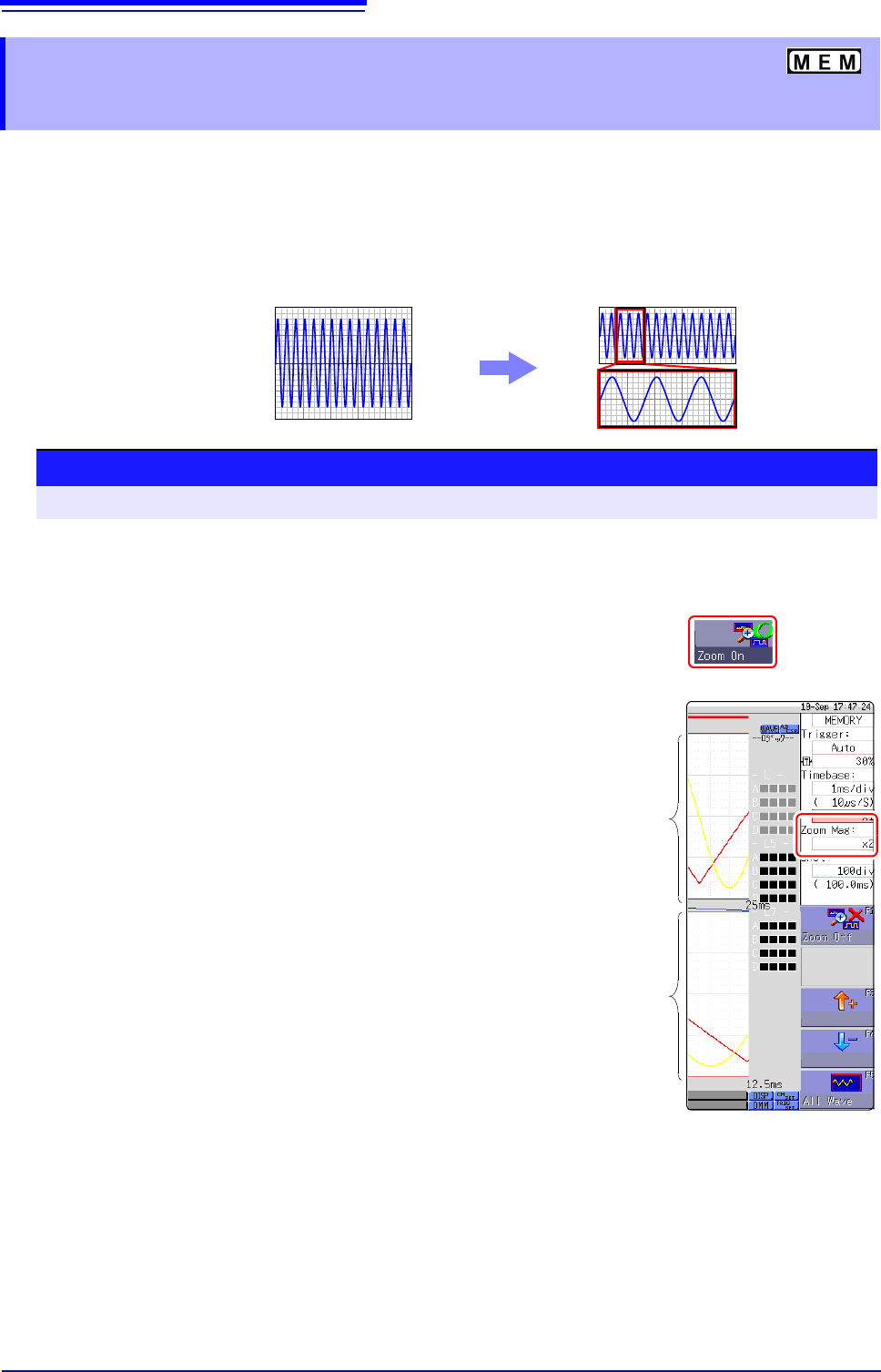
A magnified section of a waveform can be displayed together with the unmagnified view by splitting
the screen horizontally.
With the waveform displayed normally on the upper half of the screen, a section magnified along the
time axis can be displayed on the lower half.
6.5.2 Zoom Function (Magnifying a Section
of the Horizontal Axis (Time Axis))
Normal Display
Zoomed Display
Normal Display
Zoom
Procedure
To open the screen: Right-click and select [DISP] Waveform screen
1
Move the mouse cursor to the magnification setting field
under the time axis range, and click it to display [Zoom On].
2
Select [Zoom On].
The Zoom function is enabled and the screen is split into upper and lower
halves.
(Upper: waveform to be magnified, Lower: magnified (zoomed) section of
waveform)
3
Select display magnification for the zoomed waveform sec-
tion.
Move the flashing cursor to the [Zoom Mag], and set the
magnification.
The zoomed waveform section at the lower half of the screen is magnified.
When the same value or a smaller value than the magnification/compression
ratio is specified, the ratio is automatically set to a setting one step higher
than the [Zoom Mag] setting.
4
Scrolls the zoomed section of the waveform.
See: "6.3.2 Scrolling the Measurement Waveform" (p.125)
To cancel Zoom:
Click the magnification, and select [Zoom Off]. (The condi-
tion is canceled while keeping the inherited zoom ratio.)
Example: When the zoom ratio was set to x5 and zoom is
canceled, the ratio setting will be [x5].
Magnifying
and Com-
pressing
ratio wave-
form
Zoom ratio
waveform
6.5 Magnifying and Compressing Waveforms
131
5
Chapter 6 Waveform Screen Monitoring and Analysis
6
Description About logic waveform display
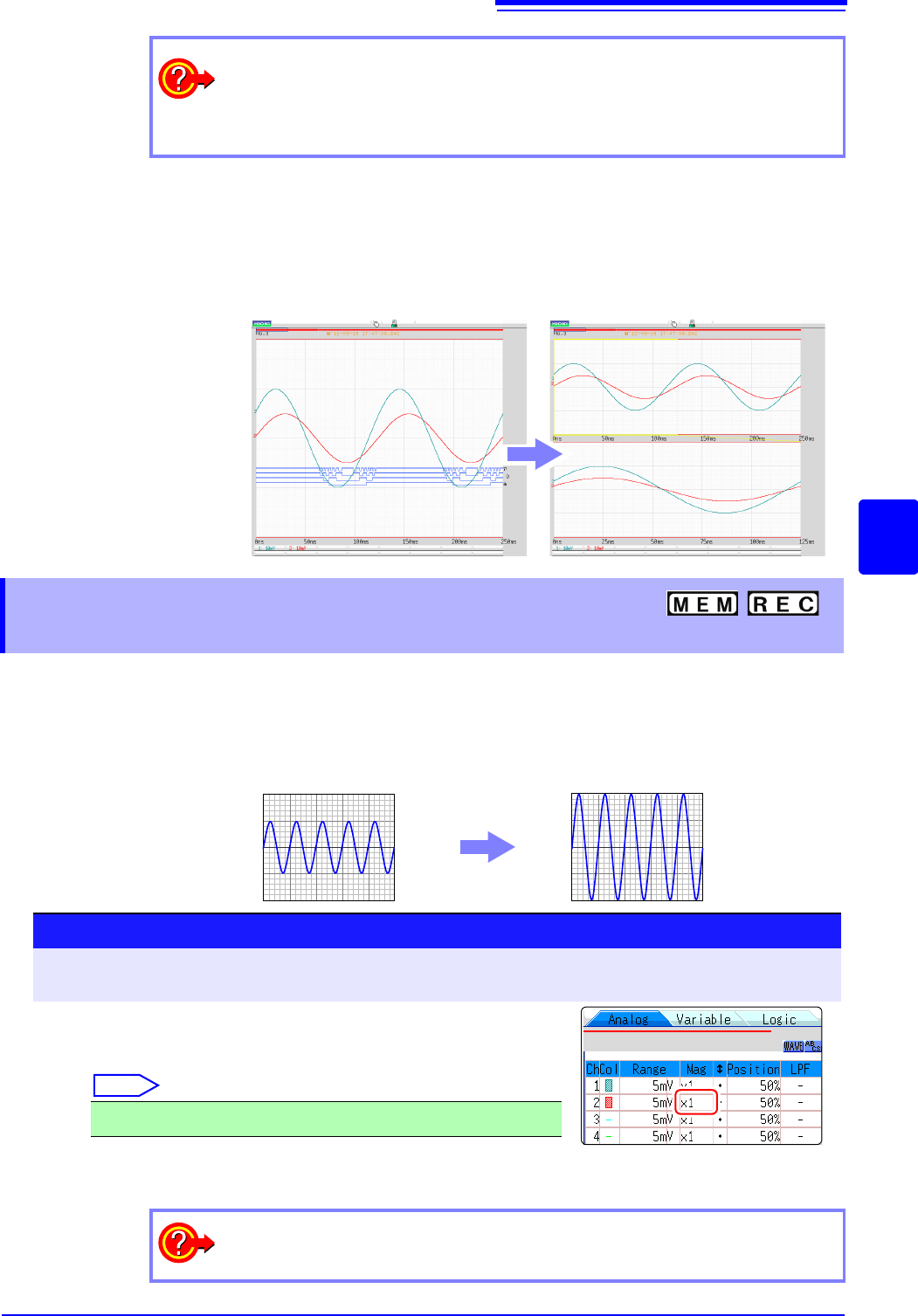
When the Zoom function is enabled, and the logic waveform display position is at
less than [50pos], the logic waveform will not be displayed.
Example: Display position [30pos]
This applies to the Memory function and Recorder Function.
Waveforms on each channel can be magnified or compressed along the vertical axis (voltage axis)
for display.
Magnification and compression based on zero position.
To view the entire waveform (Memory function only)
Move the flashing cursor to the ratio item in the settings window and select [All
Wave].
The waveform information for the entire recording length is displayed.
Normal Display Zoomed Display
6.5.3 Magnifying and Compressing
Vertical Axis (Voltage Axis)
Normal Display
Magnified Display
Procedure
To open the screen: Right-click and select [DISP] Waveform screen Right-click and select [CH.SET]
Channel settings window ([Analog] sheet)
Move the flashing cursor to the [Mag] item of the channel to
adjust, and click it.
Select
Selecting [Invert] will invert plus and minus in the waveform.
See: "7.7 Inverting the Waveform (Invert Function)" (p.159)
x1/10, x1/5, x1/2, x1, x2, x5, x10, x20, x50, x100
To display at an arbitrary ratio
See: "7.5 Variable Function (Setting the Waveform Display Freely)" (p.155)