MR8740、MR8741_user_manual_eng_20191016H.pdf - 第188页
7.9 Setting Details of Modules 176 When using an out-of-se tting-range current sensor You can use an out-of-setting-rang e curr ent sensor using the scaling function. See: "4.2.2 Automa tically Saving W aveforms&quo…
7.9 Setting Details of Modules
175
6
Chapter 7 Utility Functions
7
Sensitivity You can enter sensor sensitivity to two decimal places. For a charge-output
acceleration sensor or non-TEDS-compliant sensor, enter its sensitivity marked
on the sensor, which represents sensitivity per meter per second squared.
Setting example for sensor sensitivity
Example 1 For a sensor with its sensor sensitivity per meter per second
squared marked
Example 2 For a sensor with its sensor sensitivity per gee (G) marked.
For a sensor with its sensitivity marked, enter a quotient of the marked sensitivity
divided by 9.8 m/s
2
.
To convert a unit from meter per second squared into gee (G)
The instrument measure charge quantities per meter per second squared. You
can convert such charge quantities into those per gee (G) using the scaling func-
tion.
See: "7.4 Converting Input Values (Scaling Function)" (p.148)
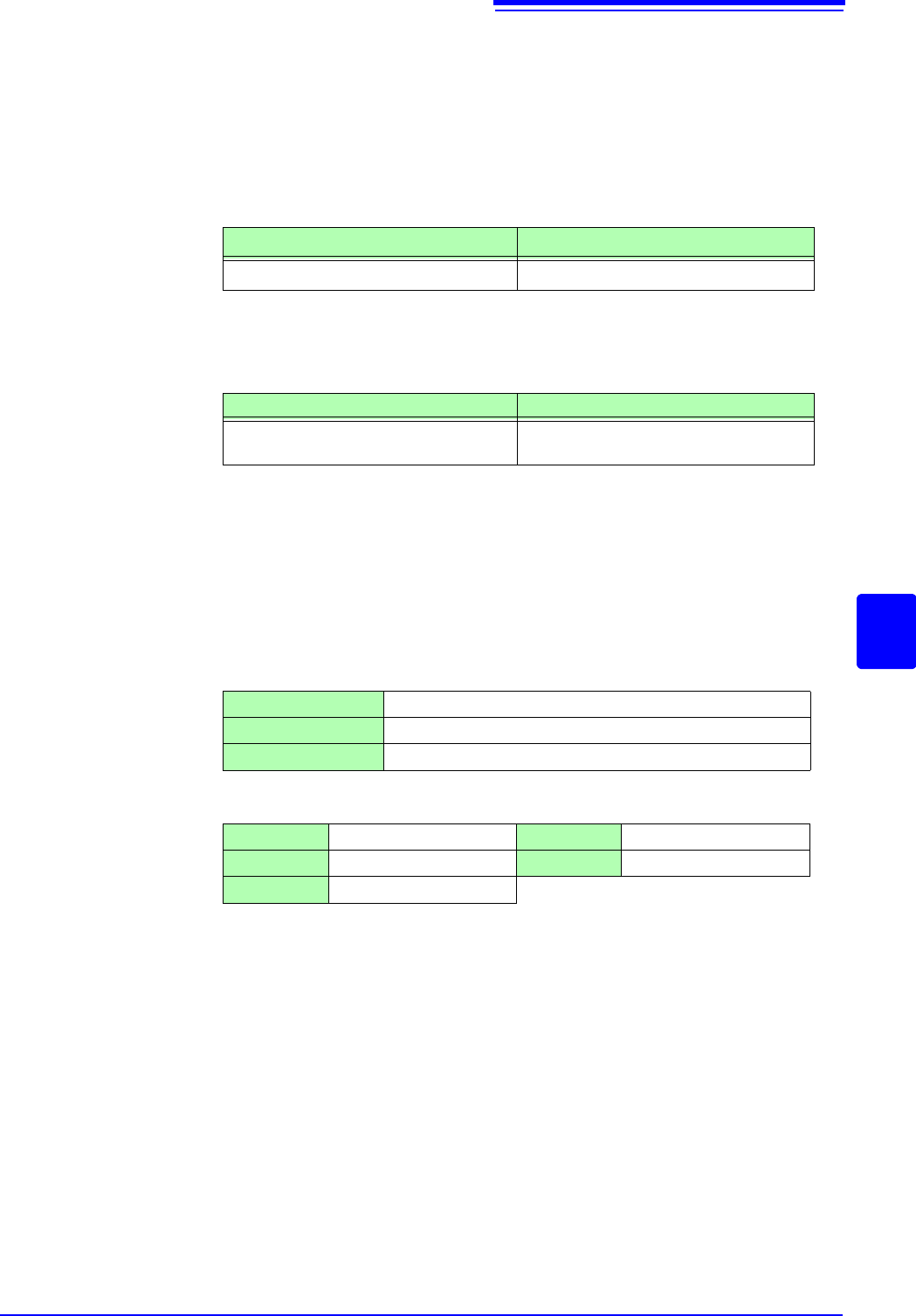
Configure the scaling setting as follows;
Example 1 Specifying a conversion ratio
Example 2 Specifying two points
Sensor sensitivity (setting value)
1.08 pC/(m/s
2
)1.08
Sensor sensitivity (setting value)
For sensor sensitivity of 64 pC/G
64.0 / 9.8 = 6.53061... pC/(m/s
2
)
6.531 (to two decimal places)
Ratio 0.1020E+00 (= 1/9.8)
Offset 0.0000E+00
Units G
Input1 9.8000E+00 Scale1 1.0000E+00
Input2 0.0000E+00 Scale2 0.0000E+00
Units G
7.9 Setting Details of Modules
176
When using an out-of-setting-range current sensor
You can use an out-of-setting-range current sensor using the scaling function.
See: "4.2.2 Automatically Saving Waveforms" (p.88)
Sensitivity Multiply the sensor sensitivity of a sensor to be used by a certain value to allow a
product to fall within the setting range (0.1 to 10), and enter the product.
Scaling Configure the scaling setting so that a scaling ratio is the same value as the
number you multiplied the sensor sensitivity by.
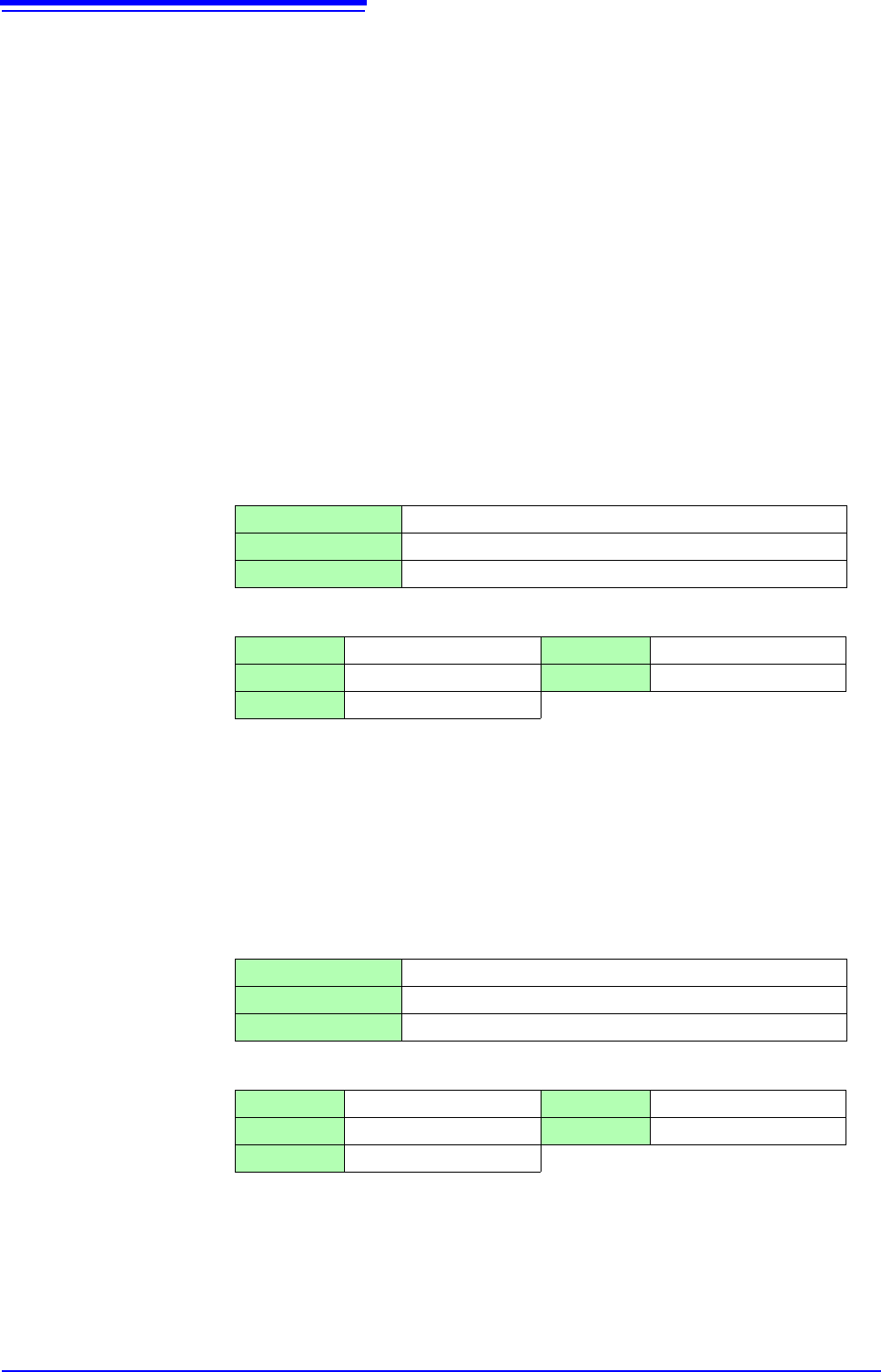
Example 1 For sensor sensitivity of 23.4 pC/(m/s
2
)
Specify 10 pC/(m/s
2
), which results from multiplying the sensor sensitivity by
1/2.34, as the sensor sensitivity.
To display measured values after multiplying them by 1/2.34, configure the scal-
ing setting as follows:
To configure the scaling setting using the conversion ratio method
To configure the scaling setting using the 2-point method
Example 2 For sensor sensitivity of 0.05 pC/(m/s
2
)
Specify 0.1 pC/(m/s
2
), which results from multiplying the sensor sensitivity by
two, as the sensor sensitivity.
To display measured values after multiplying them by two, configure the scaling
setting as follows:
To configure the scaling setting using the conversion ratio method
To configure the scaling setting using the 2-point method
Ratio 0.4274E+00 (= 10/23.4)
Offset 0.0000E+00
Units m/s
2
Input1 2.3400E+00 Scale1 1.0000E+00
Input2 0.0000E+00 Scale2 0.0000E+00
Units m/s
2
Ratio 2.0000E+00 (= 0.1/0.05)
Offset 0.0000E+00
Units m/s
2
Input1 0.0500E+00 Scale1 1.0000E+00
Input2 0.0000E+00 Scale2 0.0000E+00
Units m/s
2
7.9 Setting Details of Modules
177
6
Chapter 7 Utility Functions
7
Channels installed with Model MR8790 cannot be measured.
See: "Opening the [Each Ch] sheet, Making a Channel Selection" (p.161)
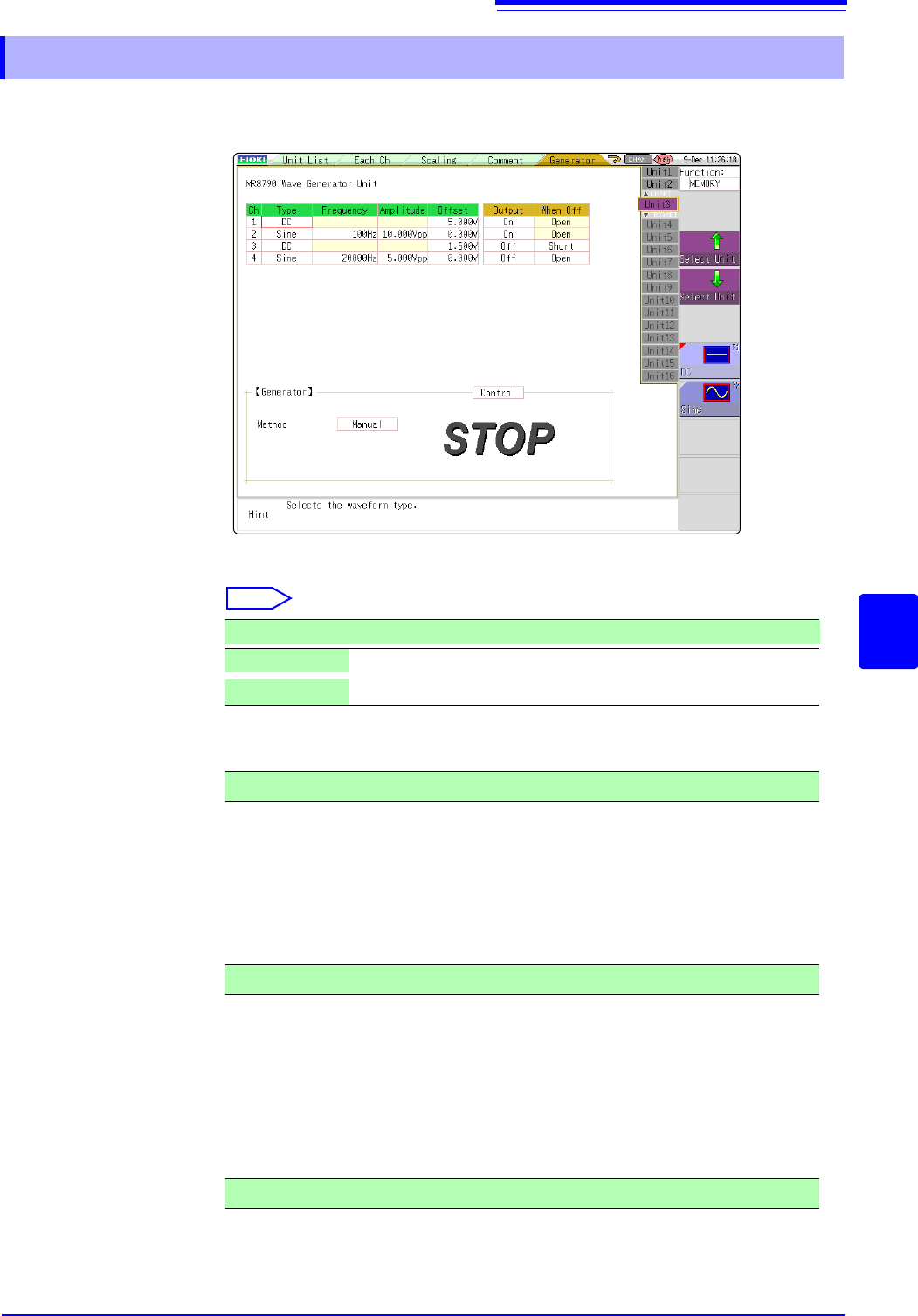
Type Selects the waveform type.
Select
Frequency Sets the frequency of output signal.
Amplitude Sets the amplitude of output signal.
The output voltage with guaranteed accuracy is the sum of the amplitude and the
offset, between -10 V and +10 V. If the sum of the amplitude and the offset is set
outside the guaranteed accuracy range, parts of the waveform will be clamped to
the upper limit, approximately +14 V and the lower limit, approximately -14 V.
Offset For DC output: Sets DC voltage.
For sine wave output: Sets the offset voltage.
The output voltage with guaranteed accuracy is the sum of the amplitude and the
offset, between -10 V and +10 V. If the sum of the amplitude and the offset is set
outside the guaranteed accuracy range, parts of the waveform will be clamped to
the upper limit, approximately +14 V and the lower limit, approximately -14 V.
7.9.11 Setting Model MR8790 Waveform Generator Unit
Selections Description
DC
DC output (Default setting)
Sine
Sine wave output
0 Hz to 20000 Hz
0.000 V p-p to 20.000 V p-p
-10 V to +10 V