MR8740、MR8741_user_manual_eng_20191016H.pdf - 第198页
7.10 Register the Wavefo rm in the U8793 Arbitrary Waveform Generat or Unit 186 Register From Measured Dat a 1 Select [Register ..from measurement data] using F keys 2 Select the waveform to be registere d using F keys. …
7.10 Register the Waveform in the U8793 Arbitrary Waveform Generator Unit
185
6
Chapter 7 Utility Functions
7
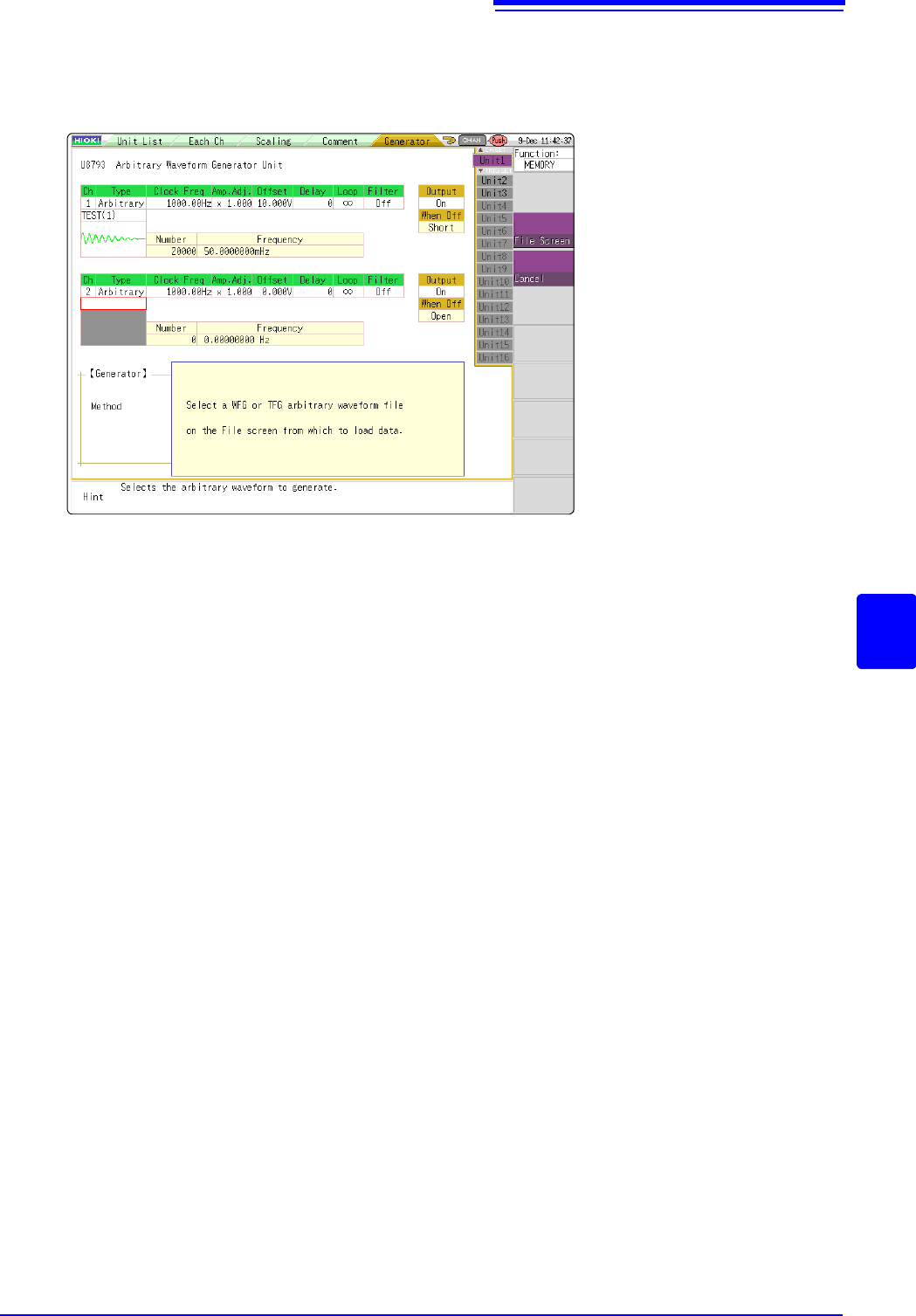
Register From Files
1
Select [Register..from file] using F keys
2
Select [to File scrn] using the CH.SET key.
Move to the file screen.
3
Select arbitrary waveform file WFG or TFG on the file screen and then register.
7.10 Register the Waveform in the U8793 Arbitrary Waveform Generator Unit
186
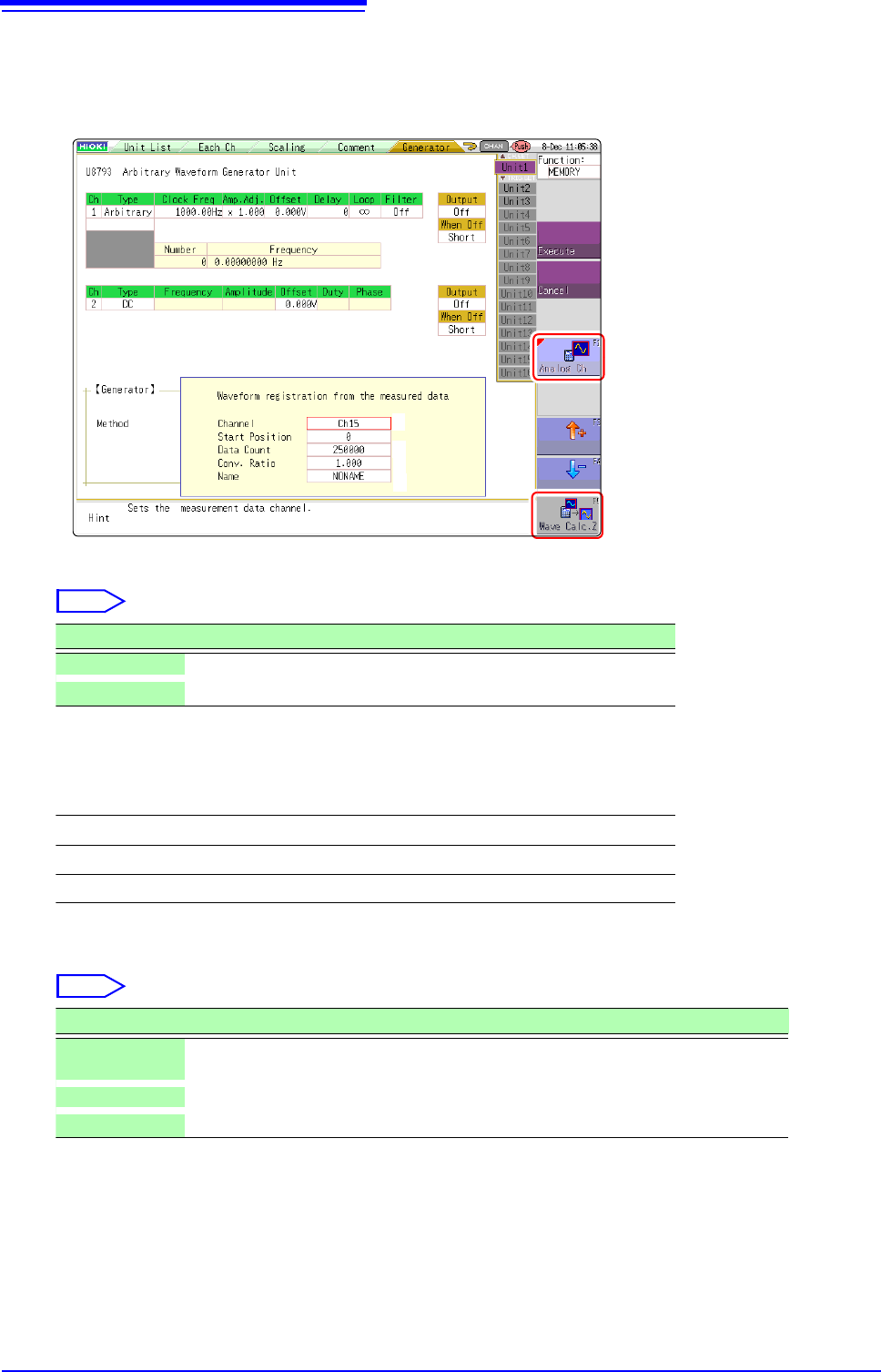
Register From Measured Data
1
Select [Register..from measurement data] using F keys
2
Select the waveform to be registered using F keys.
3
Select the waveform channels to register.
4
Set the data count to be registered.
* Data count more than 250,000 (maximum registerable data count) cannot be registered.
2
2
6
3
4
5
Select
Selections Description
Analog Ch Registers the waveform of the measured analog channel.
Wave Calc. Z Registers the waveforms with waveform calculation result.
Analog waveform
Ch1 to Ch32
Waveform calculations
Z1 to Z16
Select
Selections Description
Whole wave-
forms
Registers the whole wave.*
A-B waveforms Registers the waveforms between AB cursors.*
Tenkey input Randomly sets data lead position and data count in the numeric keypad input.

7.10 Register the Waveform in the U8793 Arbitrary Waveform Generator Unit
187
6
Chapter 7 Utility Functions
7
5
Set the conversion ratio.
6
Enter a data name.
Register as an arbitrary waveform data in the U8793 memory.
Enter a [Name].
When a data name is not entered, the data will be registered as [NONAME].
Amplify or attenuate a voltage value of the measured data to register it.
0.001 times to 100 times