MR8740、MR8741_user_manual_eng_20191016H.pdf - 第314页
13.4 Setting the GO/NG Stop Mode 302 Relationship between stop conditions and the trigger mode • There are three trigger mod es: Single, Repeat, and Auto. See: "8.2 Setting the T rigger Mode" (p .191) • There a…
13.4 Setting the GO/NG Stop Mode
301
11
Chapter 13 Waveform Evaluation Function (MR8741 Only)
12
13
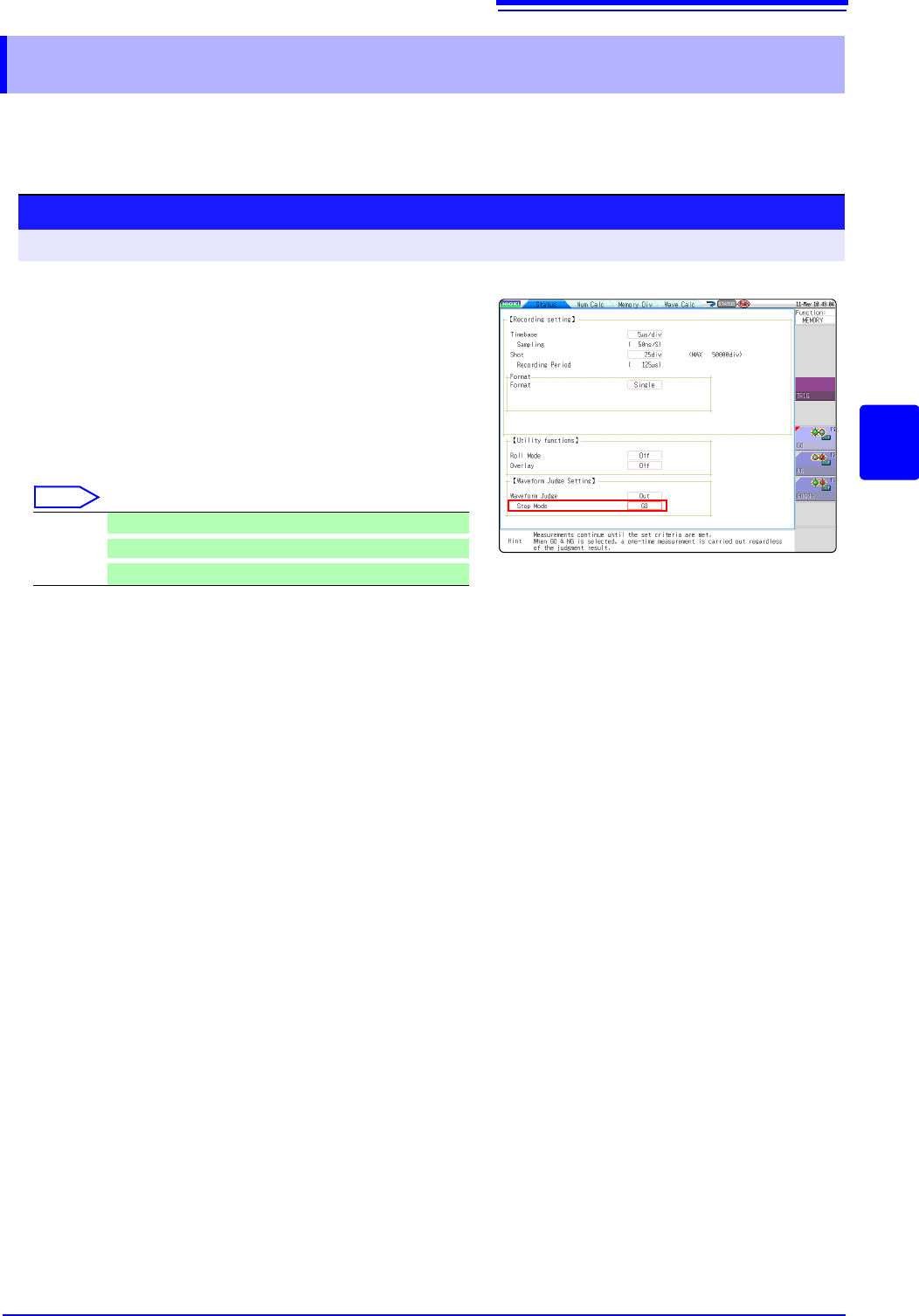
When waveform evaluation is enabled (OUT or ALL OUT is selected), the "Stop mode" menu appears.
Specify which evaluation option, GO or NG, should be used to stop the recording.
The Auto Save function is only executed when interruption conditions are satisfied.
13.4 Setting the GO/NG Stop Mode
Setting method
Procedure Screen: STATUS
Select
GO Stop recording on GO result.
NG
Stop recording on NG result.
GO or NG
Stop recording on GO or NG result.
1
Move the flashing cursor to the position Stop
Mode.
2
Select the setting from the GUI displayed on the
screen.
13.4 Setting the GO/NG Stop Mode
302
Relationship between stop conditions and the trigger mode
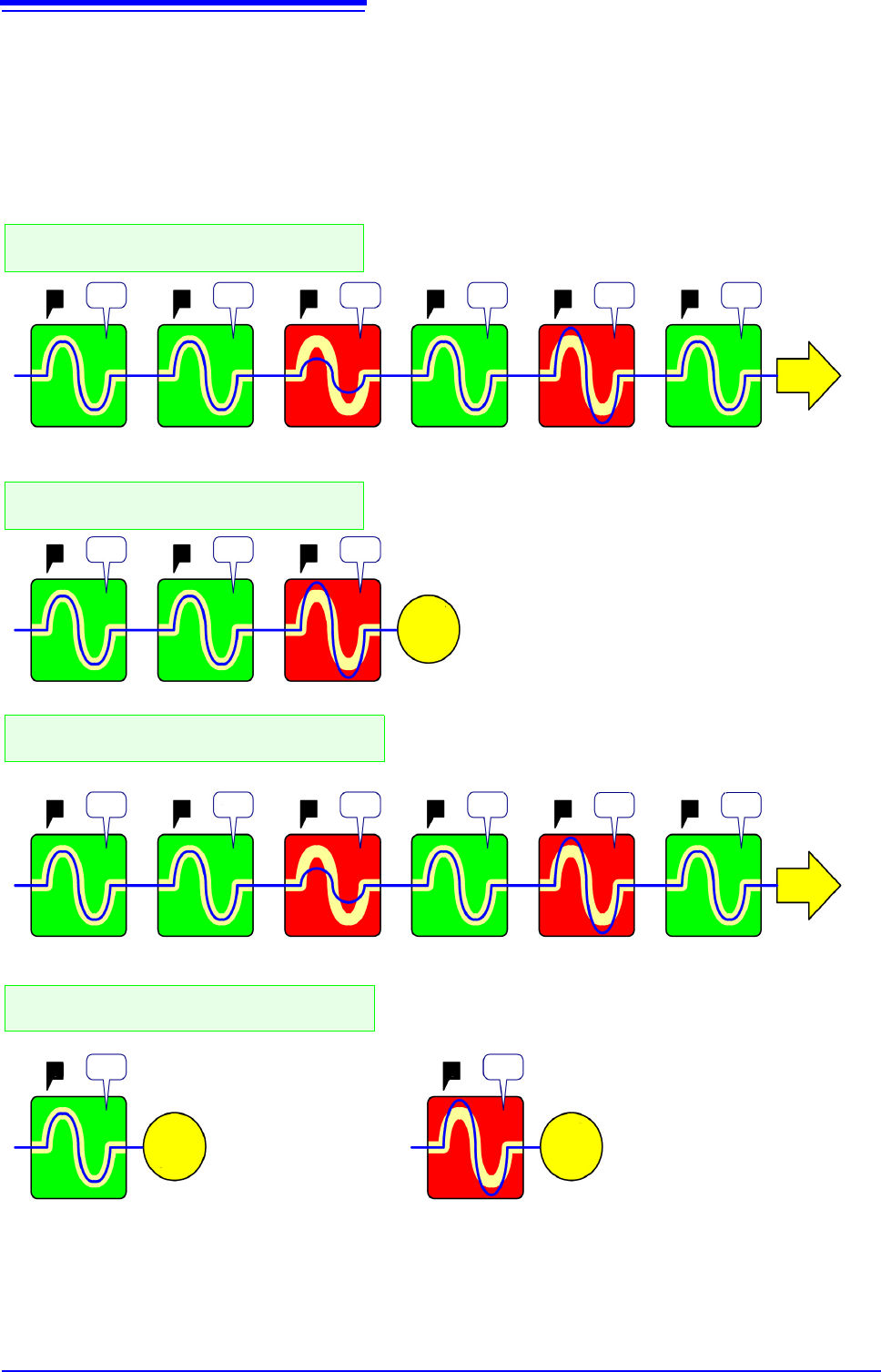
• There are three trigger modes: Single, Repeat, and Auto.
See:"8.2 Setting the Trigger Mode" (p.191)
• There are three stop conditions: PASS, FAIL, and PASS & FAIL.
• By combining a trigger mode and a stop condition, you can halt measurement when a desired comparison
result is achieved. You can also automatically save, or superimpose the waveform for the desired evalua-
tion results. Automatic saving, and superimposition are performed when the stop conditions are met.
• When the "Single" trigger mode is set, measurement is stopped if the stop conditions are met. Measure-
ment continues until the stop conditions are met.
• When the "Repeat" or "Auto" trigger mode is set, measurement continues until [STOP] is clicked (or a
STOP signal is input), whether or not the stop conditions are met.
TTTT
TTT
T
T
T
T
T
TTT
T
T
PASS PASS FAIL
PASS
PASS FAIL PASS FAIL PASS
PASS PASS FAIL PASS FAIL PASS
PASS
FAIL
Measure-
ment
halted
Measure-
ment
halted
Continue
Continue
Measure-
ment
halted
Through
Through
Through
Through
ThroughSave Save
Through
Save
Save Save Save Save Save Save
Save
Save
In case of "Single" trigger mode and "FAIL"
stop condition.
In case of "Repeat" trigger mode and "PASS “
& FAIL" stop condition.
In case of "Single" trigger mode and "PASS “
& FAIL" stop condition.
Measurement continues until the user clicks [STOP].
Auto Save is initiated only when the stop conditions are met.
Measurement halts when a "FAIL" comparison result is returned.
Auto Save is initiated only when the stop conditions are met.
Measurement halted because
stop conditions are met.
Measurement continues until the user clicks [STOP].
Auto Save is initiated each time, regardless of the comparison
result
Measurement halts after a single operation, regardless of compari-
son result.
Auto Save is initiated regardless of comparison result.
Measurement halted be-
cause stop conditions
are met.
Measurement halted because
stop conditions are met.
In case of "Repeat" trigger mode and "FAIL"
stop condition.
TTTTTT
TT
13.5 Creating the Evaluation Area
303
11
Chapter 13 Waveform Evaluation Function (MR8741 Only)
12
13
13.5 Creating the Evaluation Area
Setting method
Procedure Screen: Waveform display
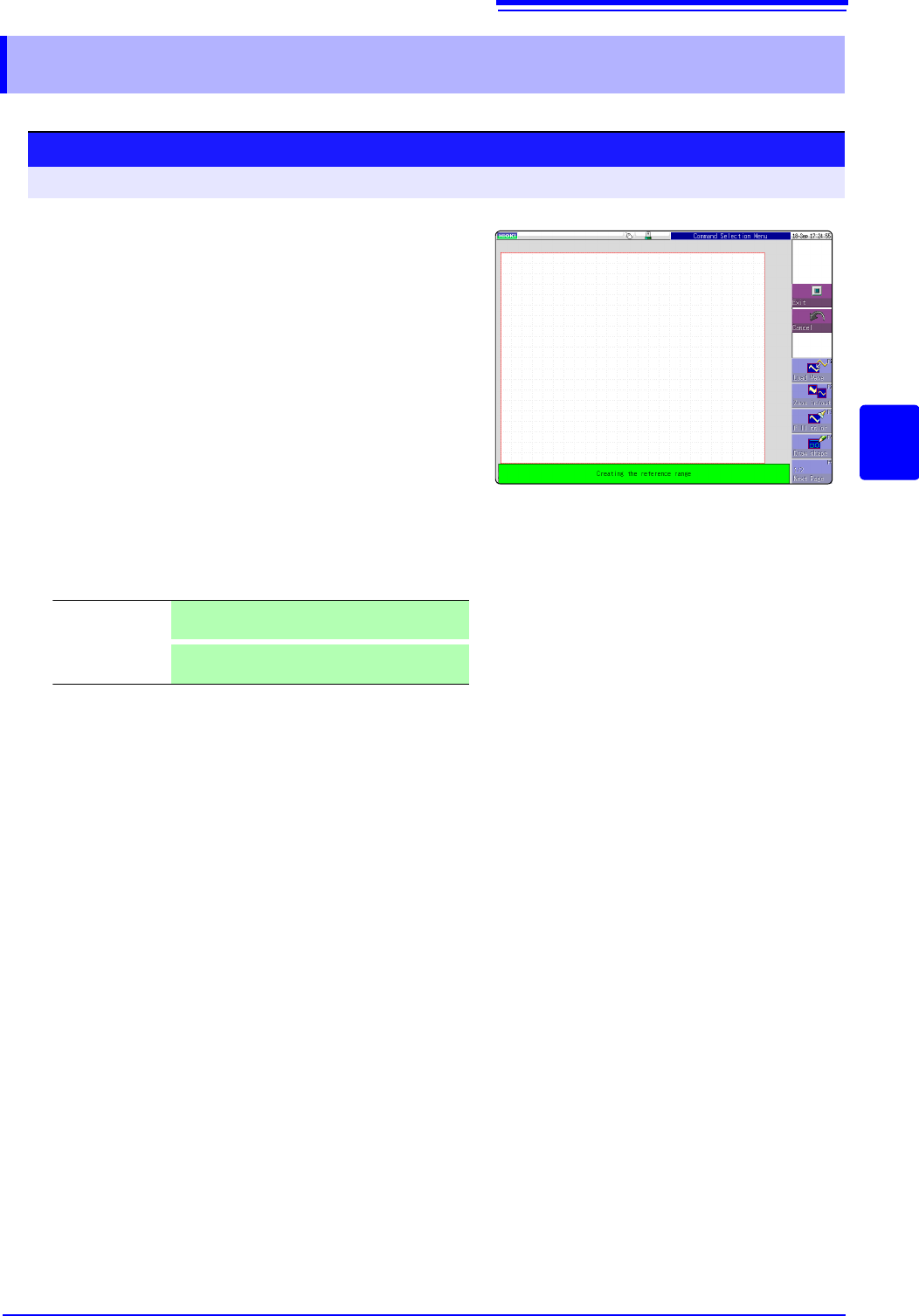
1
Move the flashing cursor to the [Waveform
Judge]
item and select [Edit] from the GUI dis-
played on the screen.
2
Select an editor from the GUI displayed on the
screen, and create the area that will be the ref-
erence for waveform judgment. You can also
use the mouse to create an area.
See:"1.5.1 Mouse Operations" (p.22)
3
Click [Exit] to terminate the editor.
4
Serves to store the created area in memory.
5
Save the evaluation area through the File
screen or [SAVE], if necessary.
See:"4.2 Saving Data" (p.87)
Save and End Saves the created evaluation area in the instru-
ment's internal memory and exits.
Discard Chang-
es and End
Discards the created evaluation area and exits.