MR8740、MR8741_user_manual_eng_20191016H.pdf - 第31页
1.4 Screen Configuration 19 1 Chapter 1 Overview The screen configuration is shown below. Click an item wit h the mouse to display the corresponding screen. On the Waveform screen, the trig ger settings window and channe…
1.3 Display
18
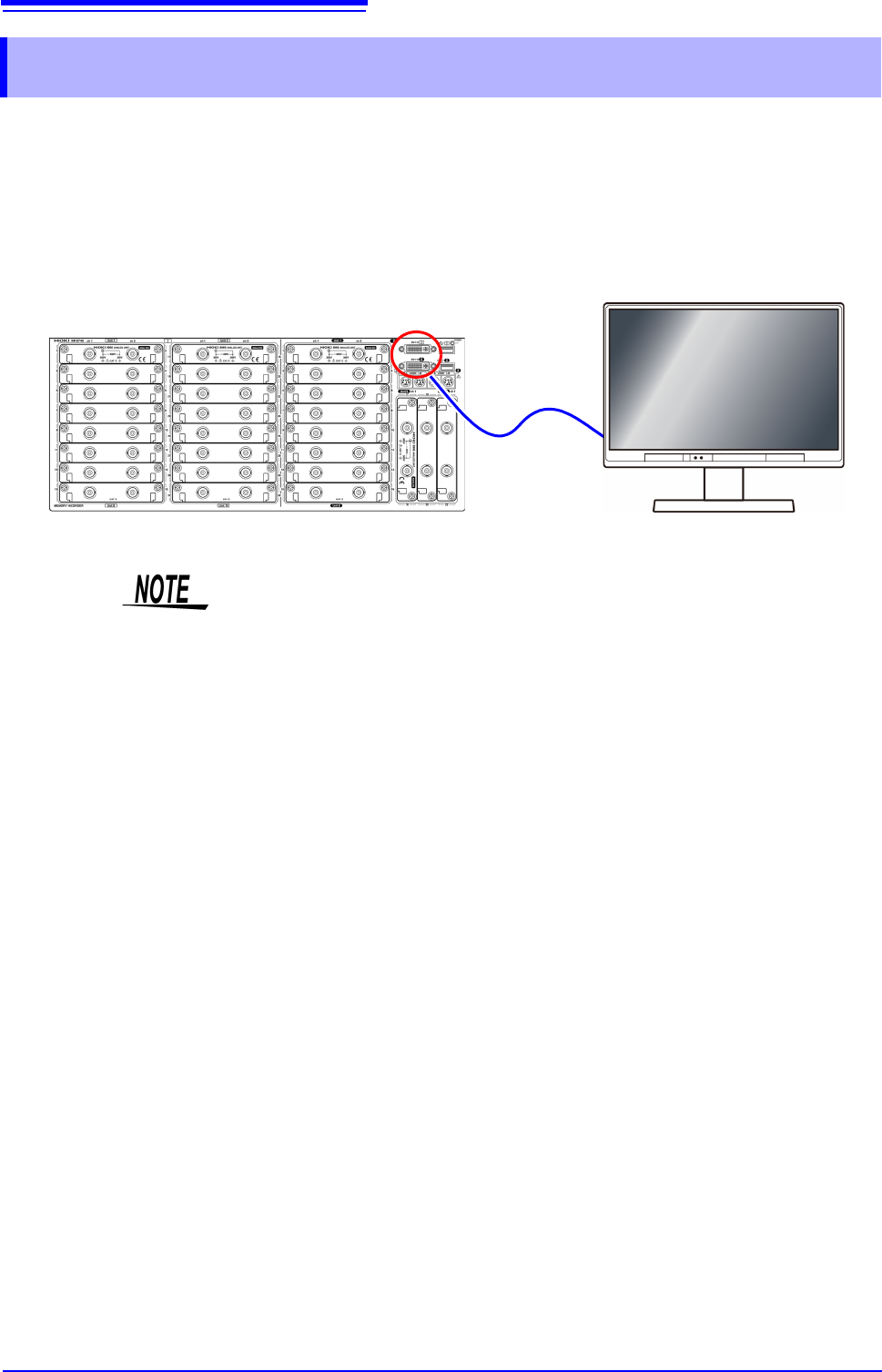
This instrument allows you to use a commercially available LCD monitor for displaying waveforms
and various settings.
1.3 Display
• The instrument’s DVI connectors are designed exclusively for digital. They
cannot be used for analog.
A VGA-DVI adapter also cannot be used.
• There are a variety of LCD monitors available, and not all LCD monitors will
work with the instrument.
• The display aspect ratio for DVI output with this instrument is 4:3. If you use a
wide LCD (16:9), display will be stretched in the horizontal direction.
• External interference may cause display to be distorted. Keep the LCD and
LCD cable as far away as possible from sources of interference.
• MR8740 displays the waveforms of the block I side (32 analog channels + 8
logic channels) with DVI-I, and the waveforms of the block II side (22 analog
channels + 8 logic channels) with DVI-II. The waveforms of block I and block II
cannot be displayed at the same time.
Connect the LCD monitor to a DVI-D connector on the front of the instrument.
1.4 Screen Configuration
19
1
Chapter 1 Overview
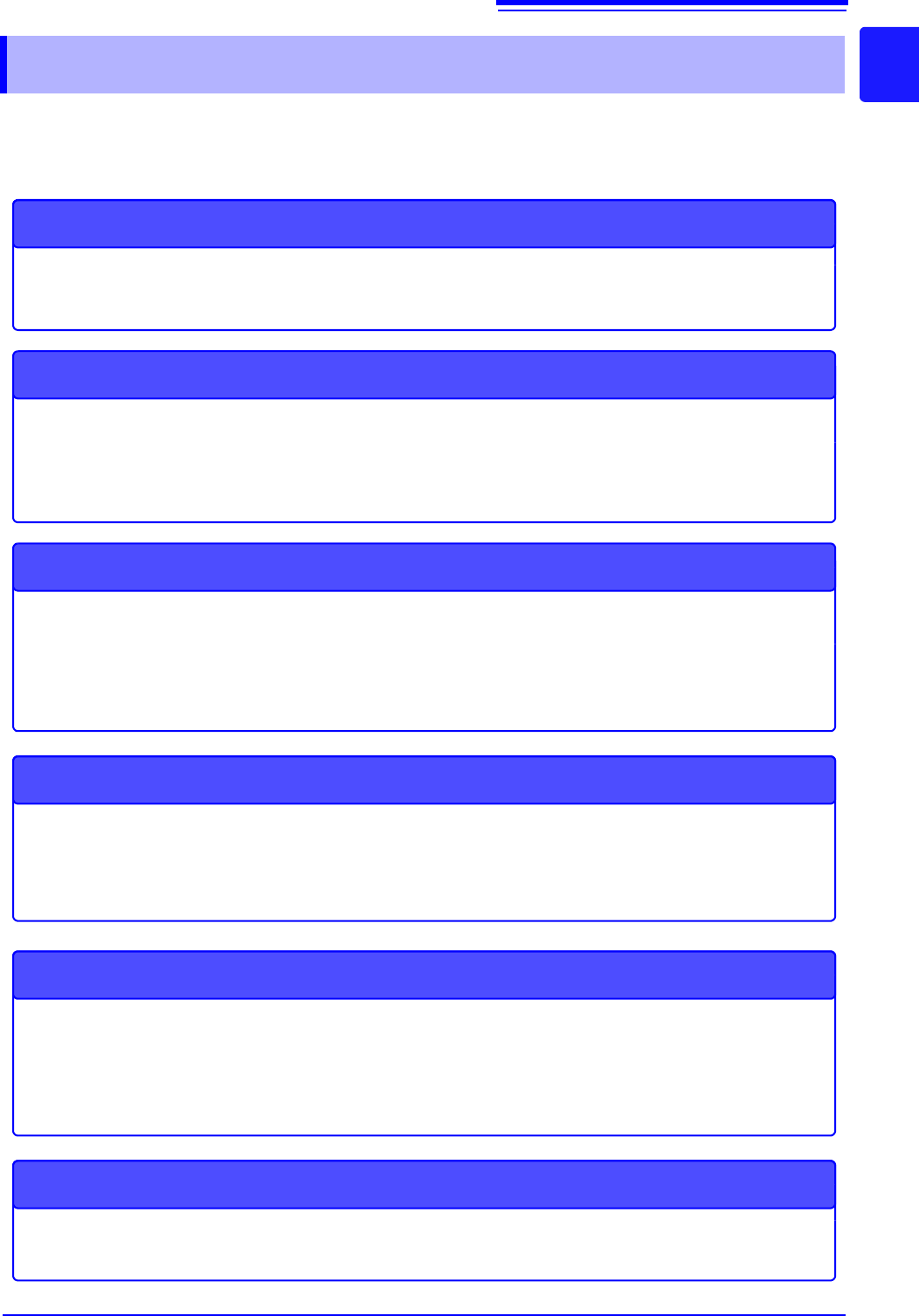
The screen configuration is shown below. Click an item with the mouse to display the corresponding
screen.
On the Waveform screen, the trigger settings window and channel settings window can be displayed.
1.4 Screen Configuration
Status Screen
This screen is for making settings for the measurement method and numerical calcula-
tion of waveform data.
There are the following sheets: [Status] sheet, [Num Calc] sheet, [Memory Div] sheet,
[Wave Calc] sheet
STATUS
Waveform Screen
This screen is for observing waveforms.
The settings window on the right shows the measurement parameters.
Trigger Settings Window/Channel Settings Window
This window is for making the advanced settings for triggers.
This window is for making the advanced settings for analog channels and logic channels.
Channel Screen
This screen is for making channel settings, scaling settings, and comment settings.
There are the following sheets: [Unit List] sheet, [Each Ch] sheet, [Scaling] sheet,
[Comment] sheet
System Screen
This screen is for making settings for the environment, file saving, and communication,
and for performing data initialization.
There are the following sheets: [Environment] sheet, [File Save] sheet, [Printer] sheet,
[Interface] sheet, [Init] sheet
File Screen
This screen is for viewing the data files on media (USB memory stick and internal
memory).
DISP
TRIG.SET
CH.SET
CHAN
SYSTEM
FILE
1.4 Screen Configuration
20
Explanation of Screen Contents __________________________________
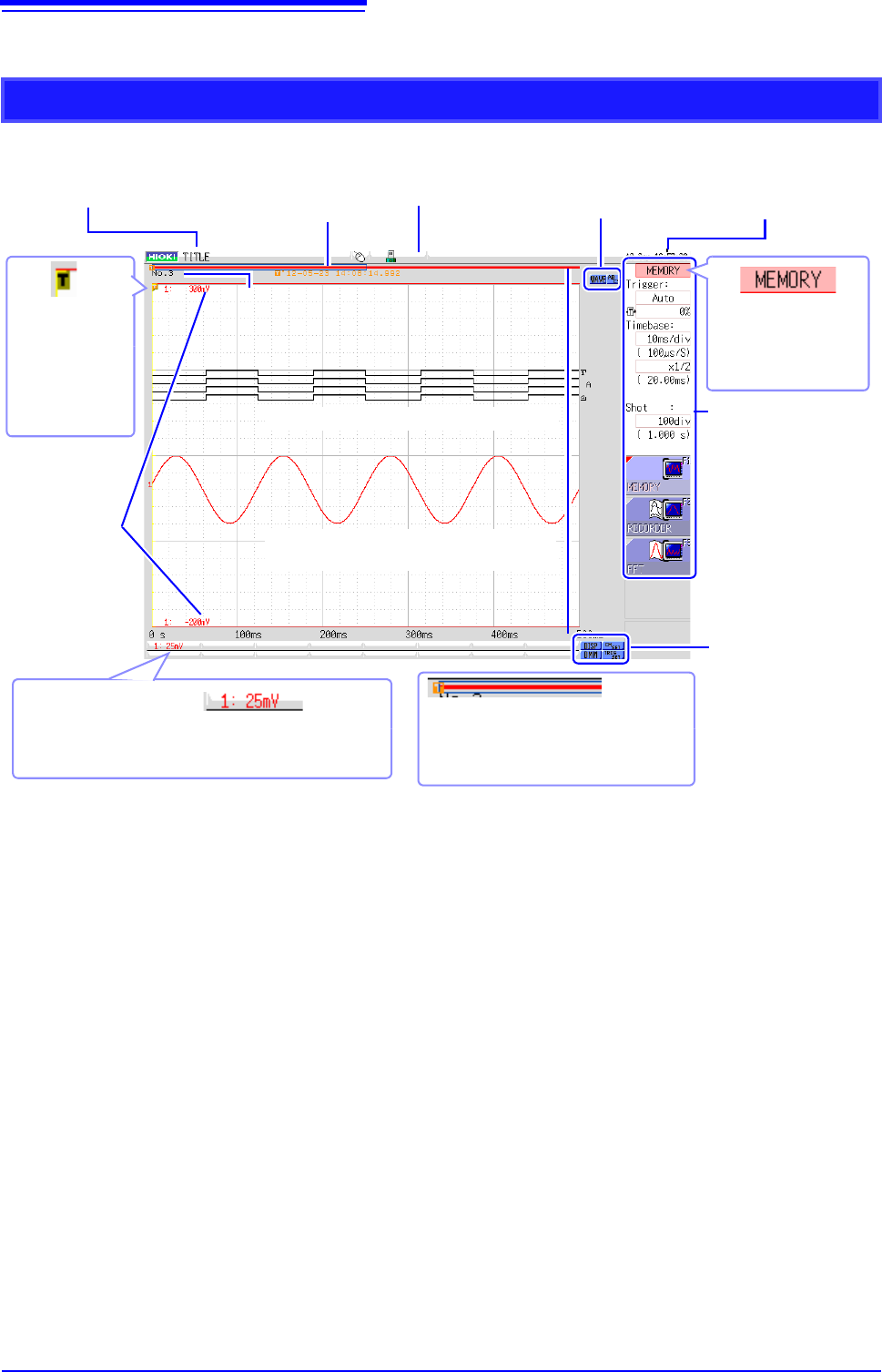
Waveform Screen
Logic waveform (p.79)
Analog waveform (p.76)
Storage counter
Shows how many trigger events occurred. (p.82)
Current date
and time
Shows the set date
and time. (p.57)
Settings cursor
The current cursor lo-
cation is indicated by
flashing.
Title comment
Shows the set title com-
ment. (p.138)
Trigger
marker
Shows the point
where the trigger
event occurred.
(p.189)
Settings window
Set the measurement pa-
rameters here. (p.65)
Trigger time
Shows the date and
time of the last trig-
ger event. (p.189)
Vertical axis display
Shows the value per increment for each channel. This is
linked to the vertical axis (voltage axis) range setting.
(p.76)
Upper and
lower limits
The upper and lower
limit values for each
channel are shown
here. (p.134)
Scroll bar
The stored waveform is indicated by a
red bar, and the displayed waveform by a
blue frame. (p.125)
Media icon
Shows the media status.
(p.53)
Operation icons
Left-click to scroll the wave-
form or operate the A/B cur-
sors.
Display and setting
icons
Left-click to display the
waveforms and numerical
values or make channel
settings.